Comparisons & Reviews – Jul 15, 2026 – 5 min read
Best File Conversion Software 2026: 7 Tools Compared
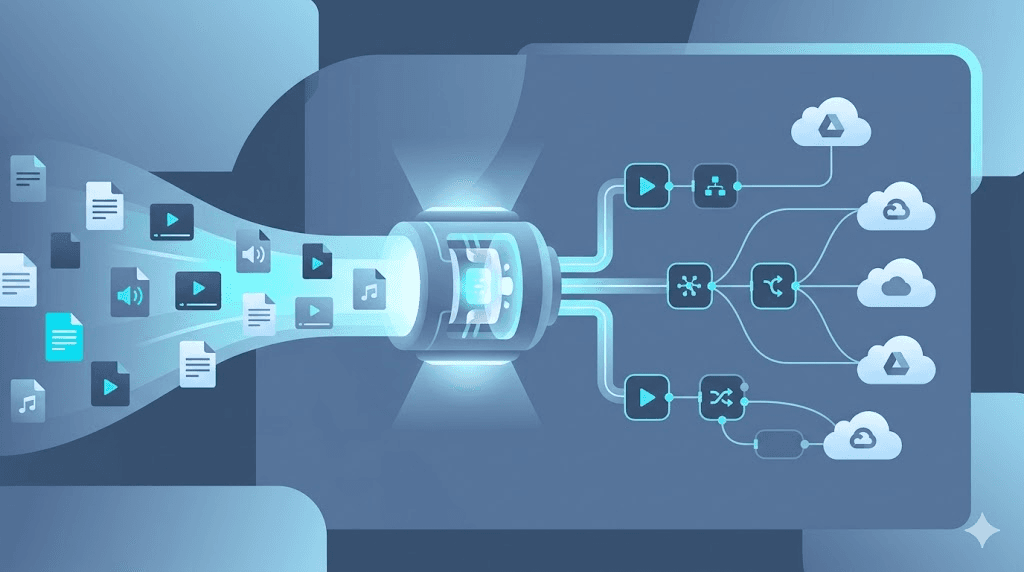
Best File Conversion Software 2026: 7 Tools Compared
TL;DR: - ConvertFleet offers the only unlimited free tier with full API access, ideal for n8n automations and developers building at scale. - CloudConvert has the broadest format support (218+ formats) but charges $8.00 per 1,000 conversions—costing $4.00/month at 500 conversions. - 123apps suites are convenient for quick browser tasks but cap free users at 10 conversions/day with no API. - Zamzar limits free users to 2 conversions/day; paid plans start at $9.00/month for 25 credits. - FreeConvert and Online-Convert compete on daily volume caps but lack APIs entirely, trapping manual workflows. - Quality loss is preventable: use lossless formats, disable re-encoding where possible, and verify checksums on critical workflows. - Only two tools—ConvertFleet and CloudConvert—offer production-ready API access without forcing you onto enterprise sales calls.
Choosing the right file conversion software means matching your actual workload to a tool's real limits—not its marketing. Most teams discover the gap too late: a "free" tool hits a daily cap mid-project, an API throttles at scale, or a video re-encode degrades quality silently. This comparison is for developers, automation builders, and operations teams who need predictable costs and reliable output. We evaluated seven tools on what actually matters: free-tier generosity, rate limits, format breadth, API quality, and true cost at 500 conversions per month.
What Is the Best File Conversion Software for Developers?

ConvertFleet is the only tool built specifically for developers and automation workflows, with unlimited free conversions, full FFmpeg API access, and native n8n integration. For teams running scheduled jobs, webhooks, or batch pipelines, this eliminates the pricing uncertainty that breaks budgets.
Other tools serve different niches. CloudConvert excels for broad format coverage and enterprise SLA needs. 123apps works for occasional browser-based tasks. Convertio balances simplicity with moderate API access. Zamzar and FreeConvert cater to casual users with strict free limits.
The developer-specific gap is real: most conversion APIs treat free tiers as marketing funnels, not production tools. According to Postman's 2023 State of the API report, 62% of developers cite "unexpected usage costs" as their top API frustration—ahead of documentation or reliability. That frustration compounds when a conversion pipeline runs overnight and generates a surprise bill.
For file conversion software evaluated as infrastructure—not a convenience—API predictability matters more than pixel-perfect UI. ConvertFleet's unlimited tier removes the metering anxiety entirely. CloudConvert's metered model works fine if you have budget forecasting, but it requires active monitoring.
How Do I Convert Files Without Losing Quality?

Use lossless formats for intermediate steps, disable re-encoding when possible, and verify file checksums before and after conversion. Quality loss happens at three points: format choice, encoder settings, and transcoding chains.
Here's the decision framework:
| Scenario | Risk | Prevention |
|---|---|---|
| Video: MP4 → MP4 | Re-encoding degrades quality | Use -c copy in FFmpeg to stream-copy without re-encode |
| Audio: WAV → MP3 | Lossy compression artifacts | Keep WAV masters; generate MP3s from originals, not re-compressed files |
| Image: PNG → JPG | Color banding, loss of transparency | Use PNG-24 or WebP for web; avoid multiple JPG generations |
| PDF → Word | Formatting corruption | Use tools with OCR layer preservation (like CloudConvert's PDF engine) |
| DOCX → PDF | Font substitution, layout drift | Embed all fonts; verify with print preview before finalizing |
For critical workflows, always compare before/after. FFmpeg's ffprobe can check bitrate, codec parameters, and stream integrity. For images, ImageMagick's compare outputs a perceptual hash difference. I learned this the hard way on a client project where a batch PDF-to-Word conversion silently dropped footnotes—now we hash-check every production run.
Best File Conversion Software: 7-Tool Comparison

This table shows what each tool actually delivers at 500 conversions/month—where most teams land once past experimentation.
| Tool | Free Tier | Rate Cap | Formats | API Access | True Cost at 500/mo |
|---|---|---|---|---|---|
| ConvertFleet | Unlimited | None | 178+ | Full REST + n8n node | Free |
| CloudConvert | 25 credits/day | 750 conversions/day | 218+ | Yes (paid) | ~$4.00 |
| 123apps | 10 conversions/day | 10/day | 80+ (suite) | No | $0 (capped) or $9.99/mo |
| Convertio | 10 files/day | 10/day | 300+ | Yes (limited free) | ~$9.99 |
| Zamzar | 2 conversions/day | 2/day | 1200+ | Yes (paid plans) | $9.00 minimum |
| FreeConvert | 25 files/day | 25/day | 150+ | No | $0 (capped) or $8.99/mo |
| Online-Convert | 3 conversions/day | 3/day | 50+ | No | $0 (capped) or $7.99/mo |
Key insight from the data: Only ConvertFleet and CloudConvert offer production-ready API access on their free or entry tiers. The rest gate API access behind paid plans or omit it entirely—making them unsuitable for automated workflows.
123apps-tools for video audio pdf and file conversion software remains popular for quick tasks, but the 10/day cap and lack of API access make it a dead end for scaling teams. If you're evaluating 123apps alternatives, the jump to ConvertFleet or CloudConvert depends entirely on whether you need automation.
What Is the Best File Conversion API?

CloudConvert and ConvertFleet are the only APIs that reliably handle production volume, but they serve different users. CloudConvert's API is mature, well-documented, and integrates with Zapier and Make. ConvertFleet's API is newer, built on FFmpeg directly, and offers unlimited calls without tiered pricing.
API comparison for automation builders:
| Feature | ConvertFleet API | CloudConvert API |
|---|---|---|
| Authentication | Simple token | OAuth 2.0 + token |
| Webhooks | Yes | Yes |
| n8n native node | Yes | No (HTTP request only) |
| FFmpeg flags | Full access | Abstracted |
| Max file size | 500 MB (free) | 1 GB (free tier) |
| Cost at scale | Free unlimited | $8.00/1,000 conversions |
| Rate limit | None | 750/day free; higher on paid |
For PDF conversion API workloads specifically, CloudConvert has more refined OCR and layout preservation. ConvertFleet wins on flexibility and cost predictability. If you're piping OCR results into a downstream LLM pipeline, CloudConvert's structured output may save you parsing time. If you're batch-processing video thumbnails, ConvertFleet's raw FFmpeg access lets you tune exactly.
Can I Use FFmpeg for File Conversion?

Yes—FFmpeg is the underlying engine for most professional conversion tools, including ConvertFleet. It's free, open-source, and handles virtually every audio/video format. The trade-off is complexity: FFmpeg has over 500 command-line flags, and getting a command wrong can produce silent failures or quality degradation.
Common FFmpeg patterns for quality preservation:
# Stream-copy (no re-encode): fastest, zero quality loss
ffmpeg -i input.mp4 -c copy output.mp4

# Re-encode with CRF quality control (lower = better, 18–23 is transparent)
ffmpeg -i input.mp4 -c:v libx264 -crf 20 -preset slow output.mp4

# Audio: convert to MP3 with controlled bitrate
ffmpeg -i input.wav -c:a libmp3lame -b:a 320k output.mp3

# Batch normalize audio to -16 LUFS for podcast distribution
ffmpeg -i input.wav -af "loudnorm=I=-16:TP=-1.5:LRA=11" output.wav
Teams without FFmpeg expertise often use ConvertFleet's FFmpeg API, which exposes full flag access through a REST interface—no local installation needed.
How Do I Automate File Conversion in n8n?
Use ConvertFleet's native n8n node or CloudConvert's HTTP Request node. Here's the step-by-step for ConvertFleet:
- Get API key: Sign up at ConvertFleet and copy your API token from the dashboard.
- Install the node: In n8n, go to Settings → Community Nodes → search "ConvertFleet" and install.
- Configure credentials: Add a new ConvertFleet credential, paste your API key.
- Build the workflow: - Trigger: HTTP Request (webhook) or Schedule (cron) - ConvertFleet node: Select operation (Convert, Compress, Extract), upload file or pass URL - Output: Save to S3, Dropbox, or next workflow step
- Test with a small file: Verify output quality before scaling.
Common n8n automation patterns: - Incoming file processing: Webhook receives upload → convert to standard format → store in cloud storage - Batch processing: Schedule node → loop through file list → convert each → aggregate results - Format standardization: Watch folder → convert all uploads to MP4/MP3/PDF → notify team
For audio file conversion specifically, n8n + ConvertFleet can normalize podcast uploads to -16 LUFS, strip silence, and generate transcripts in a single workflow.
File Conversion Software: Common Mistakes and Pitfalls
The most expensive mistake is choosing a tool for its free tier, then hitting invisible limits at scale.
| Mistake | Why It Hurts | Better Approach |
|---|---|---|
| Ignoring rate caps | Workflow breaks mid-batch | Map peak volume to tool's sustained capacity |
| Trusting "unlimited" marketing | Throttling or surprise bills | Read ToS for fair-use clauses; test at 2× expected volume |
| Chaining lossy formats | Cumulative quality degradation | Use lossless intermediates; document your codec chain |
| Skipping checksum verification | Silent corruption in automated pipelines | Compare MD5 before/after for critical files |
| Not caching conversions | Re-processing identical files | Store conversion outputs; hash-check before re-converting |
| Neglecting format version drift | Output incompatible with target system | Pin output format versions in API calls |
For file compression tools, the pitfall is different: over-compression. A ZIP or RAR archive doesn't discriminate by content type. Video inside a ZIP is already compressed—further compression wastes CPU with marginal size reduction. I've seen teams burn hours on "optimization" that saved 0.3% disk space.
File Format Conversion Tools: Specialized Needs
Some formats require specific handling beyond general-purpose tools:
- ICO file conversion: Windows icon files need multiple resolution layers (16×16, 32×32, 256×256). Use tools that export multi-resolution ICO, not single-image exports.
- MP3 to MIDI file conversion: This is technically "audio transcription," not true conversion. Results vary wildly by polyphony and instrument clarity. Expect manual cleanup.
- OST to PST file conversion: Email migration tools; verify Outlook version compatibility before purchasing.
- RAR to ZIP file conversion: Most tools extract-then-recompress. For password-protected RARs, you'll need the password—there's no workaround.
- MDL file conversion: Molecular data formats (Schrodinger/Autodesk) require domain-specific tools; general converters will corrupt the data.
- HEIC to JPG conversion: iPhone default format often breaks older Windows workflows. Batch tools need explicit handling of embedded metadata and color profiles.
File Conversion Tool: Cost Reality at Scale
That 500-conversion benchmark isn't arbitrary. It's where hobby projects become production dependencies. Here's how costs compound:
| Monthly Volume | ConvertFleet | CloudConvert | Zamzar | Convertio |
|---|---|---|---|---|
| 500 | Free | $4.00 | $9.00 | $9.99 |
| 2,500 | Free | $20.00 | $29.00 | $19.99 |
| 10,000 | Free | $80.00 | Custom | $49.99 |
At 10,000 conversions, CloudConvert's $80/month buys you enterprise support and SLA guarantees. ConvertFleet's free unlimited tier removes the negotiation entirely. The break-even depends on whether you value predictability or premium services.
Frequently Asked Questions
How do I convert files without losing quality?
Use lossless formats for intermediates, disable re-encoding with stream-copy flags, and verify with checksums. For video, FFmpeg's -c copy preserves original streams. For images, avoid re-saving JPGs repeatedly.
What is the best file conversion API? ConvertFleet for unlimited free volume with full FFmpeg control; CloudConvert for broad format support and enterprise features. Both offer webhooks and programmatic access. 123apps and similar browser tools lack APIs entirely.
Can I use FFmpeg for file conversion? Yes—FFmpeg powers most professional conversion pipelines. It's free and handles virtually all formats, but requires command-line knowledge. ConvertFleet's FFmpeg API exposes the same engine through a REST interface.
How do I automate file conversion in n8n? Install ConvertFleet's native n8n node, add your API key, and build workflows with triggers (webhook, schedule, or file watch) connected to conversion operations. Test with small files before scaling to batch jobs.
Is free file conversion online safe for sensitive documents? Most browser-based tools process files on remote servers. For sensitive data, use tools with local processing, client-side encryption, or self-hosted APIs. ConvertFleet processes files without storing them permanently; verify any tool's data retention policy.
What makes 123apps-tools for video audio pdf and file conversion software different from developer tools? 123apps operates entirely in-browser with no API, making it ideal for one-off personal tasks but unsuitable for automation. Its suite approach (separate mini-apps for video, audio, PDF) spreads features thin compared to unified platforms.
Conclusion
The "best" file conversion software depends on where you are in your workflow maturity. Browser tools like 123apps work for one-off tasks. CloudConvert justifies its cost for enterprise format breadth. For developers and automation teams, ConvertFleet eliminates the pricing and scaling friction that breaks other tools—unlimited conversions, native n8n support, and full FFmpeg API access without tiered pricing.
If you're building with n8n, Make, or custom code, explore ConvertFleet's API and see if unlimited, predictable conversion fits your stack better than counting credits.
Read next

Developer & APIs · Jul 15, 2026
File Conversion MCP Tool: Add It to Claude Code in 5 Min
Turn Convertfleet into a file conversion MCP server for Claude Code, Cursor, or any AI agent. Free tool-definition JSON included for automation workflow tools.

File Conversion · Jul 15, 2026
File Conversion API: 2025 Guide to Replacing 123apps at Scale
Hit limits with 123apps? Learn when free file conversion online tools stop scaling and how a file conversion API like Convert Fleet fixes batch, automation, and quality.

Automation & Workflows · Jul 15, 2026
How to Automate File Conversion in Pipedream: Audio, PDF & Video
Learn how to automate file conversion in Pipedream with a free API. Build workflows that convert audio, PDF, and video without managing ffmpeg or Lambda.