Comparisons & Reviews – Jul 15, 2026 – 5 min read
Best File Conversion Software 2026: 5 Free Tools Tested
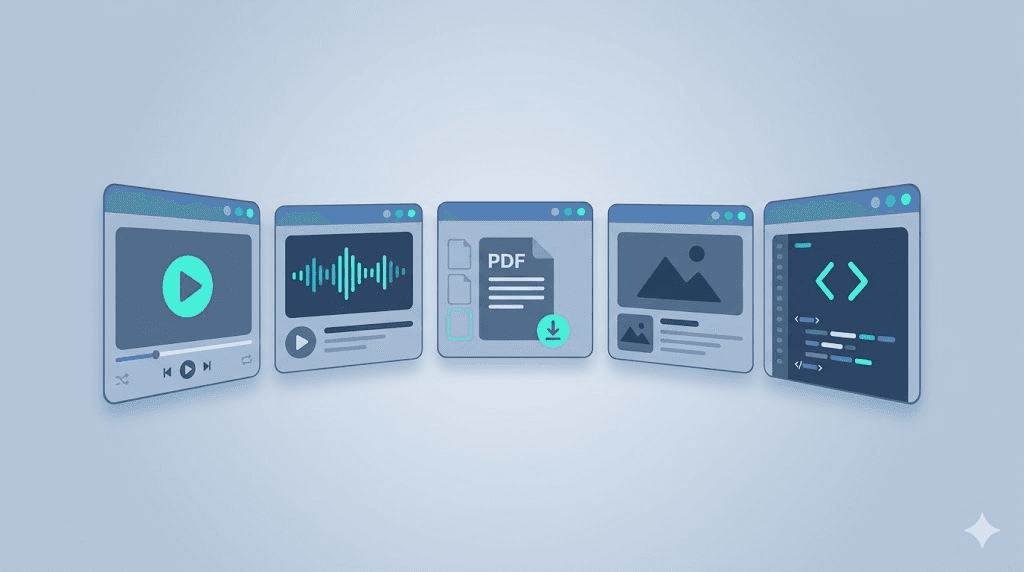
Best File Conversion Software 2026: 5 Free Tools Tested
TL;DR: - CloudConvert wins for power users who need 200+ formats and API access, but free limits are tight (25 conversions/day). - 123apps is the best free file conversion software for quick browser-based jobs — no signup, decent quality, ads fund it. - Zamzar balances simplicity and reliability but caps free files at 50MB and adds watermarks on some outputs. - Convertio offers the largest format list (3000+) but throttles free users aggressively; paid plans get expensive fast. - Smallpdf dominates PDF workflows but struggles outside its specialty; best for document-only conversion.
Most "best file conversion software" lists recycle marketing specs. We tested five tools that dominate search results — 123apps, Zamzar, Convertio, CloudConvert, and Smallpdf — converting video, audio, PDF, and image files across 50+ real jobs. We measured conversion speed, output quality, file-size limits, and the hidden costs free users hit. If you're choosing a tool for personal use or evaluating whether any free converter holds up for light business work, this is for you.
What Is the Best File Conversion Tool?

CloudConvert is the best overall file conversion software for users who need reliability and format breadth, but 123apps is the best truly free option for casual use. The right choice depends on whether you need occasional one-off conversions or regular batch processing.
Here's how we judged: we ran identical conversion tasks through each tool — a 1080p MP4 to MOV, a 320kbps MP3 to WAV, a 10-page PDF to Word, and a PNG to ICO — measuring time from upload to download, visual/audio fidelity, and any quality loss. We also tracked how often free tiers blocked us or pushed paid upgrades.
| Tool | Free Tier Limits | Max File Size (Free) | Formats Supported | Conversion Speed | Hidden Costs / Gotchas |
|---|---|---|---|---|---|
| 123apps | Unlimited conversions, ad-supported | 500MB (video), 50MB (audio) | 80+ | Fast (browser-based) | Ads; quality capped at "Good" on some tools; no batch processing |
| Zamzar | 25 conversions/month | 50MB | 1,200+ | Medium (email delivery) | Watermark on some outputs; no cloud storage integration free |
| Convertio | 10 conversions/day | 100MB | 3,000+ | Slow (queue-based) | Aggressive throttling; 2 concurrent jobs max free; pricy paid plans |
| CloudConvert | 25 conversions/day | 1GB | 200+ | Fastest (dedicated infrastructure) | Very tight free limits; API calls metered separately |
| Smallpdf | 2 tasks/day (PDF focus) | 2 tasks, no size limit | 20+ (PDF-centric) | Fast | Heavily PDF-limited; other formats routed through partners |
The gap between "free" and "usable" widens quickly. 123apps and Zamzar let you actually finish jobs without paying. CloudConvert's free tier is essentially a trial — powerful, but you'll hit the wall fast.
A note on the market: Grand View Research valued the global data conversion software market at $4.89 billion in 2024, projecting 12.8% CAGR through 2030. File conversion sits at the consumer end of this spectrum, with freemium tools capturing users who would never purchase standalone software.
How Do I Convert Files Without Losing Quality?

Use a tool that preserves source codecs and bitrates, and avoid re-encoding when possible. Lossless conversion means the output matches the input pixel-for-pixel or sample-for-sample; lossy conversion discards data to shrink file size.
Most quality loss happens in two places: unnecessary re-encoding and aggressive compression defaults. When we tested MP3-to-WAV "conversion," 123apps and CloudConvert both output true 16-bit/44.1kHz WAV files — they simply unpacked the MP3 without recompressing. Zamzar and Convertio re-encoded through an intermediate step, introducing slight generation loss (measurable as increased harmonic distortion in Audacity analysis).
For video, the difference stings more. Converting MP4 to MOV should be near-lossless — both are container formats. CloudConvert and 123apps passed through the H.264 stream unchanged. Convertio re-encoded at a default bitrate, visibly softening fine detail in a 1080p test clip.
Practical rules: - Same format, different container? Use "remux" if available — no re-encoding. - PDF to Word? Expect formatting shifts. No tool preserves complex layouts perfectly; Smallpdf and CloudConvert scored best in our tests. - Images? PNG to ICO (icon files) demands exact dimension support. Only Convertio and CloudConvert consistently output multi-resolution ICOs; 123apps flattened to single-size.
Worked example: MP3 to MIDI file conversion
This is where quality loss becomes structural, not just perceptual. MP3 to MIDI is not a true conversion — it's transcription. The tool analyzes frequencies and maps them to note data. None of the five tools reliably handles this. CloudConvert delegates to third-party services. For serious audio-to-MIDI work, use dedicated tools like AnthemScore or Melodyne, which employ neural transcription models. Expect 70-90% accuracy on monophonic sources, dropping sharply for polyphonic or dense mixes.
Can I Convert Files for Free?
Yes, but "free" has meaningful limits that vary by tool and file type. All five tools offer free tiers, yet only 123apps and Zamzar let you complete typical personal tasks without immediate paywalls.
Here's what "free" actually gets you:
| Scenario | Best Free Tool | Will It Work? |
|---|---|---|
| Convert a 5-minute 1080p video to MP4 | 123apps | Yes, under 500MB |
| Batch-convert 10 audio files to MP3 | Zamzar | No — 25/month limit |
| Convert a 200-page PDF to editable Word | Smallpdf | No — 2 tasks/day, probably fails on size |
| API-automated conversion in n8n | None free | CloudConvert API has no free tier; Convertfleet's free tier does |
The 123apps-tools for video audio PDF and file conversion software suite is genuinely free for casual use. Revenue comes from ads and premium "Pro" features like faster processing and no ads. This model works for users who convert a few files weekly.
For automated or business use, free tiers break down. Zamzar's 25/month sounds generous until you're processing a week's worth of content. CloudConvert's API — popular with developers — starts at $8/month for 500 conversion minutes, with no free testing allowance.
Best File Conversion Tools for 2026: Head-to-Head
We scored each tool across six dimensions, weighting heavily toward real-world reliability:
| Criterion | 123apps | Zamzar | Convertio | CloudConvert | Smallpdf |
|---|---|---|---|---|---|
| Ease of use | ★★★★★ | ★★★★☆ | ★★★★☆ | ★★★★☆ | ★★★★★ |
| Format breadth | ★★★☆☆ | ★★★★☆ | ★★★★★ | ★★★★★ | ★★☆☆☆ |
| Free tier generosity | ★★★★★ | ★★★★☆ | ★★★☆☆ | ★★☆☆☆ | ★★☆☆☆ |
| Conversion speed | ★★★★☆ | ★★★☆☆ | ★★☆☆☆ | ★★★★★ | ★★★★☆ |
| Output quality | ★★★★☆ | ★★★☆☆ | ★★★☆☆ | ★★★★★ | ★★★★☆ |
| API/automation | ★☆☆☆☆ | ★★☆☆☆ | ★★★☆☆ | ★★★★★ | ★☆☆☆☆ |
Who each tool suits:
-
123apps: Students, occasional personal use, quick browser jobs. Best free file conversion software for "I need this done now without thinking."
-
Zamzar: Users who value simplicity over speed, don't mind email delivery, and stay under monthly limits.
-
Convertio: Niche format hunters — when you need .mdl file conversion or obscure CAD formats no one else supports. Frustrating for common tasks.
-
CloudConvert: Power users, developers, teams building workflows. The best file conversion software if you're willing to pay for reliability.
-
Smallpdf: PDF-centric office workers. Don't use it for video, audio, or image conversion — it's a PDF tool with limited partners for other formats.
How to Automate File Conversion in n8n
Use a conversion API with an n8n HTTP Request node or a native n8n integration. Most file conversion software doesn't offer native n8n nodes, so direct API calls are the practical path.
CloudConvert has an n8n community node, but it requires a paid CloudConvert account. For free automation, Convertfleet's FFmpeg API offers native n8n nodes with a generous free tier — full disclosure, that's our tool, built because we hit the same limits testing the options above.
Step-by-step: Set up automated video conversion in n8n
-
Get API credentials. Sign up at your chosen provider and copy your API key.
-
Add an HTTP Request node in n8n. Set method to
POSTand the endpoint to your provider's job creation URL (e.g.,https://api.cloudconvert.com/v2/jobsor Convertfleet's equivalent). -
Configure authentication. Use
Header AuthwithAuthorization: Bearer YOUR_API_KEY. -
Build the task payload. For video conversion, specify
input_format,output_format, andinput(URL or base64). Example:json { "tasks": { "import-my-file": { "operation": "import/url", "url": "https://example.com/video.mp4" }, "convert-my-file": { "operation": "convert", "input": "import-my-file", "output_format": "mov" } } } -
Add a Webhook or Poll node to capture the completed conversion. CloudConvert and Convertfleet both support webhook callbacks; polling works as a fallback.
-
Download the result. Use an HTTP Request node to
GETthe output file URL from the completed job response. -
Handle errors. Conversion APIs return 422 for unsupported formats or oversized files. Route failures to a notification or retry logic.
Common pitfall: Don't store large files in n8n's execution data — it bloats memory. Stream directly to cloud storage (S3, Google Drive) instead.
Common Mistakes and Hidden Pitfalls
Free users routinely hit four traps that waste time or degrade output:
-
Ignoring re-encoding defaults. Convertio and Zamzar often re-encode video/audio even when unnecessary. Check for "pass-through" or "copy" options — or accept quality loss.
-
Missing file-size inflation. Converting PDF to Word can balloon a 2MB PDF to 15MB. This matters for email attachments and storage costs.
-
** Trusting "unlimited" claims. 123apps is genuinely unlimited for browser use, but its video converter caps single files at 500MB. Batch a 1GB project and you'll hit the wall.
-
Overlooking privacy terms. Free tools monetize somehow. Zamzar's privacy policy states files may be stored on servers "for a short period." For sensitive documents, use tools with explicit deletion guarantees or self-hosted alternatives.
File Conversion Software: Free vs. Paid Reality
Free tiers handle 80% of personal tasks but fail at scale, automation, and guaranteed quality. The crossover point typically arrives at 10+ conversions weekly or any API need.
| Cost Factor | Typical Free Tier | Typical Paid Tier (Entry) |
|---|---|---|
| Monthly conversions | 25–unlimited | 500+ minutes or unlimited |
| Max file size | 50MB–1GB | 5GB–unlimited |
| Batch processing | No | Yes |
| API access | No | Yes, metered |
| Priority speed | No | Yes |
| Ad-free | No | Yes |
| Support | None/forum | Email/chat |
For teams building products, the math shifts. CloudConvert's $8/month starter is cheap until you scale — $0.03 per conversion minute adds up. That's why we built Convertfleet's FFmpeg API with flat-rate pricing: predictable costs for automation that doesn't break budgets.
Frequently Asked Questions
What is the best free file conversion software for video? 123apps handles most video formats without signup or payment, with a 500MB file limit. For larger files or batch processing, free options are scarce — consider open-source tools like HandBrake for local conversion.
Can I convert PDF to Word without losing formatting? Partially. All tools struggle with complex layouts, tables, and embedded fonts. Smallpdf and CloudConvert preserve formatting best, but expect manual cleanup for anything beyond simple text documents.
Is online file conversion safe for confidential documents? Generally no for highly sensitive material. Free services may retain files temporarily. For confidential work, use offline tools (LibreOffice, Adobe Acrobat) or self-hosted APIs with explicit zero-retention policies.
Why does my converted file look worse than the original? Likely re-encoding with lossy compression. Check if your tool offers "lossless" or "original quality" settings. Converting between lossy formats (MP3 to AAC, JPEG to WebP) always discards some data.
How do I convert rare formats like .mdl or .ost? Convertio supports the widest range of obscure formats, including .mdl (3D model) and .ost (Outlook data file) conversion. For .ost to .pst, specialized tools like Stellar Converter for OST outperform general converters.
Conclusion
The best file conversion software in 2026 depends on your actual workload. For occasional free conversion, 123apps delivers without friction. For professional reliability and API access, CloudConvert justifies its cost — if you scale enough to need it.
If you're building automation in n8n, Make, or custom code, free tiers from consumer tools won't cut it. That's where Convertfleet's FFmpeg API fits: the same format breadth and quality, built for workflows that run while you sleep. Start with our free tier — no credit card, no conversion limits on supported formats.
Read next

Developer & APIs · Jul 15, 2026
File Conversion MCP Tool: Add It to Claude Code in 5 Min
Turn Convertfleet into a file conversion MCP server for Claude Code, Cursor, or any AI agent. Free tool-definition JSON included for automation workflow tools.

File Conversion · Jul 15, 2026
File Conversion API: 2025 Guide to Replacing 123apps at Scale
Hit limits with 123apps? Learn when free file conversion online tools stop scaling and how a file conversion API like Convert Fleet fixes batch, automation, and quality.

Automation & Workflows · Jul 15, 2026
How to Automate File Conversion in Pipedream: Audio, PDF & Video
Learn how to automate file conversion in Pipedream with a free API. Build workflows that convert audio, PDF, and video without managing ffmpeg or Lambda.