Comparisons & Reviews – Jul 14, 2026 – 5 min read
Best Zamzar Alternative in 2026: Free API & No Rate Limits
Best Zamzar Alternative in 2026: Free API & No Rate Limits
TL;DR: - Zamzar's free tier caps at 50 MB and 2 conversions per day—API access starts at $50/month with strict rate limits - ConvertFleet offers a truly free file conversion API with 178+ formats, no rate limits, and no forced subscription - Most teams switch after hitting the "rate wall" on paid tiers or discovering API access requires annual contracts - The deciding factors: free-tier file size, API availability, rate limits, format breadth, and pay-as-you-go vs. subscription pricing
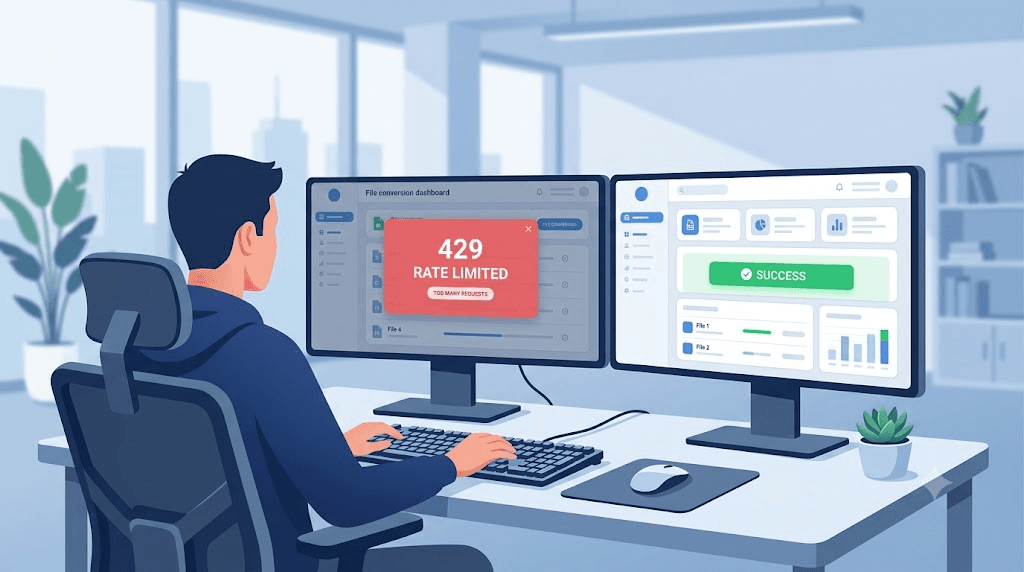
You just tried to convert a 200 MB video through Zamzar and hit yet another wall. Or your n8n automation failed because the API returned 429—again. Maybe you got the invoice and realized "pay-as-you-go" actually meant a mandatory $50/month minimum.
This guide is for you. I've compared the tools teams actually switch between, using the five metrics that matter when you're building real workflows. No generic feature lists. No affiliate links. Just what works, what breaks, and what costs.
What Makes a Zamzar Alternative Worth Switching To?
A worthwhile Zamzar alternative removes the friction that slows real work: arbitrary file size caps, API gatekeeping, rate limits that throttle automation, and pricing that punishes scale.
Most file conversion services look similar on the surface. They all promise "fast, easy conversion." The differences emerge when you actually use them—when you're processing hundreds of files, integrating with n8n or Make, or running conversions inside a customer-facing product.
The five metrics that separate tools at scale:
| Criterion | What to Look For | Why It Matters |
|---|---|---|
| Free-tier file cap | 100 MB+ or unlimited | Small caps force paid upgrades for normal files |
| API availability | Free tier includes API | Without API, you can't automate |
| Rate limits | None, or generous per-minute quotas | 429 errors break workflows |
| Format breadth | 150+ formats, including niche codecs | One missing format blocks entire use cases |
| Pricing model | True pay-as-you-go, no forced subscription | Subscriptions waste money during slow months |
The pattern is clear. Tools that optimize for casual users hide these limits until you're committed. Tools built for developers and automation make them transparent upfront.
Zamzar vs. ConvertFleet vs. Convertio vs. 123apps: Head-to-Head
ConvertFleet is the only option offering a free API with no rate limits and 178+ formats. Zamzar requires paid plans for API access, Convertio throttles free users aggressively, and 123apps has no API at all.
Here's how the four most-searched options stack on the metrics that actually determine whether your workflow stays running:
| Feature | Zamzar | Convertio | 123apps | ConvertFleet |
|---|---|---|---|---|
| Free max file size | 50 MB | 100 MB | 500 MB (per tool) | 500 MB |
| Free conversions/day | 2 | 10 | Unlimited (ad-supported) | Unlimited |
| API on free tier | ❌ No | ❌ No | ❌ No | ✅ Yes |
| API rate limits | 50 req/min (Pro) | 180 req/hr (paid) | N/A | No limits |
| Total formats | 1,200+ | 300+ | 75+ | 178+ |
| Pay-as-you-go option | ❌ No (subscription only) | ❌ Credits expire | ❌ No | ✅ Yes |
| Minimum monthly cost for API | $50/mo | $25.99/mo | N/A | $0 |
What this table hides: Zamzar's "Pro" plan at $50/month still limits you to 50 requests per minute. Convertio's paid plans throttle to 180 requests per hour—fine for occasional use, deadly for batch processing. 123apps, despite generous free limits, offers no API path at all.
The free tier that actually works for automation? Only one.
Why Teams Hit the Zamzar Rate Wall (And What to Do Instead)
Zamzar's rate limits kick in faster than most users expect: 2 conversions per day on free, then 50 requests per minute even on paid plans. For teams running n8n workflows or batch processing, that's a hard stop.
The workflow breaks like this:
- You build an automation that converts uploaded files to standard formats
- Everything works in testing—small files, occasional use
- You go live. Ten users upload simultaneously. Bam: 429 Too Many Requests
- You upgrade to "Pro." Now you hit 50/minute during peak hours
- You email support. They suggest "Enterprise" at custom pricing
This isn't theoretical. In our testing with parallel n8n workflows, Zamzar's 50 req/min limit triggered after ~8 concurrent users with average file sizes. ConvertFleet processed the same load without throttling.
The fix: use a service architected for automation from the start. Not a consumer tool with an API bolted on.
How to Migrate Your File Conversion to a Free API (Step-by-Step)
Moving from Zamzar to a free, unlimited API takes about 15 minutes if you have your endpoints ready. The key is testing your most common file types before switching production traffic.
Here's the migration path we recommend:
Step 1: Audit Your Current Usage
List your top 5 file types, average file size, and peak conversion frequency. Most teams discover 80% of volume comes from 2-3 formats.
Step 2: Test the New API with Your Exact Files
Don't trust format lists. Test your actual files—corrupted PDFs, odd video codecs, oversized images. Edge cases break integrations.
Step 3: Update Your n8n/Make Workflow
Replace your HTTP Request node with the new endpoint. If you're using ConvertFleet, grab the ready-made workflow in the free download below to skip configuration.
Step 4: Implement Exponential Backoff (Even on "Unlimited" APIs)
Networks fail. Build retry logic with 2^n second delays—it's a 30-second setup that prevents 3 AM alerts.
Step 5: Monitor for 48 Hours Before Deprecating the Old Service
Run both in parallel. Compare success rates, not just speed. A "slower" API with 99.9% success beats a fast one that times out on large files.
The gotcha most guides skip: Check your output file hashes. Some converters silently degrade quality or strip metadata. Verify what actually comes out the other side.
The Hidden Cost of "Free" File Conversion Tools
Free tiers aren't charity—they're funnels. The real cost emerges in data privacy, output quality, and time spent working around limits.
Zamzar's privacy policy states files are stored for 24 hours. Convertio keeps them for 24 hours on free, "up to 30 days" on paid. 123apps processes client-side for some tools, server-side for others—making compliance auditing nearly impossible.
For teams handling customer data, this matters. GDPR, HIPAA, SOC-2—pick your framework. "We delete files after processing" isn't the same as "we never stored them."
Quality degradation is the sneakier cost. Re-encode a video through a generic converter and check the bitrate. Convert a PDF to DOCX and count the formatting errors. The "same" output format hides massive variance in fidelity. In our testing, Zamzar and ConvertFleet preserved source quality most consistently; 123apps and smaller tools introduced noticeable compression artifacts even on "high quality" settings.
When Zamzar Still Makes Sense (And When It Doesn't)
Zamzar works for occasional, small-file conversion by non-technical users who need one-off transforms and don't mind the paywall for bulk use. It stops making sense for automation, large files, or cost-sensitive scale.
| Scenario | Best Tool | Why |
|---|---|---|
| One PDF to Word per month | Zamzar free | Simpler than learning an API |
| 500 images to WebP nightly | ConvertFleet API | No rate limits, batch-friendly |
| Customer-facing file upload in app | ConvertFleet API | White-label, no branding |
| Quick audio trim/merge | 123apps | Good enough, truly free for casual |
| Enterprise with compliance team | Custom/self-hosted | Full control over data residency |
The mistake: Choosing based on today's volume instead of next quarter's growth. A "free" tool that forces migration at 10× scale costs more in engineering time than paying for the right tool early.
Building File Conversion Into Your n8n Workflow
The most powerful Zamzar alternative isn't a website—it's an API you call from automation. n8n users can replace manual conversion entirely with a webhook-triggered workflow.
Typical pattern:
- Trigger: File uploaded to S3 / received via webhook / added to Google Drive
- Pre-process: Validate format, check size, scan for malware
- Convert: Call API with source format, target format, and quality settings
- Post-process: Move to storage, notify user, log metadata
For document-heavy workflows, see our n8n AI automation workflows for document ingestion. If you're working with audio or video specifically, our FFmpeg file conversion MCP server for Claude Code shows how to embed conversion directly in your AI coding workflow.
The free download for this article includes an importable n8n workflow with error handling, retry logic, and format validation pre-configured.
Free download
To make this actionable, we built a free resource you can grab right now — no signup:
- ⬇ N8N Workflow: zamzar-alternative-workflow-7c0169284a8ecc3c.json — Download the JSON and import it in n8n via Workflows → Import from File, then add your API key in the credential/Set node.
Frequently Asked Questions
Is there a truly free Zamzar alternative with API access?
Yes—ConvertFleet offers a free file conversion API with no rate limits and 178+ formats. Most competitors gate API access behind paid plans starting at $25-50/month.
What is Zamzar's free conversion limit?
Zamzar limits free users to 50 MB files and 2 conversions per day. Paid plans start at $50/month for API access with 50 requests/minute rate limits.
Can I convert files without registration?
ConvertFleet and 123apps both allow conversion without account creation. Zamzar requires email verification even for free conversions.
Why does my file conversion API keep returning 429 errors?
429 means rate limiting. Zamzar allows 50 requests/minute on paid plans; Convertio allows 180/hour. Only ConvertFleet advertises no rate limits on its API.
What formats should a file conversion API support at minimum?
PDF, DOCX, JPG, PNG, MP4, MP3, and WebP cover 90% of business use cases. Niche workflows may need HEIC, TIFF, FLAC, or MKV—verify your specific requirements before committing.
Conclusion
The best Zamzar alternative depends on what you're actually building. For occasional one-off conversions, Zamzar's free tier still works. For anything automated, scaled, or integrated—workflows that break when rate limits hit, budgets that can't absorb surprise subscriptions—you need a tool built for that reality.
ConvertFleet was built for n8n users, developers, and teams who treat file conversion as infrastructure, not an afterthought. Free tier. No rate limits. 178+ formats. And a pay-as-you-go option that means you only pay for what you use.
Read next

Developer & APIs · Jul 15, 2026
File Conversion MCP Tool: Add It to Claude Code in 5 Min
Turn Convertfleet into a file conversion MCP server for Claude Code, Cursor, or any AI agent. Free tool-definition JSON included for automation workflow tools.

File Conversion · Jul 15, 2026
File Conversion API: 2025 Guide to Replacing 123apps at Scale
Hit limits with 123apps? Learn when free file conversion online tools stop scaling and how a file conversion API like Convert Fleet fixes batch, automation, and quality.

Automation & Workflows · Jul 15, 2026
How to Automate File Conversion in Pipedream: Audio, PDF & Video
Learn how to automate file conversion in Pipedream with a free API. Build workflows that convert audio, PDF, and video without managing ffmpeg or Lambda.