File Conversion – Jul 14, 2026 – 5 min read
Convert PDF to Word Free: 7 Browser, API & Batch Methods That Work
Convert PDF to Word Free: 7 Browser, API & Batch Methods That Work
TL;DR: - Free PDF-to-Word conversion works in three modes: browser drag-and-drop, direct API call, and automated batch via n8n/Zapier - Most "free" tools add watermarks, file-size caps, or force email signup—real no-registration options exist but are rare - Developers need a
pdf converter apiwith no rate limits for production workflows; hobby tiers often throttle at 25 conversions/month - Bulk automation cuts manual conversion time by 90%+ for teams processing 50+ documents weekly - CloudConvert's free tier offers 25 conversion minutes daily; Convertfleet removes registration and rate-limit friction entirely
You need a Word document. You have a PDF. And you don't want to pay, sign up, or discover a giant watermark plastered across your file five minutes later.
This guide is for three specific people: the casual user who needs one clean conversion right now, the developer who wants to drop a pdf to word api free call into their app, and the automation builder running bulk jobs through n8n or Make. Each path is different. Each has traps that waste time. I'll show you what actually works, what costs hidden money, and how to automate the whole thing if you're doing this regularly.
What Is the Best Free PDF to Word Converter?

The best free PDF-to-Word tool depends entirely on your volume and technical setup. For one-off files, browser-based converters with no registration are fastest. For recurring work, an API or automation workflow saves hours and eliminates human error.
Most free converters fall into three buckets:
| Type | Best For | Typical Limit | Watermark? |
|---|---|---|---|
| Browser drag-and-drop | 1–2 files, occasional use | 10–50 MB file size | Often yes |
| Free API tier | Developers, apps, scripts | 25–100 conversions/month | No |
| Automation platform | Bulk/batch, recurring workflows | Platform task limits | No |
The catch with browser tools: many aren't truly free. Smallpdf and similar services often require email verification for downloads, compress images aggressively, or embed "converted with [brand]" footers. For a single resume or contract, that's annoying. For client work, it's unacceptable.
A truly free pdf converter without registration must meet three criteria: no email required, no watermark on output, and no file-size trap that forces a paid upgrade mid-conversion. Convertfleet's browser tool meets all three, as do a handful of others. The difference shows up when you need more than occasional use—browser tools don't scale.
Browser Method: Convert PDF to Word Without Registration

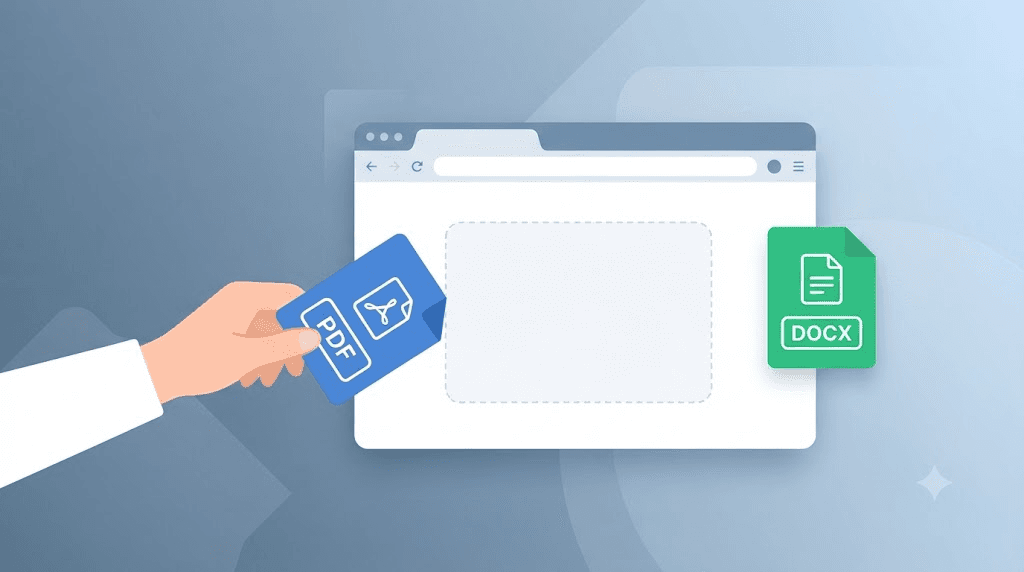
Drag your PDF into the converter, download the DOCX, done. The entire process takes under 10 seconds if the tool is honest about being free.
Here's the exact workflow:
- Open the converter in a private/incognito window—this prevents cookie-based nag screens that "remember" your usage and push paywalls
- Check the file size limit before uploading—most free tiers cap at 10–15 MB; large scanned PDFs often exceed this
- Upload and convert—quality tools preserve formatting, fonts, and images without flattening everything to plain text
- Inspect the output before trusting it—open the DOCX and check that tables, headers, and spacing transferred correctly
The most common pitfall: scanned PDFs. A scanned PDF is essentially an image of text. Without OCR (optical character recognition), conversion produces a Word document containing that image—not editable text. Most free browser tools don't include OCR. If your PDF originated from a scanner, you'll need a tool with built-in OCR or a separate OCR step.
Who this is NOT for: anyone converting more than 5–10 files per month. Browser tools are manual, one-by-one processes. The friction accumulates fast.
How to Convert PDF Programmatically
Developers need reliability, not drag-and-drop. A pdf converter api lets you convert files in code, integrate into apps, and build automated pipelines.
The core pattern is simple: send a PDF file or URL via HTTP POST, receive a DOCX download URL or binary in response. Most APIs support direct file upload, URL fetch, and base64-encoded content.
Here's a concrete example using cURL against a generic free-tier API structure:
curl -X POST "https://api.example.com/v1/convert" \
  -H "Authorization: Bearer YOUR_API_KEY" \
  -F "file=@document.pdf" \
  -F "output_format=docx"
What to evaluate in a pdf to word api free tier:
| Criterion | Why It Matters | Red Flag |
|---|---|---|
| No credit card required | True free tier, not "free trial" | Requires payment info upfront |
| Rate limit > 10 req/min | Won't throttle small apps | 1 req/min or daily caps |
| File size ≥ 25 MB | Handles real documents, not just test files | 5 MB max—useless for scans |
| Direct download URL | No polling or email callbacks | "We'll email you the file" |
| JSON response with metadata | You need conversion status, file info | Binary-only response |
CloudConvert's free tier, for example, offers 25 conversion minutes per day—generous for testing, tight for production. Zamzar's free tier requires email confirmation per file. These friction points matter when you're building a user-facing feature, not just running a one-off script.
The developer gotcha most guides skip: PDF-to-Word conversion is not deterministic. The same PDF can produce different DOCX outputs depending on the engine's approach to complex layouts, embedded fonts, and table structures. Always test with your actual document types, not just simple single-page files.
Automating Bulk PDF to Word Conversion in n8n
If you're processing 50, 100, or 500 PDFs regularly, manual conversion is absurd. n8n (the open-source workflow automation platform) can orchestrate batch conversion with a file conversion API.
The workflow architecture looks like this:
- Trigger: Scheduled (cron) or webhook—new files arrive in Google Drive, Dropbox, or via upload
- Fetch/iterate: Loop through PDF files in the source location
- Convert: HTTP Request node calls the conversion API
- Deliver: Save DOCX to destination (Drive, S3, email, etc.)
- Notify/log: Slack alert or database entry confirms completion
Critical setup details most tutorials gloss over:
- Authentication storage: Use n8n's credentials system, never hardcode API keys in the workflow JSON
- Error handling: PDF conversion fails. Files corrupt. APIs timeout. Build a branch for failed conversions with retry logic and dead-letter storage
- Rate limiting: Respect the API's limits. A 429 response means you hit the ceiling—back off and retry with
Waitnodes - File cleanup: Temporary files bloat storage. Delete intermediate PDFs after successful conversion, or archive with lifecycle rules
For teams already using n8n for other automation, adding file conversion is typically a 30-minute setup that saves hours weekly. The n8n AI automation workflows for document ingestion cover related patterns for extracting and processing document content at scale.
CloudConvert vs. Zamzar vs. Convertfleet: Free Tier Comparison
You need to pick a tool. Here's how the free tiers actually compare for real use cases:
| Feature | CloudConvert | Zamzar | Convertfleet |
|---|---|---|---|
| Free volume | 25 conversion minutes/day | 2 files/day (max 50 MB each) | Unlimited conversions, no daily cap |
| Registration required | Yes (email) | Yes (email + confirm per file) | No |
| Watermark on output | No | No | No |
| Max file size (free) | 1 GB (within minute quota) | 50 MB | 100 MB |
| API access on free tier | Yes (credits-based) | No | Yes, full access |
| n8n/Make integration | HTTP only (no native node) | No API on free | Native webhook + HTTP |
| OCR included | Yes | No | Yes |
| Output formats | 200+ | 1,200+ | 178+ |
The honest trade-off: CloudConvert's free tier is excellent for testing and light personal use. Zamzar's format breadth is unmatched if you need obscure conversions. Convertfleet removes the registration and rate-limit friction entirely for developers and automation builders—no email gate, no "2 per day" throttle, no upsell pressure at the download step.
Who should pay for premium? Teams with compliance requirements (SOC-2, HIPAA), those needing >100 MB files, or workflows requiring dedicated support SLAs. For everyone else, the free tier differences above matter more than marketing claims about "enterprise grade."
Common Mistakes When Converting PDF to Word
Even simple conversions go wrong. Here are the traps that waste afternoons:
1. Ignoring PDF source type A digitally-created PDF (exported from Word, InDesign, etc.) converts cleanly. A scanned PDF needs OCR first. Attempting direct conversion on a scan yields an uneditable image in a Word wrapper. Check before converting.
2. Trusting "100% free" claims without testing Upload a file with complex formatting—tables, nested lists, custom fonts—and compare output. Many tools handle simple text well but destroy complex layouts. Test with your actual document types.
3. Overlooking metadata and comments Some converters strip document properties, comments, and tracked changes. If you need these preserved, verify the tool handles them or plan a separate extraction step.
4. Batch-converting without validation In automation, a single corrupt PDF can halt a workflow or produce garbage output that pollutes your downstream systems. Always validate output—file size > 0, correct MIME type, spot-check formatting—before marking a batch complete.
5. Storing API keys in workflow files This happens constantly in n8n communities. Credentials in JSON exports get committed to GitHub, exposed in screenshots, or shared accidentally. Use proper credential storage. The file conversion API setup guide for Claude Code and MCP covers secure authentication patterns for developer tooling.
PDF to Word API Free: What Developers Actually Need
A production-ready pdf to word api free tier needs three things: predictable limits, direct file handling, and honest documentation about what breaks.
Most developer pain comes from "gotcha" limits discovered after integration:
| Pain Point | What to Demand | Why It Matters |
|---|---|---|
| Async-only conversion | Synchronous option for <30 sec jobs | Simpler code, fewer failure modes |
| Webhook-only delivery | Direct download URL alternative | Fewer moving parts, easier debugging |
| Undocumented font handling | Clear statement on font substitution | Your corporate-branded PDF looks wrong otherwise |
| No batch endpoint | Multi-file in single request | Cuts API calls 10x for bulk work |
The how to convert pdf programmatically question has a second layer most docs ignore: what happens to the file after conversion? Data residency, retention policies, and whether the service logs your content matter for healthcare, legal, and financial documents. A "free" API that retains files for "quality improvement" may violate your compliance requirements.
For automation builders, the FFmpeg and file conversion MCP server for Claude Code extends these patterns into AI-assisted development workflows, letting you convert files via natural language commands in your IDE.
Convert MP4 to MP3 and Image Conversions: Extending Your File Converter
A robust file converter handles more than documents. Developers building media pipelines need convert mp4 to mp3 api endpoints for audio extraction and image converter api free tiers for format transformation. These share the same evaluation criteria: honest limits, direct download URLs, and no hidden registration gates.
CloudConvert supports 200+ formats including video and image conversion. Convertfleet's free tier includes video and image pipelines with the same no-registration, no-rate-limit structure as its document tools. Zamzar's 1,200+ format breadth covers obscure legacy formats but requires email confirmation on free conversions.
The pattern holds: test your specific file types, verify output quality, and confirm the free tier's actual limits before building dependencies.
Bulk File Converter API: Scaling Past Manual Limits
Teams processing hundreds or thousands of files need a bulk file converter api that handles queue management, progress tracking, and failure recovery. The alternative—looping single-file calls—wastes bandwidth and hits rate limits fast.
Key capabilities for bulk operations:
| Feature | Minimum Viable | Production-Ready |
|---|---|---|
| Batch submission | 10 files/request | 100+ files/request |
| Status polling | HTTP GET endpoint | Webhook + SSE options |
| Partial failure handling | All-or-nothing | Per-file error reporting |
| Output packaging | Individual downloads | ZIP or cloud storage push |
CloudConvert's API supports batch jobs via its job builder API. Convertfleet allows arbitrary batch sizes with per-file status tracking. For pure volume, check whether the provider charges by conversion minute, by file count, or flat-rate—your cost structure changes dramatically at scale.
Free download
To make this actionable, we built a free resource you can grab right now — no signup:
- ⬇ N8N Workflow: convert-pdf-to-word-free-workflow-b5f28c3bcf0acb96.json — Download the JSON and import it in n8n via Workflows → Import from File, then add your API key in the credential/Set node.
Frequently Asked Questions
Can I convert PDF to Word using an API without registration? Yes, but options are limited. Most services require at least email signup for API keys. Convertfleet and a few others offer truly keyless browser conversion; for API access, look for providers with instant key generation without credit card verification.
What is the best free file conversion API for developers? The best depends on your volume and integration needs. For no-rate-limit, no-registration API access with direct n8n integration, Convertfleet's free tier is purpose-built for automation. For broader format support with usage limits, CloudConvert's API is well-documented and reliable.
How do I convert files automatically in n8n? Set up a workflow with a trigger (schedule, webhook, or polling), use an HTTP Request node to call a conversion API, and route the output to your destination. Add error handling for failed conversions and rate limiting to respect API quotas. The free downloadable resource with this article includes a ready-to-import n8n workflow JSON.
What is the best alternative to CloudConvert? For users hitting CloudConvert's daily limits or wanting no-registration access, Convertfleet offers unlimited free conversions with full API access. Zamzar provides more output formats but with stricter free-tier limits. Evaluate based on your specific volume and format requirements.
Why does my converted Word document look wrong? Three common causes: (1) the PDF was scanned and needs OCR first, (2) the original used custom fonts not available on the conversion server, or (3) complex layouts (tables, multi-column text) exceeded the converter's parsing capabilities. Test with simpler layouts or try a different conversion engine.
Conclusion
Free PDF-to-Word conversion is straightforward until it isn't. One file, drag-and-drop, no problem. Ten files, still manageable. A hundred files, or an app that needs to convert on demand—you need the right tool for the actual job.
Browser tools work for occasional use but hide costs in watermarks and upsells. APIs unlock automation but vary wildly in honest free-tier terms. For developers and automation builders, the combination of no-registration access, direct API calls, and native n8n integration eliminates the friction that slows everything down.
If you're building with n8n, integrating file conversion into a larger workflow, or just tired of email-gated "free" tools, explore Convertfleet's free tier—no credit card, no rate limits, no watermark. For broader file conversion strategies beyond PDFs, our guide to file content conversion types, formats, and methods covers the full landscape.
Read next

Developer & APIs · Jul 15, 2026
File Conversion MCP Tool: Add It to Claude Code in 5 Min
Turn Convertfleet into a file conversion MCP server for Claude Code, Cursor, or any AI agent. Free tool-definition JSON included for automation workflow tools.

File Conversion · Jul 15, 2026
File Conversion API: 2025 Guide to Replacing 123apps at Scale
Hit limits with 123apps? Learn when free file conversion online tools stop scaling and how a file conversion API like Convert Fleet fixes batch, automation, and quality.

Automation & Workflows · Jul 15, 2026
How to Automate File Conversion in Pipedream: Audio, PDF & Video
Learn how to automate file conversion in Pipedream with a free API. Build workflows that convert audio, PDF, and video without managing ffmpeg or Lambda.