Developer & APIs – Jul 15, 2026 – 5 min read
Self-Hosted FFmpeg vs. Managed API: True Cost in 2026
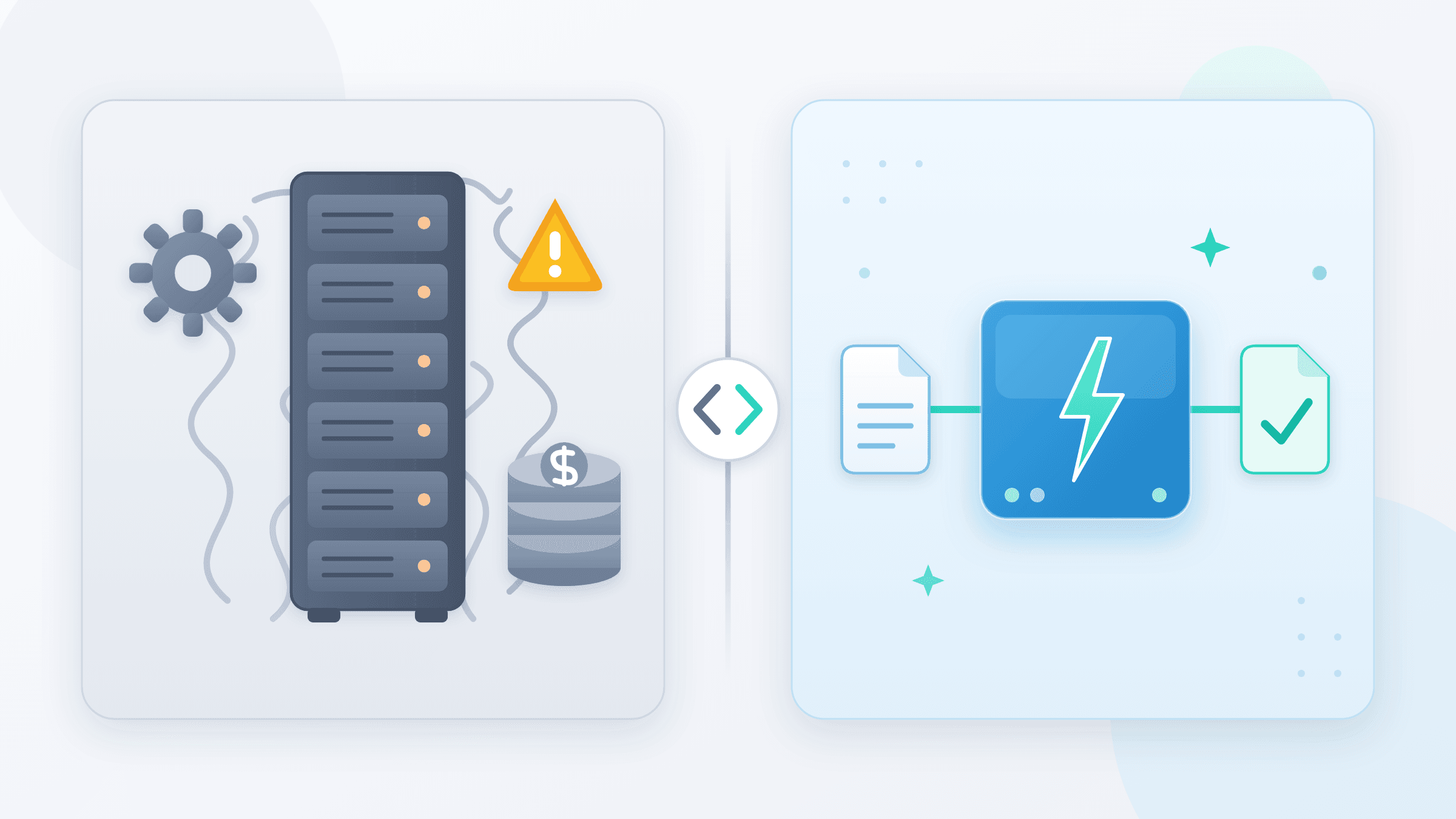
Self-Hosted FFmpeg vs. Managed REST API in 2026: True Infrastructure Cost, Ops Burden & When to Stop Maintaining Your Own Server
TL;DR: - Self-hosting FFmpeg all-in costs $838–$1,804/month once engineer time is factored — not the $122 "just compute" figure teams typically budget. - A managed ffmpeg rest api eliminates patching, queue management, codec licensing headaches, and the 2 a.m. pages entirely. - The real break-even is roughly 1,000–1,500 conversions/day; most teams below that threshold are overpaying to self-host. - n8n users connect to a hosted FFmpeg API in under 30 minutes with a single HTTP Request node — zero server setup. - The
d/platformdecodermodule va-api ffmpeg is disabled by platformlog on Android is debug noise, not an error; a REST API sidesteps it completely.
Someone on your team floated "let's just spin up an FFmpeg server." It sounds cheap. An EC2 instance runs a few dollars per hour, FFmpeg is open-source, done in an afternoon — right?
That afternoon becomes a recurring 6-hour monthly commitment, a $200 surprise on the AWS bill when a job queue backs up, and a 2 a.m. page when a codec update breaks the transcoding pipeline. The ffmpeg api decision is one of the most underestimated infrastructure choices a team makes in 2026, and virtually no existing content computes the full number.
This teardown fills that gap: real cost tables, honest maintenance burdens, working code in four languages, an n8n tutorial you can follow in under 30 minutes, and a decision matrix ready to paste into your next RFC.
What Does "FFmpeg API" Actually Mean?

An FFmpeg API is any programmatic interface for invoking FFmpeg's transcoding, muxing, and media-analysis capabilities through a function call rather than a raw CLI command. Three architecturally distinct meanings circulate, and confusing them causes teams to price the wrong option.
1. FFmpeg's native C/C++ library API (ffmpeg c api, ffmpeg c++ api)
This is libavcodec, libavformat, libavutil, libavfilter, and libswscale — the actual shared libraries that make up FFmpeg. Using this API means linking against these libraries in your C or C++ binary. The entry points are documented in FFmpeg's Doxygen reference at ffmpeg.org/doxygen/trunk/. A minimal decode loop using libavcodec looks like this in C:
#include <libavformat/avformat.h>
#include <libavcodec/avcodec.h>

AVFormatContext *fmt_ctx = NULL;
avformat_open_input(&fmt_ctx, "input.mp4", NULL, NULL);
avformat_find_stream_info(fmt_ctx, NULL);

int video_stream = av_find_best_stream(fmt_ctx, AVMEDIA_TYPE_VIDEO, -1, -1, NULL, 0);
AVCodecParameters *codecpar = fmt_ctx->streams[video_stream]->codecpar;
const AVCodec *codec = avcodec_find_decoder(codecpar->codec_id);
AVCodecContext *codec_ctx = avcodec_alloc_context3(codec);
avcodec_parameters_to_context(codec_ctx, codecpar);
avcodec_open2(codec_ctx, codec, NULL);

AVPacket *pkt = av_packet_alloc();
AVFrame  *frame = av_frame_alloc();
while (av_read_frame(fmt_ctx, pkt) >= 0) {
    avcodec_send_packet(codec_ctx, pkt);
    avcodec_receive_frame(codec_ctx, frame);
    // process frame->data[0..3]
    av_packet_unref(pkt);
}
avformat_close_input(&fmt_ctx);
This approach gives complete control — hardware acceleration via CUDA (hwaccel=cuda), VAAPI (hwaccel=vaapi), VideoToolbox on macOS — but requires managing platform-specific build dependencies, codec licensing (H.264 via libopenh264 or x264, AAC via libfdk_aac), and memory lifetimes manually. Language bindings exist for Java via JNI (JavaCV, FFmpegKit), Python via av (PyAV) and ffmpeg-python, and C# via FFmpeg.AutoGen. These bindings wrap the native C API, not a REST layer.
2. A self-hosted REST wrapper
An HTTP server — typically Express/Node.js or FastAPI/Python — that accepts a JSON request, shells out to the local ffmpeg binary via child_process.exec or subprocess.run, and returns the result. You own and operate the server, the binary, the job queue, and all surrounding infrastructure. This is what most developers building "ffmpeg api python" or "ffmpeg rest api" prototypes end up building.
3. A managed FFmpeg online API
A third-party hosted service exposing an ffmpeg online api endpoint. You POST a file URL and conversion parameters; the provider runs FFmpeg at scale in isolated containers; you receive an output URL. No servers, no patches, no queues. When developers search "ffmpeg online api" or "api ffmpeg", this is the option they evaluate against building their own.
This article covers choosing between option 2 and option 3. Option 1 (the native C API) is the right tool for embedded applications — video players, media pipelines inside compiled binaries — not for web services or automation workflows.
What Does Self-Hosting FFmpeg Actually Cost?

Self-hosting FFmpeg costs $838–$1,804/month for a modest production workload once engineer time is counted — not the $122 figure from a back-of-napkin budget. Here is where the money actually goes.
Compute (AWS, us-east-1, 2026 on-demand pricing):
| Instance | vCPU | RAM | On-Demand/mo | 1-yr Reserved/mo | Practical ceiling |
|---|---|---|---|---|---|
| t3.medium | 2 | 4 GB | $30 | $18 | Light thumbnail generation only |
| c5.xlarge | 4 | 8 GB | $122 | $74 | 3–5 concurrent HD transcodes |
| c5.2xlarge | 8 | 16 GB | $244 | $148 | 8–12 concurrent HD transcodes |
| c5.4xlarge | 16 | 32 GB | $488 | $295 | 20–25 concurrent HD transcodes |
| c5.metal | 96 | 192 GB | $3,264 | $1,975 | High-volume batch encoding |
A t3.medium saturates the moment two concurrent HD video transcodes land simultaneously. Anything with real production traffic needs at minimum a c5.xlarge, and seasonal spikes push you into auto-scaling that routinely touches c5.2xlarge territory.
Supporting infrastructure you cannot skip:
| Component | Monthly cost |
|---|---|
| Application Load Balancer | ~$16 base + $0.008/LCU-hour |
| S3 storage (500 GB staging) | ~$11.50 |
| Data transfer out (500 GB) | ~$46 |
| CloudWatch Logs + 10 alarms, 5 GB logs | ~$10 |
| NAT Gateway (private VPC, 50 GB) | ~$32 |
| Redis instance for job queue (cache.t3.medium) | ~$25 |
Infrastructure subtotal: $238–$604/month depending on instance tier and traffic volume.
Now add engineer time. The Stack Overflow Developer Survey 2024 reports US developer salaries averaging $130,000–$150,000/year. Fully-loaded cost including benefits and overhead runs $100–$115/hour. A production FFmpeg pipeline consumes:
| Activity | One-time hours | Recurring/month |
|---|---|---|
| Containerize FFmpeg, write REST wrapper, set up job queue | 40–80 h | — |
| Write monitoring, alerting, status webhooks | 15–25 h | — |
| Load testing, runbook documentation | 8–15 h | — |
| FFmpeg and OS security patches, regression testing | — | 2–4 h |
| Queue tuning, concurrency adjustments | — | 1–2 h |
| Incident response (OOM kills, corrupt-input hangs, format regressions) | — | 2–4 h |
Codec library updates (libx264, libvpx, libdav1d) |
— | 1–2 h |
At $100/hr, monthly maintenance runs $600–$1,200 — permanently, for the lifetime of the pipeline.
The DORA 2024 State of DevOps Report found that low-performing teams spend more than 38% of engineering time on unplanned work and rework, compared to under 15% for elite teams. A hand-rolled FFmpeg pipeline is a textbook source of that unplanned work.
Total realistic monthly cost: $838–$1,804. Teams that approve only the EC2 line item consistently discover the real number six months into a post-mortem.
What Are the Hidden Ops Burdens Nobody Budgets For?
The maintenance tax on a self-hosted FFmpeg deployment compounds as the pipeline matures — not a one-time cost that stabilizes.
Codec and library churn. FFmpeg publishes major releases every 3–6 months; point releases arrive more frequently. Security-sensitive fixes — buffer overflows in container demuxers, out-of-bounds reads in codec parsers — appear regularly and are catalogued in NIST's National Vulnerability Database. Between 2018 and 2024, FFmpeg accumulated over 140 CVEs, several rated Critical (CVSS ≥ 9.0), affecting libavcodec parsers for MKV, MP4, AVI, and FLV containers. Every patch cycle means a Docker image rebuild, a staged canary rollout, and regression testing across every format in your acceptance suite. Skip one, and you run a known vulnerability in production.
Format and codec coverage drift. You prototype with MP4→MP3 conversion. Within six months, users submit HEIC photos, WebP animations, AVIF stills, HDR10+ video, and MXF broadcast masters. Each new format requires testing a fresh FFmpeg build with the right --enable-* compile flags, auditing libdav1d for AV1, libsvtav1 for AV1 encoding, libvmafur for quality scoring, or libopus for Opus audio. A managed ffmpeg rest api absorbs all of this silently.
Queue management is not optional at scale. A bare FFmpeg process with no job queue is one concurrent-request spike from hanging the server. A production queue requires: a broker (Redis + BullMQ, AWS SQS, or Celery + RabbitMQ), worker concurrency limits, job priority tiers, dead-letter queues for unprocessable files, retry logic with exponential backoff and jitter, and status webhook delivery with signature verification. That is a non-trivial engineering surface with zero product differentiation — your users do not care that you built a beautiful job scheduler.
Concurrency ceilings and burst handling. A c5.xlarge saturates at roughly 3–5 concurrent HD video transcodes before CPU contention causes quality degradation (visible macroblock artifacts under high load) and p99 job latency climbs past user tolerance. Burst traffic from a marketing launch or viral moment exposes this immediately. Handling it requires either chronic over-provisioning (paying for idle capacity 95% of the time) or building Kubernetes HPA or EC2 Auto Scaling logic — both cost money, one in idle compute, the other in engineering hours.
Teams we have audited find self-hosted FFmpeg pipelines consuming 20–30% of their total DevOps budget maintaining infrastructure with zero product value. That budget would ship features.
What Does a Managed FFmpeg REST API Actually Cost?
A managed ffmpeg online api trades infrastructure ownership for usage-based pricing, and the economics flip dramatically at low-to-medium conversion volumes.
Representative 2026 market pricing tiers:
| Tier | Conversions included | Approximate cost | Best for |
|---|---|---|---|
| Free | 50–500/month | $0 | Prototyping, n8n development, internal tools |
| Pay-per-call | Unlimited | $0.001–$0.01/conversion | Unpredictable or growing workloads |
| Starter subscription | 5,000–10,000/month | $20–$49/month | SaaS products, small automation pipelines |
| Growth subscription | 50,000–100,000/month | $99–$199/month | Mid-market products, high-frequency workflows |
| Enterprise | Custom | Custom | >1M conversions/month, SLA requirements, data residency |
What you are not paying for: servers, monitoring tooling, on-call coverage, codec library updates, job queue infrastructure, or incident response engineers. The provider's SLA covers uptime — typically 99.9%, meaning less than 44 minutes of downtime per month. Format support is maintained by the provider's engineering team. When AVIF support or AV1 encoding lands in a new FFmpeg release, it is available in the API within weeks, not after you rebuild a Docker image and run your regression suite.
At under 1,000 conversions/day, a managed API is almost always cheaper all-in. Beyond ~1,500 conversions/day with flat, predictable load and a team that already has dedicated DevOps capacity, the economics begin to favor dedicated infrastructure — but only after honestly accounting for engineering hours rather than just the EC2 bill.
See Convert Fleet's pricing and free tier →
Self-Hosted vs. Managed FFmpeg API: Decision Matrix
Use this table before your next architecture decision. It reflects actual production trade-offs.
| Factor | Self-Hosted FFmpeg | Managed FFmpeg REST API |
|---|---|---|
| Setup time | 1–5 engineering days | < 30 minutes |
| Monthly infra cost | $238–$604 | $0–$199 (tiered) |
| Engineer time/month | 6–12 hours | ~0 hours |
| All-in monthly cost | $838–$1,804 | $0–$199 |
| New format/codec support | Manual rebuild + regression test | Automatic, provider-managed |
| CVE patching | Your responsibility, your schedule | Provider's responsibility |
| Horizontal scaling | Manual Auto Scaling or Kubernetes HPA | Transparent, instant |
| Uptime SLA | You own it | Provider SLA (typically 99.9%) |
| n8n / Make / Zapier integration | Custom HTTP node + auth setup + error handling | Ready in one HTTP Request node |
| Audit logs & observability | Build it yourself (CloudWatch, Datadog) | Included in most plans |
| Full FFmpeg flag control | Complete — any compile flag, any codec | Partial — API surface covers 95%+ of real workloads |
| Data residency / air-gap | Achievable in private VPC | Not possible — files leave your infrastructure |
| Break-even volume | ~1,000–1,500 conversions/day | Below that threshold |
Self-hosting wins only under three simultaneous conditions: high sustained volume, genuine data residency constraints, and a dedicated DevOps engineer who owns the pipeline — not a shared resource with 15 other priorities.
When Does Self-Hosting FFmpeg Actually Make Sense?
Self-hosting is worth the investment when volume, compliance, and staffing conditions align simultaneously — rarer than most teams assume.
The four scenarios where self-hosting genuinely wins:
Regulated data residency. Healthcare (HIPAA), EU-regulated companies under strict GDPR interpretations, and financial services firms with Data Processing Agreements prohibiting third-party sub-processors cannot route files through external APIs. A VPC-isolated, self-hosted pipeline with no public egress is the only compliant architecture.
Extreme sustained volume. At 100,000+ conversions/day with flat, predictable load, reserved EC2 instance pricing makes dedicated infrastructure cost-competitive with per-unit API pricing. The arithmetic only works with reserved instances (not on-demand) and disciplined capacity planning.
Custom non-standard codec builds. Lossless ProRes 4444 XQ, camera RAW demuxing (REDCODE, ARRIRAW), broadcast MXF variants requiring custom --enable-libklvanc or --enable-libdecklinkvideoio compile flags, or hardware-accelerated encode targets (NVENC on specific GPU families) fall outside what any managed service exposes. These are real requirements for broadcast and post-production pipelines — and genuinely rare everywhere else.
Air-gapped on-premise deployments. Defense contractors, government agencies, and some enterprise environments operate networks with no internet egress permitted. A REST API endpoint is unreachable by definition.
Outside these four scenarios, self-hosting is the more expensive and more fragile option. Most teams that believe they fall into one of these categories — in practice, after careful audit — do not.
How Can I Use FFmpeg in n8n Without Self-Hosting?
You can use FFmpeg in n8n without self-hosting by pointing n8n's HTTP Request node at a managed FFmpeg REST API. No server, no FFmpeg binary, no Docker image, no queue logic — just an API key and a POST request. The complete workflow takes under 30 minutes to build and test.
Step-by-Step: n8n FFmpeg API Workflow
Step 1: Create a Convert Fleet account. The free tier at convertfleet.com covers several hundred conversions per month — sufficient for development, testing, and most internal automation workflows.
Step 2: Store credentials securely.
In n8n, navigate to Credentials → New → HTTP Header Auth. Set the Name field to Authorization and Value to Bearer YOUR_API_KEY. Reference this credential in the HTTP Request node rather than hardcoding the key in the workflow JSON — hardcoded keys appear in workflow exports and logs.
Step 3: Add a trigger. Choose based on your source: - Webhook node for real-time file uploads from an application - Schedule Trigger node for nightly batch jobs - Google Drive / Dropbox node to watch a folder and fire on new files - Slack node if users submit media via a Slack bot
Step 4: Add an HTTP Request node.
Set Method to POST, URL to https://api.convertfleet.com/v1/convert, and Authentication to the credential from Step 2. Set Send Body to JSON.
Step 5: Configure the request body.
{
  "input_url": "{{ $json.file_url }}",
  "output_format": "mp4",
  "options": {
    "video_codec": "libx264",
    "audio_codec": "aac",
    "crf": 23,
    "preset": "fast"
  }
}
Use n8n's expression syntax ({{ $json.field }}) to pull the input URL from whatever the trigger node provides.
Step 6: Handle synchronous vs. asynchronous responses.
Files under ~50 MB typically complete synchronously within 3–10 seconds. The response body contains output_url directly:
{ "status": "complete", "output_url": "https://..." }
For large files (multi-GB video, long-running encodes), the API returns a job_id immediately. Handle this with a Wait node (pause 5–15 seconds) followed by a second HTTP Request to the status endpoint:
GET /v1/jobs/{{ $json.job_id }}
Wrap this in an n8n Loop Over Items node with a condition {{ $json.status === "complete" }} to poll until done. Add a maximum iteration count (15–20) to prevent infinite loops on failures.
Step 7: Route the output.
Pass {{ $json.output_url }} downstream to an S3 Upload node, a Slack message, a database write, an email via SendGrid, or any downstream step in your automation. The converted file is accessible via HTTPS for the provider's retention window (typically 1–24 hours), so download or re-upload it if you need longer-term storage.
Full n8n workflow JSON template and advanced patterns (parallel batch processing, error branching, webhook callbacks) are in the n8n FFmpeg workflow guide.
FFmpeg API Tutorial: Code Examples in Python, PHP, Java, and C
A managed ffmpeg rest api follows standard HTTP conventions. Integration takes under 15 lines in any language. These examples show both synchronous and async (polling) patterns — the two modes you encounter in production.
Python (ffmpeg api python)
import time
import requests

API_KEY = "YOUR_API_KEY"
BASE_URL = "https://api.convertfleet.com/v1"
HEADERS = {"Authorization": f"Bearer {API_KEY}"}

def convert(input_url: str, output_format: str, options: dict = None) -> str:
    payload = {"input_url": input_url, "output_format": output_format}
    if options:
        payload["options"] = options

    resp = requests.post(f"{BASE_URL}/convert", headers=HEADERS, json=payload, timeout=30)
    resp.raise_for_status()
    data = resp.json()

    if data["status"] == "complete":
        return data["output_url"]

    # Async: poll for completion
    job_id = data["job_id"]
    for _ in range(20):
        time.sleep(5)
        status = requests.get(f"{BASE_URL}/jobs/{job_id}", headers=HEADERS).json()
        if status["status"] == "complete":
            return status["output_url"]
        if status["status"] == "failed":
            raise RuntimeError(f"Conversion failed: {status.get('error')}")
    raise TimeoutError("Job did not complete within 100 seconds")

# Usage
url = convert(
    "https://example.com/input.avi",
    "mp4",
    {"video_codec": "libx264", "crf": 23, "preset": "fast"}
)
print(url)
PyAV (av library) wraps libavcodec directly for in-process Python use — appropriate when FFmpeg must run inside the Python process without a network hop. For web services and automation, the REST pattern above is the right choice.
PHP (ffmpeg php api)
function convertFile(string $inputUrl, string $outputFormat, array $options = []): string {
    $payload = json_encode(array_filter([
        'input_url'     => $inputUrl,
        'output_format' => $outputFormat,
        'options'       => $options ?: null,
    ]));

    $ch = curl_init('https://api.convertfleet.com/v1/convert');
    curl_setopt_array($ch, [
        CURLOPT_POST           => true,
        CURLOPT_RETURNTRANSFER => true,
        CURLOPT_TIMEOUT        => 30,
        CURLOPT_HTTPHEADER     => [
            'Authorization: Bearer ' . getenv('CONVERTFLEET_API_KEY'),
            'Content-Type: application/json',
        ],
        CURLOPT_POSTFIELDS     => $payload,
    ]);

    $data = json_decode(curl_exec($ch), true);
    $code = curl_getinfo($ch, CURLINFO_HTTP_CODE);
    curl_close($ch);

    if ($code !== 200) {
        throw new RuntimeException("API error {$code}: " . ($data['error'] ?? 'unknown'));
    }

    return $data['output_url'] ?? throw new RuntimeException('Missing output_url');
}

echo convertFile('https://example.com/input.mov', 'webm', ['video_codec' => 'libvpx-vp9']);
Guzzle users: $client->post('/v1/convert', ['json' => $payload, 'headers' => $headers]) follows the same pattern with automatic redirect handling.
C# (ffmpeg api c#, c# ffmpeg api)
using System.Net.Http.Json;
using System.Net.Http.Headers;

public record ConvertRequest(string InputUrl, string OutputFormat, Dictionary<string,object>? Options = null);
public record ConvertResponse(string Status, string? OutputUrl, string? JobId, string? Error);

public class FFmpegApiClient(HttpClient http, string apiKey)
{
    public FFmpegApiClient(string apiKey) : this(new HttpClient
    {
        BaseAddress = new Uri("https://api.convertfleet.com/v1/"),
        DefaultRequestHeaders = { Authorization = new AuthenticationHeaderValue("Bearer", apiKey) }
    }, apiKey) { }

    public async Task<string> ConvertAsync(string inputUrl, string outputFormat,
        Dictionary<string,object>? options = null, CancellationToken ct = default)
    {
        var req = new ConvertRequest(inputUrl, outputFormat, options);
        var resp = await http.PostAsJsonAsync("convert", req, ct);
bisect: resp.EnsureSuccessStatusCode();
        var data = await resp.Content.ReadFromJsonAsync<ConvertResponse>(cancellationToken: ct)!;

        if (data!.Status == "complete") return data.OutputUrl!;

        // Poll async job
        for (int i = 0; i < 20; i++)
        {
            await Task.Delay(5_000, ct);
            var status = await http.GetFromJsonAsync<ConvertResponse>($"jobs/{data.JobId}", ct);
            if (status!.Status == "complete") return status.OutputUrl!;
            if (status.Status == "failed") throw new InvalidOperationException(status.Error);
        }
        throw new TimeoutException("Conversion timed out.");
    }
}

// Usage
var client = new FFmpegApiClient(Environment.GetEnvironmentVariable("CONVERTFLEET_API_KEY")!);
var url = await client.ConvertAsync("https://example.com/input.mkv", "mp4",
    new() { ["video_codec"] = "libx264", ["crf"] = 23 });
Console.WriteLine(url);
FFmpeg.AutoGen provides P/Invoke bindings to the native libavcodec API for C# applications that need in-process FFmpeg — appropriate for desktop software, not web APIs.
Java (ffmpeg java api)
import java.net.http.*;
import java.net.URI;

public class FFmpegApiClient {
    private static final String BASE = "https://api.convertfleet.com/v1";
    private final HttpClient http = HttpClient.newHttpClient();
    private final String apiKey;

    public FFmpegApiClient(String apiKey) { this.apiKey = apiKey; }

    public String convert(String inputUrl, String outputFormat) throws Exception {
        String body = """
            {"input_url":"%s","output_format":"%s"}
            """.formatted(inputUrl, outputFormat);

        HttpRequest request = HttpRequest.newBuilder()
            .uri(URI.create(BASE + "/convert"))
            .header("Authorization", "Bearer " + apiKey)
            .header("Content-Type", "application/json")
            .POST(HttpRequest.BodyPublishers.ofString(body))
            .build();

        HttpResponse<String> response = http.send(request, HttpResponse.BodyHandlers.ofString());
        // parse response JSON with Jackson or Gson
        // return outputUrl or poll job_id as needed
        return response.body(); // parse this
    }
}
JavaCV wraps the native FFmpeg C API via JNI — the right choice for Android or desktop Java applications embedding video processing. For server-side Java microservices, the REST client above is simpler and avoids native dependency headaches.
Android FFmpeg API andetz the d/platformdecodermodule va-api ffmpeg is disabled by platform Message
When building Android video apps, the log line d/platformdecodermodule va-api ffmpeg is disabled by platform is not an error to fix — it is a debug-level message from Android's PlatformDecoderModule (part of ExoPlayer and the Media3 library) reporting that VA-API hardware acceleration through FFmpeg's VAAPI backend is unavailable on the current device. VA-API is a Linux desktop graphics API; it does not exist on Android hardware. The message appears when a media player attempts to enumerate all available decoder backends and rules VAAPI out.
What to actually do: Nothing, in most cases. ExoPlayer and Media3 automatically fall through to MediaCodec (Android's native hardware decoder API), then to software decoders. Your video will play. The log is noise.
For the android ffmpeg api use case — transcoding on-device or server-side: On-device transcoding with FFmpeg on Android is genuinely difficult. FFmpegKit is the most maintained option (builds FFmpeg as a native .so, bundles it in the APK), but it adds 10–30 MB to your app size depending on codec selection, requires explicit ABI splits (armeabi-v7a, arm64-v8a, x86_64), and uses software encoding on most devices since hardware encoder access via MediaCodec requires Android-specific APIs outside FFmpeg's generic interface.
A managed REST API eliminates all of this. Your Android app uploads the file, POSTs to the API, and retrieves the converted URL. Hardware acceleration, codec support, and output quality are the provider's problem. The va-api ffmpeg is disabled by platform log disappears from relevance because FFmpeg never runs on the device.
Common Mistakes When Evaluating FFmpeg Infrastructure
Engineering teams that have built video pipelines before still get this decision wrong. These failure modes repeat most reliably.
Budgeting only compute, treating engineer time as free. The single most common error. A team approves a $122/month EC2 line item, and six months later — usually in a sprint retrospective or DevOps budget audit — discovers the true all-in cost is $900+/month. Build the fully-loaded number before the sprint, including maintenance hours at your real fully-loaded engineering rate. If you would not accept a vendor proposal without fully-loaded costs, do not accept your own infrastructure proposal without them either.
Underestimating format diversity in production. Every prototype starts with MP4-to-MP3 conversion. Production users upload whatever their camera, phone, NLE, or broadcast chain produces: HEIC, AVIF, WebP animations, MXF Op1a, IMF CPL packages, ARRI LogC3, ProRes RAW, Dolby Vision. Each new format requires testing, usually a new FFmpeg build with different compile flags, and sometimes pulling in additional third-party libraries (libdav1d for AV1, libvmaf for quality metrics, libkvazaar for HEVC). Budget format expansion as an ongoing line item, not a one-time task.
Treating the job queue as an afterthought and building it in month four. A bare FFmpeg process with no queue collapses under concurrent requests. The queue, dead-letter handling, retry logic with exponential backoff and jitter, status webhook delivery with HMAC signature verification, and a status dashboard represent as much engineering effort as the REST wrapper itself — often more. Teams that skip this at launch always rebuild the whole pipeline three months later under production pressure.
Ignoring p99 latency, not just mean latency. A c5.xlarge running 3 concurrent transcodes looks fine on average latency metrics. The 99th-percentile job — a 4K 60fps video submitted while two other jobs are running — will experience CPU contention, take 5× longer than expected, and may corrupt output frames at codec saturation. Users notice. Set up CloudWatch ConversionDurationP99 alarms before launch, not after your first angry support ticket.
Calling "control" as the decisive factor without auditing what control you actually need. The edge cases that genuinely require fully custom FFmpeg builds — non-standard broadcast codec variants, hardware decode targets specific to your GPU fleet, non-free codec licenses — affect fewer than 5% of production media workloads. Audit your actual format matrix before citing control as the reason to self-host. Most teams that use control as the justification never exercise the flags they cited, and are paying $1,200/month in engineering time to maintain a custom pipeline that could have been three lines of Python calling an API.
Not reading the provider's DPA before a compliance conversation. Asking "is a managed API HIPAA compliant?" after you have already built the integration is the wrong order. Review the Data Processing Agreement, data residency documentation, and file retention policies before writing the first line of integration code. Most providers publish these; the ones that do not are not suitable for regulated workloads.
FFmpeg API Documentation Quick Reference
The ffmpeg api documentation for a managed REST API covers five core surfaces:
| Endpoint | Method | Purpose |
|---|---|---|
/v1/convert |
POST | Submit a conversion job; returns output URL or job ID |
/v1/jobs/{id} |
GET | Poll job status (pending, processing, complete, failed) |
/v1/jobs/{id} |
DELETE | Cancel a queued or processing job |
/v1/formats |
GET | List supported input/output formats and codec options |
/v1/usage |
GET | Current-period conversion count and quota remaining |
For the native C API, the canonical ffmpeg api documentation lives at ffmpeg.org/doxygen/trunk/ — module-level Doxygen with every function signature, parameter description, and return value. The libavcodec/avcodec.h header is the most-read; libavformat/avformat.h covers container muxing/demuxing; libavfilter/avfilter.h covers the filter graph API for complex transformations like overlays, scaling chains, and audio normalization.
Frequently Asked Questions
What is an FFmpeg REST API?
An FFmpeg REST API is an HTTP service that accepts a file URL and conversion parameters, runs FFmpeg server-side in an isolated environment, and returns the converted file or a download URL. It abstracts the FFmpeg CLI behind a standard HTTP contract so any language, framework, or automation platform can trigger media processing without installing or operating FFmpeg locally. This is architecturally distinct from FFmpeg's native C/C++ library API (libavcodec, libavformat), which is for embedding FFmpeg into compiled applications.
How much does self-hosting FFmpeg cost per month in 2026? A production-ready self-hosted FFmpeg setup on AWS costs $838–$1,804/month all-in. Compute runs $122–$488/month (c5.xlarge to c5.4xlarge, AWS 2026 on-demand pricing), supporting infrastructure — ALB, S3, data transfer, CloudWatch, Redis — adds $115–$120/month, and ongoing engineer maintenance at $100/hour adds $600–$1,200/month. Teams that budget only the EC2 cost consistently underestimate their total by 4–8×.
How can I use FFmpeg in n8n without self-hosting?
Connect to a managed FFmpeg REST API using n8n's HTTP Request node. Store your API key as an HTTP Header Auth credential in n8n's Credentials panel, POST the input file URL and desired output format in the request body, then pass the returned output_url to the next workflow node. For large files, use n8n's Wait node to poll the job status endpoint until status === "complete". Total setup time: under 30 minutes. Convert Fleet's free tier integrates directly without additional configuration.
Which programming languages have FFmpeg API support?
Any language with an HTTP client integrates with a managed REST API — Python (requests, httpx), PHP (curl, Guzzle), Java 11+ (HttpClient, OkHttp), C# (HttpClient), JavaScript/Node.js (fetch, Axios), Ruby (Net::HTTP, Faraday), Go (net/http). For native embedding via libavcodec, language-specific bindings exist: PyAV for Python, JavaCV/FFmpegKit for Java/Android, FFmpeg.AutoGen for C#, and the raw C/C++ API for compiled applications.
Is a managed FFmpeg API secure enough for production use? Yes, for the vast majority of production workloads. Reputable providers use TLS 1.2+ for all transfers, process files in ephemeral isolated containers that are destroyed after the job completes, and delete input and output files within 1–24 hours. For regulated industries — healthcare under HIPAA, EU companies under GDPR data residency requirements, financial services under specific DPA constraints — review the provider's Data Processing Agreement and ask explicitly about sub-processor lists and data residency before integration. If files cannot leave your infrastructure under any circumstance, a self-hosted VPC deployment is the correct choice.
What does d/platformdecodermodule va-api ffmpeg is disabled by platform mean on Android?
This is a debug log from Android's PlatformDecoderModuleois a debug log from Android'sPlatformDecoderModule— part of ExoPlayer and Media3 — reporting that VA-API hardware acceleration (a Linux desktop graphics API) is unavailable on the Android device. It is not an error. ExoPlayer falls through to MediaCodec automatically. No action is required. If you are building a transcoding workflow on Android, a managed REST API is the simpler approach versus bundling FFmpegKit as a native.so`.
Conclusion
The honest 2026 answer to "self-host FFmpeg or use an API" is: self-host only if you exceed ~1,000 conversions/day with flat predictable load, face genuine data residency requirements, or need exotic codec configurations no managed service supports. These conditions are rarer than most teams assume. For everyone else, the engineering cost of maintaining a server — patching, queuing, incident response, format drift — exceeds per-conversion API pricing by a wide margin.
If your team is spending sprint cycles on FFmpeg queue bugs instead of shipping product, Convert Fleet's free FFmpeg API is the fastest path back to focus — free tier to start, n8n-ready in under 30 minutes, scales without you touching a server.
Read next

Developer & APIs · Jul 15, 2026
File Conversion MCP Tool: Add It to Claude Code in 5 Min
Turn Convertfleet into a file conversion MCP server for Claude Code, Cursor, or any AI agent. Free tool-definition JSON included for automation workflow tools.

File Conversion · Jul 15, 2026
File Conversion API: 2025 Guide to Replacing 123apps at Scale
Hit limits with 123apps? Learn when free file conversion online tools stop scaling and how a file conversion API like Convert Fleet fixes batch, automation, and quality.

Automation & Workflows · Jul 15, 2026
How to Automate File Conversion in Pipedream: Audio, PDF & Video
Learn how to automate file conversion in Pipedream with a free API. Build workflows that convert audio, PDF, and video without managing ffmpeg or Lambda.