File Conversion – Jul 15, 2026 – 5 min read
File Content Conversion: 2026 Tools, Formats & AI Pipeline Guide
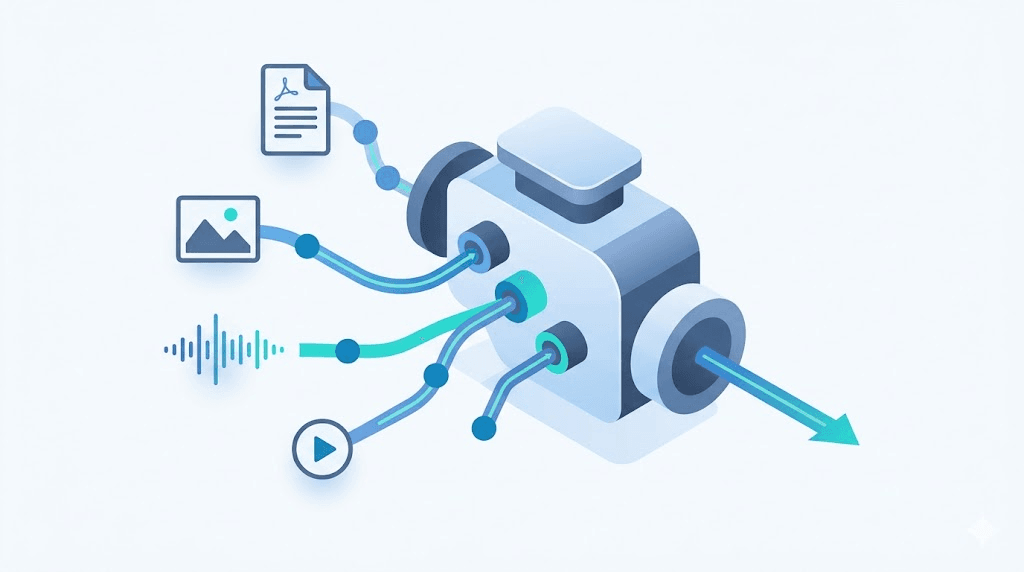
File Content Conversion: 2026 Tools, Formats & AI Pipeline Guide
TL;DR: - File content conversion transforms data from one format to another so different software, systems, or AI models can read it. - Every conversion type—document, image, audio, video, archive—has distinct tools, quality trade-offs, and failure modes. - AI and RAG pipelines now drive the hardest conversion workloads: PDFs to text, audio to transcript, video to frames. - Free tools and APIs exist for every budget, but production pipelines need reliability, speed, and format coverage you can verify.
You built an AI agent that ingests documents. It chokes on a scanned PDF. Your n8n workflow expects MP4 thumbnails; the user uploaded MOV. The LangChain 2026 State of Agents survey names "mixed-format document ingestion" as the #1 infrastructure bottleneck for production RAG pipelines. File content conversion is no longer a one-off task—it's infrastructure. This guide maps every major format category, the tools that handle them, and the specific conversion patterns AI builders actually need.
What Is File Conversion?

File conversion re-encodes data from one format specification to another so the receiving application can process it. A Word document becomes a PDF. A WAV becomes an MP3. A TIFF becomes a base64 string for an LLM. The core challenge isn't the concept—it's that "conversion" hides enormous variation in quality loss, metadata preservation, and whether the output is usable for your specific next step.
Formats are contracts. PDF promises "looks the same everywhere"; it does not promise "extractable text." MP3 promises "compressed audio"; it does not promise "editable stems." The most expensive mistake in file conversion is assuming the output format solves your problem without checking what the receiving system actually needs.
The Technical Layer: What Actually Changes
Conversion operates at three levels:
| Level | What Changes | Example |
|---|---|---|
| Container | Wrapper format, metadata structure | MOV → MP4 (same H.264 video, different container) |
| Codec | Compression algorithm, quality trade-off | H.264 → HEVC (smaller file, more CPU to decode) |
| Content model | Structural representation of data | PDF → Markdown (layout → semantic markup) |
Container swaps are fastest and lossless. Codec transcoding takes time and introduces generation loss. Content model changes are the most fragile—this is where tables become garbled text, or where "PDF to Word" produces uneditable images instead of real paragraphs.
File Conversion Formats: The Complete Map

Documents
Document conversion spans four distinct problems: editable text, fixed layout, structured data extraction, and markup for machines.
DOCX ↔ PDF: Microsoft's OOXML spec (ISO/IEC 29500) and Adobe's PDF spec (ISO 32000) share no native overlap. Tools like LibreOffice headless, Aspose, or docx2pdf use layout engines to approximate the visual result. Conversion of PDF file to Word file remains problematic because PDFs often lack semantic structure—what looks like a table may be positioned text boxes.
PDF → structured text: For AI pipelines, the critical distinction is "native" vs. "scanned" PDFs. Native PDFs contain embedded text streams; scanned PDFs are images with optional hidden text from OCR. Tools like pdftotext (Poppler), PyMuPDF, and pdfplumber extract differently. A 2024 benchmark by Unstructured.io found extraction accuracy varies from 62% to 94% depending on tool and PDF complexity.
Markdown as canonical format: .md has become the lingua franca of AI ingestion. Pandoc converts 50+ document formats to Markdown. For LLM contexts, Markdown preserves hierarchy (headings, lists, tables) while stripping presentation noise.
Specialized formats:
- EPUB: ZIP container with XHTML/CSS; conversion to/from MOBI/AZW3 for Kindle requires Calibre or Amazon's Kindlegen
- HTML: Conversion to PDF uses headless Chrome (Puppeteer/Playwright) or wkhtmltopdf (deprecated, use with caution)
- CSV/Excel: openpyxl and pandas handle .xlsx ↔ .csv; date format pitfalls like German date format conversion mm/dd/yyyy require explicit strftime patterns (%d.%m.%Y → %m/%d/%Y)
Images
Raster and vector conversions diverge sharply.
Raster (PNG, JPEG, TIFF, WebP, HEIC, ICO):
| Format | Best For | Conversion Notes |
|---|---|---|
| PNG | Web graphics, transparency | Lossless; use for screenshots, diagrams |
| JPEG | Photographs | Lossy; quality 80-85 is typical web sweet spot |
| WebP | Modern web replacement | 25-35% smaller than JPEG/PNG; check Safari <14 support |
| TIFF | Print, archival | Uncompressed or LZW; CMYK variant for prepress |
| HEIC | iPhone native | Requires libheif or conversion to JPEG for compatibility |
| ICO | Windows favicons | Legacy format; ico file conversion typically produces 16×16, 32×32, 48×48 multi-resolution icons |
Color space conversion is where images break silently. sRGB is web standard. CMYK is print standard. Converting between them without ICC profile management shifts colors unpredictably. ImageMagick's -colorspace and -profile flags handle this, but require explicit intent (perceptual vs. relative colorimetric).
For AI/vision models: Images convert to base64 strings (typically PNG or JPEG), or to URL references. OpenAI's GPT-4V accepts base64 or URL; limits are 20MB and 5120×5120 pixels as of early 2026. Claude 3 Fitzgerald (Sonnet 4) has similar constraints. Downsample before encoding to reduce token costs.
Audio
Uncompressed: WAV (RIFF), AIFF, BWF. WAV is most common; BWF (Broadcast Wave Format) adds timecode and metadata for pro audio.
Lossless compressed: FLAC, ALAC. FLAC reduces file size ~50% with no quality loss; preferred for archival.
Lossy compressed: MP3, AAC, OGG Vorbis, Opus.
| Use Case | Target Format | Parameters |
|---|---|---|
| Podcast distribution | MP3 | 128-192 kbps stereo, 44.1 kHz |
| Whisper transcription | WAV mono | 16 kHz, 16-bit (Whisper resamples internally) |
| Music streaming | AAC or OGG | 256 kbps AAC, or 160 kbps Opus |
| Archival | FLAC | 44.1 kHz, 16-bit or 96 kHz, 24-bit |
MP3 to MIDI file conversion is a common search but technically fraught. MP3 contains rendered audio waveforms; MIDI contains note events. Conversion requires polyphonic pitch detection (e.g., AnthemScore, WIDI Recognition System, or Melodyne). Results vary wildly with polyphonic complexity; no tool achieves reliable transcription of full mixed music. For simple monophonic melodies, tools like aubio or sonic-visualiser perform adequately.
Video
Video conversion is the most complex category due to the separation of container, codec, and transport parameters.
Container formats: MP4 (MPEG-4 Part 14), MKV (Matroska), MOV (QuickTime), AVI, WebM. MKV supports virtually any codec; MP4 is most universally compatible.
Codecs:
| Codec | Use Case | Patent/License |
|---|---|---|
| H.264/AVC | Maximum compatibility | Royalty for commercial use |
| H.265/HEVC | 4K, smaller files than H.264 | Higher royalties; check licensing |
| AV1 | Royalty-free alternative | Free; slower encode, growing decode support |
| VP9 | YouTube, WebM | Royalty-free |
| ProRes | Professional editing (Apple) | Free to use; Apple ecosystem |
Conversion types:
- Remuxing: Change container without re-encoding (fast, lossless)
- Transcoding: Change codec or parameters (slow, quality loss possible)
- Frame extraction: ffmpeg -i input.mp4 -vf fps=1/5 output_%03d.png extracts one frame every 5 seconds
For AI pipelines: Video converts to frames + audio transcript. Frame sampling rate depends on task—one per second for dense analysis, one per scene (keyframe) for overview. Audio routes through Whisper or Deepgram for transcription.
Archives
ZIP, RAR, 7z, TAR, GZ, BZ2, XZ. RAR to ZIP file conversion and similar repackaging tasks matter for: - Compatibility (ZIP is universally supported; RAR requires unrar or 7-Zip) - Compression ratio (7z and XZ typically beat ZIP) - Streaming (TAR can stream; ZIP must be complete before extraction)
mdl file conversion (ChemDraw MDL Molfile) appears in chemistry workflows. MDL formats (MOL, SDF) convert to SMILES, InChI, or CML using Open Babel or RDKit—specialized tools outside general-purpose converters.
Specialized Conversions
| Search Term | Actual Need | Tool/Approach |
|---|---|---|
| German date format conversion mm/dd/yyyy | Locale-aware date parsing | Python dateutil, babel, or Excel TEXT function |
| Alex drawer file cabinet conversion | IKEA Alex drawer unit hacks | DIY community; not a software conversion |
| OST to PST file conversion | Microsoft Outlook data recovery | Stellar, SysTools, or manual export via Outlook |
| 123apps tools for video audio pdf and file conversion software | Browser-based all-in-one | 123apps.com; 25 MB limit, ad-supported |
How Do I Convert Files Online?

The fastest path: identify your input format, output requirement, and whether you need batch or API-driven automation.
Step-by-Step: Single File Conversion
- Verify the source format. Check file extension against actual content.
filecommand on Unix;python-magiclibrary programmatically. A.ziprenamed.pdfwill fail. - Define target requirements precisely. "MP4" is insufficient—specify:
- Codec: H.264 for compatibility, HEVC for efficiency, AV1 for royalty-free
- Resolution: 1080p, 4K, or specific dimensions
- Audio: re-encode (AAC 128k) or pass-through (
-c:a copy) - Select tool tier (see comparison below).
- Test with a non-critical file. Verify in target application—VLC for video, Adobe Reader for PDF, your parser for text.
- Automate only after validation. Batch or API conversions multiply errors.
Online File Conversion Services
| Service | Free Tier | Max File Size | API? | Notable Limitation |
|---|---|---|---|---|
| Zamzar | 25 conversions/day | 50 MB | Yes ($) | Queue priority for paid only |
| CloudConvert | 25 conversion minutes/day | 1 GB | Yes (credits) | Credits expire monthly |
| Convertio | 2 concurrent, 100 MB/day | 100 MB | No | No API; browser-only |
| 123apps | Unlimited (ad-supported) | 25 MB | No | Limited format control |
| Convert Fleet | API calls/month | Varies | Yes (free tier) | Self-hosted option available |
For AI/Automation Builders: The Pipeline Pattern
Modern AI workflows follow a predictable chain: ingest → convert to canonical format → chunk → embed → retrieve. The conversion step is where most pipelines break.
- PDFs → text or Markdown (for LLM context windows)
- Audio → transcript text (Whisper, Deepgram, Amazon Transcribe)
- Video → frames + transcript (multimodal models)
- Images → base64 or URL (vision APIs)
Grab the ready-made n8n workflow in the free download below to see this pattern implemented with automated format detection, conversion, and vector storage routing.
What Is the Best File Conversion Software?

"Best" depends on volume, format breadth, and whether you own the infrastructure.
Tool Category Comparison
| Criterion | Desktop (FFmpeg, HandBrake) | Cloud API (Zamzar, CloudConvert) | Self-Hosted API (Convert Fleet) |
|---|---|---|---|
| Cost | Free; hardware only | $9-25+/mo or per-file | Free tier; flat or usage-based |
| Formats | 100+ via FFmpeg | 100–200+ | 178+ formats |
| Batch/API | Scripting required | REST API | Native n8n nodes, REST API |
| Speed | Local, CPU-bound | Network + queue | <3s average (claimed) |
| Privacy | Full control | Trust third party | Self-hosted or private cloud |
| Best for | One-offs, media pros | Occasional business use | Product builders, AI pipelines |
Deep Dive: FFmpeg
FFmpeg is the de facto standard underlying most conversion tools. It supports:
# Basic transcode
ffmpeg -i input.mov -c:v libx264 -crf 23 -c:a aac -b:a 192k output.mp4

# Extract audio only
ffmpeg -i input.mp4 -vn -c:a libmp3lame -q:a 2 output.mp3

# Batch image resize
for img in *.png; do ffmpeg -i "$img" -vf scale=800:-1 "web_$img"; done
FFmpeg's power is its curse: hundreds of flags, codec-specific behaviors, and version-dependent features. Production use pins to specific versions and validates outputs.
Desktop vs. Cloud vs. Self-Hosted
Desktop tools (FFmpeg, HandBrake, Adobe Media Encoder) win for: - One-off media work - Maximum quality control (two-pass encoding, custom filters) - Offline environments
Cloud APIs suit teams without ops capacity, with trade-offs: egress costs, rate limits, and data residency concerns.
Self-hosted APIs become essential when conversion is embedded in a product—when your users upload files and your system must respond without manual steps. For teams building with n8n, Make, or custom code, the critical difference is whether the API returns reliably formatted output you can pipe to the next step without error handling that swallows half your logic.
Can I Convert Files for Free?
Yes, with real trade-offs.
Free tiers exist across every category. FFmpeg is open-source, unlimited, local. Zamzar offers 25 free conversions daily. CloudConvert gives 25 free "conversion minutes" per day. Convert Fleet offers API access on a free tier.
The limits bite in production:
| Limit | Typical Free Tier | Production Impact |
|---|---|---|
| Rate | 25/day or 25 min/day | Queue backups, user-facing delays |
| File size | 25-100 MB | Rejects large media, PDFs |
| Queue priority | Lowest | Unpredictable latency |
| Support | None or community | Debugging blocked |
| SLA | None | No recourse for outages |
Free is correct for validation; paid or self-hosted is correct for anything user-facing. A free tool that processes 100 files perfectly then fails silently on the 101st is expensive at scale.
File Conversion Best Practices
Verify Output, Don't Trust Extensions
A .docx file renamed .pdf will not suddenly become readable as PDF. Always inspect output with the target application or parser. Use file command or python-magic to detect actual format.
Preserve Originals
Conversion is lossy by design in many paths. Keep source files until you've validated the full downstream pipeline. Storage is cheaper than irretrievable originals.
Match Format to Purpose
| Purpose | Recommended Format | Why |
|---|---|---|
| LLM ingestion | Markdown or plain text | Minimal tokens, preserved structure |
| Web display | WebP (images), MP4/H.264 (video), MP3 (audio) | Universal compatibility, reasonable compression |
| Archival | FLAC (audio), TIFF/PNG (images), MKV/FFV1 (video) | Lossless or visually lossless, future-proof |
| PDF/X-1a or PDF/X-4 | Embedded fonts, CMYK, ISO-standardized |
Handle Encoding Edge Cases Explicitly
Text files carry invisible landmines: BOM markers, mixed line endings (CRLF vs. LF), and character encoding mismatches (UTF-8 declared but Latin-1 actual). These corrupt LLM ingestion silently. Normalize to UTF-8 without BOM:
# Python example
with open('input.txt', 'rb') as f:
    raw = f.read()
encoding = chardet.detect(raw)['encoding']
text = raw.decode(encoding).replace('\r\n', '\n').replace('\r', '\n')
with open('output.txt', 'w', encoding='utf-8') as f:
    f.write(text)
Monitor for Format Obsolescence
The ICO format persists for favicons but has no place in modern asset pipelines—PNG and SVG favicons are preferred. PSD, AI, and Sketch files require specific tools that may not survive vendor transitions. Build abstraction layers, not hard dependencies.
Common Mistakes & Pitfalls
| Mistake | Why It Hurts | Prevention |
|---|---|---|
| Assuming PDF → text is trivial | Scanned PDFs need OCR; native PDFs have complex layouts | Test with both types; use layout-aware extraction |
| Ignoring metadata | EXIF including creation dates, geotags, authorship that downstream systems need | Preserve or explicitly strip; don't lose silently |
| Hard-coding format assumptions | Users upload .md when you expected .txt, .mov when you expected .mp4 |
Detect MIME type, not extension |
| Oversized inputs | 4K video frames crash vision models; 500-page PDFs exceed context windows | Pre-process: downsample, split, summarize |
| No retry/fallback | API rate limits, transient failures kill automation | Implement exponential backoff, alternative providers |
| Blind trust in "free" tools for production | Silent failures, no SLA, data exposure | Validate thoroughly; migrate to paid/self-hosted for scale |
| Neglecting to test edge-case files | Corrupted, password-protected, or malformed inputs | Build a test corpus of "bad" files |
AI Use Cases: Why Conversion Is Now Infrastructure
The hardest conversion problems in 2026 are not "make this video smaller." They're "make this heterogeneous pile of user uploads digestible by an AI system."
RAG Pipeline Ingestion
Retrieval-Augmented Generation requires clean, chunked text. Source documents arrive as PDFs (scanned or native), DOCX, HTML, images of text, or slides. Each needs: - Format normalization (to extractable text) - OCR if scanned - Structure preservation (headings, tables, lists) - Chunking with semantic boundaries
The conversion quality directly determines retrieval accuracy. A table converted to garbled text will never match a query about its contents.
According to a 2024 Gartner report on enterprise AI readiness, 73% of organizations report "data format inconsistency" as a primary blocker to RAG deployment—ranked above vector database selection and embedding model choice.
Multimodal Model Preparation
GPT-4V, Gemini, and Claude process images, video frames, and audio. Each has specific requirements: - Images: Resolution limits, aspect ratio constraints, base64 encoding - Video: Frame extraction rate, keyframe selection, temporal sampling - Audio: Sample rate normalization, channel mixing, transcript alignment
Agent Tool Use
MCP (Model Context Protocol) tools and function-calling agents need predictable output formats. An agent that calls a conversion tool expects JSON with specific fields, or a guaranteed file path, or a known MIME type. Unreliable conversion breaks the agent loop.
Free download
To make this actionable, we built a free resource you can grab right now — no signup:
- ⬇ N8N Workflow: file-content-conversion-workflow-c1c61806e6502573.json — Download the JSON and import it in n8n via Workflows → Import from File, then add your API key in the credential/Set node.
Frequently Asked Questions
What is file conversion?
File conversion is the process of changing data from one format specification to another, enabling compatibility between different software, systems, or AI models. It may involve re-encoding, repackaging, or extracting content with varying degrees of quality preservation.
How do I convert files online?
Upload your file to a conversion service, select the target format and any parameters (quality, resolution, codec), then download the result. For repeated or automated use, use an API with defined input/output schemas rather than manual uploads.
What is the best file conversion software?
The best tool depends on your volume and integration needs: desktop tools like FFmpeg for one-off media work, cloud APIs like CloudConvert for occasional business use, and self-hosted APIs like Convert Fleet for embedded product workflows and AI pipelines.
Can I convert files for free?
Yes. FFmpeg is free and open-source for unlimited local use. Many cloud services offer limited free tiers. Free options are suitable for testing and low-volume use; production pipelines typically need paid or self-hosted solutions for reliability and support.
Why does file conversion matter for AI and automation?
AI systems require consistent, predictable input formats. File conversion normalizes heterogeneous user uploads into forms that LLMs, vector databases, and multimodal models can process—making it essential infrastructure for RAG pipelines and agent systems.
Conclusion
File content conversion sits at an unglamorous but critical junction: between user-generated chaos and machine-processable order. The tools are mature. The formats are known. The new challenge is scale and integration—running conversion as a reliable step in automated pipelines that feed AI systems, not just producing a file a human can open.
For teams building with n8n, custom APIs, or agent frameworks, the difference between a conversion step that works and one that fails silently is often the difference between a product that ships and one that doesn't. Convert Fleet provides free file conversion API and FFmpeg tools for n8n—178+ formats, no per-conversion fees, built for automation.
Read next

Developer & APIs · Jul 15, 2026
File Conversion MCP Tool: Add It to Claude Code in 5 Min
Turn Convertfleet into a file conversion MCP server for Claude Code, Cursor, or any AI agent. Free tool-definition JSON included for automation workflow tools.

File Conversion · Jul 15, 2026
File Conversion API: 2025 Guide to Replacing 123apps at Scale
Hit limits with 123apps? Learn when free file conversion online tools stop scaling and how a file conversion API like Convert Fleet fixes batch, automation, and quality.

Automation & Workflows · Jul 15, 2026
How to Automate File Conversion in Pipedream: Audio, PDF & Video
Learn how to automate file conversion in Pipedream with a free API. Build workflows that convert audio, PDF, and video without managing ffmpeg or Lambda.