File Conversion – Jul 15, 2026 – 5 min read
File Conversion Guide 2026: Audio, Video, PDF & Batch Automation
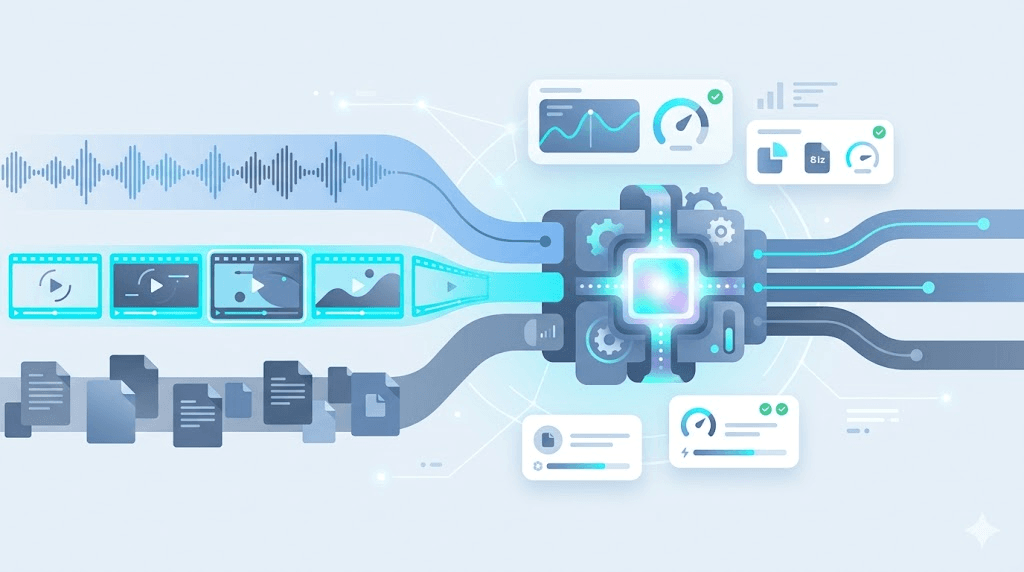
File Conversion Guide 2026: Audio, Video, PDF & Batch Automation
TL;DR: - Lossless audio (WAV, FLAC) preserves every bit; lossy (MP3, AAC, OGG) shrinks files 75–90% with inaudible tradeoffs—archive in FLAC, distribute in AAC or MP3. - PDF conversion APIs and file conversion software diverge at scale: desktop tools fail at 500+ files or pipeline integration; APIs handle queues, retries, and webhooks. - FFmpeg powers virtually every audio/video conversion but needs wrapping for production—queue management, error handling, and scaling are not built-in. - n8n automation requires async APIs with job IDs; synchronous conversion timeouts above ~50 MB or on slow networks. - Quality preservation means single-generation encoding from lossless sources, matching sample rates, and verifying with
ffprobe—never re-encode MP3 → MP3.
What Is the Best File Format for My Use Case?
The optimal format depends on whether you prioritize fidelity, compatibility, or compression—no single format wins across all scenarios. Every choice trades something: WAV is bulletproof but bloated; MP3 is universal but lossy; PDF preserves layout but resists editing.
Audio formats
| Format | Type | Typical Bitrate | Size vs. CD | Best For | Avoid When |
|---|---|---|---|---|---|
| WAV | Lossless | 1,411 kbps | 100% (10 MB/min) | Recording, mastering, legal archives | Streaming, mobile, email |
| FLAC | Lossless | ~700–1,000 kbps | ~50–70% | Archiving, hi-fi listening, distribution | Devices without FLAC support (rare in 2026) |
| MP3 | Lossy | 128–320 kbps | ~10–25% | Universal compatibility, podcasts, libraries | Critical listening, re-editing |
| AAC | Lossy | 128–256 kbps | ~7–15% | YouTube, Apple Music, mobile | Legacy car stereos, old hardware |
| Opus | Lossy | 96–192 kbps | ~5–12% | Real-time voice, Discord, WebRTC | Offline libraries, DAW workflows |
Critical detail: Hydrogenaudio's 2011 public listening tests (replicated informally since) show AAC and OGG Vorbis outperforming MP3 at equivalent bitrates, especially on complex material. For spoken word, the gap collapses—128 kbps MP3 is transparent to most listeners.
Video formats
| Format | Codec | Typical Use | Notes |
|---|---|---|---|
| MP4 (H.264) | AVC | Compatibility, web, broadcast | Ubiquitous; patent royalties apply |
| MP4 (H.265/HEVC) | HEVC | 4K, efficient streaming | ~50% smaller than H.264; licensing complex |
| MP4 (AV1) | AV1 | YouTube, Netflix, open streaming | Royalty-free; slower encode |
| MKV | Various | Archiving, subtitles, chapters | Flexible container; less universal playback |
| MOV | ProRes, DNxHD | Professional editing | Massive files; not for delivery |
| WebM (VP9/AV1) | VP9, AV1 | Web streaming, HTML5 | Google ecosystem; growing support |
Document formats
| Format | Strength | Weakness | Conversion Risk |
|---|---|---|---|
| Layout preservation, print-ready | Editing resistance, accessibility | Word conversion loses complex formatting | |
| DOCX/DOC | Editable, tracked changes | Version fragility, font dependencies | PDF export may reflow |
| EPUB | Reflowable ebooks | Limited print control | PDF conversion fixes pagination |
| TXT/MD | Universal, tiny, version-friendly | No formatting, no images | Lossy for anything visual |
How Do I Convert Files Without Losing Quality?
Preserve quality by encoding once from a lossless source, matching sample rates, and verifying outputs—never transcode lossy-to-lossy. Generation loss is irreversible. A file re-encoded from 128 kbps MP3 to 320 kbps MP3 carries 128 kbps artifacts in a larger wrapper.
The quality preservation checklist
- Start lossless. Archive masters in FLAC (audio), ProRes/DNxHD (video), or TIFF/PNG (images).
- Match sample rates. Resampling 48 kHz → 44.1 kHz without quality loss requires
soxrorspeexresamplers in FFmpeg:bash ffmpeg -i input.wav -ar 44100 -resampler soxr output.wav - Use appropriate bit depth. 16-bit suffices for delivery; 24-bit for mastering. Dither when reducing bit depth:
bash ffmpeg -i input_24bit.wav -sample_fmt s16 -dither_method triangular output_16bit.wav - Verify with
ffprobe. Check actual output parameters match intent:bash ffprobe -v error -select_streams a:0 -show_entries stream=sample_rate,bit_rate -of default=noprint_wrappers=1 output.mp3 - A/B with a golden reference. Ears fatigue. A known complex passage exposes artifacts statistics miss.
Document-specific quality
PDF-to-Word conversion risks:
| Risk | Cause | Mitigation |
|---|---|---|
| Font substitution | Fonts not embedded or licensed | Embed fonts in source; use standard fonts |
| Image downscaling | Raster images re-sampled | Maintain original resolution in export |
| Table corruption | Complex cell merging | Simplify structure pre-conversion |
| OCR errors | Scanned PDFs, poor source | Use ABBYY FineReader or Adobe Acrobat; verify manually |
What Is the Best File Conversion API?
The best API depends on format breadth, async architecture, and integration depth—look for FFmpeg under the hood, job IDs for polling, and transparent per-conversion pricing. "Best" is contextual: a solo developer needs different reliability guarantees than a media enterprise.
API evaluation criteria
| Criterion | Why It Matters | Red Flag |
|---|---|---|
| Async processing | Prevents timeouts on large files | Synchronous-only APIs |
| Job ID + polling/webhooks | Tracks conversion state | "Fire and forget" with no status endpoint |
| Format count | 178+ formats indicates FFmpeg base | Proprietary engines with narrow support |
| n8n/Make/Zapier nodes | Reduces integration time | REST-only with no workflow templates |
| No egress fees | Predictable total cost | Hidden bandwidth charges |
Notable API approaches
- CloudConvert: 200+ formats, strong sandbox, per-minute pricing (check vendor's pricing page for current rates)
- Zamzar: Long-running service, email notifications, simpler API
- Convert Fleet: FFmpeg-native, n8n node, async job handling with webhook callbacks
Testing protocol: Before committing, run your actual file types through the API. A service that handles MP3 flawlessly may choke on 96 kHz/24-bit FLAC, or strip metadata from broadcast WAV files.
Can I Use FFmpeg for File Conversion?
Yes—FFmpeg is the open-source engine behind virtually every conversion tool, but production deployment requires infrastructure most teams underestimate. It handles 178+ formats, yet the CLI alone is not a pipeline.
FFmpeg capabilities
| Feature | Command Example | Note |
|---|---|---|
| Lossless FLAC → MP3 | ffmpeg -i input.flac -codec:a libmp3lame -q:a 0 output.mp3 |
-q:a 0 = VBR targeting ~245–260 kbps |
| Video H.264 → H.265 | ffmpeg -i input.mp4 -c:v libx265 -crf 28 -c:a copy output.mp4 |
-crf 28 balances quality/size; copy audio |
| PDF → image sequence | ffmpeg -i document.pdf page_%04d.png |
Requires poppler/linked build |
| Batch with logging | for f in *.wav; do ffmpeg -i "$f" [...] 2>> errors.log; done |
Essential for debugging failures |
Production gaps
| Problem | Why It Hurts | Typical Fix |
|---|---|---|
| No queue management | Concurrent jobs exhaust resources | Redis/RabbitMQ job queues |
| Cryptic errors | Invalid data found = 20+ causes |
Custom error parsing, fallback retry |
| Version fragility | Codec support varies by build | Pin Docker images, test before deploy |
| No progress tracking | Users stare at spinning wheels | Parse FFmpeg stderr for frame/timestamps |
The engineering cost: A developer spending four hours debugging FFmpeg in Docker has exceeded a year of moderate API usage at typical per-conversion rates. Factor maintenance, not just licensing.
How Do I Automate File Conversion in n8n?
Use an API node with async job support—send files, poll for completion with job IDs, and route outputs conditionally. Synchronous requests fail above ~50 MB or on variable networks.
Sample n8n workflow architecture
[Trigger: Webhook or Schedule]
    ↓
[HTTP Request: POST file to API]
    ↓
[Wait + Poll: GET /jobs/{id} until "completed"|"failed"]
    ↓
[If success: Store to S3/Drive/CMS]
[If failure: Alert + Retry branch]
Key n8n nodes
| Node | Purpose | Configuration Tip |
|---|---|---|
| HTTP Request | POST files, poll status | Set timeout >300s for large uploads |
| Code | Format detection, metadata extraction | Use ffprobe via Execute Command for accuracy |
| Wait | Pacing poll intervals | Exponential backoff: 2s, 4s, 8s... |
| Error Trigger | Global failure handling | Route to Slack/email with job context |
Critical for reliability: The API must return structured job states (queued, processing, completed, failed). Opaque "200 OK" responses that hang until conversion finishes will timeout n8n's default settings.
For Convert Fleet's n8n node, the pattern collapses to: select source → pick format → set quality → define destination. The node handles polling, retries, and webhook alternatives.
MP3 to MIDI File Conversion: What's Actually Possible?
Direct MP3 to MIDI conversion is fundamentally limited—MIDI encodes note events, not waveforms, so polyphonic transcription remains an unsolved research problem. Automated tools approximate; they do not "convert."
The technical reality
| Scenario | Tool | Realistic Outcome |
|---|---|---|
| Monophonic audio (single instrument, no effects) | AnthemScore, basic DAW pitch-to-MIDI | ~70–85% accuracy with cleanup |
| Clean solo vocal | Melodyne, Logic Pro | Melody contour recognizable; rhythm approximate |
| Full mix (band, drums, effects) | Any automated tool | Unusable without heavy manual correction |
| Piano reduction | AI services (AIVA, Magenta) | Better than classical algorithms, still requires editing |
Honest assessment: For professional results, record MIDI directly or hire a transcriptionist. For prototyping or education, AnthemScore (~$30 as of last check) or DAW-integrated tools (Melodyne, Logic) offer the best approximation. No "switch audio file conversion software" eliminates this hard problem.
Beyond Audio: Video, PDF, Archive & Specialized Conversions
Video file conversion
Video shares audio's lossless/lossy tension but adds resolution, frame rate, and codec complexity. H.264 remains the compatibility king; AV1 the royalty-free challenger; H.265 the efficiency leader mired in patent thickets.
| Task | FFmpeg Approach | Quality Guard |
|---|---|---|
| ProRes → H.264 delivery | -c:v libx264 -crf 18 -preset slow |
CRF 18 = visually lossless; test on content type |
| Extract audio track | -vn -c:a copy |
copy avoids re-encode |
| Thumbnail generation | -ss 00:00:05 -vframes 1 |
Check frame isn't black/transition |
PDF conversion API and document workflows
PDF-to-Word conversion is the most requested document transformation, yet among the most error-prone. The PDF specification's flexibility means two visually identical documents may have radically different internal structures.
| Approach | Strength | Weakness |
|---|---|---|
| Adobe PDF Services API | Format fidelity, OCR integration | Cost scales with volume; check vendor's pricing page |
| LibreOffice headless | Free, local, scriptable | Complex layouts break; no native cloud scaling |
| CloudConvert/Zamzar | Managed, multiple outputs | Per-conversion cost; less control |
Archive conversions: RAR to ZIP and compression tools
| Tool | Handles RAR→ZIP | Notes |
|---|---|---|
| 7-Zip | Yes | Free, command-line batchable |
| WinRAR | Yes | Native RAR creation; paid after trial |
| PeaZip | Yes | Open-source, cross-platform |
| unar (The Unarchiver) | Yes | macOS/Linux, scriptable |
Automation note: Batch archive conversion is rarely API-offered; it's typically handled via CLI tools in containerized workflows.
Specialized formats
| Format | Domain | Conversion Path |
|---|---|---|
| ICO | Windows icons | PNG → ICO via ImageMagick: convert icon-16.png icon-32.png icon.ico |
| MDL | 3D models (game engines, chemistry) | Depends on specific MDL variant; often requires domain-specific tools |
| OST/PST | Microsoft Outlook archives | readpst (libpst), commercial tools; verify integrity post-conversion |
Common Mistakes and Pitfalls in File Conversion
The most expensive error is re-encoding lossy files, but silent failures—wrong sample rates, clipped peaks, stripped metadata—destroy quality without warning.
| Mistake | Why It Happens | The Fix |
|---|---|---|
| Re-encoding MP3 → MP3 | User doesn't realize quality already lost | Always convert from lossless source; archive originals |
| Wrong sample rate conversion | 48 kHz → 44.1 kHz without quality resampling | Use aresample=resampler=soxr in FFmpeg |
| Clipping during normalization | Peak normalization instead of LUFS targeting | Use loudnorm filter with measured input levels |
| Stripped metadata | Default FFmpeg behavior ignores tags | Add -map_metadata 0 and specify ID3 version |
| Assuming "high quality" = best | 320 kbps CBR wastes space vs. transparent VBR | Use -q:a 0 (VBR) instead of -b:a 320k |
| Synchronous API timeouts | Large files on synchronous endpoints | Demand async job IDs; poll for completion |
| Ignoring color space | Video conversion crushes HDR or wide gamut | Specify -colorspace, -color_trc, -color_primaries |
Free vs. Paid File Conversion Software
Free tools excel at individual files; paid solutions and APIs earn cost when batch volume, automation, or reliability requirements appear.
| Tool | Cost | Best For | Hard Limitation |
|---|---|---|---|
| Audacity | Free | Editing, learning, single exports | Destructive workflow, no batch |
| FFmpeg CLI | Free | Power users, scripting | No queue, no GUI, steep curve |
| Switch (NCH) | $35–60 (check current pricing) | Simple batch, format preview | Windows/Mac only, no API |
| XLD (Mac) | Free | Lossless transcoding, log verification | Mac only, no automation |
| dBpoweramp | $38 | AccurateRip, perfect FLAC→MP3 | Windows/Mac, paid |
| CloudConvert | Per-conversion (check pricing page) | Broad format support, sandbox | Ongoing cost, rate limits |
| Convert Fleet | Per-conversion (check pricing page) | n8n integration, FFmpeg API | Requires internet |
Decision framework: Under 50 files/month, no automation needed? Audacity, XLD, or 7-Zip suffice. Conversionameter reading, no automation needed? Audacity, XLD, or 7-Zip suffice. Conversion as workflow step? APIs eliminate maintenance burden. The break-even is typically 2–4 hours of engineering time versus a year of API usage.
Frequently Asked Questions
What is the best audio format for archiving? FLAC. It preserves bit-perfect audio quality at roughly half the size of WAV, supports metadata tagging, and is universally supported by modern hardware and software. For maximum compatibility with legacy systems, WAV remains the fallback.
How do I convert files without losing quality?
Convert from a lossless source (WAV, FLAC, AIFF) to your target format once. Never re-encode a lossy file (MP3, AAC, OGG) to another lossy format. Use verified output settings—check sample rates match, and confirm with ffprobe or a spectrum analyzer for critical work.
What is the best file conversion API? The best API depends on your stack and scale. Look for: broad format support (178+), FFmpeg under the hood, async job handling, n8n/Make/Zapier integration, and clear pricing without hidden egress fees. Test with your actual file types before committing.
Can I use FFmpeg for file conversion? Yes—FFmpeg is the engine behind most conversion tools. For individual files and scripts, it's ideal. For production workflows, you'll need to add queue management, error handling, and scaling yourself, or use a managed API.
How do I automate file conversion in n8n? Use an HTTP Request node or dedicated integration to send files to a conversion API, poll for completion, and route outputs to your storage or CMS. Ensure your API supports async processing with job IDs to avoid timeouts on large files.
Conclusion
File conversion is a solved problem with unsolved decisions at scale. The formats are stable—MP3, WAV, FLAC, PDF, H.264 have dominated for decades—but choosing between them, executing reliably, and automating without quality loss still trips up teams. Start with the right source format, convert deliberately, and match your tooling to your volume. When scripts break and desktop tools stall, managed APIs handle the heavy lifting in n8n, Make, or custom code.
Read next

Developer & APIs · Jul 15, 2026
File Conversion MCP Tool: Add It to Claude Code in 5 Min
Turn Convertfleet into a file conversion MCP server for Claude Code, Cursor, or any AI agent. Free tool-definition JSON included for automation workflow tools.

File Conversion · Jul 15, 2026
File Conversion API: 2025 Guide to Replacing 123apps at Scale
Hit limits with 123apps? Learn when free file conversion online tools stop scaling and how a file conversion API like Convert Fleet fixes batch, automation, and quality.

Automation & Workflows · Jul 15, 2026
How to Automate File Conversion in Pipedream: Audio, PDF & Video
Learn how to automate file conversion in Pipedream with a free API. Build workflows that convert audio, PDF, and video without managing ffmpeg or Lambda.