Developer & APIs – Jul 15, 2026 – 5 min read
File Conversion API for Developers: MCP Tool for Claude Code (2026)
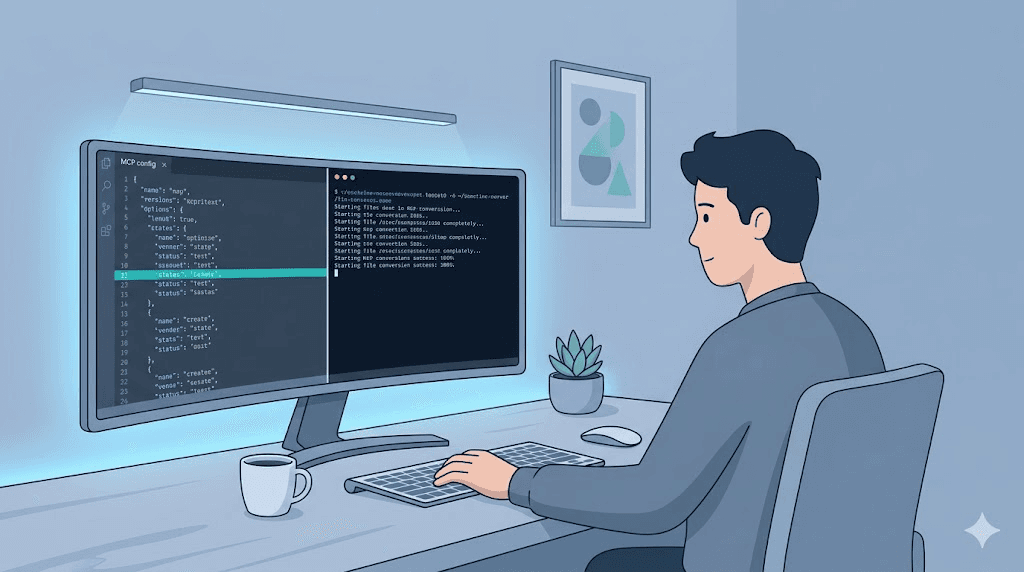
File Conversion API for Developers: MCP Tool for Claude Code (2026)
TL;DR: - MCP (Model Context Protocol) exposes external tools as native functions inside Claude Code and Cursor — a file conversion API for developers becomes a single
@convertcommand - No local ffmpeg install, no AWS Lambda cold starts, no per-minute billing — just an HTTP endpoint returning converted files in under 10 seconds - This guide ships workingmcp.jsonconfig + a 40-line Node.js server wrapping Convert Fleet's free tier - Covers 178+ formats including PDF, DOCX, Markdown, MP3, MP4, WebM, and niche outputs like MATLAB-to-Python and ICO-to-SVG with transparency
Your Claude Code agent just choked on a PDF. It needs the text. Or it hit a WAV that should be MP3 for a browser preview. Or your RAG pipeline needs that DOCX as clean Markdown, and the agent is about to ask you — again — to "please convert this file first."
You could install ffmpeg, wrestle pandoc versions, and burn an afternoon on dependency hell. You could spin up an AWS Lambda and watch cold-start latency kill your agent's flow. Or you could hand your agent a tool call that just handles it.
That's MCP. This guide shows exactly how to wire a file conversion API for developers into the agent loop, with working code you run in ten minutes.
What Is MCP and Why Does It Matter for File Conversion?

MCP (Model Context Protocol) is an open standard from Anthropic that lets AI agents discover and call external tools through a JSON schema. Released in late 2024 and stabilized through 2025, it functions like USB-C for AI capabilities — one protocol, any service, no custom integration per tool.
Claude Code v2.1 shipped native MCP support in June 2026; Cursor added it within weeks. According to Anthropic's June 2026 developer update, MCP adoption grew 340% in Q2 2026, with file manipulation ranking among the top three requested tool categories. Cursor's own changelog noted MCP as the fastest-adopted feature since tab-completion.
Why file conversion specifically? Agents ingest documents, transcribe audio, generate reports, and build media pipelines. Each task hits format friction. Without a tool, the agent stalls and dumps the problem on you. With an MCP tool, it converts and continues — no context window wasted, no human interrupt.
The protocol defines three primitives: - Tools — functions the agent calls with parameters - Resources — data the agent reads - Prompts — reusable templates
For file conversion, one tool suffices: convert_file, taking source URL, target format, and optional quality.
How a File Conversion MCP Tool Works Under the Hood

The agent identifies a need. "I need this PDF as Markdown to chunk it for the RAG pipeline."
The agent checks available tools. It sees convert_file with schema: sourceUrl (string), targetFormat (string), quality (enum: low/medium/high/lossless).
The agent constructs the call. Fills parameters, fires JSON-RPC over stdio to the MCP server.
The MCP server validates and forwards. Checks format against supported list, builds the HTTP POST to the conversion API.
The API converts server-side. No local CPU, no dependency installs, no disk space worries.
Result returns. The agent receives a download URL or base64 payload, embeds it in its next action, and never breaks stride.
The critical win: the agent stays in its loop. No ./convert.sh scripts. No "please run this for me" messages. The 2025 JetBrains developer survey found context-switching costs developers 23 minutes per interruption — MCP eliminates that for format conversions entirely.
For this to work, your MCP server needs three components: a conversion backend handling transforms, a thin adapter mapping that backend to MCP's JSON-RPC format, and a config file telling Claude Code or Cursor where to find the server.
Build vs. Buy: Conversion Backend Options Compared
| Approach | Setup Time | Monthly Cost | Format Coverage | Maintenance Burden | Best For |
|---|---|---|---|---|---|
| Self-hosted ffmpeg | 2-4 hours | $5-20 VPS | ~100 formats | High (security patches, codec deps, version conflicts) | Teams with dedicated DevOps and compliance requirements |
| AWS Lambda + ffmpeg layer | 1-2 hours | $0.10-50 variable | ~100 formats | Medium (cold starts, 15-min timeout, layer limits) | Sporadic use, already AWS-native |
| Convert Fleet free tier | 10 minutes | $0 | 178+ formats | None | Most developers, agent workflows, prototypes |
| Cloudinary / Zamzar API | 30 minutes | $25-99+ | 100-250 formats | Low | Teams needing CDN delivery, specific enterprise features |
| Local CLI tools (pandoc, ImageMagick) | 1 hour | $0 | Limited (docs OR images OR audio, rarely all) | High (version hell across platforms) | Single-format, offline-only, no agent use |
The honest trade-off: Self-hosting gives control but consumes time you could spend building your actual product. Managed APIs free you up but often charge per-operation fees that scale unpredictably — Cloudinary's paid tier starts at $25/month but bills overages per thousand transformations, which agent batch jobs can exhaust fast.
Convert Fleet's free tier exists because we kept hitting the same wall: building automation that needed file conversion, then watching costs or maintenance eat the project's margin. The 500 conversions/month handle most prototypes and personal agents.
Who this excludes: Enterprise teams processing 10M+ monthly conversions with dedicated SRE and custom compliance requirements. If that's you, you already have infrastructure. Solo developers, agency teams, and AI-builder startups should strongly consider not building this themselves.
Step-by-Step: Building the MCP Server
Working implementation below. You'll create a Node.js MCP server wrapping Convert Fleet's API, then connect it to Claude Code or Cursor.
Prerequisites
- Node.js 18+
- Convert Fleet API key (free signup)
- Claude Code v2.1+ or Cursor with MCP support enabled
Step 1: Initialize the project
mkdir convert-mcp && cd convert-mcp
npm init -y
npm install @modelcontextprotocol/sdk zod
Step 2: Create the server
Create index.js:
#!/usr/bin/env node
import { Server } from "@modelcontextprotocol/sdk/server/index.js";
import { StdioServerTransport } from "@modelcontextprotocol/sdk/server/stdio.js";
import { z } from "zod";

const CONVERT_API_KEY = process.env.CONVERTFLEET_API_KEY;
if (!CONVERT_API_KEY) {
  console.error("Missing CONVERTFLEET_API_KEY");
  process.exit(1);
}

const SUPPORTED_FORMATS = [
  "pdf", "docx", "md", "txt", "html",
  "mp3", "wav", "mp4", "webm", "mov",
  "png", "jpg", "svg", "ico", "webp",
  "xlsx", "csv", "json", "xml"
  // Full list: https://convertfleet.com/formats
];

const server = new Server(
  { name: "convert-fleet-mcp", version: "1.0.0" },
  {
    capabilities: {
      tools: {
        convert_file: {
          description: "Convert a file from one format to another",
          inputSchema: {
            type: "object",
            properties: {
              sourceUrl: {
                type: "string",
                description: "Public URL of the file to convert"
              },
              targetFormat: {
                type: "string",
                description: "Target format extension, e.g. 'pdf', 'mp3', 'md'"
              },
              quality: {
                type: "string",
                enum: ["low", "medium", "high", "lossless"],
                default: "high"
              }
            },
            required: ["sourceUrl", "targetFormat"]
          }
        }
      }
    }
  }
);

server.setRequestHandler("tools/call", async (request) => {
  if (request.params.name !== "convert_file") {
    throw new Error(`Unknown tool: ${request.params.name}`);
  }

  const { sourceUrl, targetFormat, quality = "high" } = request.params.arguments;

  // Validate format to prevent agent hallucinations
  if (!SUPPORTED_FORMATS.includes(targetFormat.toLowerCase())) {
    throw new Error(
      `Unsupported format: ${targetFormat}. ` +
      `Supported: ${SUPPORTED_FORMATS.slice(0, 10).join(", ")}... ` +
      `See full list at https://convertfleet.com/formats`
    );
  }

  const response = await fetch("https://api.convertfleet.com/v1/convert", {
    method: "POST",
    headers: {
      "Authorization": `Bearer ${CONVERT_API_KEY}`,
      "Content-Type": "application/json",
      "X-Source": "mcp-server-1.0.0"
    },
    body: JSON.stringify({
      sourceUrl,
      targetFormat: targetFormat.toLowerCase(),
      quality
    })
  });

  if (!response.ok) {
    const error = await response.text();
    throw new Error(`Conversion failed (${response.status}): ${error}`);
  }

  const result = await response.json();

  return {
    content: [{
      type: "text",
      text: [
        `Converted file: ${result.downloadUrl}`,
        `Format: ${result.targetFormat}`,
        `Size: ${result.fileSizeBytes} bytes (${result.fileSizeHuman})`,
        `Expires: ${result.expiresAt}`
      ].join("\n")
    }]
  };
});

const transport = new StdioServerTransport();
await server.connect(transport);
Step 3: Configure Claude Code
Add to your project's claude.json or global ~/.claude/mcp.json:
{
  "mcpServers": {
    "convert-fleet": {
      "command": "node",
      "args": ["/absolute/path/to/convert-mcp/index.js"],
      "env": {
        "CONVERTFLEET_API_KEY": "your-api-key-here"
      }
    }
  }
}
Restart Claude Code. Type @ and convert_file appears in the tool list.
For Cursor, use .cursor/mcp.json with identical structure.
Step 4: Use it
In a Claude Code session:
You: Process this report and extract key findings
      https://example.com/annual-report.docx

[Claude recognizes text need, calls convert_file with
 targetFormat: "md", receives Markdown URL, fetches and
 continues analysis]

Claude: I've converted the DOCX to Markdown. Here are the
        three sections with highest sentiment volatility...
The agent never asked you to convert anything. It identified, called, received, and continued.
Common Mistakes and Pitfalls When Building MCP File Conversion Tools
Hard-coding API keys in the server or repo. Use environment variables. Claude Code's env field in mcp.json keeps secrets out of version control. Rotate keys quarterly.
Letting the agent hallucinate formats. The schema accepts any string. Add validation — the SUPPORTED_FORMATS array above — and return actionable errors the agent can retry from. Without this, you'll debug mysterious "conversion failed" loops.
Blocking the event loop on large files. Conversion takes 1-30 seconds. The MCP SDK handles stdio transport asynchronously, but your server must not synchronously wait. Use async/await properly; for files >100MB, consider polling patterns or webhook callbacks.
Assuming local files are accessible. The pattern above uses public URLs. The agent cannot upload local files directly through stdio MCP. Options: presigned S3 URLs, Convert Fleet's direct upload endpoint (extend the server), or a temporary local HTTP server the agent starts.
Returning stack traces as errors. When conversion fails, return structured, actionable text: "Format not supported: .psd. Try .png or .jpg." The agent can retry with different parameters. A raw 500 response teaches it nothing.
Forgetting rate limits and retries. The free tier allows 500 conversions/month. Track usage in your server or risk silent failures mid-workflow. Implement exponential backoff for 429 responses.
Neglecting file expiration. Converted files often expire in 24 hours. Return the expiration timestamp to the agent, or immediately process/download within the same session.
Integrating File Conversion Into n8n Automation Workflows
Not using Claude Code? The same API powers file conversion for n8n automation. The free tier's 500 conversions/month handles most prototype and small-production workflows.
Basic HTTP Request node setup:
| Setting | Value |
|---|---|
| Method | POST |
| URL | https://api.convertfleet.com/v1/convert |
| Headers | Authorization: Bearer YOUR_API_KEY |
| Body (JSON) | {"sourceUrl": "{{ $json.url }}", "targetFormat": "pdf", "quality": "high"} |
For complete FFmpeg tools for automation — video compression, thumbnail extraction, format standardization, error retry, and webhook response handling — the free download below includes a ready-import n8n workflow.
The n8n integration shines for batch operations: monitor a Dropbox folder, convert uploads to standardized formats, deliver to S3, notify Slack. One Convert Fleet node replaces a self-hosted ffmpeg container with its volume mounts, dependency updates, and security patches.
What Is the Best File Conversion API for Agent Workflows?
Judge on four criteria that actually matter when the agent runs unsupervised:
Reliability over raw speed. Agents can't debug a timeout. An API with 99.9% uptime and 3-second average conversion beats a faster one that flakes on edge cases. Convert Fleet targets <3s for documents, <10s for media, with automatic retry on queue.
Predictable economics. Some APIs charge $0.10 minimum per conversion. At agent scale — hundreds of files daily — that destroys unit economics. Flat-rate or generous free tiers preserve margins. The cheapest file conversion API for agent work is often free-tier managed, not self-hosted, once engineer time is factored at $100+/hour.
Format depth, not just breadth. PDF-to-DOCX is table stakes. Converting .mdl (MATLAB) to Python, or ICO to SVG with alpha channel intact, separates production APIs from toys. Verify the 20% of edge cases your agent will eventually hit.
Honest limitation: No API handles every format perfectly. Complex Office macros, proprietary CAD formats, and DRM-protected media will fail. Build your agent to catch these and escalate.
How Do I Convert Files Without Losing Quality?
Documents: Use "high" or "lossless" quality. This preserves vector elements, embedded fonts, and original image resolution. The API re-encodes rather than screenshotting, so text stays selectable and accessible structure (headings, tables, alt text) is maintained.
Audio/Video: Specify target bitrate or use "copy" streams where codec compatibility allows. Converting MP4 to WebM for browser playback? A 1080p source at 8Mbps VP9 should target 4-6Mbps, not re-encode at 12Mbps (wasted bandwidth) or 1Mbps (blocky artifacts).
Images: Respect source color space. CMYK print PDFs converted to RGB web images without profile conversion produce muted, incorrect colors. The API handles ICC profiles automatically, but verify if color accuracy is critical — medical imaging, brand assets, archival work.
The rule most guides skip: Quality loss often enters through the tool chain, not the format itself. A "lossless" PNG re-encoded through a tool that strips metadata or applies invisible compression still degrades archival value. Preserve original checksums when provenance matters.
File Conversion Pricing: What Developers Actually Pay
| Tier | Monthly Cost | Conversions | Best For |
|---|---|---|---|
| Free (Convert Fleet) | $0 | 500 | Prototypes, personal agents, small n8n workflows |
| Pro | $19 | 10,000 | Active teams, production automation, moderate agent scale |
| Business | $79 | 50,000 | Agencies, multi-tenant apps, client work |
| Enterprise | Custom | Unlimited | High-volume, SLA requirements, dedicated support |
Hidden cost reality check: Self-hosting ffmpeg on a $20 DigitalOcean droplet handles ~5,000 small-document conversions monthly. Add video processing, peak load handling, monitoring, and security patches, and effective cost exceeds managed tiers. Factor engineer time at realistic rates, and "free" self-hosting rarely is.
For the cheapest file conversion API that still handles agent-scale workloads, the free tier's 500 conversions covers most developers until revenue justifies paid tiers.
What Are the Benefits of Using a File Conversion API?
Infrastructure you don't maintain. ffmpeg security patches, codec licensing changes, and format deprecation become someone else's operational problem.
Elastic concurrency. Your agent might trigger 50 conversions in a minute during batch processing. An API scales; your laptop chokes on parallel ffmpeg processes.
Amortized format expertise. Converting PDF to accessible HTML with proper heading structure, alt text preservation, and table semantics requires deep format knowledge. APIs distribute that expertise across thousands of users.
Audit trail. Every conversion logs source, target, parameters, and result. Debugging "why did this file corrupt?" uses request IDs, not shell history grep.
The counter-argument remains valid: If you process exclusively one format, exclusively offline, with no latency requirements, local tools are simpler. That niche shrinks as agents need to communicate results and access cloud storage.
Free Download
Grab the ready-made resource — no signup required:
- ⬇ N8N Workflow: file-conversion-api-for-developers-workflow-cff3a253d2db9c94.json — Import via Workflows → Import from File, then add your API key in the credential/Set node. Includes error retry, webhook response, and file storage routing.
Frequently Asked Questions
How do I convert files without losing quality? Use a conversion API that preserves source encoding parameters, and explicitly set quality to "high" or "lossless" for documents, or specify target bitrates for media. Avoid unnecessary re-encoding — convert MP4 to WebM only when browser compatibility requires it, not by default.
What is the best file conversion API? The best API balances format coverage, reliability, and cost for your specific workflow. For agent and automation use, prioritize uptime guarantees, flat or predictable pricing, and support for edge-case formats. Convert Fleet offers 178+ formats with a free tier for testing.
How do I integrate file conversion into my n8n workflow? Use the HTTP Request node to POST to the conversion endpoint with your source file and target format. Map the response's download URL to subsequent nodes. The ready-made workflow in the free download provides a complete working example with error handling.
What are the benefits of using a file conversion API vs. self-hosting? An API eliminates infrastructure maintenance, scales with demand, and provides broader format expertise than most teams build in-house. The trade-off is ongoing cost versus upfront time investment. Most teams recoup API costs within one avoided ffmpeg dependency resolution.
Does this work with other agents besides Claude Code and Cursor? Any MCP-compatible client can use this server. As of June 2026, that includes Claude Code, Cursor, and experimental support in Windsurf and GitHub Copilot Chat. The protocol is open — adapter libraries exist for Python, Rust, and Go for custom agents.
What file formats work best with MCP automation? Documents (PDF, DOCX, Markdown) convert fastest and most reliably. Media (MP4, MP3, WAV) works well under 500MB. Proprietary formats with DRM, complex macros, or embedded scripts may fail — build fallback handling into your agent.
Conclusion
MCP bridges AI agents and the tools that do real work. A file conversion API for developers — exposed as an MCP tool — lets your Claude Code or Cursor agent handle format mismatches without interrupting you.
No ffmpeg install. No Lambda cold starts. No "please convert this" messages. Just a 40-line Node server, an API key, and the config file that points your agent to it.
If you're building with n8n, automation, or AI agents, Convert Fleet's free tier gives you 500 conversions to prove the workflow. No credit card, no sales call — just an API that works.
Read next

Developer & APIs · Jul 15, 2026
File Conversion MCP Tool: Add It to Claude Code in 5 Min
Turn Convertfleet into a file conversion MCP server for Claude Code, Cursor, or any AI agent. Free tool-definition JSON included for automation workflow tools.

File Conversion · Jul 15, 2026
File Conversion API: 2025 Guide to Replacing 123apps at Scale
Hit limits with 123apps? Learn when free file conversion online tools stop scaling and how a file conversion API like Convert Fleet fixes batch, automation, and quality.

Automation & Workflows · Jul 15, 2026
How to Automate File Conversion in Pipedream: Audio, PDF & Video
Learn how to automate file conversion in Pipedream with a free API. Build workflows that convert audio, PDF, and video without managing ffmpeg or Lambda.