Comparisons & Reviews – Jul 15, 2026 – 5 min read
File Conversion Services 2026: API vs. Desktop Compared
File Conversion Services 2026: API vs. Desktop Compared
TL;DR: - Desktop converters lock you into single machines, manual batch limits, and version-update cycles—cheap upfront, expensive in staff time. - SaaS platforms (Zamzar, CloudConvert) trade convenience for recurring subscriptions and per-conversion fees that scale unpredictably. - Pay-per-use APIs (ConvertFleet, CloudConvert API) automate at scale with no monthly minimum, ideal for n8n/Make workflows and product integrations. - The real cost difference: hidden per-page fees, overage penalties, and engineering time spent on format edge cases—not just the sticker price. - Who this is NOT for: Casual users doing fewer than 10 conversions monthly; open-source desktop tools handle that free.
Your team converts files every day. PDFs to Word for client review. Videos to MP4 for the CMS. Audio to MP3 for transcripts. Someone on Slack asks why the marketing folder has seventeen "final_final_v3" versions, and you realize half your "file conversion" is actually manual re-exporting from desktop apps.
This guide is for ops leads, IT buyers, and founders who need to pick a file conversion service that actually fits how their team works in 2026. Not a theoretical comparison—real pricing models, real batch limits, and the hidden costs that blow up budgets after you've signed.
What Is File Conversion, and Why Does the Model Matter?

File conversion is the process of changing a file from one format to another—PDF to DOCX, MOV to MP4, WAV to MP3, or PNG to WebP. The underlying technology (FFmpeg for media, LibreOffice/Apache POI for documents, ImageMagick for images) is mature. The difference between services is not the engine. It's the wrapper: who runs it, where, and what you pay for.
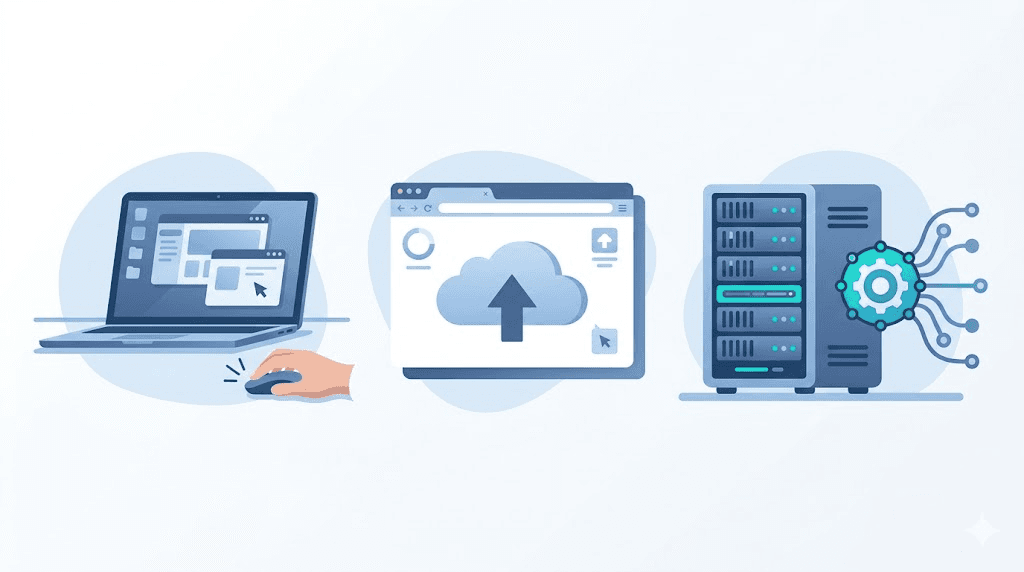
Desktop software runs the conversion on your hardware. Online file conversion services run it on theirs, via upload. APIs let your systems run it programmatically. The model determines your costs, your security exposure, and whether your automation breaks at 2 a.m.
Most teams start with desktop tools, graduate to online converters for occasional needs, and only evaluate APIs when the volume hurts. That's backward. The API-first approach often costs less at scale and eliminates the "someone has to remember to do this" failure mode.
How Do I Convert Files Online? The Three Paths

You have three genuine options in 2026, and they serve different operational realities.
Desktop File Conversion Software
Tools like HandBrake, Freemake, and Format Factory run locally. You install, you convert, you manage the files.
Best for: Individual power users, air-gapped environments, one-off conversions where automation doesn't matter.
The catch: No API. No batch automation. Your designer's MacBook Pro becomes the conversion server, and when they're on vacation, the process stops. Version updates break workflows. Format support depends on what the maintainer shipped—ICO file conversion or .MDL file conversion often requires hunting plugins that may not exist.
Online File Conversion Services
Zamzar, CloudConvert's web UI, and 123apps let you upload, convert, and download. No install, immediate gratification.
Best for: Occasional users, non-technical staff, situations where you can't install software.
The catch: Subscription traps and per-conversion fees. Upload size limits (often 100 MB–1 GB). Privacy exposure—your files sit on someone else's server, sometimes in jurisdictions you don't control. Batch processing is manual or nonexistent. That RAR to ZIP file conversion or OST to PST file conversion you need? You'll click through each file individually.
API-Based File Conversion Services
ConvertFleet, CloudConvert API, and Zamzar API expose conversion as an HTTP endpoint. Your code, your n8n workflow, your Make scenario calls the API, sends the file, gets the result.
Best for: Product teams, agencies, any workflow that converts files more than ten times per week.
The catch: Requires initial integration effort. You need someone who can handle an API key and a webhook. The payoff is that conversions become infrastructure, not interruptions.
What Is the Best File Conversion Software? A Decision Framework
"Best" depends on your constraint: time, money, or control.
| Dimension | Desktop (HandBrake/Freemake) | SaaS Web (Zamzar/CloudConvert UI) | API (ConvertFleet/CloudConvert API) |
|---|---|---|---|
| Typical cost | Free–$50 one-time | $9–$65/month + overages | $0.002–$0.01 per MB or pay-as-you-go |
| Batch limit | Manual only | 5–100 files/operation | Unlimited via loop |
| Format breadth | 50–200 formats | 1,200+ formats | 178+ to 1,200+ formats |
| Automation | None | Zapier/Make only | Full REST + n8n/Make/Zapier |
| Privacy | Files stay local | Uploaded to vendor cloud | Direct server-to-server, no storage |
| Speed | Hardware-limited | Upload + queue dependent | <3s average per file (ConvertFleet) |
| Hidden cost | Staff time, version drift | Per-conversion fees, overage penalties | Integration engineering (one-time) |
The table tells the story most buyers miss. Desktop is "free" until you cost out the hourly wage of someone babysitting conversions. SaaS web seems affordable until your marketing team converts 4,000 images in a month and the overage invoice arrives.
APIs win on total cost of ownership for any recurring volume. The break-even point is usually between 50 and 200 conversions per month, depending on file size.
File Conversion Software: The Hidden Pricing Traps
Vendors structure pricing to look simple and bill surprisingly. Here's what to audit before you sign.
Per-conversion fees masquerading as "unlimited." Some SaaS plans advertise unlimited conversions but cap file size, resolution, or concurrent jobs. Read the terms of service for "fair use" clauses that trigger throttling.
Storage charges you didn't expect. Conversions often generate intermediate files. If the service stores them, you may pay for that storage indefinitely or face deletion after 24 hours. For audio file conversion or video conversion, intermediate files are large.
Format premiums. Basic formats (PDF→DOCX, MP4→MOV) are cheap. Obscure formats (MP3 to MIDI file conversion, German date format conversion in Excel exports) may cost 5–10× more or require enterprise plans.
The "we need an engineer" tax. Desktop and web tools need no engineering. APIs need integration. But that integration, done once, eliminates recurring human touches. If your team currently spends 3 hours weekly on manual conversion, the API pays for its setup in under a month.
Can I Convert Files for Free? Yes, With Limits
Free file conversion exists at every tier, but the limitations matter.
Desktop tools like HandBrake (video), Audacity (audio), and GIMP (images) are genuinely free and open-source. They handle common formats well. They struggle with batch operations, proprietary formats, and anything requiring a pipeline (convert A to B, then B to C, then watermark).
Online free tiers (Zamzar free, CloudConvert free, 123apps) typically restrict: - File size (often 50–100 MB max) - Number of daily conversions (2–5) - Concurrent conversions (1) - Output quality or watermarking
For free file conversion at genuine scale, open-source tools run on your own server are the only zero-cost path. But you pay in sysadmin time instead.
The honest middle ground: ConvertFleet's free tier offers 100 conversions monthly with no credit card, full format access, and API keys—enough to prototype and often enough for small-team production use.
Building an Automated Conversion Workflow: A Step-by-Step Guide
For teams ready to stop clicking "convert" and start automating, here's how to wire file conversion services into an n8n workflow using a pay-as-you-go API.
Prerequisites: - n8n installed (cloud or self-hosted) - API key from your conversion provider - A trigger (new file in Google Drive, S3 bucket, or webhook)
Step 1: Set the trigger. In n8n, add a Google Drive trigger node set to "File Created" in your source folder. Filter for the file types you convert regularly.
Step 2: Download the file. Add an HTTP Request node to fetch the file binary from the trigger's output URL.
Step 3: Call the conversion API. Configure an HTTP Request node:
- Method: POST
- URL: https://api.convertfleet.com/v1/convert
- Headers: Authorization: Bearer YOUR_API_KEY, Content-Type: multipart/form-data
- Body: Form data with file (binary) and target_format (e.g., mp4, docx)
Step 4: Handle the response. The API returns a JSON payload with a download_url and status. Poll the status endpoint if the conversion is asynchronous, or parse directly if synchronous.
Step 5: Deliver the converted file. Use another HTTP Request or a dedicated node (S3 upload, Google Drive upload, Slack notification) to move the finished file to its destination.
Step 6: Error handling. Add an "If" node after Step 3 to catch failed conversions (status ≠ success). Route failures to a Slack alert or retry loop.
Step 7: Log and monitor. Store conversion metadata in Airtable or a database for cost tracking and troubleshooting.
For a ready-made version of this workflow—including pre-configured nodes for common formats and error-handling logic—grab the importable JSON in the free download below.
Common Mistakes When Choosing File Conversion Services
Mistake 1: Ignoring the format long tail. You need MP3 file conversion today. Will you need ICO file conversion or .MDL file conversion in six months? Check the full format list, not just your current need.
Mistake 2: Underestimating volume. A team that converts 50 files monthly becomes one that converts 5,000 after a product launch. Pick pricing that scales down and up without penalty.
Mistake 3: Overlooking metadata preservation. Some converters strip EXIF data, comments, or embedded fonts. For legal, medical, or creative workflows, this is data loss.
Mistake 4: Forgetting compliance. HIPAA, GDPR, and SOC 2 requirements mean your files may need to stay in specific regions or never persist on disk. Not all file conversion services even ask where their servers run.
Mistake 5: Choosing based on a single test. Conversion quality varies by format pair, file complexity, and edge cases (corrupted inputs, massive resolution, embedded subtitles). Test your actual worst-case files, not a pristine sample.
File Conversion Services for Specific Use Cases
Audio File Conversion and MP3 to MIDI File Conversion
Audacity and FFmpeg handle WAV→MP3, MP3→AAC, and common transcodes. MP3 to MIDI file conversion is harder—MIDI is symbolic, not waveform-based, so "conversion" is actually transcription. Tools like AnthemScore or Basic Pitch (by Spotify) do this; pure file conversion services typically don't. Expect to pay $15–$50 for dedicated transcription software or use an AI audio API.
OST to PST File Conversion
Email migration scenarios. OST (offline Outlook data) to PST (portable Outlook data) requires tools that understand MAPI structures. Stellar Converter, SysTools, and BitRecover specialize here. Generic file conversion services won't help—this needs domain-specific software.
RAR to ZIP File Conversion
Archives are containers, not content. Most tools (7-Zip, WinRAR, online converters) extract and re-compress. Any file conversion online service that lists "RAR to ZIP" is doing this automatically. The risk: corrupted archives or password-protected files that fail silently.
German Date Format Conversion (MM/DD/YYYY)
Not a file format issue—a data formatting issue. Excel, Google Sheets, or a quick Python script (datetime.strptime) fixes this. Don't pay a conversion service for spreadsheet formatting.
Free download
To make this actionable, we built a free resource you can grab right now — no signup:
- ⬇ N8N Workflow: file-conversion-services-workflow-65434c9b6eced4f9.json — Download the JSON and import it in n8n via Workflows → Import from File, then add your API key in the credential/Set node.
Frequently Asked Questions
What is file conversion? File conversion is changing a file's format so it opens in a different program or meets a specification—like turning a Word document into a PDF, or a WAV audio file into an MP3.
How do I convert files online? Upload your file to an online file conversion service (e.g., Zamzar, CloudConvert, or ConvertFleet), select the output format, and download the converted file. For repeated conversions, use an API to automate the process.
What is the best file conversion software? The best choice depends on your volume and workflow. Desktop tools like HandBrake work for occasional personal use. SaaS platforms suit small teams with irregular needs. APIs like ConvertFleet suit teams automating conversions at scale or integrating into products.
Can I convert files for free? Yes—desktop open-source tools (HandBrake, Audacity, GIMP) and limited free tiers of online services exist. For unrestricted batch conversion and automation, free tiers typically require upgrading or using open-source tools you host yourself.
What hidden fees should I watch for with file conversion services? Look for per-conversion overages, file size limits that trigger plan upgrades, storage fees for retained files, and premium surcharges for less common formats or higher resolution files.
Conclusion
The right file conversion services choice is less about features and more about operational fit. Desktop software traps you in manual work. SaaS subscriptions scale costs unpredictably. APIs demand upfront integration but eliminate the recurring friction that slows teams down.
If your team is building with n8n, Make, or custom code, and you want conversions that run without human intervention, a pay-as-you-go API removes the subscription risk. ConvertFleet offers exactly that: 178+ formats, no monthly minimum, and direct integration into the automation tools you already use. See how it fits your workflow →
Read next

Developer & APIs · Jul 15, 2026
File Conversion MCP Tool: Add It to Claude Code in 5 Min
Turn Convertfleet into a file conversion MCP server for Claude Code, Cursor, or any AI agent. Free tool-definition JSON included for automation workflow tools.

File Conversion · Jul 15, 2026
File Conversion API: 2025 Guide to Replacing 123apps at Scale
Hit limits with 123apps? Learn when free file conversion online tools stop scaling and how a file conversion API like Convert Fleet fixes batch, automation, and quality.

Automation & Workflows · Jul 15, 2026
How to Automate File Conversion in Pipedream: Audio, PDF & Video
Learn how to automate file conversion in Pipedream with a free API. Build workflows that convert audio, PDF, and video without managing ffmpeg or Lambda.