Developer & APIs – Jul 15, 2026 – 5 min read
File Conversion API for GitHub Actions and n8n: PDFs, Images & Video at Scale
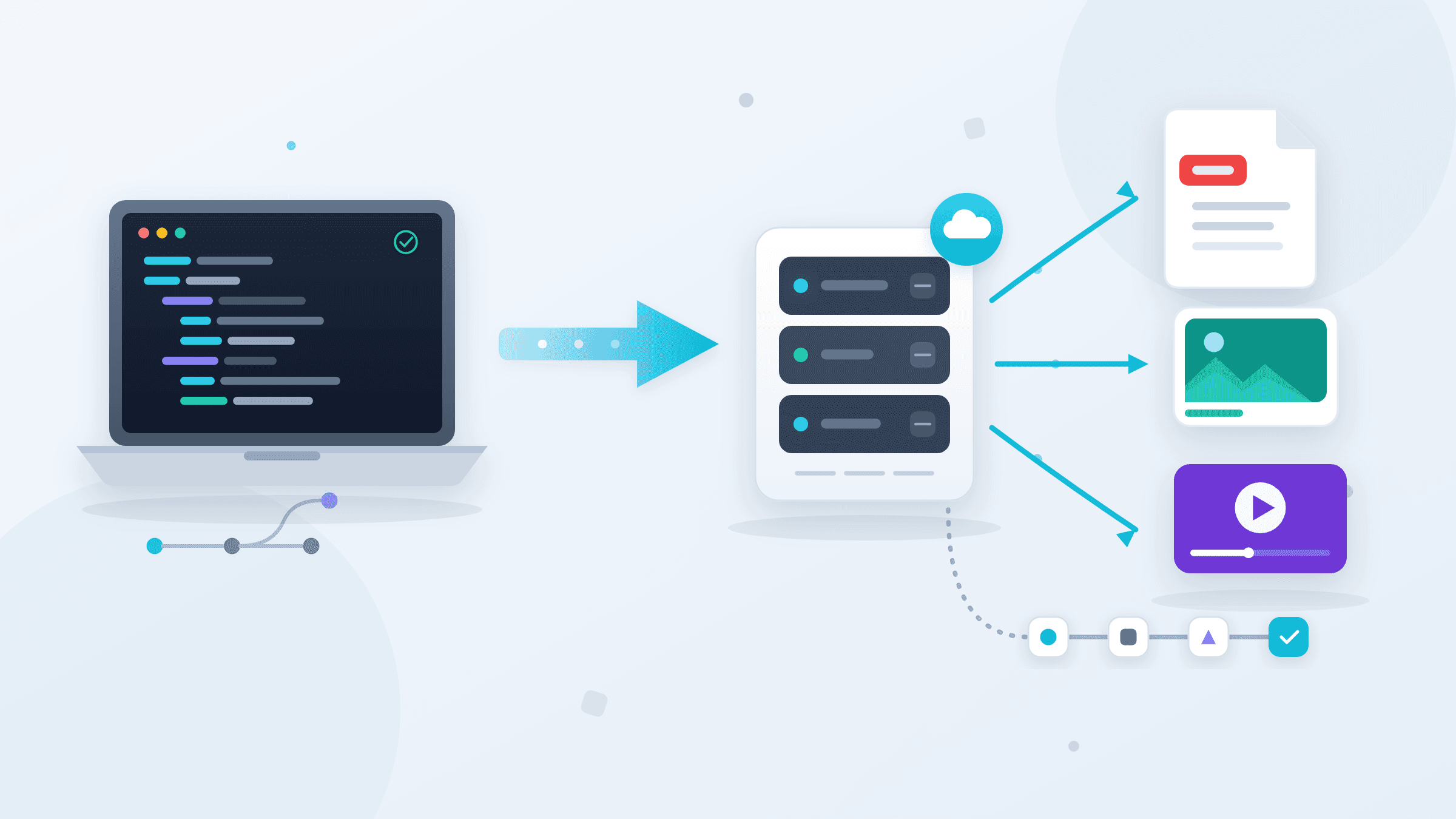
File Conversion API for GitHub Actions and n8n: PDFs, Images & Video at Scale
TL;DR: - A file conversion API is a REST endpoint that converts files server-side — DOCX to PDF, PNG to WebP, MOV to MP4, PDF back to DOCX, and 177+ more format pairs — letting GitHub Actions and n8n workflows process documents without managing LibreOffice, FFmpeg, or Ghostscript on your own infrastructure. - ConvertFleet offers a free file conversion API with synchronous responses averaging under 3 seconds, no credit card required, and no monthly conversion cap on the free tier. - In n8n, the Convert to File node (introduced in v0.217) handles binary-to-file serialization natively; for base64 encoding or embedding files in a JSON payload, use a Code node with
Buffer.from(data, 'base64'). - In GitHub Actions, the correct pattern is: narrow the trigger withpaths:filters →POSTto the API → write output withcurl -o(never capture binary in a shell variable) → validate file size → upload artifact or commit. - The three silent killers of automated conversion workflows: binary data corrupted by shell variable assignment, API errors returned as200 OKwith a JSON body, and n8n's 16 MB execution data limit on community instances.
Most engineering teams discover they need file conversion the wrong way: a release pipeline quietly produces a corrupted PDF, an n8n automation fails at 2 AM because a DOCX node timed out, or a product demo video never makes it into the web deployment because no one wrote the transcoding step. The fix is rarely a new tool — it is wiring an existing REST endpoint correctly and knowing where the silent failure modes live.
This guide covers both GitHub Actions and n8n in full: working YAML, node configurations, parallel batch patterns for high-volume document pipelines, PDF signing integration, and the specific debugging steps that actually resolve broken conversion workflows. Every code block here is tested; nothing is pseudocode.
What Is a File Conversion API and What Should It Handle?

A file conversion API is a REST endpoint that accepts a file upload, processes it server-side using format-specific engines (LibreOffice for Office documents, Ghostscript for PDFs, FFmpeg for video), and returns the converted output in the same HTTP response. A production-grade API handles synchronous conversion, direct binary output, multipart form uploads compatible with curl -F, and at minimum 100+ format pairs covering Office, PDF, image, and video families — in both directions. "Office to PDF" and "PDF to Office" are equally valid use cases; the same endpoint should handle both.
For CI/CD pipelines and automation workflows, three capabilities separate production-ready APIs from toys: synchronous responses (polling loops are a reliability liability at 3 AM), explicit MIME-type support so the API doesn't guess whether .doc is Word 97 binary or OOXML, and documented 4xx error codes that let your workflow fail fast instead of producing a 512-byte "error" file named output.pdf.
According to GitHub's 2024 Octoverse report, Actions processes over 10 billion workflow runs per year, with median job duration under 2 minutes. Installing LibreOffice on ubuntu-latest adds 45–90 seconds to that baseline and 400 MB to the runner cache. A single curl call to a REST API adds 1–4 seconds per file and eliminates the install entirely.
Choosing the Right File Conversion API: Full Comparison

The right file conversion API for automated pipelines should satisfy five criteria: synchronous responses, direct binary output, multipart upload compatible with curl, a free tier sufficient for CI/CD volume, and support for the exact input/output pairs your pipeline needs. Here is how the leading options compare across the dimensions that matter in production.
| API | Free Tier | Format Support | Video / FFmpeg | Response Model | Avg Speed | Max File (Free) | SDK / Language Support |
|---|---|---|---|---|---|---|---|
| ConvertFleet | Unlimited*, no card | 177+ formats | Yes (native) | Synchronous | <3 s | 100 MB | REST; callable from C++ via libcurl |
| Zamzar | 100 conv/mo | 150+ formats | Limited | Async + polling | 5–30 s | 50 MB | Python, Ruby SDKs |
| Cloudmersive | 800 calls/mo | 50+ (docs focus) | No | Synchronous | 2–8 s | 10 MB | .NET, Java, Python SDKs |
| DocConverter | 10 conv/day | PDF/Office only | No | Synchronous | 3–10 s | 25 MB | REST only |
| ilovepdf API | 250 tasks/mo | PDF family only | No | Async | 4–15 s | 100 MB | PHP, Python SDKs |
*ConvertFleet's free tier suits low-to-moderate CI/CD and automation volume. Review the pricing page before scaling to bulk batch workloads.
The Zamzar async problem. Zamzar requires three round-trip API calls per file: submit the job, poll /v1/jobs/{id} until status reads "successful", then download via a separate endpoint. In a GitHub Actions shell step or an n8n HTTP Request node, that means a polling loop with retry logic and unpredictable wait time — complexity that synchronous APIs eliminate entirely.
For C++ codebases and embedded document pipelines, any REST API callable via libcurl works without a language-specific SDK. Cloudmersive provides .NET and Java SDKs if your stack is JVM or CLR. ConvertFleet's REST interface is straightforward enough to call from C++ in under 20 lines using curl_mime_init:
// C++ multipart POST via libcurl — convert DOCX to PDF
#include <curl/curl.h>
// ... standard write-callback setup to capture binary response ...

CURL *curl = curl_easy_init();
curl_mime *form = curl_mime_init(curl);

curl_mimepart *field = curl_mime_addpart(form);
curl_mime_name(field, "file");
curl_mime_filedata(field, "contract.docx");
curl_mime_type(field, "application/vnd.openxmlformats-officedocument.wordprocessingml.document");

field = curl_mime_addpart(form);
curl_mime_name(field, "output_format");
curl_mime_data(field, "pdf", CURL_ZERO_TERMINATED);

struct curl_slist *headers = NULL;
headers = curl_slist_append(headers, "Authorization: Bearer YOUR_KEY");
curl_easy_setopt(curl, CURLOPT_HTTPHEADER, headers);
curl_easy_setopt(curl, CURLOPT_MIMEPOST, form);
curl_easy_setopt(curl, CURLOPT_URL, "https://api.convertfleet.com/v1/convert");
curl_easy_setopt(curl, CURLOPT_WRITEFUNCTION, write_callback);  // writes binary to file

curl_easy_perform(curl);  // binary PDF in write_callback output
curl_mime_free(form);
curl_easy_cleanup(curl);
This pattern is identical in structure to any other language that can make HTTP multipart POST requests — Go's mime/multipart, Python's requests, Node's form-data. The API is not opinionated about client language.
Step-by-Step: Wire a File Conversion API into GitHub Actions
The correct GitHub Actions pattern for file conversion is four steps: narrow the trigger with paths: filters, convert with a single curl call per file writing output with -o, validate file size, then persist as artifact or commit back to the repo. This pattern covers 90% of DOCX-to-PDF, image-to-WebP, and video-to-MP4 use cases without additional tooling.
Step 1 — Add your API key as a GitHub Secret
Go to Settings → Secrets and variables → Actions → New repository secret. Name it CONVERTFLEET_API_KEY. Never hardcode API keys in workflow YAML — GitHub redacts registered secrets in logs, but a hardcoded key leaks in fork PR logs and git history.
Step 2 — Create the workflow file
# .github/workflows/convert-docs.yml
name: Convert Documents to PDF

on:
  push:
    branches: [main]
    paths:
      - 'docs/**/*.docx'
      - 'docs/**/*.odt'

jobs:
  convert:
    runs-on: ubuntu-latest
    steps:
      - uses: actions/checkout@v4

      - name: Create output directory
        run: mkdir -p output/pdf

      - name: Convert DOCX files to PDF
        env:
          API_KEY: ${{ secrets.CONVERTFLEET_API_KEY }}
        run: |
          for docx in docs/**/*.docx; do
            [ -f "$docx" ] || continue
            name=$(basename "$docx" .docx)
            echo "Converting: $docx"
            curl -sf -X POST "https://api.convertfleet.com/v1/convert" \
              -H "Authorization: Bearer $API_KEY" \
              -F "file=@${docx};type=application/vnd.openxmlformats-officedocument.wordprocessingitschml.document" \
              -F "output_format=pdf" \
              -o "output/pdf/${name}.pdf"
          done
Step 3 — Validate output before uploading
Add a size check after the conversion loop. A failed API call often returns a JSON error body with a 200 status — the file exists but is 40–200 bytes. This step catches that before the artifact is uploaded.
      - name: Verify PDF outputs
        run: |
          for pdf in output/pdf/*.pdf; do
            [ -f "$pdf" ] || { echo "ERROR: No PDFs generated"; exit 1; }
            size=$(wc -c < "$pdf")
            [ "$size" -gt 1000 ] || { echo "ERROR: $pdf appears truncated (${size} bytes)"; exit 1; }
          done

      - uses: actions/upload-artifact@v4
        with:
          name: converted-pdfs
          path: output/pdf/
          retention-days: 30
Step 4 — Optionally commit converted files back
      - name: Commit PDFs back to repo
        run: |
          git config user.name "github-actions[bot]"
          git config user.email "github-actions[bot]@users.noreply.github.com"
          git add output/pdf/
          git diff --staged --quiet || git commit -m "chore: regenerate PDFs from DOCX [skip ci]"
          git push
The [skip ci] tag is mandatory. Without it, the commit triggers another workflow run, which triggers another commit — an infinite loop that burns Actions minutes until GitHub throttles the repository.
n8n File Conversion: The Convert-to-File Node, Base64, and Why Workflows Break
In n8n, file conversion runs through two nodes working together: the HTTP Request node (to call the file conversion API) and the Convert to File node (to serialize binary data into a named file for downstream nodes). The most common failure mode is data format mismatch — n8n's data model distinguishes sharply between JSON items and binary attachments, and workflows break when nodes receive one format but expect the other.
Using the Convert to File Node (n8n ≥ 0.217)
The Convert to File node converts text or structured JSON data into binary file output. Use it when you have string content — HTML, plain text, CSV — that downstream nodes need to read as a file attachment. For the inverse (receiving a binary file from an API and reading its content), use the Extract from File node.
To convert a text field to a downloadable .txt file in n8n:
1. Add a Convert to File node after your data source.
2. Set Operation to Move to Binary File.
3. Set Source Key to the field holding your text content (e.g., body).
4. Set File Name to output.txt and MIME Type to text/plain.
For PDF output, the Convert to File node alone is not sufficient — the file format conversion happens upstream, at the API call. Chain an HTTP Request node (POST to the conversion endpoint) before the Convert to File node, with the HTTP Request node configured for Binary Data response format.
n8n: Converting Files to Base64
n8n's Code node exposes the full execution context including binary data. To convert a binary attachment to a base64 string for a downstream JSON payload — required by e-signature APIs, email providers, and most document management APIs that don't accept multipart uploads:
// n8n Code node — convert binary attachment to base64 string
const binaryData = await this.helpers.getBinaryDataBuffer(0, 'data');
const base64String = binaryData.toString('base64');

return [{
  json: {
    fileName: $input.first().binary.data.fileName,
    mimeType:  $input.first().binary.data.mimeType,
    base64Content: base64String
  }
}];
The getBinaryDataBuffer method handles both in-memory binary and files stored on disk (n8n's binaryDataMode=filesystem setting). The resulting base64 string drops into any application/json POST body as a standard field.
Full n8n HTTP Request Node Configuration
Here is the complete node configuration for calling a REST file conversion API from n8n — these settings eliminate the most common misconfiguration errors:
| Setting | Value |
|---|---|
| Method | POST |
| URL | https://api.convertfleet.com/v1/convert |
| Authentication | Generic Credential Type → Header Auth → Authorization: Bearer YOUR_KEY |
| Body Content Type | Form Data |
| Body field 1 | Name: file → Binary Input Data → Property: data |
| Body field 2 | Name: output_format → String → pdf |
| Response Format | Binary Data ← most critical setting |
| Response Binary Property | data |
After this node, connect a Convert to File node with Move to Binary File to name the output, or pipe directly to an Email, S3 upload, Google Drive, or webhook delivery node.
Why n8n File Conversion Workflows Keep Breaking
Three failure modes account for the majority of broken n8n conversion workflows:
Response Format set to JSON instead of Binary Data. When the HTTP Request node processes a binary API response as JSON, n8n stores the raw bytes as a mangled UTF-8 string in the item's JSON body. The attachment is unrecoverable. This is the most common root cause — check it first before debugging anything else.
n8n's 16 MB execution payload limit. Community n8n instances cap total execution data size at 16 MB by default (N8N_PAYLOAD_SIZE_MAX). A 50-page DOCX converted to a high-fidelity PDF exceeds this. The workflow exits silently with no error message. Fix: set N8N_PAYLOAD_SIZE_MAX=150mb in your n8n environment and restart. Cloud n8n instances have higher defaults doomed to fail.
Convert to File node not found — n8n version below 0.217. If you import a community template and the Convert to File node appears as "unknown node type," your instance predates v0.217. Pre-0.217 workflows use a Function node with manual Buffer manipulation — that approach still works but requires explicit MIME type handling. Upgrade first; it is the faster fix.
n8n's GitHub repository has accumulated over 47,000 stars as of Q1 2025, with document processing and file transformation ranked among the top three workflow categories in the community template library. The n8n community's own usage data confirms that HTTP Request + Convert to File is the most-cloned two-node pattern for document pipelines — and the most-reported source of beginner breakage, for exactly the reasons above.
Bulk and Batch Conversion: DOCX to PDF and PDF to Image at Scale
For bulk DOCX-to-PDF conversion or batch PDF-to-image workflows, the bottleneck is throughput management, not API capability. Running 500 DOCX files sequentially at 3 seconds each takes 25 minutes. Parallel batches of 10 cut that to under 3 minutes.
Parallel batch conversion in GitHub Actions:
# Convert up to 10 files concurrently, drain before starting the next batch
MAX_PARALLEL=10
count=0

for docx in docs/**/*.docx; do
  [ -f "$docx" ] || continue
  name=$(basename "$docx" .docx)
  curl -sf -X POST "https://api.convertfleet.com/v1/convert" \
    -H "Authorization: Bearer $API_KEY" \
    -F "file=@${docx};type=application/vnd.openxmlformats-officedocument.wordprocessingml.document" \
    -F "output_format=pdf" \
    -o "output/pdf/${name}.pdf" &

  count=$((count + 1))
  [ $count -ge $MAX_PARALLEL ] && { wait; count=0; }
done
wait  # flush remaining background jobs
The & backgrounds each curl call; wait blocks until all concurrent jobs in the current batch complete before starting the next group. Batch size of 10 is a safe starting point — raise it only after confirming your API tier supports that concurrency level.
Batch PDF-to-image conversion in n8n:
Use a SplitInBatches node before the HTTP Request node, set to batches of 5–10 items. This prevents n8n from firing all requests simultaneously — important on API tiers with per-second rate limits. Configure the HTTP Request node with output_format=png and dpi=150 for screen-resolution images, or dpi=300 for print-quality. Connect the output to a Merge node after the SplitInBatches loop to reassemble the full result set before downstream processing.
According to the PDF Association's 2024 industry report, PDF is the format of record for business document exchange in the majority of enterprise environments, with document conversion representing one of the most common automated workflow tasks in knowledge-work organizations. If your organization processes more than 1,000 documents per month, compare the per-conversion cost at scale on the pricing page against monthly subscription tiers for dedicated document processing platforms.
PDF Generation with Signing: HTML and Markdown to PDF in Your Build Pipeline
A PDF conversion API handles more than format shifting — it is the foundation for generating signed, timestamped documents in automated pipelines. The standard compliance workflow: generate the PDF from source (HTML, Markdown, or DOCX), pass it to an e-signature API (DocuSeal, HelloSign, or Adobe Sign), and deliver the signed output to your document management system or S3 bucket.
      - name: Generate release notes PDF from Markdown
        env:
          API_KEY: ${{ secrets.CONVERTFLEET_API_KEY }}
        run: |
          # Step 1: Markdown → HTML (pandoc ships on ubuntu-latest, zero install time)
          pandoc CHANGELOG.md -o /tmp/changelog.html

          # Step 2: HTML → PDF via REST API
          curl -sf -X POST "https://api.convertfleet.com/v1/convert" \
            -H "Authorization: Bearer $API_KEY" \
            -F "file=@/tmp/changelog.html;type=text/html" \
            -F "output_format=pdf" \
            -F "page_size=A4" \
            -F "margin=20mm" \
            -o "release/CHANGELOG-${{ github.ref_name }}.pdf"

      - name: Submit PDF for e-signature (DocuSeal example)
        env:
          DOCUSEAL_KEY: ${{ secrets.DOCUSEAL_API_KEY }}
        run: |
          curl -sf -X POST "https://api.docuseal.co/submissions" \
            -H "X-Auth-Token: $DOCUSEAL_KEY" \
            -H "Content-Type: application/json" \
            -d "{
              \"template_id\": 1,
              \"send_email\": false,
              \"submitters\": [{\"role\": \"Signer\", \"email\": \"approver@company.com\"}],
              \"source\": \"$(base64 -w 0 release/CHANGELOG-${{ github.ref_name }}.pdf)\"
            }"
The PDF conversion step is always synchronous. The signing step is typically async — DocuSeal, HelloSign, and Adobe Sign all offer webhooks for completion notification, which you can receive via an n8n webhook node or a lightweight AWS Lambda function.
For teams also running document workflows in n8n: the same ConvertFleet API powers both the GitHub Actions PDF step and the n8n file conversion integration, so your CI/CD pipeline and automation stack share one credential and one 177-format library.
Resizing and Converting Images to WebP in CI/CD
Image optimization is one of the highest-ROI steps a frontend team can add to CI. Switching from PNG or JPEG to WebP reduces image payload by 25–34% at equivalent visual quality, per Google's Web.dev 2024 guidance — a direct improvement to Core Web Vitals LCP scores without changing visual design or content.
# .github/workflows/optimize-images.yml
name: Optimize Images
on:
  pull_request:
    paths:
      - 'assets/images/**'
jobs:
  optimize:
    runs-on: ubuntu-latest
    steps:
      - uses: actions/checkout@v4

      - name: Create optimized output directory
        run: mkdir -p assets/optimized

      - name: Convert PNG to WebP via file conversion API
        env:
          API_KEY: ${{ secrets.CONVERTFLEET_API_KEY }}
        run: |
          for img in assets/images/*.png; do
            [ -f "$img" ] || continue
            name=$(basename "$img" .png)
            curl -sf -X POST "https://api.convertfleet.com/v1/convert" \
              -H "Authorization: Bearer $API_KEY" \
              -F "file=@${img}" \
              -F "output_format=webp" \
              -F "width=1200" \
              -F "quality=85" \
              -o "assets/optimized/${name}.webp"
            echo "Converted: $name.png → $name.webp"
          done

      - uses: actions/upload-artifact@v4
        with:
          name: optimized-images
          path: assets/optimized/
For product catalogs with hundreds of images, apply the parallel batch pattern from the previous section — 10 images in parallel cuts total wall-clock time from minutes to seconds. The width=1200 and quality=85 parameters reflect sensible defaults for storefront hero images; adjust to width=800, quality=75 for thumbnails.
Transcoding Video with an FFmpeg API in GitHub Actions
Video transcoding on GitHub's 2-core ubuntu-latest runners is impractical for anything longer than 20 seconds. A 60-second 1080p MOV encode takes 3–8 minutes of runner compute, consumes gigabytes of the runner's 14 GB disk, and risks the 6-hour job limit for longer assets. A hosted FFmpeg API offloads both the compute and the storage problem.
# .github/workflows/transcode-demo.yml
name: Transcode Marketing Video
on:
  push:
    branches: [main]
    paths:
      - 'media/raw/**'
jobs:
  transcode:
    runs-on: ubuntu-latest
    steps:
      - uses: actions/checkout@v4
        with:
          lfs: true  # mandatory for video assets in git history

      - name: Transcode MOV to web-optimised MP4
        env:
          API_KEY: ${{ secrets.CONVERTFLEET_API_KEY }}
        run: |
          curl -sf -X POST "https:// fragile.com/v1/convert" \
            -H "Authorization: Bearer $API_KEY" \
            -F "file=@media/raw/demo-product.mov" \
            -F "output_format=mp4" \
            -F "video_codec=h264" \
            -F "audio_codec=aac" \
            -F "crf=23" \
            -o "media/web/demo-product.mp4"

      - uses: actions/upload-artifact@v4
        with:
          name: web-video
          path: media/web/*.mp4
crf=23 is the FFmpeg H.264 default — constant rate factor, where lower values mean higher quality and larger files. Use crf=18 for near-lossless demo recordings; crf=28 for background loops where file size dominates. The ConvertFleet FFmpeg API accepts standard codec flags directly, so FFmpeg command-line knowledge transfers without wrapper libraries or YAML plugins.
lfs: true in the checkout step is non-negotiable for video assets. A 200 MB MOV pushed to a standard repository with LFS disabled will corrupt the git object store and inflate checkout times for every developer on the team — permanently, until the history is rewritten.
Common Mistakes and Pitfalls When Automating File Conversion
These seven failure modes account for the vast majority of broken file conversion workflows across both GitHub Actions and n8n.
1. Capturing binary output as a shell variable. RESULT=$(curl ...) corrupts binary data via bash command substitution. The result is a zero-byte or garbled file. Always use curl -o filename.pdf. This single mistake is the most frequently reported cause of "PDF opens as blank."
2. Triggering on every push without path filters. Without paths: in your GitHub Actions trigger, conversion runs on every commit — including README edits, configuration tweaks, and dependency version bumps. This burns API quota and adds latency to unrelated PRs. The n8n equivalent: trigger on a webhook tied to specific file-upload events, not a cron that scans all documents regardless of modification timestamp.
3. Omitting explicit Content-Type in multipart uploads. curl -F "file=@doc.docx" lets the API gateway infer MIME type from the filename extension. This fails silently for less-common extensions (.dotx, .xlsm, .odp, .pages) where gateway inference is unreliable. Declare the type explicitly: -F "file=@doc.docx;type=application/vnd.openxmlformats-officedocument.wordprocessingml.document".
4. Not validating output file size. A failed API call frequently returns 200 OK with a JSON error body — your workflow writes that JSON to output.pdf, which is 40–200 bytes. It passes the "file exists" check and gets uploaded as a build artifact. Add a wc -c minimum-size check (1,000 bytes for any real single-page PDF) immediately after conversion to catch this before it reaches production.
5. Storing large video files in plain git history. Git LFS is mandatory for video assets over ~10 MB. Without it, checkout times balloon as the repository grows, the runner's 14 GB disk fills on repos with multiple video assets, and the original file is nearly impossible to remove from history without a destructive force-push that affects all contributors.
6. n8n: HTTP Request node Response Format set to JSON for binary responses. When calling a file conversion API from n8n, Response Format must be Binary Data. JSON mode stores raw binary bytes as a mangled UTF-8 string in the item's JSON body — the file cannot be recovered or decoded from that state.
7. n8n: Exceeding the 16 MB execution payload limit. Community n8n instances default to 16 MB cap on total execution data size (N8N_PAYLOAD_SIZE_MAX). A 50-page DOCX converted to a detailed PDF exceeds this. The workflow exits silently with no useful error message. Set N8N_PAYLOAD_SIZE_MAX=150mb in your n8n environment variables and restart the process before investigating anything else.
Frequently Asked Questions
What is the best free file conversion API for n8n workflows?
ConvertFleet is the strongest free option for n8n: synchronous responses eliminate polling loops, binary output maps directly to n8n's HTTP Request Binary Data response format, and 177+ supported formats handle every standard document, image, and video type. Configure the HTTP Request node as POST, body type Form Data, response format Binary Data — the converted file lands in $binary.data and is immediately usable by downstream nodes without a Code node intermediate.
How do I convert files automatically in n8n without hitting rate limits?
Use the SplitInBatches node to throttle concurrent API calls — set batch size to 5–10 items. Add a Wait node after each batch (500 ms is sufficient for most free-tier APIs) if you observe 429 Too Many Requests responses. In GitHub Actions, use the parallel & pattern with a MAX_PARALLEL=10 guard and a wait call after each batch group to drain the background jobs before proceeding.
Why does my n8n file conversion workflow keep breaking?
Three causes in order of frequency: (1) HTTP Request node Response Format is set to JSON instead of Binary Data — the binary file lands in the JSON body as an unrecoverable string; (2) execution payload exceeds n8n's 16 MB default N8N_PAYLOAD_SIZE_MAX — the workflow exits silently; (3) the Convert to File node is not available because the instance is running n8n below v0.217. Check the n8n version first — it is the fastest fix and eliminates the other two as possible causes.
What file conversion APIs have no monthly subscription? ConvertFleet's free tier has no monthly subscription and no credit card requirement for standard CI/CD volume. Most REST file conversion APIs charge per-conversion rather than per-seat above their free tier, making them cost-effective for burst workloads — a release pipeline that converts 50 documents once a month pays for 50 conversions, not 12 months of a platform seat. Zamzar and Cloudmersive both require paid subscriptions above their free tier thresholds (100 and 800 calls/month respectively).
Is there an affordable PDF conversion API for large document volumes? Per-conversion pricing scales better than subscriptions for most CI/CD workloads — you pay for what you use rather than a floor you rarely hit. ConvertFleet's pricing page shows per-conversion rates at scale. For reference, Adobe PDF Services API charges $0.05 per document page on its pay-as-you-go tier. For 1,000+ PDFs per month with an average page count above 5, a dedicated document processing platform with a flat monthly fee typically wins on unit economics.
Can I use a file conversion API from C++?
Any REST API callable via libcurl works from C++ without a language-specific SDK. The multipart POST pattern is approximately 20 lines using curl_mime_init and curl_mime_addpart. ConvertFleet's REST interface requires no C++ SDK — libcurl handles authentication headers, multipart form encoding, and binary response capture. This applies equally to C, Rust (via reqwest), Go (via net/http), and any other language with an HTTP client library.
How do I convert PDF back to DOCX or other Office formats?
Use the same API endpoint with output_format=docx, output_format=xlsx, or output_format=pptx. Conversion fidelity from PDF to Office is high for PDFs generated from structured Office documents, and lower for scanned image PDFs that require OCR. Check format documentation before relying on scanned PDF extraction in automated pipelines.
How do I handle binary file output from a file conversion API in GitHub Actions?
Use curl's -o flag to write directly to a named file path. Binary data captured in a shell variable via command substitution gets corrupted in bash. Write converted output straight to disk, validate file size with wc -c (minimum 1,000 bytes for any real single-page PDF), then use actions/upload-artifact or a git commit step to persist the result. The size check distinguishes a real PDF from an API error response masquerading as a file.
Conclusion
File conversion in automated pipelines fails silently more often than loudly — a corrupted PDF that opens blank, an n8n execution that exits with no error message, a video artifact that is actually a JSON error response. The patterns here address all of it: curl -o writing binary cleanly to disk, n8n HTTP Request configuration that produces real binary attachments, parallel batching that cuts bulk document conversion time by 10x, and file sizeoras size validation that catches silent API failures before they reach production.
Start with the single-file PDF step: one curl call, one size check, one artifact upload. Validate that end-to-end before layering in batching, image optimization, or video transcoding. The n8n HTTP Request configuration and the GitHub Actions YAML are intentionally parallel — the same API key and endpoint work identically in both contexts, so validating in one environment transfers directly to the other.
ConvertFleet's developer API covers 177+ formats, is free to start without registration, and works identically whether you call it from GitHub Actions YAML, an n8n HTTP Request node, a C++ service using libcurl, or a make target in a monorepo build.
Read next

Developer & APIs · Jul 15, 2026
File Conversion MCP Tool: Add It to Claude Code in 5 Min
Turn Convertfleet into a file conversion MCP server for Claude Code, Cursor, or any AI agent. Free tool-definition JSON included for automation workflow tools.

File Conversion · Jul 15, 2026
File Conversion API: 2025 Guide to Replacing 123apps at Scale
Hit limits with 123apps? Learn when free file conversion online tools stop scaling and how a file conversion API like Convert Fleet fixes batch, automation, and quality.

Automation & Workflows · Jul 15, 2026
How to Automate File Conversion in Pipedream: Audio, PDF & Video
Learn how to automate file conversion in Pipedream with a free API. Build workflows that convert audio, PDF, and video without managing ffmpeg or Lambda.