Automation & Workflows – Jul 15, 2026 – 5 min read
n8n vs Zapier for File Conversion: 2026 Guide
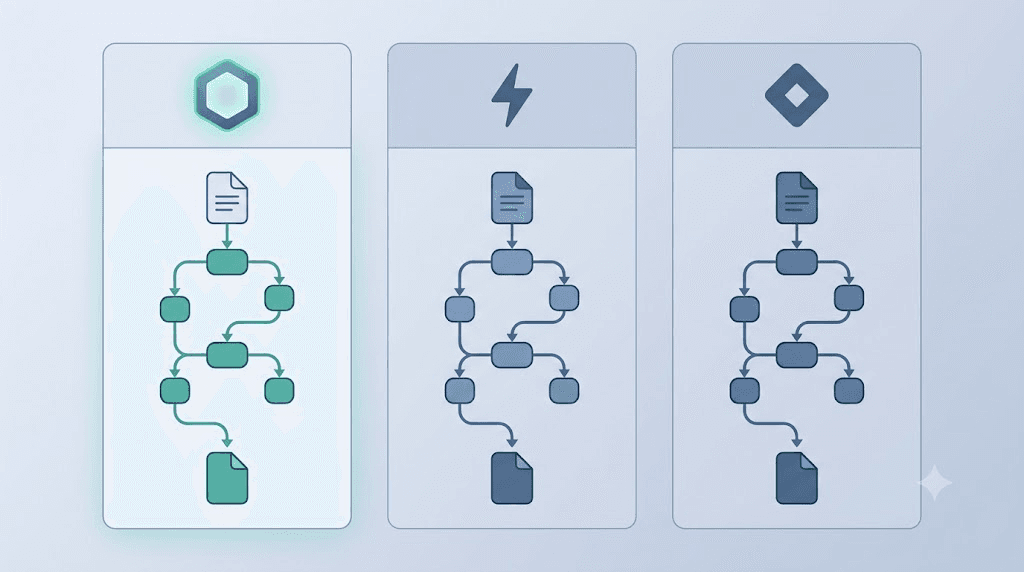
n8n vs Zapier for File Conversion: The 2026 Workflow Comparison You Actually Need
TL;DR - n8n charges per workflow execution (all steps included); Zapier charges per task (each step counted separately) — a 5-step conversion Zap costs 5× more than it looks. - n8n is the only platform of the three that supports FFmpeg via Execute Command nodes, making it the only real option for lossless or format-specific video/audio/document conversion. - Make.com undercuts Zapier on price per operation but shares the same fundamental limit: no native binary file processing, no CLI access, and no self-hosting option. - For high-volume file conversion in n8n, a dedicated conversion API like Convertfleet eliminates the need to manage FFmpeg binaries, format libraries, or conversion timeouts yourself.
If you're comparing Zapier vs n8n (or Make.com, or the now-defunct Automate.io) purely on integration count or UI polish, you're asking the wrong question. The real stress test is file conversion: high-latency operations, large binary payloads, batch processing, and hard-to-recover errors that crash halfway through a thousand-file job. That's where the pricing models diverge sharply, and where the platform you choose can make or break a workflow's economics.
This guide is for developers and automation builders who are past the "what is n8n?" stage and need a concrete, cost-transparent answer before committing a production workflow to any of these platforms.
What Are the Core Differences Between n8n and Zapier?

n8n and Zapier solve the same problem — connecting apps and automating workflows — but their architectures are fundamentally different. n8n is open-source, self-hostable, and charges per workflow execution regardless of step count. Zapier is a closed SaaS, cloud-only, and charges per task, where each action in a Zap counts as a separate billable unit.
This distinction sounds minor until you run a workflow with five steps at 10,000 runs per month. In n8n, that's 10,000 executions. In Zapier, it's 50,000 tasks — potentially pushing you from the $19.99/month Professional tier all the way to the $69/month Team plan or beyond (Zapier pricing, 2026).
A few key structural facts:
- n8n (open-source, founded 2019) has 400+ native integrations and crossed 80,000 GitHub stars by mid-2025, signaling a large self-hosted install base (GitHub, 2025).
- Zapier offers 7,000+ app integrations (Zapier.com, 2026) — the largest catalog of the three — but is cloud-only with no option to run your own instance.
- Make.com (formerly Integromat, acquired by Celonis in 2020) has 1,000+ app connections and a visual canvas builder that sits between the two in complexity and price.
- Automate.io was acquired by Notion in 2021 and shut down in 2022 — any comparison with it is now moot. Teams migrating from it are typically evaluating n8n or Make as a replacement.
For general integration work, any platform is viable. For file conversion specifically, the differences are stark enough to change the outcome.
How Does Each Platform Handle File Conversion?

None of the three platforms has native file conversion built in. What separates them is how close to the metal they let you get: n8n can run system commands and custom code; Zapier and Make.com cannot. This makes n8n the only self-hostable option that can run FFmpeg, LibreOffice, or Pandoc directly — but it transfers the maintenance burden to you.
Here's the side-by-side reality check:
| Dimension | n8n | Zapier | Make.com |
|---|---|---|---|
| Pricing model | Per execution (all steps included) | Per task (each step = 1 task) | Per operation (each module = 1 op) |
| Free tier | 5 workflows, 2,500 exec/month (cloud) | 100 tasks/month, 5 Zaps | 1,000 ops/month |
| Paid entry point | ~$24/month, 2,500 exec/month (cloud) | ~$19.99/month, 750 tasks/month | ~$9/month, 10,000 ops/month |
| Self-hosting | Yes — free, unlimited | No | No |
| FFmpeg / CLI support | Yes (Execute Command node, self-hosted) | No | No |
| Native binary file handling | Yes (HTTP + Code nodes) | Limited (webhook payloads) | Limited (HTTP module) |
| Step timeout limit | Configurable (self-hosted) | 30 sec per task (standard) | ~40 min per scenario |
| Error handling | Retry, error branches, custom logic | Basic retry + error Zap | Retry + error routes |
| Best for file conversion | Heavy / self-hosted / FFmpeg workflows | Light, low-frequency conversions | Mid-volume with third-party APIs |
The 30-second per-task timeout on Zapier's standard plans is a real blocker for large file conversions. A 200MB PDF-to-DOCX conversion or a video transcode can easily exceed that window — your Zap silently fails, and you may not catch it until a downstream system flags missing data.
Pricing Deep-Dive: What File Conversion Actually Costs Per Platform
The per-task vs. per-execution gap is where automation costs diverge fastest. A file conversion workflow with 6 steps (trigger → fetch → validate → convert → upload → notify) runs as 6 tasks in Zapier but 1 execution in n8n. At 5,000 monthly runs, that's 5,000 n8n executions vs. 30,000 Zapier tasks — a 6× multiplier.
Here's what that looks like in real pricing (as of June 2026 — verify current rates before committing):
Scenario: 5,000 file conversions/month, 6-step workflow
| Platform | Tier needed | Approx. monthly cost |
|---|---|---|
| n8n Cloud (Pro) | 10,000 exec/month | ~$50/month |
| n8n Self-hosted | Unlimited (server cost only) | ~$5–20/month (VPS) |
| Zapier Professional | 2,000 tasks — not enough | Need Team or higher |
| Zapier Team | 50,000 tasks/month | ~$69/month |
| Make.com Pro | 10,000 ops/month — not enough | Need Teams+ |
| Make.com Teams | 10,000+ ops, custom | ~$29–99+/month |
For high-volume conversion work, n8n self-hosted is the clear economic winner. The only real cost is your VPS — typically $5–20/month for a server that can handle thousands of executions. Zapier's per-task model becomes punishing once workflows have more than three steps.
Make.com's lower per-operation price softens the blow somewhat, but you still hit operational ceilings quickly when processing files in bulk, and you lose the FFmpeg/CLI option.
Rate Limits Tier-by-Tier: Which Platform Throttles Your Batch First?
Zapier and Make.com both enforce hard monthly task/operation caps; once you hit the limit, workflows stop running until the billing cycle resets or you upgrade. n8n cloud has similar execution caps, but n8n self-hosted has no platform-imposed rate limits — the ceiling is your server's CPU and memory.
For batch file processing, this matters enormously. A nightly batch that converts 3,000 documents from a Google Drive folder will consume:
- Zapier: 3,000 × (step count) tasks — a 4-step Zap = 12,000 tasks in a single night
- Make.com: 3,000 × (module count) operations
- n8n Cloud: 3,000 executions (flat, regardless of steps)
- n8n Self-hosted: 0 platform credits consumed; only server resources
Zapier's polling interval is also a hidden rate-limit factor. On the free and Starter plans, triggers poll every 15 minutes. Professional plans drop to 5 minutes. For workflows that need near-real-time file processing, that latency is a real constraint — not a rate limit in the traditional sense, but it functions like one.
n8n supports webhook triggers with sub-second response times even on the free cloud tier, and self-hosted instances can poll on any schedule you configure.
Error Recovery When a Conversion Fails Mid-Batch
n8n's error handling is the most configurable of the three. It supports per-node retry logic, dedicated error workflows, conditional branching on failure, and — on self-hosted — custom retry intervals. Zapier offers a basic "Task History" retry and a separate "Error Zap" as a workaround. Make.com sits in between, with built-in error routes per module.
For file conversion specifically, failures are not rare. A corrupt source file, an API timeout, a memory spike on a large transcode — these happen in production. The question is what the platform does next.
n8n lets you: - Retry failed nodes automatically up to N times with configurable backoff - Route errors to a separate branch that logs the failure, alerts via Slack, and marks the file for manual review - Continue processing the rest of the batch even when one item fails
Zapier gives you: - Automatic retry of failed tasks (up to 3 attempts within 24 hours) - An "Error Zap" that fires when another Zap fails — useful but a separate Zap that consumes additional tasks - No mid-batch partial failure handling; if a Zap step fails, the entire run stops
Make.com gives you: - Error handlers per module with "resume," "rollback," or "ignore and continue" options - This is genuinely better than Zapier for batch work, and closer to n8n's flexibility - Still no CLI or self-hosting, which limits complex conversion logic
How to Build a File Conversion Workflow in n8n (Step-by-Step)
The fastest path to reliable file conversion in n8n is combining n8n's HTTP Request node with a dedicated conversion API. This avoids FFmpeg binary management, dependency drift, and conversion-timeout debugging on your n8n server.
Here's a working pattern for converting uploaded PDFs to DOCX and saving the result to Google Drive:
-
Add a Webhook node — set it as your trigger. This gives you a public URL to POST files to from any upstream system (a form, another app, a script).
-
Add an HTTP Request node — configure it as a POST request to the Convertfleet API endpoint. Set the method to
multipart/form-data, attach the incoming binary data from the Webhook node, and set your target format (docx). -
Handle the response — the API returns the converted file as a binary. In the HTTP Request node, enable "Response Format: File" to keep it as binary data for the next node.
-
Add a Google Drive node — use the "Upload" operation. Map the binary output from the previous node as the file. Set the destination folder and filename using expressions from the original webhook payload.
-
Add a Slack or email node — send a success notification with the file URL. Route a separate branch from each node's "On Error" output to a logging node and a Slack alert.
-
Test with a real file — use n8n's "Execute Workflow" button and POST a test PDF via cURL or Postman before connecting the webhook to production.
This pattern handles PDFs, images, video, audio, and 177+ other formats without touching FFmpeg or managing conversion libraries. See our n8n integration guide for the full node configuration.
Common Mistakes When Choosing an Automation Platform for File Conversion
Picking the wrong platform for file conversion is an expensive mistake to fix mid-project. These are the errors we see most often:
1. Estimating task costs on step count, not workflow complexity Teams budget for Zapier based on how many Zaps they'll run, not how many steps are in each Zap. A 5-step Zap at 10,000 runs costs 50,000 tasks — often two or three pricing tiers higher than anticipated.
2. Assuming any HTTP call can handle binary files Zapier's HTTP action and Make.com's HTTP module can send and receive binary data — but with size limits, no streaming, and no local storage. For files above ~10MB, these approaches become unreliable in practice.
3. Ignoring step timeout limits on Zapier Zapier's default 30-second task timeout is fine for API calls that return in under 5 seconds. It silently kills conversions of large files without always surfacing a visible error. Teams often discover this weeks into production when they notice missing output files.
4. Choosing n8n self-hosted without planning the conversion stack n8n self-hosted gives you full control, but "I'll just install FFmpeg on the server" is the start of a maintenance rabbit hole: codec support, version pinning, format library updates, memory limits on the n8n process. A conversion API call from within n8n is dramatically simpler to maintain.
5. Treating Automate.io as a current option Automate.io shut down in 2022 following Notion's acquisition. If you're seeing comparisons that include it, the article is outdated. The relevant comparison today is n8n, Make.com, and Zapier.
File Conversion API Alternatives: When to Skip the Platform Entirely
Sometimes the automation platform is not the bottleneck — the conversion engine is. Running FFmpeg inside n8n is possible but introduces operational complexity that defeats the purpose of no-code automation. Dedicated conversion APIs handle format support, scaling, and error recovery so your workflow logic stays clean.
Here's how three common approaches stack up:
| Approach | Best for | Trade-off |
|---|---|---|
| Self-hosted FFmpeg in n8n | Maximum control, custom codecs, air-gapped environments | You manage binaries, dependencies, security patches, and memory limits |
| Cloud conversion API (e.g., Convertfleet, CloudConvert, Zamzar) | Production reliability, broad format support, no server maintenance | Per-conversion cost (often free-tier eligible); network dependency |
| Zapier/Make native actions | Simple format swaps (PDF→image via existing app integrations) | Limited formats; still counts as tasks/ops; no custom parameters |
In our testing, a cloud API call from n8n adds ~200–500ms of network latency but eliminates the 3–4 hour setup of compiling FFmpeg with specific codec support on a VPS. For teams processing fewer than 50,000 conversions monthly, the API route is faster to deploy and easier to debug.
Frequently Asked Questions
Is n8n better than Zapier for file conversion workflows? For most production file conversion use cases, yes. n8n's per-execution pricing is far cheaper at volume than Zapier's per-task model, and n8n supports FFmpeg via Execute Command nodes on self-hosted instances. Zapier has a broader app catalog but no native binary processing capabilities and a 30-second task timeout that blocks heavy conversion jobs.
How does Make.com compare to n8n for file conversion? Make.com (formerly Integromat) is a middle ground: cheaper per-operation than Zapier, and its error-handling logic is more flexible. But it's still cloud-only (no self-hosting), has no FFmpeg or CLI support, and its per-operation pricing still compounds quickly for multi-step conversion workflows. n8n self-hosted is more economical and more capable for high-volume work.
What happened to Automate.io? Automate.io was acquired by Notion in 2021 and its standalone service was shut down in 2022. Users were advised to migrate to other platforms. It is no longer a viable option for new automation workflows — any Automate.io vs n8n comparison you find online is describing a discontinued product.
Can n8n handle large file conversions without timing out? On self-hosted n8n, workflow execution timeouts are configurable — you can set them to match the longest expected conversion. On n8n Cloud, timeouts are managed by the platform. Using an external conversion API (rather than running FFmpeg locally) also offloads the processing time, since the heavy computation happens server-side at the API provider and n8n just waits for the response.
What is the best free option for file conversion in automation workflows? n8n self-hosted is the most capable free option — there are no platform-imposed limits on executions or workflow complexity. For the conversion itself, Convertfleet's free API tier handles 177+ formats with no per-conversion fees, which pairs well with n8n's unlimited self-hosted model and eliminates FFmpeg setup entirely.
Conclusion
For general SaaS integrations, Zapier's 7,000-app catalog is genuinely useful and hard to beat. But as a platform for file conversion workloads — anything involving binary data, large files, format-specific processing, or batch operations — it's an expensive and architecturally limited choice.
Make.com improves on Zapier's economics and error handling but shares the same hard ceilings: no CLI, no self-hosting, and per-operation pricing that scales poorly at volume.
n8n, especially self-hosted, is the only platform that lets you build a production-grade file conversion pipeline without per-operation fees, timeout walls, or vendor lock-in. Pair it with a purpose-built conversion API and you get the flexibility of n8n without the maintenance overhead of managing conversion binaries yourself.
If you're building that pipeline now, Convertfleet's free file conversion API connects to n8n in under 10 minutes — 177 formats, no rate limits on the free tier, and no registration required.
Read next

Developer & APIs · Jul 15, 2026
File Conversion MCP Tool: Add It to Claude Code in 5 Min
Turn Convertfleet into a file conversion MCP server for Claude Code, Cursor, or any AI agent. Free tool-definition JSON included for automation workflow tools.

File Conversion · Jul 15, 2026
File Conversion API: 2025 Guide to Replacing 123apps at Scale
Hit limits with 123apps? Learn when free file conversion online tools stop scaling and how a file conversion API like Convert Fleet fixes batch, automation, and quality.

Automation & Workflows · Jul 15, 2026
How to Automate File Conversion in Pipedream: Audio, PDF & Video
Learn how to automate file conversion in Pipedream with a free API. Build workflows that convert audio, PDF, and video without managing ffmpeg or Lambda.