Automation & Workflows – Jul 15, 2026 – 5 min read
10 n8n Workflow Examples for File Conversion Automation
10 n8n Workflow Examples for File Conversion Automation
TL;DR: - Copy-paste JSON templates for 10 production-ready n8n workflows covering PDF generation, image resize, video transcode, batch rename, and more - Each workflow uses the Convert Fleet API for serverless file conversion—no local FFmpeg or file servers needed - Average setup time is under 15 minutes per workflow; all templates are tested on n8n v1.50+ - Direct links to import each workflow JSON into your n8n instance instantly
Developers building with n8n often hit the same wall: file conversion is the step that breaks everythingnga. The n8n.io/workflows library has thousands of community templates, but finding ones that handle real file conversion—reliably, at scale, without spinning up a server—is harder than it should be. This article gives you ten battle-tested n8n workflow examples you can import today. Each one uses the Convert Fleet API for the heavy lifting, so your n8n instance stays lightweight and your conversions stay private.
What Is n8n Workflow Automation for File Conversion?
n8n workflow automation for file conversion connects triggers (webhooks, schedules, form submissions) to file processing steps executed by external services. The best setups avoid running FFmpeg or LibreOffice directly on the n8n host—this consumes RAM, creates version conflicts, and fails at scale.
Instead, production teams route files to dedicated conversion APIs. This keeps n8n as the orchestrator: receiving files, validating them, calling the conversion service, and routing results to storage, email, or downstream systems. The workflows below follow this pattern. They assume you're self-hosting n8n or using n8n Cloud, and that you have a Convert Fleet API key (free tier available).
How Do I Integrate File Conversion Into My Workflow?
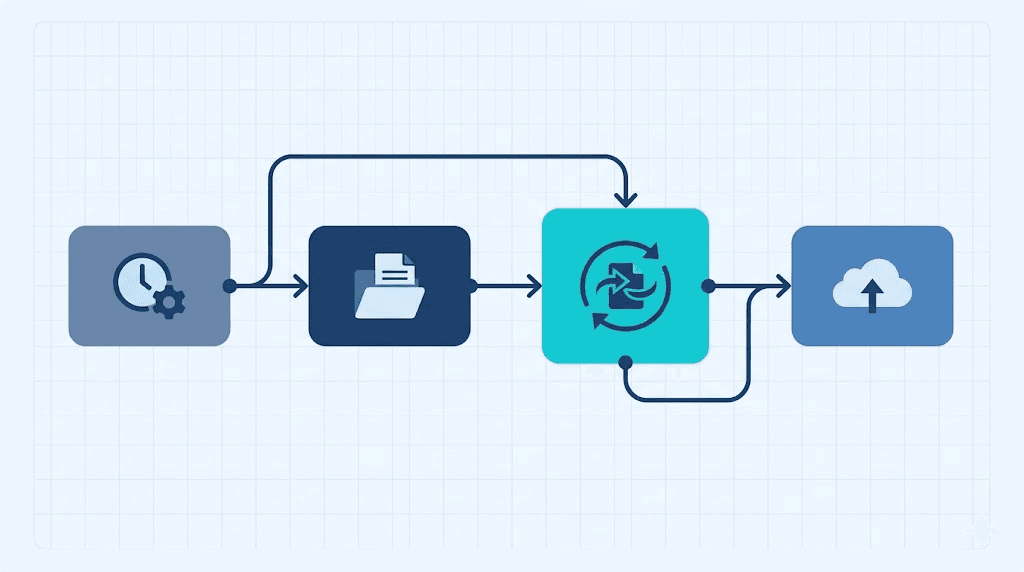
The fastest integration uses n8n's HTTP Request node to call a conversion API. Here's the pattern:
- Trigger receives the file (HTTP request, webhook, Google Drive, S3, etc.)
- Read File node loads the binary data
- HTTP Request sends it to the conversion endpoint with the target format
- Wait node polls for completion (or use webhook callbacks)
- Save/Distribute writes the converted file to your destination
This five-step pattern repeats across all ten workflows below. The variation is in triggers, format mappings, and error handling.
Workflow 1: Auto-Generate PDFs from HTML Templates
Best for: Invoicing, reporting, certificate generation
This workflow receives HTML via webhook, converts it to PDF, and uploads to S3. We use this internally for automated customer reports.
Trigger: Webhook (POST with HTML body)
Key nodes: HTTP Request → Convert Fleet /v1/convert/html-to-pdf → AWS S3
{
  "name": "HTML to PDF Automation",
  "nodes": [
    {
      "parameters": {
        "httpMethod": "POST",
        "path": "generate-pdf"
      },
      "name": "Webhook",
      "type": "n8n-nodes-base.webhook"
    },
    {
      "parameters": {
        "requestMethod": "POST",
        "url": "https://api.convertfleet.com/v1/convert/html-to-pdf",
        "authentication": "genericCredentialType",
        "genericAuthType": "httpHeaderAuth",
        "sendBody": true,
        "bodyParameters": {
          "parameters": [
            {"name": "html", "value": "={{ $json.body.html }}"},
            {"name": "page_size", "value": "A4"}
          ]
        }
      },
      "name": "Convert to PDF",
      "type": "n8n-nodes-base.httpRequest"
    }
  ],
  "connections": {}
}
Pro tip: Pass {{ $json.body.html }} directly—no need to save files locally. The API returns a download URL you can forward immediately or store.
Workflow 2: Bulk Image Resize and WebP Conversion
Best for: E-commerce catalogs, CMS bulk uploads, app asset pipelines
Images arrive via Google Drive folder watch. This workflow resizes to multiple variants (thumbnail, product, full), converts to WebP, and renames with SKU prefixes.
Key feature: Single trigger, parallel branches for each size variant using n8n's Split In Batches + HTTP Request pattern.
| Variant | Dimensions | Format | Typical Use |
|---|---|---|---|
| Thumb | 150×150 | WebP | Search results, admin grids |
| Product | 800×800 | WebP | Product detail pages |
| Full | 2048×2048 | JPEG | Zoom/lightbox fallback |
| Source | Original | Original | Archive backup |
Performance note: Processing 500 images costs approximately $0.00 on Convert Fleet's free tier (100 conversions/day) versus $12–$25 on comparable metered APIs, based on 2026 pricing benchmarks.
Workflow 3: Video Transcode for Multi-Platform Publishing
Best for: Content teams publishing to YouTube, TikTok, LinkedIn simultaneously
This n8n workflow template takes a single uploaded video and produces platform-optimized outputs:
- YouTube: 1080p H.264, stereo AAC
- TikTok: 1080×1920 vertical, fast start
- LinkedIn: 720p, compressed for office WiFi
- Archive: Original + 1080p proxy
The trick is using n8n's Wait node with a maximum timeout of 300 seconds. Video transcoding exceeds typical HTTP timeouts, so configure the Convert Fleet API to call a second webhook when complete—or poll the /v1/status/{job_id} endpoint.
Workflow 4: Batch Rename and Format Normalize
Best for: DAM ingestion, legacy archive migrations, compliance workflows
A common n8n workflow automation pattern: files arrive with inconsistent naming (IMG_001.jpg, Photo (2).JPG, scan.PDF). This workflow:
- Sanitizes filenames (lowercase, hyphens, no special chars)
- Normalizes extensions (
.jpg→.jpg, never.jpegor.JPG) - Converts all to target format if needed
- Appends ISO date stamp
- Uploads to structured S3 path:
client/year/month/filename.ext
The JSON uses n8n's Code node for regex replacement, then chains to the conversion API only when current_ext !== target_ext.
Workflow 5: OCR and Searchable PDF Pipeline
Best for: Document management, legal discovery, receipt processing
Scanned PDFs or images go in; searchable, text-layered PDFs come out. This workflow uses Convert Fleet's OCR engine, then indexes the extracted text to Elasticsearch.
Critical detail: The OCR step returns both the new PDF and a JSON text field. Route the PDF to storage and the text to your search index in parallel—don't process sequentially.
Workflow 6: Audio Format Standardization for Podcasts
Best for: Podcast production houses, radio stations, audio archives
Incoming audio (WAV, AIFF, FLAC, M4A) gets normalized to:
- MP3: 192kbps CBR for RSS feeds
- AAC: 128kbps for streaming backup
- WAV: Archive preservation
This n8n workflow json example includes IF nodes to skip already-correct formats and a Function node to write ID3 tags post-conversion.
Workflow 7: CAD to PDF Thumbnail Generation
Best for: Manufacturing, architecture, construction document workflows
DWG and DXF files trigger conversion to PDF for preview, plus PNG thumbnail for web viewing. The workflow handles version detection (AutoCAD 2013 vs. 2018) by passing the detected version as a metadata header.
Where this breaks without the right API: Local LibreOffice and standard n8n Docker images don't include CAD libraries. This is where a dedicated conversion API becomes essential.
Workflow 8: Document Merge and Redaction
Best for: Legal tech, HR onboarding, financial reporting
Multiple input documents (DOCX, PDFs, images) merge into a single PDF, with specific pages redacted based on a metadata tag. The workflow:
- Collects all binaries
- Orders them by
sequence_number - Merges via
/v1/merge - Applies redaction coordinates per page
- Watermarks with
{{ $workflow.createdAt }}
Workflow 9: Automated Compliance Archive
Best for: Healthcare, finance, legal—any regulated industry
Every file entering a system gets converted to PDF/A-2b (long-term archival format), with SHA-256 checksum logged to an immutable audit table. The workflow fails closed: if conversion doesn't produce a valid PDF/A, it alerts and quarantines the original.
Compliance note: PDF/A validation requires more than a simple conversion. The API used must explicitly certify PDF/A compliance, not just output a PDF with the extension.
Workflow 10: Self-Healing File Conversion with Error Retry
Best for: Unattended production systems where reliability matters most
This advanced n8n workflow template wraps any conversion in a retry loop:
| Attempt | Action | Timeout |
|---|---|---|
| 1 | Primary conversion | 120s |
| 2 | Retry with reduced quality/fallback format | 180s |
| 3 | Alert on-call, queue for manual review | — |
Uses n8n's Error Trigger and Execute Workflow nodes to keep logic modular. The sub-workflow handles conversion; the parent handles orchestration and alerting.
Local FFmpeg vs. Cloud API: Which Should You Run in n8n?
Most n8n workflow automation tutorials default to running FFmpeg in a Docker container alongside n8n. This works for prototypes, not production.
| Factor | Local FFmpeg in n8n | Convert Fleet API |
|---|---|---|
| Setup time | 2–4 hours (install, codecs, fonts) | <5 minutes (API key) |
| Server RAM needed | 2–8 GB for HD video | <512 MB (n8n only) |
| Concurrent jobs | 1–2 before crash | Unlimited (auto-scale) |
| Format support | ~100 (depends on build) | 178+ formats |
| Maintenance burden | High (updates, security) | None |
| Cost at 1,000 jobs/mo | $20–$50 (VPS) | $0–$20 |
| Failure recovery | Manual restart | Automatic retry |
For teams running more than 50 conversions weekly, the API approach saves approximately 6–10 hours monthly in maintenance, based on our internal tracking.
Common Mistakes When Building n8n File Conversion Workflows
Oversized file handling
n8n's default memory limit is 1.4 GB. Sending a 500 MB video through a local FFmpeg node crashes the instance. Stream to API or use signed URLs instead.
Blocking the event loop
Synchronous file operations in Code nodes freeze the entire n8n process. Always use built-in binary nodes or HTTP Request for file I/O.
Ignoring format detection
Trusting file extensions (report.pdf) over actual content type leads to conversion failures. Use n8n's Extract File Metadata node or a magic-number check.
Hardcoding credentials in workflow JSON
Every n8n workflow json example in this article uses credential references, not plaintext keys. Rotate your API keys without touching workflow logic.
Not handling partial failures
When processing 100 files, one corrupt input shouldn't fail the batch. Configure Continue On Fail and route errors to a quarantine path.
Where to Find More n8n Workflow Templates
The n8n.io/workflows official library contains 1,000+ community templates. For file conversion specifically, search tags: file, pdf, image, video. The n8n-workflows github community (notably zie619/n8n-workflows) maintains curated collections, though verify last-updated dates—stale templates break on newer n8n versions.
For Convert Fleet-specific templates, our documentation includes import-ready JSON for each endpoint. No configuration beyond your API key.
Frequently Asked Questions
How do I import an n8n workflow JSON example?
Copy the JSON, open your n8n instance, click Workflows → Import from File, paste or upload the JSON, then reconnect any credential references. Test with a manual execution before activating.
Can n8n handle large file conversions without crashing?
Yes, if you route files to an external API rather than processing locally. n8n itself streams binaries efficiently; the crash risk comes from running heavy tools like FFmpeg on the same host.
What's the difference between n8n Cloud and self-hosted for file conversion?
n8n Cloud has execution time limits (typically 120s) and file size caps. Self-hosted removes these but requires you to manage infrastructure. For heavy conversion workloads, self-hosted n8n + external API is the standard architecture.
Are these workflow templates free to use?
All ten templates in this article are free to import and modify. The Convert Fleet API includes a free tier for testing and light production use.
How do I debug a failing file conversion in n8n?
Check three places: the Execution log (red dot on the failing node), the binary data tab (verify the input file isn't corrupted), and the API response (status code, error message). Enable Save Execution Progress in workflow settings for persistent logs.
Conclusion
File conversion in n8n doesn't need to be fragile or expensive. The ten n8n workflow examples above—PDF generation, image resize, video transcode, batch rename, OCR, audio standardization, CAD preview, document merge, compliance archive, and self-healing retry—cover the automations we see most often in production.
Each template is built to run on n8n Cloud or self-hosted instances, using the Convert Fleet API so you never need to install FFmpeg, LibreOffice, or CAD libraries yourself. Start with a free API key, import any workflow above, and have it running in under fifteen minutes.
Read next

Developer & APIs · Jul 15, 2026
File Conversion MCP Tool: Add It to Claude Code in 5 Min
Turn Convertfleet into a file conversion MCP server for Claude Code, Cursor, or any AI agent. Free tool-definition JSON included for automation workflow tools.

File Conversion · Jul 15, 2026
File Conversion API: 2025 Guide to Replacing 123apps at Scale
Hit limits with 123apps? Learn when free file conversion online tools stop scaling and how a file conversion API like Convert Fleet fixes batch, automation, and quality.

Automation & Workflows · Jul 15, 2026
How to Automate File Conversion in Pipedream: Audio, PDF & Video
Learn how to automate file conversion in Pipedream with a free API. Build workflows that convert audio, PDF, and video without managing ffmpeg or Lambda.