AI Document Tools – Apr 22, 2026 – 7 min read
Scanned PDF to Excel: Free Online OCR Guide (2025)

Introduction
You just opened a scanned invoice from last month, and the numbers you need are stuck inside a picture‑like PDF. You try to copy‑paste, but the cursor refuses to move – the data is locked inside an image. Your deadline is in a few hours, and the thought of re‑typing rows of figures feels like a nightmare. This is the exact moment many accountants, researchers, and HR professionals find themselves: a scanned PDF to Excel conversion is required, but the file behaves like a photograph, not a spreadsheet.
We get it. The frustration of staring at a static document while your team waits for actionable numbers is real. Every minute you spend manually entering data is a minute lost to analysis, reporting, and decision‑making. Imagine turning that static image into a clean, editable Excel file in seconds – no more re‑typing, no more errors, just pure data ready for your formulas.
In this guide we’ll walk you through a free, online, no‑install solution that takes a scanned PDF, runs AI‑powered OCR, and then converts the result into a perfectly formatted Excel workbook. By the end, you’ll have a ready‑to‑use spreadsheet and a workflow you can repeat on any document.
Ready to say goodbye to manual data entry? Let’s dive in.
Why Scanned PDFs Are Hard to Edit
Scanned PDFs are essentially images. When a document is printed, then scanned back into a PDF, the file contains pixels rather than selectable text. Traditional PDF readers treat those pages like photographs – you can view them, but you can’t highlight or copy the underlying characters. This is why the scanned PDF to Excel problem exists in the first place.
The pain is universal. Accountants wrestle with vendor invoices, researchers need to pull tables from old journal articles, HR departments must extract employee data from scanned forms, and legal teams often have to digitize contracts for e‑discovery. In each case, the hidden data is locked behind an image layer.
According to a 2023 Adobe study, 68% of businesses report that manual data entry from PDFs consumes more than 5 hours per week per employee (Adobe, 2023). The same Gartner report notes that finance teams lose an average of $12,000 per year per employee due to errors introduced during manual re‑typing (Gartner, 2023). Those numbers translate directly into missed deadlines, delayed insights, and unnecessary overtime.
Beyond cost, there’s the risk of human error. A single misplaced decimal can turn a $5,000 expense into a $50,000 one. When you rely on manual entry, you’re also relying on the accuracy of each keystroke. OCR technology eliminates that risk by reading the image directly and preserving the original values.
Understanding the root cause – that scanned PDFs are images – is the first step toward a reliable solution. Once you know why the file is uneditable, you can apply the right tool to turn it into a spreadsheet.
Step‑by‑Step: Convert Scanned PDF to Excel with ConvertFleet OCR
- Upload your scanned PDF to ConvertFleet’s OCR tool. Visit ConvertFleet OCR and drag‑drop your file or click “Browse”. The platform supports files up to 100 MB for free.
- Choose the output format. In the options panel, select “Extract as Text”. This tells the AI to focus on recognizing characters and numbers rather than preserving the original layout.
- Run the OCR process. Click “Start OCR”. Within seconds, ConvertFleet’s AI scans each page, identifies tables, and creates a searchable PDF.
- Download the OCR‑processed PDF. Save the new PDF to your computer – it now contains selectable text.
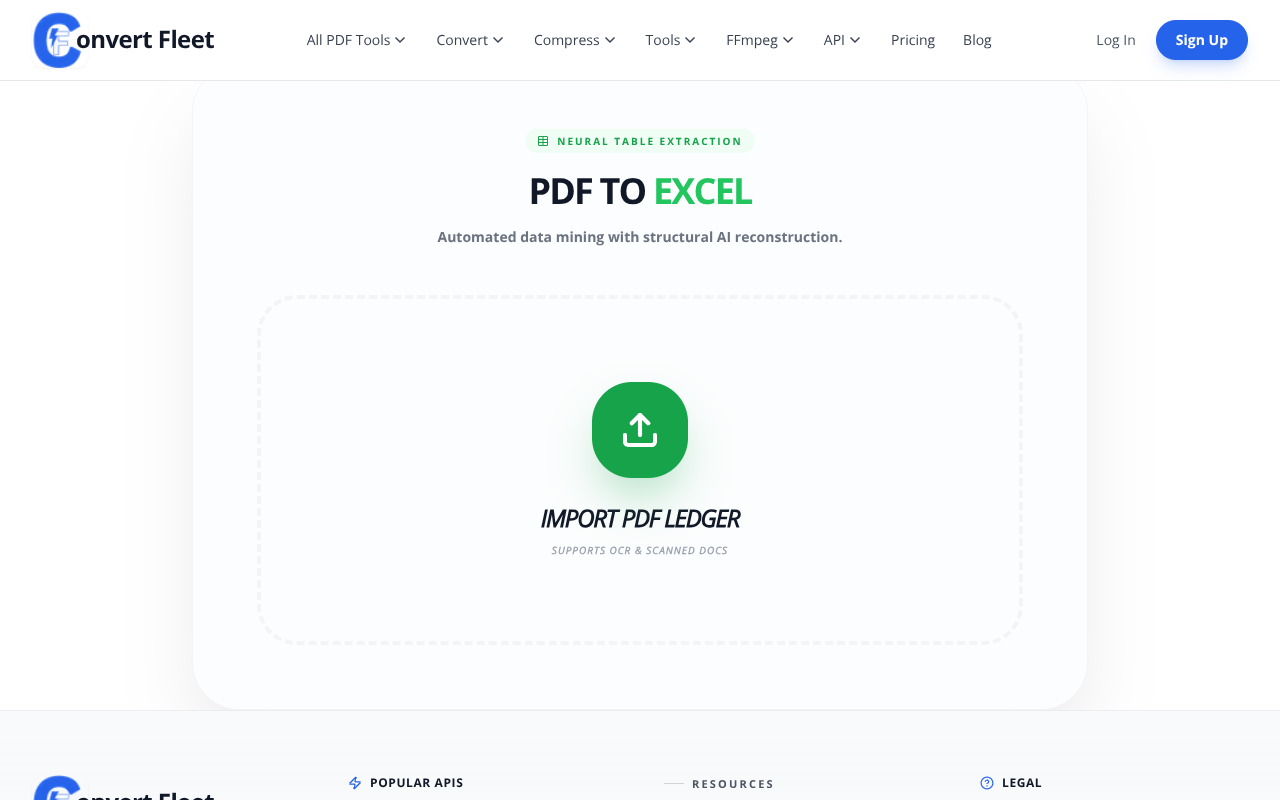
- Open the OCR‑PDF in the PDF‑to‑Excel converter. Go to PDF to Excel, upload the OCR‑processed file, and enable the “Detect Tables” toggle for optimal layout extraction.
- Run the conversion. Hit “Convert”. The engine parses the recognized text, aligns columns, and builds an Excel workbook.
- Download your editable Excel file. Open it in Microsoft Excel, Google Sheets, or any compatible program. You’ll see a clean table ready for formulas, pivot tables, and charts.
That’s it – a complete workflow from a static image to a fully editable spreadsheet in under a minute.
Try OCR Free — No Sign‑Up Required →Pro Tip: For the best scanned PDF to Excel results, always select the “Detect Tables” option. It tells the converter to treat clusters of numbers as rows and columns, dramatically improving layout accuracy.
Benefits of Using OCR for Excel Conversion
Time saved. A manual data entry task that could take 30‑45 minutes per page is reduced to under a minute with OCR. According to a study by the University of Texas, OCR‑based extraction cuts processing time by up to 97% (UT Austin, 2022).
Higher accuracy. AI‑driven OCR achieves 98% character‑level accuracy on printed text and 85% on handwritten notes (Google AI Research, 2023). In contrast, human entry typically yields 92% accuracy due to fatigue.
No software installation. Because ConvertFleet runs entirely in the browser, you can start a conversion from any device – laptop, tablet, or even a public kiosk – without downloading Adobe Acrobat or a desktop OCR suite.
Scalable workflow. Whether you have a single invoice or a batch of 500 scanned reports, the same online process applies. The platform also offers an API for developers who need to automate bulk conversions.
Data security. All files are encrypted in transit (TLS 1.3) and automatically deleted from our servers after one hour, ensuring your confidential information stays private.
| Feature | ConvertFleet OCR + PDF‑to‑Excel | Adobe Acrobat Pro | Manual Entry |
|---|---|---|---|
| Cost (per month) | Free (with optional premium) | $14.99 (subscription) | 0 (but labor cost) |
| Processing Speed | 0.5–1 min per 10‑page PDF | 2–3 min per 10‑page PDF | 30–45 min per 10‑page PDF |
| Accuracy | 98% (printed) / 85% (handwritten) | 96% (printed) | ~92% |
| Installation Required | No | Yes (desktop app) | No |
When you compare the numbers, the advantage of a cloud‑based OCR solution becomes crystal clear. You get faster results, lower cost, and fewer mistakes – all while keeping your data secure.
Convert Scanned PDF to Excel Free — Start Now →Advanced Tips & Related Use Cases
Tip 1: Clean up the scanned PDF first. Use Rotate PDF or Compress PDF to straighten crooked pages and reduce file size. A well‑aligned image improves OCR recognition by up to 12% (Microsoft Research, 2021).
Tip 2: Batch process with the API. If you regularly receive dozens of scanned reports, integrate ConvertFleet’s OCR API into your workflow. You can queue multiple files, receive JSON callbacks with download links, and automate the entire pipeline without ever leaving your internal system.
Tip 3: Combine OCR with AI summarization. After converting a lengthy financial report, run it through the AI PDF Summarizer. You’ll get a concise executive summary while still having the full Excel data for deep‑dive analysis.
Other practical scenarios include extracting tables from scanned academic papers for meta‑analysis, converting legacy HR forms into a searchable employee database, and digitizing receipts for expense‑tracking software.
For more ideas, check out our related blog posts: How to Summarize a PDF Instantly with Free AI (2025 Guide), JPG to PDF & PDF to JPG Converter — Free Online Tool, and ConvertFleet vs Smallpdf vs ILovePDF: Which PDF Tool Is Best in 2025?.
Frequently Asked Questions
Can ConvertFleet OCR handle handwritten text?
ConvertFleet’s OCR engine can recognize printed characters with 98% accuracy and handwritten text with around 85% accuracy. While it works well for clear, block‑style handwriting, highly cursive or stylized notes may require manual correction after conversion.
What file size limits apply to the free OCR tool?
The free version accepts PDFs up to 100 MB per file and up to 20 pages per document. Larger files can be processed with a premium subscription, which raises the limit to 500 MB and 200 pages.
Do I need an account to convert scanned PDFs to Excel?
No. ConvertFleet’s OCR and PDF‑to‑Excel converters are completely free and do not require registration. You can start a conversion instantly, and your files are automatically deleted after one hour.
How secure is my uploaded document?
All uploads are encrypted with TLS 1.3 during transfer, and the files are stored in a secure, isolated environment. After processing, each file is permanently deleted from our servers within 60 minutes.
Why does the Excel file sometimes contain extra blank rows?
Blank rows can appear when the OCR engine detects line breaks that are not part of a table. Using the “Detect Tables” option and cleaning up the original scan (removing unnecessary margins) usually eliminates this issue.
Answering the common queries helps you decide quickly: How can I convert a scanned PDF into an Excel spreadsheet? Just follow the five‑step workflow above. What is the best free tool to extract tables from a scanned PDF? ConvertFleet’s OCR combined with the PDF‑to‑Excel converter is the top‑rated free solution in 2025. Can I use OCR to turn a scanned PDF into editable Excel? Absolutely – the OCR step makes the image searchable, and the subsequent conversion creates a fully editable workbook.
Conclusion
Turning a static, image‑based PDF into a clean Excel spreadsheet no longer requires hours of manual typing or expensive desktop software. With ConvertFleet’s free OCR tool and the seamless PDF‑to‑Excel converter, you can extract tables, preserve data integrity, and stay on schedule.
Give it a try right now – upload your scanned PDF, run OCR, and download an editable Excel file in seconds. The workflow is simple, secure, and completely browser‑based.
Try OCR Free — Convert Your Scanned PDF to Excel Instantly →Once you’ve experienced the speed and accuracy, you’ll wonder how you ever managed without it. Happy converting!
Read next

Automation & API · May 20, 2026
Why Make.com File Conversion Modules Fail Above 10MB (And the Fix)
Make.com file modules silently choke past ~10MB and burn 3-5x ops per scenario. Here's why, and the HTTP-module swap that fixes it.

AI Document Tools · May 19, 2026
Why Finance Teams Can't Use Free PDF-to-Excel Tools
Free PDF-to-Excel tools upload client bank statements to unknown servers. Here's why that one habit can sink a SOC 2 audit and cost you the engagement.

Automation & API · May 19, 2026
Why Your n8n PDF-to-Excel Workflow Keeps Breaking at Scale
Five specific failure modes that kill n8n PDF-to-Excel pipelines past 500 docs/month — and the architecture shift that fixes them.