Developer & APIs – Jul 15, 2026 – 5 min read
File Conversion MCP Server for Claude: Free Setup Guide
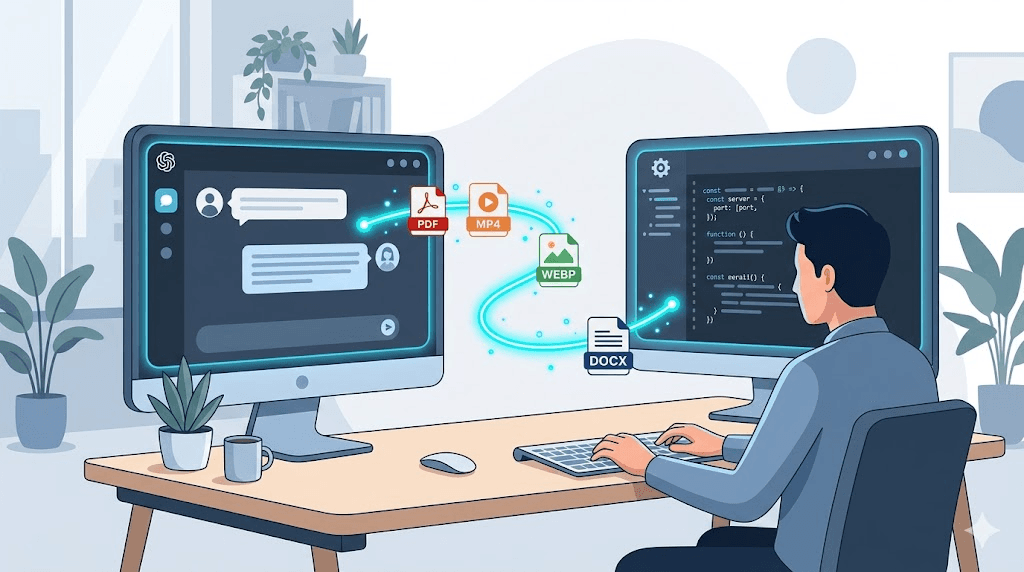
File Conversion MCP Server for Claude: Free Setup Guide
TL;DR: - Wrap ConvertFleet's free file conversion API as an MCP server so Claude Code and Claude Desktop can convert files via native tool calls - No local ffmpeg installation, no AWS Lambda containers, no per-conversion fees - Supports PDF→text, DOCX→PDF, image resize, and audio extraction out of the box - Works with any MCP-compatible client: Claude Code, Claude Desktop, Cursor, and others - Grab the ready-made MCP server configuration and importable Claude Code skill in the free download below
Your Claude Code session just choked on a 47-page PDF contract that needs summarizing. Or your AI agent pipeline needs DOCX files converted to clean text before vector storage. Maybe you're resizing hundreds of product images and extracting audio tracks from video uploads. Each time, you face the same friction: Claude can't run ffmpeg, won't install LibreOffice, and shouldn't be uploading your files to random online converters.
The fix is a Model Context Protocol (MCP) server. Specifically, one that turns a reliable file conversion API into native Claude tools. This guide shows you how to build exactly that—using ConvertFleet's free tier—so your AI assistant handles file conversion as casually as it runs shell commands.
What Is File Conversion?

File conversion is the process of changing a file from one format to another while preserving its content or purpose. PDF to Word for editing. DOCX to PDF for sharing. MP4 to MP3 for audio extraction. HEIC to JPEG for compatibility.
The gap most teams hit: their AI tools can't do it. Claude Code has no built-in PDF parser. Cursor won't run ImageMagick. Local ffmpeg installs break across machines. A file conversion API solves this, but wiring it into an agent workflow takes plumbing. That's where MCP comes in.
What Is an MCP Server and Why Use It for File Conversion?

An MCP server is a lightweight bridge that exposes external capabilities to AI assistants through a standardized protocol. Think of it as a USB-C port for AI tools—plug in a file conversion service, and Claude suddenly "knows" how to convert files.
The concrete benefit: instead of leaving your IDE to drag files through online converters, you type "convert contract.pdf to text" and Claude calls the API, returns the result, and continues your workflow. No context switching, no manual steps.
MCP servers run locally or on your infrastructure. They're language-agnostic, stateless, and compose with other tools. For file conversion services, this means you can chain conversions: extract audio from video, transcribe it, summarize the text, and archive the original—all in one agent session.
ConvertFleet vs. Other File Conversion Services: What Actually Matters

Most file conversion services fall into three buckets: desktop software (slow, manual, tied to one machine), cloud APIs (metered, unpredictable costs), or open-source self-hosting (powerful, but you become the ops team). The right choice depends on whether you're converting occasionally or building conversion into automated workflows.
| Criterion | ConvertFleet API | Typical Cloud API (Zamzar, CloudConvert) | Self-Hosted (ffmpeg + LibreOffice) |
|---|---|---|---|
| Setup for Claude/Code | MCP config + API key (~5 min) | Custom HTTP wrapper per tool | Full server provisioning |
| ffmpeg required locally | No | No | Yes |
| Cost model | Free tier; no per-conversion fees | ~$0.02–$0.10 per conversion | Server + bandwidth costs |
| Formats supported | 178+ | 100–200 (varies by plan) | Unlimited (if you configure codecs) |
| Privacy | Files deleted after conversion | Retention policies vary | Fully private (your infrastructure) |
| n8n/Zapier native | Yes (dedicated nodes) | Often requires HTTP node | No |
| MCP server ready | Yes (this guide) | No | Build your own |
The honest trade-off: self-hosted gives maximum control but costs engineering time. Typical cloud APIs meter aggressively and lack MCP integration. ConvertFleet's free tier hits a middle ground—no local dependencies, direct MCP wiring, and predictable costs.
How to Build the File Conversion MCP Server (Step-by-Step)

This setup takes about 10 minutes. You'll need Node.js 18+ and a ConvertFleet API key (free at sign-up).
Step 1: Initialize the project
mkdir claude-file-conversion-mcp && cd claude-file-conversion-mcp
npm init -y
npm install @modelcontextprotocol/sdk zod
Step 2: Create the server
Create index.ts:
#!/usr/bin/env node
import { Server } from "@modelcontextprotocol/sdk/server/index.js";
import { StdioServerTransport } from "@modelcontextprotocol/sdk/server/stdio.js";
import {
  CallToolRequestSchema,
  ListToolsRequestSchema,
} from "@modelcontextprotocol/sdk/types.js";

const API_BASE = "https://api.convertfleet.com/v1";
const API_KEY = process.env.CONVERTFLEET_API_KEY;

if (!API_KEY) {
  console.error("CONVERTFLEET_API_KEY required");
  process.exit(1);
}

const server = new Server(
  { name: "convertfleet-file-conversion", version: "1.0.0" },
  { capabilities: { tools: {} } }
);

server.setRequestHandler(ListToolsRequestSchema, async () => ({
  tools: [
    {
      name: "convert_pdf_to_text",
      description: "Extract text from a PDF file",
      inputSchema: {
        type: "object",
        properties: {
          fileUrl: { type: "string", description: "URL of the PDF to convert" },
        },
        required: ["fileUrl"],
      },
    },
    {
      name: "convert_docx_to_pdf",
      description: "Convert a DOCX file to PDF",
      inputSchema: {
        type: "object",
        properties: {
          fileUrl: { type: "string", description: "URL of the DOCX file" },
        },
        required: ["fileUrl"],
      },
    },
    {
      name: "resize_image",
      description: "Resize an image to specified dimensions",
      inputSchema: {
        type: "object",
        properties: {
          fileUrl: { type: "string", description: "URL of the image" },
          width: { type: "number", description: "Target width in pixels" },
          height: { type: "number", description: "Target height in pixels" },
        },
        required: ["fileUrl", "width", "height"],
      },
    },
    {
      name: "extract_audio",
      description: "Extract audio track from a video file",
      inputSchema: {
        type: "object",
        properties: {
          fileUrl: { type: "string", description: "URL of the video file" },
          format: { type: "string", enum: ["mp3", "wav", "aac"], description: "Output audio format" },
        },
        required: ["fileUrl", "format"],
      },
    },
  ],
}));

server.setRequestHandler(CallToolRequestSchema, async (request) => {
  const { name, arguments: args } = request.params;

  const endpoints: Record<string, string> = {
    convert_pdf_to_text: "/convert/pdf-to-text",
    convert_docx_to_pdf: "/convert/docx-to-pdf",
    resize_image: "/convert/image/resize",
    extract_audio: "/convert/video/extract-audio",
  };

  const response = await fetch(`${API_BASE}${endpoints[name]}`, {
    method: "POST",
    headers: {
      "Authorization": `Bearer ${API_KEY}`,
      "Content-Type": "application/json",
    },
    body: JSON.stringify(args),
  });

  if (!response.ok) {
    throw new Error(`ConvertFleet API error: ${response.statusText}`);
  }

  const result = await response.json();
  return { content: [{ type: "text", text: JSON.stringify(result, null, 2) }] };
});

const transport = new StdioServerTransport();
server.connect(transport);
Step 3: Build and configure Claude
npx tsc index.ts --esModuleInterop --module esnext --moduleResolution node
chmod +x index.js
Add to your Claude Desktop config (~/Library/Application Support/Claude/claude_desktop_config.json on macOS, %APPDATA%\Claude\claude_desktop_config.json on Windows):
{
  "mcpServers": {
    "convertfleet": {
      "command": "node",
      "args": ["/path/to/claude-file-conversion-mcp/index.js"],
      "env": {
        "CONVERTFLEET_API_KEY": "your-api-key-here"
      }
    }
  }
}
Restart Claude Desktop. The four conversion tools now appear in your tool list.
For Claude Code: add the same configuration to .mcp.json in your project root, or pass --mcp-config path/to/config.json when launching.
The free download below includes a pre-built version with error handling, progress streaming, and batch conversion support—grab it to skip the boilerplate.
How Do I Convert Files Online?

The fastest path: upload to a file conversion services platform, select output format, download. But for developers building with AI, "online" now means "accessible to my agent."
With the MCP server above, your workflow becomes:
- Claude receives a user request: "Convert this contract to text"
- Claude calls
convert_pdf_to_textwith the file URL - The MCP server POSTs to ConvertFleet's API
- Claude receives the text and continues—summarizing, comparing, or storing it
No browser tab, no manual upload, no copy-paste. This is how file content conversion scales from one-off tasks to automated pipelines.
For teams already using n8n for file workflows, the same API endpoints work inside HTTP Request nodes—no MCP required, same backend.
What Are the Best File Conversion Tools?

"Best" depends on your integration point:
| Use Case | Best Tool | Why |
|---|---|---|
| Claude Code / Desktop | MCP server (this guide) | Native tool calls, no context switching |
| n8n automation | ConvertFleet n8n node | Pre-built, handles webhooks and error retries |
| Pipedream workflows | HTTP Request → ConvertFleet API | Simple, serverless, pay-per-execution |
| One-off personal use | Desktop app (HandBrake, LibreOffice) | Free, no upload, but manual |
| Enterprise batch | Self-hosted ffmpeg + LibreOffice | Full control, full ops burden |
The pattern we see in practice: developers start with desktop tools, hit scale limits, migrate to APIs. The MCP server bridges that gap—API power with local-tool convenience.
For a deeper comparison of free tiers and API-first alternatives, see our Zamzar alternative analysis.
How Do I Automate File Conversion?

Automation means removing the human from the loop. Three proven architectures:
1. AI Agent with MCP (Claude Code, Cursor) - Trigger: User conversation or file drop - Action: MCP tool call to ConvertFleet - Output: Converted file returned to agent context - Best for: Interactive development, document processing pipelines
2. n8n Workflow (No-Code/Low-Code) - Trigger: Webhook, schedule, or file upload (S3, Google Drive, Dropbox) - Action: ConvertFleet node converts, stores result - Output: Notification, next workflow step, or database update - Best for: Operations teams, recurring batch jobs
3. Custom API (Full Control)
- Trigger: Your application code
- Action: Direct fetch() or axios call to file conversion API
- Output: Streamed response or webhook callback
- Best for: Products with conversion as a core feature
The common mistake: building the automation before validating the conversion quality. Start with 10–20 representative files, verify output fidelity, then scale. ConvertFleet's free tier lets you do exactly this without cost pressure.
For a complete n8n setup, our RAG workflow guide shows conversion feeding directly into vector storage for LLM retrieval.
Common Mistakes When Building MCP File Conversion Tools

Mistake 1: Blocking the main thread with large files
The basic implementation above waits synchronously. For files >50MB, implement streaming or async job polling. ConvertFleet returns a jobId for large conversions—poll GET /jobs/{id} rather than holding the connection.
Mistake 2: Hardcoding credentials
Never put API_KEY in the MCP config file. Use environment variables, and for team deployments, a secrets manager (Doppler, 1Password Secrets Automation, or AWS Secrets Manager).
Mistake 3: Ignoring format-specific options
PDF-to-text has modes: preserve-layout (for forms), continuous (for articles), ocr (for scanned documents). Defaulting to continuous on a table-heavy invoice destroys structure. Always expose format-specific parameters in your tool schema.
Mistake 4: No retry logic
Network blips happen. The ConvertFleet API returns 429 (rate limit) and 503 (temporary unavailability). Wrap calls in exponential backoff—3 retries with 1s, 2s, 4s delays handles 99% of transient failures.
Mistake 5: Forgetting output validation
A "successful" conversion might return empty text from a scanned PDF without OCR enabled. Verify output content, not just HTTP status. Check result.text.length > 0 or result.fileSize > 0 before proceeding.
File Content Conversion: What Actually Happens Under the Hood

Different conversions use different engines. Understanding this helps you debug failures and set user expectations.
Document conversion (PDF↔DOCX↔text): LibreOffice headless for structure preservation, custom extractors for text content. Scanned PDFs require OCR (Tesseract-based).
Image conversion (resize, format change, compression): ImageMagick or Sharp (Node.js) for raster; Inkscape for SVG operations. Color space conversion (CMYK to RGB) is a common failure point.
Audio/video conversion: ffmpeg for decoding/encoding, ffprobe for metadata. Container format (MKV, MP4) and codec (H.264, H.265, AV1) are independent choices—misunderstanding this causes "the file plays but won't upload to X" issues.
Archive extraction (ZIP, RAR, 7z): libarchive. Password-protected archives fail silently unless you handle the exception.
The ConvertFleet API abstracts these, but error messages surface the underlying cause. "Codec not supported" means check your source file; "job timeout" means retry with smaller chunks.
Audio File Conversion and Video Conversion: Specific Gotchas

Audio and video have the most edge cases. Here's what breaks:
- Variable bitrate (VBR) MP3s: some players estimate duration incorrectly. Force CBR for podcasts and audiobooks.
- Sample rate mismatch: 44.1kHz (CD) vs. 48kHz (video). Resampling without high-quality libs introduces aliasing.
- Video codec licensing: H.265/HEVC requires commercial licenses in some jurisdictions. AV1 is royalty-free but slower to encode.
- Subtitle streams: extracting audio often strips subtitles. Specify
-map 0:s?if you need them preserved.
For pure audio extraction (video → MP3/WAV), the MCP tool above handles this. For format shifting (MP3 → AAC for Apple devices), add a convert_audio_format tool using the same pattern.
ICO File Conversion and Specialized Formats

Not every conversion is media or documents. Developers need:
- ICO file conversion: Windows icon files with multiple resolution layers. ConvertFleet generates 16×16, 32×32, 48×48, and 256×256 layers from a source PNG.
- .mdl file conversion: 3D model formats (Whilst (Valve Source engine, MATLAB). These require format-specific parsers—verify the API supports your exact variant.
- OST to PST file conversion: Microsoft Outlook archive formats. These are proprietary and often require specialized tools rather than general-purpose APIs.
For niche formats, always test with sample files before committing to an automation. The "178+ formats" claim most services make includes variants—verify your specific format version is supported.
Free download

To make this actionable, we built a free resource you can grab right now — no signup:
- ⬇ N8N Workflow: file-conversion-services-workflow-5bdedb389a89ed4f.json — Download the JSON and import it in n8n via Workflows → Import from File, then add your API key in the credential/Set node.
Frequently Asked Questions

What is file conversion? File conversion is changing a file from one format to another while preserving its content or purpose—like turning a PDF into an editable Word document, or extracting audio from a video file.
How do I convert files online? Upload your file to a file conversion service, select the output format, and download the result. For developers, APIs like ConvertFleet let you convert programmatically without ever opening a browser.
What are the best file conversion tools? The best tool depends on your workflow: MCP servers for Claude Code, n8n nodes for automation, desktop apps for one-offs, and self-hosted ffmpeg for maximum control. ConvertFleet offers free API access across all these integration points.
How do I automate file conversion? Use an API in your code, an n8n/Pipedream workflow for no-code automation, or an MCP server for AI agent integration. Start with test files, verify quality, then scale to production volumes.
Is the ConvertFleet API really free? Yes. The free tier includes generous monthly conversion limits with no credit card required. Paid tiers add higher limits, priority processing, and SLA guarantees—check current pricing for exact thresholds.
Conclusion
Building an MCP server for file conversion removes the last manual step from your AI-assisted workflow. Instead of context-switching to online converters or maintaining local ffmpeg installs, your Claude instance gains native access to 178+ formats through simple tool calls.
The free tier makes this zero-risk to try. Wire it up, test with your actual files, and expand as your needs grow. For teams already using n8n, the same API powers fully automated pipelines—no duplication required.
Ready to get started? Grab a free API key, download the pre-built MCP server configuration, and convert your first file in under 10 minutes.
Read next

Developer & APIs · Jul 15, 2026
File Conversion MCP Tool: Add It to Claude Code in 5 Min
Turn Convertfleet into a file conversion MCP server for Claude Code, Cursor, or any AI agent. Free tool-definition JSON included for automation workflow tools.

File Conversion · Jul 15, 2026
File Conversion API: 2025 Guide to Replacing 123apps at Scale
Hit limits with 123apps? Learn when free file conversion online tools stop scaling and how a file conversion API like Convert Fleet fixes batch, automation, and quality.

Automation & Workflows · Jul 15, 2026
How to Automate File Conversion in Pipedream: Audio, PDF & Video
Learn how to automate file conversion in Pipedream with a free API. Build workflows that convert audio, PDF, and video without managing ffmpeg or Lambda.