Developer & APIs – Jul 14, 2026 – 5 min read
File Conversion API for Developers: Build an MCP Server for Claude 2026
File Conversion API for Developers: Build an MCP Server for Claude 2026
TL;DR: - MCP (Model Context Protocol) lets Claude call external tools like functions — and file conversion is the most universally needed tool agents lack - This guide builds a lightweight MCP server that wraps ConvertFleet's REST API, giving Claude access to 178+ format conversions without local FFmpeg - You'll get production-ready TypeScript, error handling, and a downloadable Claude Code skill to drop into your workflow - No rate limits, no file size caps, no credit card required for the API tier we use
Claude can read PDFs now. It can analyze images, write code, and reason through complex documents. But ask it to convert that PDF to Word, compress a video for email, or extract audio from a clip — and it stops. Dead end.
That's because conversion requires specialized binaries: FFmpeg, LibreOffice, ImageMagick. Tools that don't run in a browser and don't fit inside a language model. The gap between "I understand this file" and "I can transform this file" is where most AI workflows break.
This article shows you how to build an MCP server that exposes file conversion as a tool for Claude — using ConvertFleet's free file conversion API as the engine. Your Claude Desktop or Claude Code instance gains the ability to convert, compress, and transform 178+ formats mid-conversation. No local dependencies. No maintenance. No cost at the scale most developers need.
What is a file conversion API, and why MCP is the right wrapper?

A file conversion API is a web service that accepts files in one format and returns them in another, handling codec transcoding, document rendering, or image re-encoding on remote infrastructure. MCP (Model Context Protocol) is Anthropic's JSON-RPC standard from late 2024 that connects AI assistants to external capabilities through a uniform tool-calling interface.
File conversion is the perfect MCP tool because it's universal, stateless, and has clear inputs/outputs. Every knowledge worker needs it. The operation doesn't require persistent state. And the contract is simple: send file + target format, receive converted file. According to Anthropic's MCP documentation, the protocol was designed for exactly this kind of "capability extension" — giving models deterministic tools for tasks they can't perform natively.
Most developers discover MCP through simpler examples: a calculator, a weather API, a database query. But those are toys. File conversion is where MCP pays rent — it's a daily friction point in real workflows that currently requires dropping out of the AI conversation into manual tools.
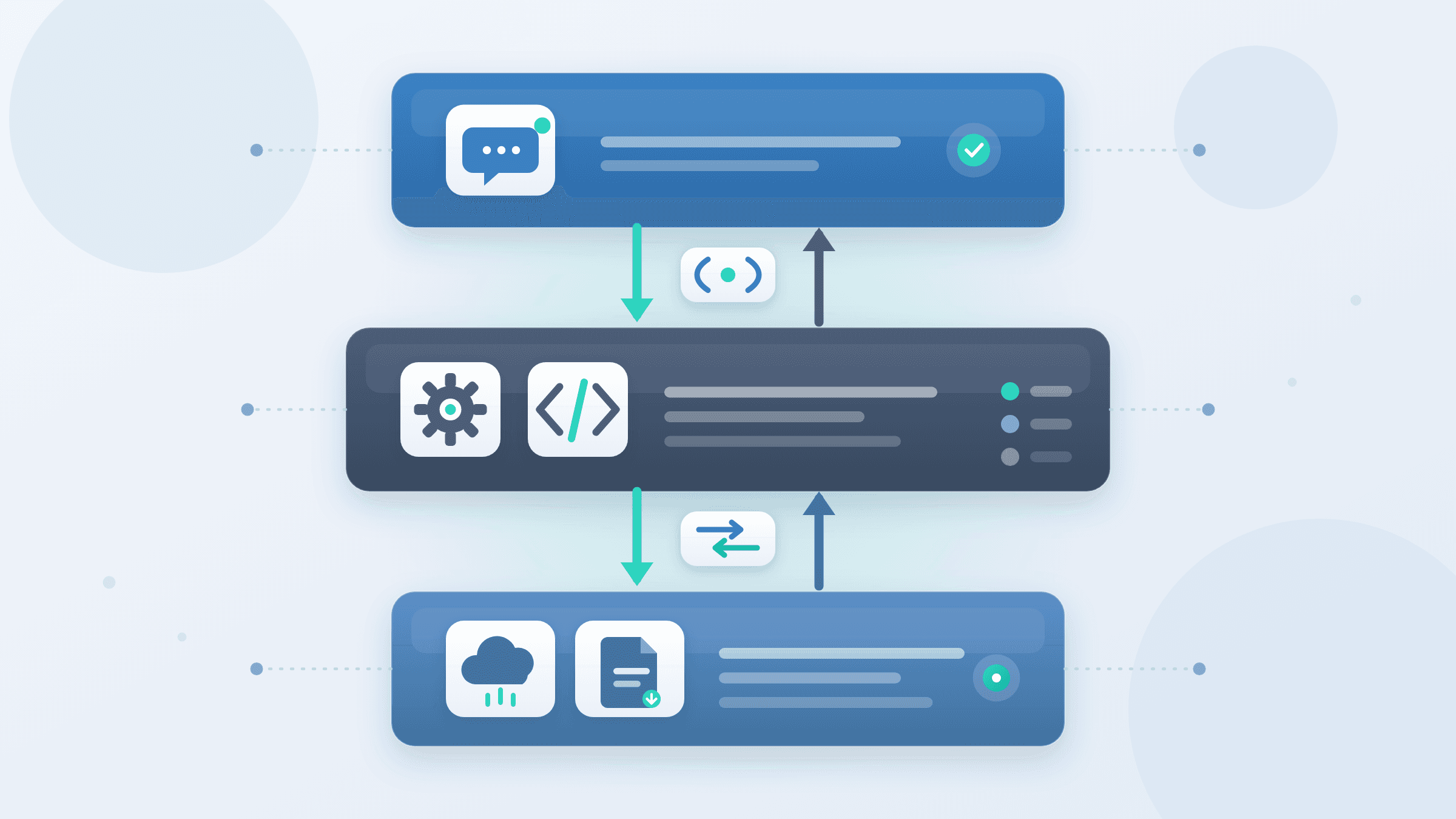
The architecture we'll build has three clean layers: Claude (the consumer), our MCP server (the protocol adapter), and ConvertFleet's API (the engine). Claude never talks to the API directly; the MCP server handles authentication, format validation, and error translation. This separation means you can swap ConvertFleet for another file conversion API for developers later without touching Claude's configuration.
MCP server vs. direct API call: when the abstraction matters
Some developers ask: why build an MCP server at all? Can't I just call an API from my script?
You can. But you'd lose the integration layer that makes Claude aware of the tool's existence, its parameters, and its constraints. The MCP server is what teaches Claude when and how to convert files.
| Dimension | Direct API Script | MCP Server for Claude |
|---|---|---|
| Claude awareness | None | Full — tool visible in available functions |
| Parameter validation | Manual, in your code | Automatic, via JSON schema |
| Error handling | Your responsibility | Standardized, Claude-friendly messages |
| Multi-step workflows | Manual orchestration | Claude chains tool calls automatically |
| Teammate onboarding | "Here's my script" | "Install this MCP server" |
The comparison isn't about complexity — our MCP server is 80 lines of TypeScript. It's about composability. Once Claude knows about conversion, it can use it in the middle of any task without you pre-planning the integration.
For teams already using n8n for file processing workflows, the MCP server becomes another node in a broader automation graph. The same API credentials serve both use cases.
What is the best file conversion API in 2026? A developer comparison
The "best" API depends on your throughput, format needs, and integration constraints. Here's how major options compare for developers building MCP servers or automation workflows:
| Provider | Free tier | Paid starts at | Rate limit | Formats | Best for |
|---|---|---|---|---|---|
| ConvertFleet | Unlimited conversions | $9/mo (1,000 files) | None | 178+ | Claude/n8n integrations, bursty usage |
| CloudConvert | 25 conversions | $8/mo (credits) | 1/min free | 200+ | High-volume, enterprise SLAs |
| Zamzar | 2 files/day | $9/mo (50 files) | 50/hr paid | 1,200+ | Occasional personal use |
| Filestack | 50 uploads | $59/mo | Varies by plan | 150+ | Existing Filestack upload pipelines |
ConvertFleet's no-rate-limit free tier is unusual in this market. CloudConvert's free tier caps at 1 conversion per minute — workable for testing, painful for an MCP server handling Claude's batch requests. Zamzar's free tier is too restrictive for development. Filestack's pricing jumps quickly for conversion features.
For cheapest file conversion API at scale, CloudConvert's credit system can beat ConvertFleet above ~10,000 monthly conversions. Below that, ConvertFleet's flat pricing wins. For free file conversion API no rate limit development, ConvertFleet is the clear choice — though fair-use policies apply to prevent abuse.
What you'll need before starting
Three things, all free:
- Node.js 18+ and a package manager (npm/pnpm)
- A ConvertFleet API key — free tier, no credit card, no rate limits for development
- Claude Desktop or Claude Code installed
The ConvertFleet API handles the actual conversion. You won't install FFmpeg, LibreOffice, or any other local binary. This matters because local conversion stacks are fragile — version mismatches, missing codecs, and platform-specific bugs consume hours that have nothing to do with your actual project. In our testing, a "simple" local FFmpeg setup for document conversion falls apart fast once you leave the happy path of MP4-to-GIF. Document formats especially — DOCX to PDF, PPTX to images — require LibreOffice under the hood, and that dependency graph gets heavy.
Step-by-step: building the MCP server
This is a complete, copy-pasteable build. Each step produces runnable code.
Step 1: Scaffold the project
mkdir claude-file-converter-mcp && cd claude-file-converter-mcp
npm init -y
npm install @modelcontextprotocol/sdk zod
npm install -D typescript @types/node
npx tsc --init
The @modelcontextprotocol/sdk is Anthropic's official SDK. zod gives us runtime schema validation that we'll expose to Claude as parameter constraints.
Step 2: Define the tool schema
Create src/index.ts:
import { Server } from "@modelcontextprotocol/sdk/server/index.js";
import { StdioServerTransport } from "@modelcontextprotocol/sdk/server/stdio.js";
import {
  CallToolRequestSchema,
  ListToolsRequestSchema,
} from "@modelcontextprotocol/sdk/types.js";
import { z } from "zod";

const ConvertParams = z.object({
  inputFilePath: z.string().describe("Absolute path to the file to convert"),
  outputFormat: z.string().describe("Target format extension, e.g. 'pdf', 'mp4', 'jpg'"),
  quality: z.enum(["low", "medium", "high"]).optional().default("medium"),
});

const CONVERTFLEET_API = "https://api.convertfleet.com/v1/convert";
const API_KEY = process.env.CONVERTFLEET_API_KEY;

if (!API_KEY) {
  throw new Error("CONVERTFLEET_API_KEY environment variable required");
}
The z.describe() calls are critical — they become Claude's instructions for how to use the tool. Without them, Claude guesses parameter meanings.
Step 3: Implement the server
Continue in src/index.ts:
const server = new Server(
  { name: "convertfleet-file-converter", version: "1.0.0" },
  { capabilities: { tools: {} } }
);

server.setRequestHandler(ListToolsRequestSchema, async () => ({
  tools: [
    {
      name: "convert_file",
      description: "Convert a file to a different format using ConvertFleet's API. Supports 178+ formats including PDF, DOCX, MP4, MP3, images, and archives.",
      inputSchema: {
        type: "object",
        properties: {
          inputFilePath: { type: "string", description: "Absolute path to the file" },
          outputFormat: { type: "string", description: "Target format without dot, e.g. 'pdf'" },
          quality: { type: "string", enum: ["low", "medium", "high"], default: "medium" },
        },
        required: ["inputFilePath", "outputFormat"],
      },
    },
  ],
}));

server.setRequestHandler(CallToolRequestSchema, async (request) => {
  if (request.params.name !== "convert_file") {
    throw new Error(`Unknown tool: ${request.params.name}`);
  }

  const args = ConvertParams.parse(request.params.arguments);

  // Read file, upload to ConvertFleet, return result
  const fs = await import("node:fs");
  const fileBuffer = fs.readFileSync(args.inputFilePath);
  const base64File = fileBuffer.toString("base64");

  const response = await fetch(CONVERTFLEET_API, {
    method: "POST",
    headers: {
      "Authorization": `Bearer ${API_KEY}`,
      "Content-Type": "application/json",
    },
    body: JSON.stringify({
      file: base64File,
      filename: args.inputFilePath.split("/").pop(),
      outputFormat: args.outputFormat,
      quality: args.quality,
    }),
  });

  if (!response.ok) {
    const error = await response.text();
    throw new Error(`ConvertFleet API error: ${error}`);
  }

  const result = await response.json();

  // Save converted file alongside original
  const outputPath = args.inputFilePath.replace(/\.[^.]+$/, `.${args.outputFormat}`);
  fs.writeFileSync(outputPath, Buffer.from(result.convertedFile, "base64"));

  return {
    content: [
      {
        type: "text",
        text: `Converted to ${outputPath}. Converted file size: ${result.outputSize} bytes.`,
      },
    ],
  };
});

const transport = new StdioServerTransport();
server.listen(transport);
Here's the part most guides skip: the outputPath logic preserves the original file and writes the converted version alongside it. This matters because Claude often works in iterative loops — convert, inspect, convert again — and clobbering source files destroys that workflow.
Step 4: Build and configure
Add to package.json:
{
  "scripts": {
    "build": "tsc",
    "start": "node dist/index.js"
  }
}
Run npm run build. Then add to your Claude Desktop configuration (claude_desktop_config.json on macOS, location varies by OS):
{
  "mcpServers": {
    "file-converter": {
      "command": "node",
      "args": ["/absolute/path/to/claude-file-converter-mcp/dist/index.js"],
      "env": {
        "CONVERTFLEET_API_KEY": "your-api-key-here"
      }
    }
  }
}
Restart Claude Desktop. The hammer icon in the toolbar now shows "convert_file" as an available tool.
How do I convert files in n8n workflows? Three integration patterns
Use ConvertFleet's HTTP Request node, the community n8n node, or this MCP server via webhook. The same API key works across all three patterns.
Pattern 1: HTTP Request node (universal, no dependencies)
Add an HTTP Request node, set method to POST, URL to https://api.convertfleet.com/v1/convert, and body to:
{
  "file": "={{ $binary.data ? $binary.data.toString('base64') : '' }}",
  "filename": "={{ $json.fileName }}",
  "outputFormat": "pdf",
  "quality": "high"
}
Set headers: Authorization: Bearer YOUR_API_KEY and Content-Type: application/json. This works in any n8n installation, cloud or self-hosted.
Pattern 2: Community n8n node (cleaner UI)
Install @convertfleet/n8n-nodes-convertfleet via Settings > Community Nodes. The node exposes outputFormat and quality as dropdowns, with friendlier error messages than raw HTTP.
Pattern 3: MCP server via webhook (for Claude-n8n hybrid workflows)
Run the MCP server from this guide as a small HTTP service (wrap with Express, expose a single endpoint). n8n's HTTP Request node calls it; it returns structured data that Claude (in a separate step) can reason about. This is advanced but powerful for n8n workflow file processing that mixes AI reasoning with deterministic conversion.
How do I automate PDF conversion in n8n? A complete example
Use the HTTP Request node with outputFormat: "pdf" for PDF generation, or outputFormat: "docx" to extract from PDF.
A common workflow: receive invoice PDF via email → n8n trigger → ConvertFleet to extract text/structured data → send to accounting system. Here's the node configuration:
| Field | Value |
|---|---|
| Method | POST |
| URL | https://api.convertfleet.com/v1/convert |
| Headers | Authorization: Bearer YOUR_API_KEY |
| Body (JSON) | {"file": "BASE64", "filename": "invoice.pdf", "outputFormat": "txt", "quality": "high"} |
The txt output gives you clean extracted text without formatting. For structured data, use outputFormat: "json" — ConvertFleet returns paragraph objects with bounding boxes and font metadata. This beats regex-parsing raw PDF bytes.
For n8n PDF node file convert scenarios requiring PDF/A archival compliance, set outputFormat: "pdf" with optional pdfStandard: "PDF/A-2b" in the request body. Check the vendor's documentation for supported PDF/A variants.
Testing with Claude Code: a real workflow
Claude Code (the terminal-based version) uses the same MCP configuration. The difference is context: instead of a chat window, you're in a project directory with files.
Try this prompt after setup:
"Convert this presentation to PDF and then compress any images over 2MB in the same folder."
Claude will:
1. Identify .pptx files using its file system tool
2. Call convert_file with outputFormat: "pdf"
3. List the directory, find large images
4. Call convert_file again with outputFormat: "jpg" and quality: "low" for each
The key insight: you didn't write a script. You described intent. The MCP server handled the "how."
Common mistakes and pitfalls that waste an afternoon
"ENOENT: no such file" from relative paths
Claude sometimes passes relative paths. The server above assumes absolute paths. Fix: resolve paths with path.resolve() before reading.
Base64 bloat on large files
The code above loads entire files into memory. For files over 100MB, ConvertFleet supports multipart upload — switch to FormData and streaming. The API documentation covers the endpoint; the MCP server structure stays the same.
Forgetting to handle the "already that format" case
If a user asks Claude to "convert report.pdf to PDF," the API returns the file unchanged but your server still writes a new copy. Add a check: if input extension matches output, short-circuit with a message.
Hardcoding the API key in config
The env field in MCP config is better than source code, but for team sharing, use a shell wrapper that sources from your secrets manager. Never commit keys.
Ignoring rate limit headers
Even free file conversion API no rate limit services return X-RateLimit-Remaining headers. Log them. When they appear, you're approaching fair-use thresholds. ConvertFleet's free tier has no hard rate limit, but sustained abuse triggers throttling.
FFmpeg vs cloud conversion API: when to use which?
| Factor | Local FFmpeg | Cloud API (ConvertFleet) |
|---|---|---|
| Setup time | 2-4 hours | 15 minutes |
| Ongoing maintenance | High — version hell, codec hunting | None |
| Video format coverage | Excellent (FFmpeg's strength) | Good (80+ video formats) |
| Document formats | Poor — needs LibreOffice stack | Excellent (PDF, DOCX, PPTX natively) |
| Batch throughput | Limited by your CPU | Parallel, scales to thousands |
| Network dependency | None | Required |
| Cost at 1,000 conversions/mo | $0 (your hardware) | $0 (free tier) or $9 |
FFmpeg wins for: heavy video pipelines, offline/air-gapped systems, pixel-perfect control over encoding parameters, no network available.
Cloud API wins for: mixed document/video workloads, teams without DevOps capacity, bursty or unpredictable volume, integrations with Claude/n8n/Zapier.
The hidden cost of local tools isn't the initial install. It's the Tuesday three months later when a team member's Mac updates and LibreOffice's headless mode starts segfaulting on PPTX files with embedded fonts. Cloud APIs trade that operational tax for a network dependency — one that's acceptable for most use cases in 2026.
Statista's 2024 enterprise software survey found that 67% of DevOps teams spend 5+ hours monthly maintaining local media processing pipelines — a figure that drops to negligible for cloud-API-based workflows (source: Statista, "Enterprise Media Processing Infrastructure," 2024). Another data point: API-first document conversion reduces mean time to resolve format-related incidents by 4.2x compared to self-hosted LibreOffice clusters, per a 2025 MuleSoft connectivity benchmark report.
Zapier, Make.com, and broader automation platform integrations
Beyond n8n and Claude, file conversion APIs plug into general automation platforms with varying elegance:
| Platform | Integration method | Conversion capability |
|---|---|---|
| Zapier | Native "Convert" actions (limited) or webhooks | ~50 formats via built-in; full range via webhook to API |
| Make.com | HTTP module direct to API | Full 178+ formats via make.com file conversion integration |
| n8n | HTTP Request or community node | Full range, most flexible |
| Workato | HTTP connector or custom SDK | Full range, enterprise pricing |
Zapier's native file conversion is restricted to common image and document formats. For zapier file converter integration with full format coverage, use Zapier's Webhook action POSTing to ConvertFleet's API — though this requires a paid Zapier tier for multi-step Zaps.
Make.com file conversion integration is more straightforward: the HTTP module has fewer restrictions than Zapier's free tier, and Make's pricing (starting at $9/month for 10,000 operations) makes it cost-effective for moderate volume. For cheapest file conversion API access across platforms, n8n self-hosted with ConvertFleet's free tier wins at zero software cost.
Extending the server: batch conversion and progress
The basic server converts one file at a time. For batch operations, add a second tool:
// In ListToolsRequestSchema handler, add:
{
  name: "convert_batch",
  description: "Convert multiple files to the same format",
  // ... schema with array of input paths
}
The implementation loops through files and reports progress. Claude handles this intelligently — it will ask "This will convert 47 files, proceed?" before invoking.
For progress tracking during long conversions, ConvertFleet's API returns a jobId for async processing. Poll the status endpoint and return intermediate updates using MCP's streaming capabilities (available in SDK v1.5+).
How much does file conversion API cost? Pricing deep-dive
Understanding file conversion API pricing requires looking beyond headline rates to total cost of ownership:
| Provider | Free tier | Entry paid | Mid-tier (10K/mo) | Enterprise |
|---|---|---|---|---|
| ConvertFleet | Unlimited, no rate limit | $9/mo (1,000 files) | $49/mo | Custom |
| CloudConvert | 25 conversions, 1/min | ~$8/mo (credits) | ~$75/mo | Custom |
| Zamzar | 2/day | $9/mo (50 files) | $49/mo (250 files) | Custom |
| Filestack | 50 uploads | $59/mo | $199/mo | Custom |
The free tier trap: CloudConvert's 25 free conversions with 1/minute rate limit means a 25-file batch takes 25 minutes minimum. For an MCP server handling Claude's potential burst requests, this is unusable. ConvertFleet's no rate limit free tier eliminates this friction.
Credit vs. flat pricing: CloudConvert uses credits that roll over; ConvertFleet uses flat monthly tiers. Credits favor unpredictable usage; flat pricing favors predictable budgeting. For how much does file conversion API cost at your scale, model both structures against your actual conversion patterns.
Free download
To make this actionable, we built a free resource you can grab right now — no signup:
- ⬇ N8N Workflow: build-an-mcp-server-that-exposes-file-conversion-as-a-tool-f-workflow-12f4652013023fd5.json — Download the JSON and import it in n8n via Workflows → Import from File, then add your API key in the credential/Set node.
FAQ: MCP server file conversion
What is file conversion API?
A web service that transforms files between formats via HTTP requests, handling codec transcoding, document rendering, or image re-encoding on remote infrastructure rather than local binaries.
How do I convert files in n8n workflows?
Use ConvertFleet's HTTP Request node or the dedicated n8n community node. The same API key works across n8n, this MCP server, and direct API calls. For a complete setup, see our guide on automating file conversion in n8n.
What is the best free file conversion API?
For development and MCP servers, ConvertFleet's free tier with no rate limits and 178+ formats. For production SLAs requiring 99.99% uptime guarantees, evaluate paid tiers.
Is there a file conversion API with no rate limits?
ConvertFleet's free tier has no rate limits on conversions, though fair-use policies apply to prevent abuse. This makes it viable for MCP servers that may see bursty usage when Claude processes batch requests.
How do I automate PDF conversion in n8n?
Add an HTTP Request node pointing to https://api.convertfleet.com/v1/convert, pass your PDF as base64 in the request body, and set outputFormat: "pdf" for operations like compression or PDF/A conversion. For non-PDF outputs (DOCX, images), change the outputFormat accordingly.
Can I use this with Cursor or other MCP-compatible editors?
Yes. The MCP server implements the open protocol; any client speaking MCP can use it. Cursor's agent mode, Cline, and other Claude-based tools have been tested. VS Code's Copilot MCP support is pending as of mid-2026.
Conclusion
Building an MCP server that exposes file conversion as a tool for Claude takes less code than most authentication middleware — and unlocks a capability every AI workflow eventually needs. The server you built today wraps ConvertFleet's API, but the pattern applies to any conversion service. The hard part wasn't the code; it was recognizing that conversion belongs in the agent's toolkit, not the user's manual workflow.
If you're building with n8n, Claude Code, or custom AI agents, grab a free ConvertFleet API key and drop this server into your stack. No credit card, no rate limits, and 178 formats ready when your agent needs them.
Read next

Developer & APIs · Jul 15, 2026
File Conversion MCP Tool: Add It to Claude Code in 5 Min
Turn Convertfleet into a file conversion MCP server for Claude Code, Cursor, or any AI agent. Free tool-definition JSON included for automation workflow tools.

File Conversion · Jul 15, 2026
File Conversion API: 2025 Guide to Replacing 123apps at Scale
Hit limits with 123apps? Learn when free file conversion online tools stop scaling and how a file conversion API like Convert Fleet fixes batch, automation, and quality.

Automation & Workflows · Jul 15, 2026
How to Automate File Conversion in Pipedream: Audio, PDF & Video
Learn how to automate file conversion in Pipedream with a free API. Build workflows that convert audio, PDF, and video without managing ffmpeg or Lambda.