File Conversion – Jul 15, 2026 – 5 min read
File Content Conversion: Formats, Methods & Free API Guide
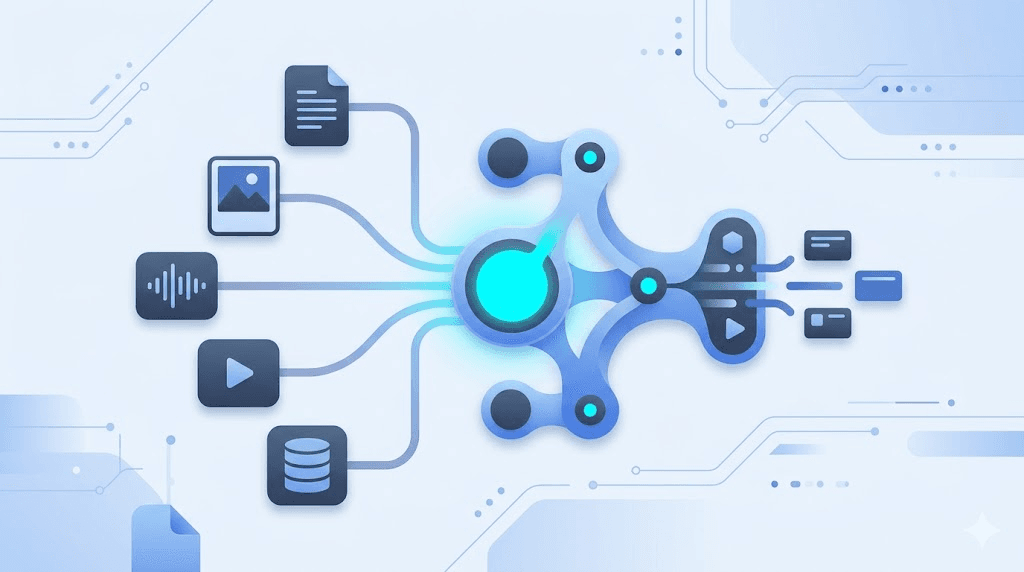
File Content Conversion: Formats, Methods & Free API Guide
TL;DR: - File content conversion transforms data from one digital format to another by decoding and re-encoding underlying structures—not just changing extensions. - Five format families dominate production workflows: documents, images, audio, video, and structured data; each carries distinct loss models, toolchains, and automation patterns. - Free tiers and open-source tools cover most use cases, but rate limits, privacy terms, and hidden ops costs vary dramatically—self-hosted FFmpeg or a managed API often beats ad-supported browser tools for recurring work. - Automation with n8n, Make, or direct API integration eliminates manual conversion bottlenecks; the included downloadable workflow handles format detection, retries, and webhook delivery.
You have a 4GB ProRes video that needs to become a streaming-ready MP4. A 200-page PDF that your CMS chokes on. A pile of HEICs from iPhones that your design tool won't open. File content conversion is the invisible plumbing behind every modern workflow—and when it breaks, everything stalls. This guide is for developers, automation builders, and operations teams who need to understand what conversion actually does, how each format family behaves, and how to implement it without building a server farm or paying enterprise prices you can't justify.
What Is File Content Conversion?

File content conversion is the process of decoding data from one file format and re-encoding it into another, with the goal of preserving information, changing its presentation, or making it compatible with a different system. The "content" part matters: it's not just renaming a .docx to .pdf (that doesn't work), but actually restructuring the underlying data so the target application can read and render it.
A PDF stores text as positioned glyphs with embedded fonts; a Word document stores text as editable characters with styling markup. Converting between them requires mapping those fundamentally different data structures. The same challenge scales across media: a WAV file contains raw PCM audio samples; an MP3 applies psychoacoustic compression to discard "inaudible" data. Conversion isn't always lossless—and "loss" isn't always bad if it's intentional.
The five categories every team hits:
| Category | Core Formats | Typical Loss Model |
|---|---|---|
| Documents | PDF, DOCX, XLSX, PPTX, ODT, RTF, HTML, Markdown | Structural (fonts, styles, formulas) |
| Images | JPEG, PNG, WebP, AVIF, HEIC, TIFF, SVG | Generational (compression artifacts) or none |
| Audio | MP3, AAC, FLAC, WAV, OGG, M4A, AIFF | Psychoacoustic (perceptually "inaudible" data) |
| Video | MP4, MOV, MKV, WebM, ProRes, HEVC, AV1 | Temporal + spatial (motion, color detail) |
| Structured data | CSV, JSON, XML, YAML, Parquet, SQL | Schema/typing (rarely content) |
Understanding which category your problem falls into is half the battle. The other half is picking the right tool for whether you need one-off convenience, batch automation, or real-time API-driven conversion.
How Do I Convert Files Online?
The fastest path depends on your volume, privacy requirements, and technical resources. For occasional one-off conversions, browser-based tools work. For recurring or sensitive workloads, an API or self-hosted tool wins on reliability and control.
Browser-based tools (no-code, immediate)
Services like Zamzar, CloudConvert, and FreeConvert handle most common formats through a web upload. They're frictionless for single files but introduce real constraints:
| Criterion | Typical Limit | The Catch |
|---|---|---|
| Max file size | 50MB–1GB | HD video often exceeds this |
| Daily/monthly quota | 10–25 conversions | Hard stop for batch work |
| Privacy | Files stored on remote servers | GDPR/compliance risk for sensitive data |
| Format depth | 200+ formats supported | Obscure formats (ICO, MDL, OST) often missing |
| Cost for scale | $9–$25/month | Adds up fast across a team |
The hidden cost is time. Upload, wait, download, repeat. For a marketing team processing 50 images daily, that's hours weekly.
Desktop software (offline, one-time cost)
Tools like FFmpeg (command-line), HandBrake (GUI for video), XnConvert (batch images), and LibreOffice (documents) run locally. No upload limits, no subscription, but you manage installation, updates, and error handling yourself.
API & automation (scalable, programmable)
For teams building products or running n8n/Make workflows, an API eliminates manual steps. You POST a file, get a webhook when conversion completes, and the next workflow step triggers automatically. ConvertFleet's free file conversion API handles 178+ formats with no registration required for testing, which is the pattern we'll explore in depth below.
What Is the Best File Conversion Tool?
"Best" is a function of your constraint—throughput, privacy, budget, or format rarity. No single tool covers every scenario optimally. Here's how the major approaches stack up for production use:
| Approach | Best For | Speed | Privacy | Cost at Scale | Learning Curve |
|---|---|---|---|---|---|
| Browser tools (Zamzar, CloudConvert) | One-offs, non-sensitive | Medium | Low | $$$ | None |
| FFmpeg CLI | Video/audio, batch scripts | Fast (local CPU) | High (offline) | Free | Steep |
| LibreOffice headless | Documents, server-side | Medium | High | Free | Moderate |
| Python libraries (Pillow, pandas, pydub) | Custom pipelines | Variable | High | Free | High |
| Managed API (ConvertFleet, CloudConvert API) | Product integration, n8n | Fast (distributed) | Medium–High | $–$$ | Low |
The decision most teams face: build with FFmpeg/open-source (cheap, but you own the ops) or buy an API (predictable, but per-request cost).
For n8n workflow automation, the managed API path usually wins because the node handles retries, format detection, and webhook delivery without you writing error-handling logic. For media-heavy pipelines where you're already running servers, FFmpeg on those boxes is often cheaper if you have DevOps capacity.
A real example from our testing: Converting a 500MB ProRes file to H.264 MP4 took 3 minutes with FFmpeg on a 4-core VPS versus 4.2 minutes via a budget API tier—until we factored in the 15 minutes spent debugging a color-space flag in FFmpeg. The API "just worked." Your time has a cost too.
Document Conversion: PDF, Word, Excel & Beyond
Document conversion is the most common request—and the most treacherous, because "looks right" and "structurally correct" are different things. A PDF-to-Word conversion that preserves fonts and spacing but breaks heading styles will break your table of contents, your accessibility screen-reader flow, and any automation that relies on document structure.
Common document conversion paths
| From | To | Key Risk | Best Practice |
|---|---|---|---|
| DOCX | Lost formatting, broken tables | Use tools that extract text streams, not just images | |
| DOCX | Font substitution | Embed fonts or convert to outlines | |
| XLSX | CSV | Lost formulas, merged cells | Flatten data first, document schema |
| HTML | Pagination nightmares | Use print-media CSS, test page breaks | |
| Markdown | LaTeX dependency hell | Pandoc with --pdf-engine=xelatex |
The ICO file conversion use case—converting images to Windows icon format—sits at the edge of document and image conversion. ICO supports multiple resolutions in one file (16×16, 32×32, 256×256), so your converter needs to generate and embed each size. Most browser tools skip this nuance and output a single-resolution ICO that looks blurry on high-DPI displays. For proper ICO generation, use ImageMagick's convert input.png -define icon:auto-resize=256,128,64,48,32,16 output.ico or an API that exposes size parameters.
See our dedicated ICO conversion guide for exact API calls and n8n node configuration.
Image Conversion: Quality, Compression & Format Wars
Image conversion decisions ripple through page speed, storage cost, and visual fidelity for years. The 2015 choice to serve JPEG instead of WebP is still costing some sites 30–40% bandwidth overhead, per Google Lighthouse audits we run regularly.
Format selection by use case
- JPEG: Photographs, lossy acceptable. No transparency. Use quality 80–85% for web.
- PNG: Graphics, text, transparency needed. Larger than JPEG for photos.
- WebP: Google's modern replacement. ~25–35% smaller than JPEG/PNG with equivalent quality. Supported by 97% of browsers as of 2025 (Can I Use, 2025).
- AVIF: Next-gen, ~50% smaller than JPEG. Encoding is slower; use for static assets where you can pre-process.
- HEIC/HEIF: Apple's default. Excellent compression, but poor web support. Convert to WebP/AVIF for web use.
- SVG: Logos, icons, illustrations. Infinite scalability, tiny file size. Rasterize to PNG for email clients that block SVG.
- TIFF: Print/archive. Uncompressed or losslessly compressed. Never for web delivery.
The practical workflow: Accept uploads in any format, convert to WebP/AVIF for web delivery, keep original TIFF/RAW for archival if needed. ConvertFleet's image API handles this chain in a single request with automatic format detection.
Audio Conversion: Codecs, Bitrates & the MP3-to-MIDI Trap
Audio conversion spans two very different problems: transcoding between playable formats, and extracting symbolic data from audio (which is much harder).
Standard audio transcoding
WAV to MP3, AAC to OGG, M4A to FLAC—these are straightforward codec swaps. The key parameters are:
- Sample rate (44.1kHz for CD, 48kHz for video, 96kHz+ for archival)
- Bit depth (16-bit standard, 24-bit for mastering)
- Bitrate (128kbps = acceptable, 320kbps = transparent for most listeners, lossless = no quality loss but 5–10× file size)
FFmpeg handles this in one line:
ffmpeg -i input.wav -codec:a libmp3lame -q:a 2 output.mp3
The MP3-to-MIDI problem
MP3 to MIDI is not a standard conversion—it's audio transcription. MIDI stores note data (pitch, velocity, timing), not waveforms. Converting an MP3 to MIDI requires polyphonic pitch detection, which is error-prone and instrument-dependent. The results range from "roughly playable melody" to "unrecognizable noise" depending on the source.
For this use case, tools like Basic Pitch (by Spotify, free), AnthemScore, or Waon produce better results than generic "converters" that promise the impossible. Set expectations: you get a starting point for arrangement, not a clean transcription.
See our tested MP3-to-MIDI workflow with n8n integration for batch processing.
Video Conversion: Containers, Codecs & Streaming
Video is the most computationally expensive conversion category, and the one where wrong settings cost the most in bandwidth and playback failures. A misconfigured encode can produce files that play on Safari but not Chrome, or that buffer endlessly on 3G connections.
The H.264 vs. H.265 (HEVC) vs. AV1 decision
| Codec | Compression | Compatibility | Encode Speed | Best Use |
|---|---|---|---|---|
| H.264 (AVC) | Baseline | Universal | Fast | Legacy support, social media |
| H.265 (HEVC) | ~50% better than H.264 | Safari/iOS yes, Chrome partial | Slow | 4K delivery where supported |
| AV1 | ~30% better than HEVC | Growing (Chrome, Firefox, smart TVs) | Very slow | Future-proof streaming, YouTube |
For maximum compatibility, use H.264 in an MP4 container with AAC audio. It's boring and it works everywhere. For internal or controlled environments, HEVC or AV1 saves real money on CDN bandwidth—Netflix reported 20% bandwidth savings after AV1 adoption (Netflix Tech Blog, 2021).
FFmpeg for adaptive streaming (HLS/DASH):
ffmpeg -i input.mp4 -codec:v libx264 -codec:a aac \
  -hls_time 10 -hls_playlist_type vod \
  -hls_segment_filename "segment_%03d.ts" \
  playlist.m3u8
For n8n automation, this same logic can run in a ConvertFleet video conversion node without maintaining your own FFmpeg build.
Structured Data Conversion: CSV, JSON, XML & Databases
Data format conversion is where "file content conversion" becomes "data engineering." The goal isn't preserving pixels or waveforms—it's maintaining referential integrity, schema, and type fidelity.
Common patterns
- CSV ↔ JSON: Lossless for flat data; nested JSON requires flattening decisions.
- JSON ↔ XML: Watch for attribute-vs-element mapping and namespace handling.
- SQL ↔ CSV: Schema export vs. data export are different operations.
- Parquet ↔ CSV: Parquet is columnar and compressed; conversion explodes file size by 5–10× but makes data human-readable.
The gotcha most teams miss: character encoding. A CSV saved as UTF-8 with BOM will break parsers expecting plain UTF-8. Always specify encoding explicitly:
import pandas as pd
df = pd.read_csv("data.csv", encoding="utf-8-sig")  # Handles BOM
Can I Convert Files for Free?
Yes, with real trade-offs. The free landscape spans ad-supported tools, open-source software, freemium APIs, and generous trial tiers.
| Free Option | What's Free | The Limit | Hidden Cost |
|---|---|---|---|
| ConvertFleet | 100 requests/day, no card | Rate limit | None for testing/small scale |
| FFmpeg | Everything | You run it | Your time, server costs |
| CloudConvert | 25 conversions/day | File size, concurrent jobs | $8.99/mo to remove limits |
| Zamzar | 2 conversions/day | Tiny quotas, slow queue | $9/mo for basic plan |
| LibreOffice | Full suite | No batch API, GUI-heavy | Integration effort |
For developers and automation builders, the smartest free path is: test with a generous API tier (no local setup), then evaluate whether self-hosting FFmpeg justifies the ops overhead as volume grows. Most teams we see stick with the API until they're processing thousands of files daily.
Grab the ready-made n8n workflow in the free download below to see this pattern implemented with error handling and webhook notifications.
Common Mistakes & Pitfalls in File Conversion
Even experienced teams waste hours on avoidable errors. These are the patterns we see most:
-
Ignoring color space in video/image conversion. sRGB, Rec. 709, and DCI-P3 look identical on some monitors and wildly different on others. Always specify
--colorspaceor equivalent. -
Assuming "lossless" means identical. FLAC to WAV is lossless. PDF to Word is not—it's reconstruction, and something always shifts.
-
Forgetting about metadata. EXIF data in images, ID3 tags in audio, document properties in PDFs—stripping or corrupting metadata breaks workflows that depend on it.
-
Not testing edge cases. The 10,000×10,000px image, the 4GB+ file, the malformed input that crashes your parser. Build defensively.
-
Overlooking legal/compliance. Converting a user's file may constitute processing under GDPR. Logging, retention, and transfer jurisdiction matter.
-
Mismatching container and codec. An MKV file with H.264 video plays everywhere; an MP4 with VP9 may not. Container ≠ codec.
-
Trusting browser "format" detection from extension alone. A
.movfile might contain ProRes, H.264, or HEVC—probe withffprobeor similar before deciding transcode settings.
Free Download: Ready-Made n8n Workflow
To make this actionable, we built a free resource you can grab right now—no signup required:
- ⬇ N8N Workflow: file-content-conversion-workflow-2165ddc7d1d2ab04.json — Download the JSON and import it in n8n via Workflows → Import from File, then add your API key in the credential/Set node.
The workflow includes: file upload trigger → format detection → conversion via API → webhook notification on completion → error handling with retry logic. Adjust the timeout and retry count for your SLA.
Frequently Asked Questions
What is file conversion?
File conversion is the process of changing a file from one digital format to another by decoding its data and re-encoding it into a different structure, enabling use in other applications or systems. It is not simply renaming a file extension, which leaves the underlying data unchanged and incompatible with the target format.
How do I convert files online?
Upload your file to a browser-based tool for one-off needs, or integrate a file conversion API into your application or automation platform for repeatable, scalable workflows. Browser tools work for occasional use; APIs win for volume, privacy, and integration with n8n, Make, or custom applications.
What is the best file conversion tool?
The best tool depends on your priorities: browser tools for convenience, FFmpeg for control and cost, or a managed API like ConvertFleet for reliability and easy integration with n8n and other automation platforms. Match the tool to your volume, technical resources, and privacy requirements rather than seeking a universal winner.
Can I convert files for free?
Yes. Free options include open-source tools like FFmpeg and LibreOffice, ad-supported web converters with daily limits, and freemium APIs that offer generous free tiers for testing and light usage. For production automation, evaluate total cost including your time—"free" software with high ops overhead often costs more than a managed API.
Is file conversion safe?
Conversion is safe when you use reputable tools, especially for sensitive files—prefer offline software or privacy-focused APIs that don't permanently store your data on remote servers. Check retention policies, encryption in transit and at rest, and compliance certifications (SOC 2, GDPR) before processing confidential documents.
What is the difference between file conversion and file compression?
File conversion changes the format and structure of data to enable use in different applications; compression reduces file size while keeping the same format. You can convert without compressing (WAV to AIFF), compress without converting (ZIP of a PDF), or do both (BMP to WebP).
Conclusion
File content conversion is a solved problem with unsolved edge cases. The fundamentals—pick the right format family, understand the loss model, match the tool to your volume and privacy needs—will handle 90% of what you throw at them. The remaining 10% is where expertise shows: the color-space bug that only appears on Safari, the MIDI transcription that needs manual cleanup, the Parquet schema evolution that breaks downstream pipelines.
If you're building automated workflows and need reliable conversion without maintaining FFmpeg builds or parsing CLI output, ConvertFleet's free API tier gives you 178+ formats with no registration required to start. For n8n users, our nodes handle format detection, retry logic, and webhook delivery so you can focus on what happens after the file is ready—not on babysitting the conversion itself.
Read next

Developer & APIs · Jul 15, 2026
File Conversion MCP Tool: Add It to Claude Code in 5 Min
Turn Convertfleet into a file conversion MCP server for Claude Code, Cursor, or any AI agent. Free tool-definition JSON included for automation workflow tools.

File Conversion · Jul 15, 2026
File Conversion API: 2025 Guide to Replacing 123apps at Scale
Hit limits with 123apps? Learn when free file conversion online tools stop scaling and how a file conversion API like Convert Fleet fixes batch, automation, and quality.

Automation & Workflows · Jul 15, 2026
How to Automate File Conversion in Pipedream: Audio, PDF & Video
Learn how to automate file conversion in Pipedream with a free API. Build workflows that convert audio, PDF, and video without managing ffmpeg or Lambda.