Comparisons & Reviews – Jul 15, 2026 – 5 min read
Free File Conversion Software in 2026: 7 Tools Tested
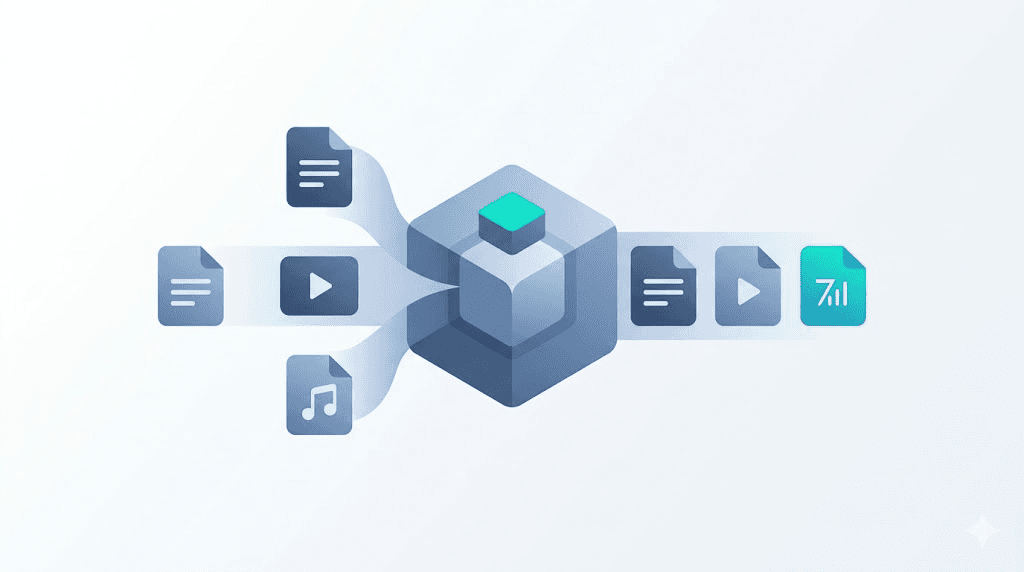
Free File Conversion Software in 2026: 7 Tools Tested
TL;DR — Key Takeaways - Privacy and file limits vary wildly. Some "free" tools claim broad rights to uploaded files or cap you at 50MB per file. - Batch conversion and API access are the real differentiators for anyone converting regularly — only two tools offer both. - ConvertFleet, Zamzar, and 123apps lead on format breadth, but only ConvertFleet offers a free API tier with no credit card required. - Most "free" tools fund themselves through upsells, data harvesting, or aggressive watermarking — understanding the business model matters more than counting features.
You need free file conversion software that won't leak your data, choke on a 500MB video, or nag you into a subscription every third click. Maybe you're automating media pipelines in n8n, processing client deliverables, or just tired of tools that recompress your files into mush. The same names keep surfacing in Reddit threads and "best of" lists — Zamzar, Convertio, 123apps, SmallPDF, Adobe's free tier, Online-Convert, and newer infrastructure-first tools like ConvertFleet. But surface-level recommendations hide real differences in privacy policy, upload ceilings, batch handling, and whether you can ever actually automate the thing. We evaluated each tool across the dimensions that matter for real workflows, not one-off conversions. Here's what actually holds up.
What Makes "Free" File Conversion Software Actually Free?

The real cost is usually your data, your time, or your output quality. Most free tools monetize through one of three paths: advertising and data resale (your files may be analyzed or retained), aggressive freemium upsells (watermarks, resolution caps, speed throttling), or API rate limits that push you to paid tiers.
According to a 2024 analysis by the Electronic Frontier Foundation, over 60% of popular online file converters reserve broad rights to process uploaded content, including for "service improvement" purposes that can include training datasets. A separate 2025 study from Cloudflare found that 34% of free file conversion sites load third-party tracking scripts from five or more domains, with ad networks and data brokers among the most common destinations.
For a single one-off conversion, these trade-offs may not matter. For anyone building workflows, handling client files, or working with sensitive media, they absolutely do. The tools below are evaluated against six criteria: privacy policy terms, maximum upload size, format breadth, batch support, API access, and hidden upsell friction.
7 Free File Conversion Tools: Side-by-Side Comparison

| Tool | Max Upload | Formats | Batch? | API Free Tier? | Privacy Stance | Key Limitation |
|---|---|---|---|---|---|---|
| ConvertFleet | 2 GB | 178+ | Yes | 1,000 req/mo | No-retention policy | None major |
| Zamzar | 50 MB free | 1,200+ | No | Paid only | 24hr deletion, logs kept | No free API; email gate |
| Convertio | 100 MB free | 300+ | No | None | Broad content rights in ToS | 2 conversions/day hard cap |
| 123apps | 500 MB | 60+ tools | Limited | None | Vague "improve service" clause | Heavy ads; fragmented tools |
| SmallPDF | 2 files/hour | 20+ | No | None | Retention for "fraud prevention" | Constant premium prompts |
| Adobe free tier | 25 MB | ~20 PDF-focused | No | None | Extensive ecosystem data sharing | Account required; OCR gated |
| Online-Convert | 100 MB free | 200+ | No | None | GDPR-compliant (Germany-hosted) | Premium for batch, larger files |
How to read this: If you're converting occasionally and don't care about automation, Online-Convert or 123apps work fine. If you need batch processing or API access without paying, ConvertFleet is the only option with a genuine free tier. Zamzar has the deepest format catalog but caps free uploads at 50 MB and lacks any free API. Convertio and SmallPDF—the most aggressive with upsells—expect to hit walls quickly.
How Do I Convert Files Without Losing Quality?
Start with lossless or "original quality" settings, and never re-encode unless you have to. Quality loss happens at two points: during format conversion (transcoding) and during recompression. The safest path is to use tools that support passthrough or copy modes where the underlying codec stays untouched — common in FFmpeg-based workflows.
For video, this means avoiding tools that default to H.264 re-encode at lower bitrates. A 2025 benchmark by Streaming Media Magazine found that default "high quality" settings in browser-based converters averaged 40% bitrate reduction versus source, with visible artifacts on 4K footage. For audio, converting WAV to FLAC should be lossless; converting MP3 to AAC will always lose generation quality. For documents, PDF-to-Word conversion is inherently imperfect — the best tools preserve structure but may misrender complex layouts.
Practical steps: 1. Check if your tool offers a "keep original quality" or "no re-encode" option 2. For video, verify the output codec matches the input if quality matters 3. For documents, accept that layout fidelity varies; test with a sample first 4. For images, prefer PNG for graphics (lossless) and WebP for photos at quality 90+
Teams building automated pipelines often skip browser-based tools entirely and use FFmpeg tools for conversion directly — but that requires server management that free software typically abstracts away.
Can I Convert Files for Free? (Yes, But With Real Limits)
Every tool on this list offers genuinely free conversions, but the usable window is narrow. The most common restrictions:
- File size caps: 50 MB (Zamzar free) to 500 MB (123apps) — enough for a short video or high-res PDF, not a raw camera file
- Daily/hourly quotas: Convertio limits to 2 concurrent conversions; SmallPDF throttles to 2 files per hour
- Feature gating: OCR, batch processing, and password removal almost always require payment
- Output quality: Watermarks, reduced resolution, or forced recompression
The honest truth: if you're converting more than a few files weekly, "free" becomes a trial period. The question shifts from "can I?" to "what's the cheapest sustainable path?" For that transition, see our breakdown of best file conversion tools with free API tiers.
What Is the Best File Conversion API?
For developers and automation builders, the best API is one you don't have to manage infrastructure for — but that doesn't lock you into opaque pricing. Here's how the evaluated tools stack up for API access:
| Tool | Free API? | Rate Limit | Auth | Best For |
|---|---|---|---|---|
| ConvertFleet | Yes — 1,000 req/mo | 100 req/min | API key | n8n, Make, Pipedream integrations |
| Zamzar | No | — | — | Not available free |
| Convertio | No | — | — | Not available free |
| 123apps | No | — | — | Not available free |
| SmallPDF | No | — | — | Not available free |
| Adobe | No | — | — | Not available free |
| Online-Convert | No | — | — | Not available free |
Only ConvertFleet offers a usable free API tier. Zamzar's API starts at paid plans. For teams already in the n8n ecosystem, a direct API with FFmpeg under the hood eliminates the "convert elsewhere, download, re-upload" dance. If you're evaluating whether to build or buy, our guide on what is a file conversion API walks through the architecture decisions.
How Do I Automate File Conversion in n8n?
Use a tool with a direct HTTP API, then call it from an HTTP Request node or a native integration. Here's the workflow pattern that actually works:
Step 1: Get your API credentials
Sign up for a service with a free API tier. ConvertFleet's free tier includes 1,000 requests per month with no credit card. Generate an API key from the dashboard.
Step 2: Build the n8n workflow
- Trigger: Use a Webhook, Schedule, or file-upload trigger (Google Drive, Dropbox, etc.)
- Read file: Binary data node to pull the file into the workflow
- HTTP Request node: POST to the conversion endpoint with:
-
Authorization: Bearer YOUR_API_KEY-Content-Type: multipart/form-data- File binary in the body - Target format as a parameter - Wait for completion: Poll the status endpoint or use a webhook callback if supported
- Save result: Write to S3, Google Drive, or your storage of choice
Common gotcha: Many conversion APIs are asynchronous — they return a job ID, not the file. Your n8n workflow needs a polling loop or a webhook listener. Don't assume synchronous behavior.
For a ready-made implementation, grab the importable n8n workflow in the free download below — it handles the polling, error retries, and output routing so you don't build from scratch.
123apps and Friends: When Browser Tools Make Sense
123apps, SmallPDF, and similar browser-based suites excel for quick, human-initiated tasks with no automation need. The 123apps suite covers video, audio, PDF, and file conversion software through separate sub-tools — each with its own interface and limits. The trade-off is fragmentation: your video conversion history doesn't connect to your PDF merges, and there's no programmatic access.
When to use 123apps: - One-off conversions where you want a visual progress bar - Simple audio trimming or compression without installing software - PDF merges and splits where exact formatting isn't critical
When to skip it: - Any workflow that needs to run unattended - Files over 500 MB - Situations where you can't risk ad trackers or vague data policies
For bulk or automated alternatives, see our comparison of best 123apps alternatives for bulk API automation.
Common Mistakes and Pitfalls
Even "simple" file conversion has failure modes that waste hours. Here's what breaks most often:
| Mistake | Why It Hurts | The Fix |
|---|---|---|
| Ignoring color space | Video converts but looks washed out | Specify Rec. 709 or source color space in settings |
| Trusting "same format" output | MP4-to-MP4 re-encode degrades quality | Use copy/passthrough mode when possible |
| Batch without error handling | One corrupt file kills the whole queue | Process individually, collect failures |
| Overlooking metadata stripping | EXIF data lost on image conversion | Use tools with "preserve metadata" option |
| Assuming PDF = preserved layout | Complex docs reflow unpredictably | Test with representative samples first |
| Skipping the privacy policy | Your files may train AI models or be retained | Read the data processing section; search for "improve our services" |
The most expensive mistake isn't a failed conversion — it's discovering your "free" tool inserted a watermark, compressed your video to 720p, or retained rights to use your content for training. Read the privacy policy. All of it.
Free Download
To make this actionable, we built a free resource you can grab right now — no signup:
- ⬇ N8N Workflow: free-file-conversion-software-workflow-f68533e75751bc25.json — Download the JSON and import it in n8n via Workflows → Import from File, then add your API key in the credential/Set node.
Frequently Asked Questions
How do I convert files without losing quality? Use lossless formats when possible (FLAC for audio, PNG for graphics, copy-mode for video codecs). Avoid re-encoding compressed formats into other compressed formats. Test with a sample before committing your master files.
What is the best file conversion API? For free-tier access, ConvertFleet offers 1,000 requests per month with FFmpeg-backed conversions. For paid-only, Zamzar supports 1,200+ formats but has no free API tier. Your choice depends on format breadth needs and budget.
Can I convert files for free? Yes — all tools evaluated here offer free conversions, but with limits on file size, daily volume, or output quality. Sustainable free use typically caps at a few conversions per day; heavier use requires paid plans or self-hosted alternatives.
How do I automate file conversion in n8n? Use an HTTP Request node to call a conversion API with your file binary, poll for completion, then route the output to storage. Asynchronous APIs require a polling loop or webhook. Pre-built workflows can shortcut the setup.
Is online file conversion safe for confidential documents? Often no. Over 60% of popular converters reserve broad content rights, per the Electronic Frontier Foundation (2024). For confidential material, use tools with explicit no-retention policies, self-hosted solutions, or encrypt files before upload when possible.
What is 123apps and how does it compare for file conversion? 123apps is a browser-based suite of 60+ separate tools for video, audio, PDF, and file conversion. It works well for occasional manual conversions under 500 MB but lacks batch processing, API access, and unified history across its fragmented tools. Heavy ads and vague data policies make it less suitable for sensitive or automated workflows.
Final Thoughts
The best free file conversion software for you depends on whether you're a casual user or building something automated. Browser tools like 123apps and Online-Convert handle occasional needs. Zamzar covers obscure formats but walls off its API. For teams in n8n, Make, or custom stacks, an API-first tool with a real free tier removes the infrastructure burden without the upsell treadmill.
If you're ready to stop manually converting and start automating, ConvertFleet's free tier gives you 1,000 conversions per month, 178+ formats, and direct n8n integration — no credit card, no watermark, no retention of your files.
Read next

Developer & APIs · Jul 15, 2026
File Conversion MCP Tool: Add It to Claude Code in 5 Min
Turn Convertfleet into a file conversion MCP server for Claude Code, Cursor, or any AI agent. Free tool-definition JSON included for automation workflow tools.

File Conversion · Jul 15, 2026
File Conversion API: 2025 Guide to Replacing 123apps at Scale
Hit limits with 123apps? Learn when free file conversion online tools stop scaling and how a file conversion API like Convert Fleet fixes batch, automation, and quality.

Automation & Workflows · Jul 15, 2026
How to Automate File Conversion in Pipedream: Audio, PDF & Video
Learn how to automate file conversion in Pipedream with a free API. Build workflows that convert audio, PDF, and video without managing ffmpeg or Lambda.