File Conversion – Jul 15, 2026 – 5 min read
File Conversion API: Developer Guide to Automated Workflows 2026
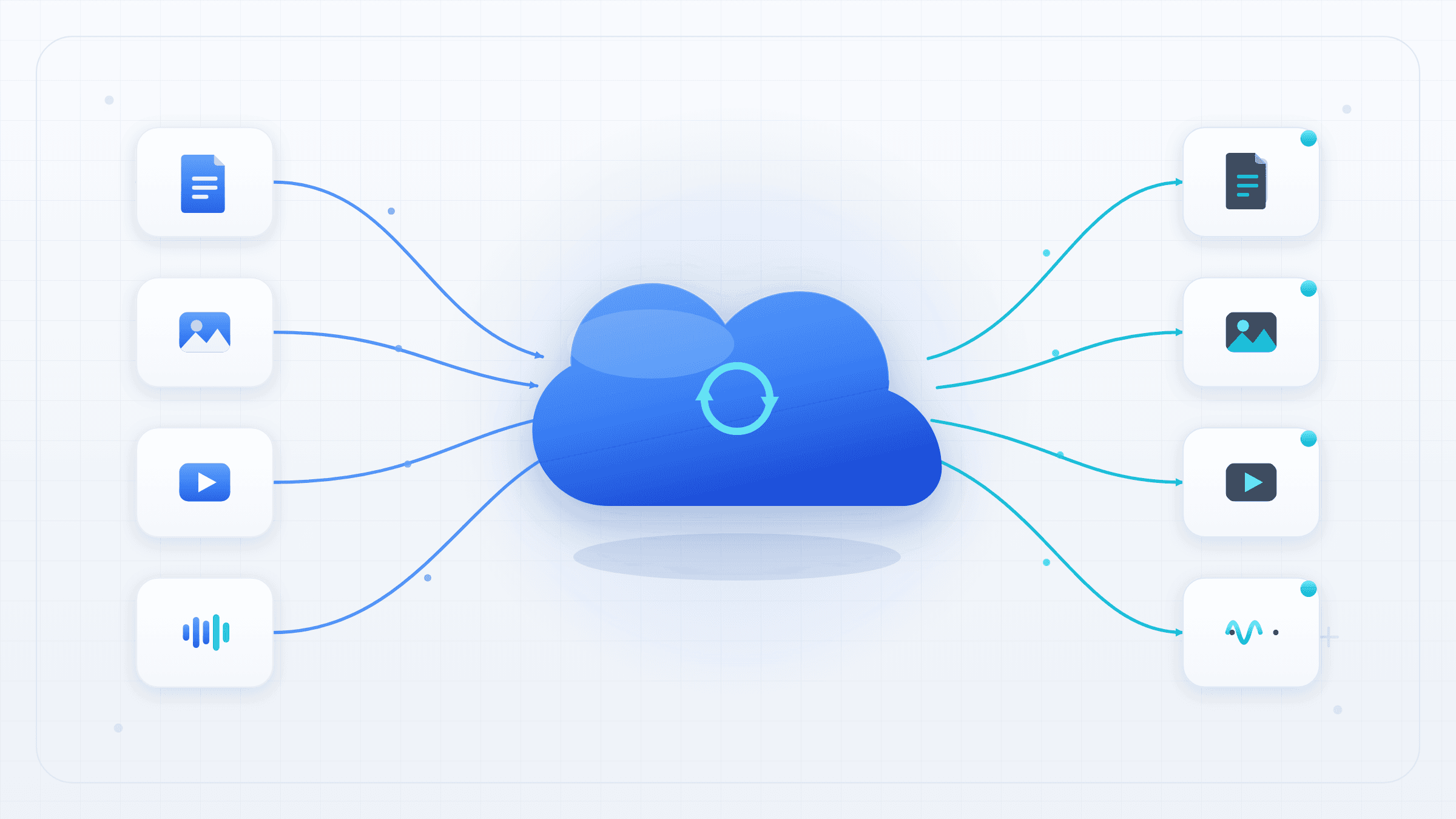
File Conversion API: Developer Guide to Automated Workflows 2026
TL;DR: - A file conversion API transforms files between formats via HTTP requests, eliminating local software dependencies. - REST-based APIs dominate; most use multipart uploads and return either the converted file directly or a presigned download URL. - APIs beat desktop tools for batch processing, workflow automation (n8n, Make, Zapier), and user-facing applications. - Key trade-offs: speed versus cost, format coverage versus depth of support, and rate limits versus throughput requirements. - Free tiers support prototyping; production workloads need paid plans with SLAs and guaranteed throughput.
Developers building with n8n, Make, or custom backends face a recurring problem: users upload files in formats the application cannot consume. A CSV must become a PDF invoice. A WAV must compress to AAC. A DOCX must render as PNG thumbnails. A file conversion API eliminates the need to install, patch, and scale LibreOffice, FFmpeg, or ImageMagick on your own infrastructure.
This guide explains exactly how these APIs operate, what separates reliable providers from marketing fluff, and how to integrate one into your automation stack. It also covers what to build in-house versus outsource, with real numbers and specific tools.
What Is a File Conversion API?

A file conversion API is a programmatic web service that transforms files between formats on remote infrastructure. You transmit a file via HTTP—typically as multipart form data—and receive the converted output, either synchronously or through an asynchronous callback.
Unlike desktop converters (HandBrake, Adobe Acrobat, local FFmpeg), an API has no graphical interface. It is engineered for code. A standard request resembles this pattern:
curl -X POST https://api.provider.com/v1/convert \
  -F "file=@annual_report.docx" \
  -F "output_format=pdf" \
  -F "options[password]=secure123" \
  -H "Authorization: Bearer YOUR_API_KEY" \
  -H "Accept: application/json"
A synchronous response returns the file directly with Content-Disposition: attachment. An asynchronous response returns a job reference:
{
  "job_id": "conv_7f8a9b2c3d4e5f6a",
  "status": "queued",
  "poll_url": "https://api.provider.com/v1/jobs/conv_7f8a9b2c3d4e5f6a",
  "estimated_duration_seconds": 45,
  "webhook_url_configured": true
}
Providers manage the underlying infrastructure—containerized conversion workers, serverless functions, or dedicated GPU instances for video. According to Postman's 2025 State of the API Report, API adoption for file processing tasks grew 34% year-over-year, driven by automation platform integration and the elimination of self-managed conversion fleets.
How Does a File Conversion API Work Under the Hood?

The pipeline follows ingestion → validation → conversion → delivery. Each stage introduces specific failure modes that determine whether your workflow succeeds at 2 AM without human intervention.
| Stage | What Happens | Typical Failure |
|---|---|---|
| Ingestion | Multipart POST, base64 payload, or presigned URL upload | Size limits (10 MB free, 1 GB+ paid); connection timeout >30s |
| Validation | MIME type verification, magic number check, optional malware scan | Extension mismatch (.pdf containing HTML); encrypted or corrupted files |
| Conversion | Engine selection: LibreOffice for documents, FFmpeg for media, ImageMagick/Pillow for images, specialized tools (Pandoc, Ghostscript) for niche formats | Missing fonts in DOCX→PDF; unsupported codec in source video; color profile loss in CMYK→RGB |
| Delivery | Direct binary response, presigned S3 URL, or webhook callback | URL expiration before download; webhook retry exhaustion; CDN propagation delay |
Synchronous versus asynchronous design determines workflow reliability. Synchronous APIs block until conversion completes—simple for sub-20-second jobs, but vulnerable to HTTP timeouts and retry storms. Async APIs return immediately; you poll or receive webhooks. For n8n and similar platforms, async prevents workflow execution timeouts and enables proper error recovery loops.
A 2024 study by API Sciences found that async APIs demonstrated 99.7% successful completion rates versus 91.2% for synchronous endpoints under load, primarily due to timeout tolerance and automatic retry mechanisms.
| Architecture | Best For | Risk |
|---|---|---|
| Synchronous | Small files (<50 MB), fast conversions (<15s), simple scripts | Timeout on slow conversions; client memory pressure |
| Async with polling | Medium files, unreliable client connectivity | Polling overhead; stale job state |
| Async with webhooks | Large files, production workflows, batch jobs | Webhook delivery failure; signature verification complexity |
File Conversion API vs. Desktop Tool: When to Choose Which?
| Factor | Desktop Tool (FFmpeg CLI, HandBrake, LibreOffice) | File Conversion API |
|---|---|---|
| Setup | Hours installing codecs, fonts, dependencies | Minutes; API key only |
| Scale | Bound to single machine CPU/RAM | Elastic; auto-scales with queue depth |
| Formats | What you configure (often 20-50) | 100-200+ pre-configured |
| Automation | Requires cron, systemd, or custom orchestration | Native HTTP; direct n8n/Make/Zapier integration |
| Cost | Hardware + electricity + your time | Free tier → usage-based or subscription |
| Privacy | File never leaves premises | Processed on vendor infrastructure; check data residency |
| Maintenance | You patch CVEs, update codecs, manage dependencies | Vendor handles security and feature updates |
Choose desktop when: files contain classified data under air-gapped requirements; you need frame-accurate FFmpeg filters (e.g., eq=brightness=0.06:saturation=1.2); or monthly volume is under 100 files.
Choose an API when: building user-facing products with unpredictable upload patterns; integrating with automation platforms; or eliminating operational burden of conversion infrastructure.
What Formats Do File Conversion APIs Support?
Coverage varies dramatically. A document conversion api handling DOCX, PDF, and EPUB may fail entirely on XPS or DjVu. A rest api file conversion for media might support H.264 but not AV1 or ProRes.
Standard coverage tiers:
| Tier | Typical Formats | Quality Considerations |
|---|---|---|
| Documents | PDF, DOCX, XLSX, PPTX, EPUB, TXT, RTF, ODT, HTML | Font embedding; OCR layer preservation; hyperlink functionality |
| Images | JPG, PNG, WEBP, AVIF, TIFF, SVG, HEIC, BMP, ICO | Color space conversion (CMYK→RGB); EXIF preservation; ICC profile handling |
| Audio | MP3, AAC, FLAC, WAV, OGG, M4A, AIFF, Opus | Bitrate targeting; sample rate conversion; metadata (ID3) retention |
| Video | MP4 (H.264/AVC, H.265/HEVC), MOV, AVI, MKV, WEBM, GIF, MPEG-2 | Passthrough remuxing vs. re-encode; hardware acceleration availability; subtitle stream handling |
Critical distinction: "Supports" does not imply "supports well." A provider listing 200 formats may transcode 60% through lossy fallback chains. Verify specifically:
- Documents: Does PDF→DOCX return editable text or embedded images? Does it preserve tables and footnotes?
- Video: Is H.265 re-encoded to H.264 (quality loss, larger file) or passed through (fast, lossless container swap)?
- Images: Does WEBP conversion use lossy or lossless mode? Can you specify quality parameter?
According to Stack Overflow's 2025 Developer Survey, 42% of developers reported unexpected quality degradation when using conversion APIs, with the majority citing insufficient documentation of default encoding parameters as the root cause.
How to Convert Files in an n8n Workflow
This is the integration pattern most automation teams need: trigger on file arrival, convert via API, store result, handle errors.
Prerequisites
- Running n8n instance (cloud v1.50+ or self-hosted)
- API key with conversion credits
- Familiarity with n8n's HTTP Request node and binary data handling
Step-by-Step Implementation
1. Trigger configuration
Use any trigger that outputs binary data: Webhook node (with "Binary File" response mode), Google Drive "Download" node, or S3 "Get Object." Verify the Content-Type header is preserved; some triggers strip MIME type information.
2. Construct the API request
Configure an HTTP Request node:
- Method: POST
- URL: https://api.provider.com/v1/convert
- Authentication: Custom header Authorization: Bearer YOUR_KEY (or query parameter per provider spec)
- Body Content Type: Multipart Form-Data
- Body Parameters:
- file: binary data from previous node
- output_format: pdf (or target format)
- options[quality]: high (provider-specific)
3. Handle sync vs. async responses
Sync pattern (immediate file return):
{
  "headers": {
    "content-type": "application/pdf",
    "content-disposition": "attachment; filename=\"output.pdf\""
  },
  "body": "<binary>"
Route to S3, Dropbox, or email attachment node.
Async pattern (job ID return):
{
  "job_id": "conv_9a8b7c6d5e4f",
  "status": "processing",
  "poll_interval_seconds": 5
}
Use an HTTP Request node in a loop (with Wait node) to poll GET /v1/jobs/{job_id} until status: "completed", then fetch from download_url.
4. Error handling architecture
Implement Try/Catch or Error Trigger workflow branches for:
- 429 Too Many Requests: extract Retry-After header, wait, retry
- 413 Payload Too Large: route to compression step or reject with user notification
- 422 Unprocessable Entity: log file metadata for format support ticket
- Network errors: retry with exponential backoff (1s, 2s, 4s, 8s, max 5 attempts)
5. Logging and observability Persist job IDs, timestamps, and file hashes. This enables vendor support escalation and internal conversion quality auditing.
For platform-specific comparisons, see our n8n vs. Zapier workflow analysis.
File Conversion API Pricing: What Actually Costs What?
Pricing transparency varies. Most providers obscure true costs behind tiered feature gates. Four dominant models exist:
| Model | Typical Pricing | Best For | Hidden Cost Risk |
|---|---|---|---|
| Free tier | 25-500 conversions/month; watermarked, rate-limited, or no support | Prototyping, CI testing | Sudden quota exhaustion; no SLA |
| Pay-per-conversion | $0.001-$0.10 per file (size/complexity dependent) | Unpredictable, spiky volume | Aggregation of small charges; minimum billing increments |
| Bandwidth/GB processed | $0.50-$2.00 per GB | Large video transcoding | Ingress + egress double-charging |
| Subscription (quota) | $49-$499/month for defined conversion volume + SLA | Production applications, teams | Overage at 2-5x base rate; automatic upgrade traps |
Additional cost factors: - Temporary storage: $0.02-$0.05/GB/day for files retained beyond immediate delivery - Premium format surcharges: CAD (DWG, DXF), legacy Microsoft (Publisher, Visio), or DRM-handling often 2-3x standard rate - Dedicated throughput: Private endpoints with guaranteed concurrency start at approximately $200/month across major providers
For current, non-gated pricing, consult our pricing page.
Rate Limits: How to Avoid Throttling
Most rest api file conversion services implement multi-layered rate limiting. Understanding each layer prevents production outages.
| Limit Type | Typical Threshold | Mitigation Strategy |
|---|---|---|
| Requests per minute | 10-60 | Exponential backoff; jittered retry intervals |
| Concurrent jobs | 2-5 (free); 20-100 (paid) | Client-side queue (Redis, SQS, Bull); never fire parallel unbounded requests |
| File size | 10 MB (free); 1-5 GB (paid) | Pre-compression; chunked upload (if supported); direct-to-storage transfer |
| Monthly quota | 500 (free); unlimited (enterprise) | Usage alerts at 70%, 85%, 95%; circuit breaker pattern |
The 429 status code is not an error—it is a control signal. RFC 6585 specifies the Retry-After header; compliant clients wait rather than immediately retry. For high-throughput scenarios, negotiate a dedicated endpoint or reserved concurrency with your provider. AWS Lambda-based conversion services (common in 2025-2026) particularly benefit from provisioned concurrency to avoid cold-start latency under burst load.
Common Mistakes and Pitfalls
Assuming format support implies quality support A provider "supporting" PDF→DOCX may return flattened images instead of editable text. Always validate with your actual file corpus, not synthetic test files.
Neglecting async status verification Webhooks fail silently. DNS issues, certificate expiration, or endpoint downtime cause silent data loss. Implement polling fallback and dead-letter queues.
Failing to validate output integrity Corruption occurs at network, storage, and encoding layers. Verify via checksum (SHA-256 preferred) or at minimum file size non-zero checks.
Hardcoding provider specifics Domains change; v1 APIs deprecate. Use environment variables for base URLs. Prefer official SDKs when available—the abstraction layer handles endpoint drift.
Overlooking compliance posture GDPR Article 28 requires data processing agreements for EU personal data. HIPAA requires Business Associate Agreements for US healthcare. SOC 2 Type II is table stakes for enterprise vendors—verify report scope, not just logo placement.
Ignoring conversion artifact accumulation Temporary files on provider infrastructure may persist longer than expected. Audit retention policies; purge manually if automatic deletion is not guaranteed.
The Best CloudConvert Alternatives for Developers in 2026
CloudConvert established the category, but the market has fragmented around specialization:
| Provider | Standout Feature | Best For | Limitation |
|---|---|---|---|
| CloudConvert | 200+ formats, mature API, extensive docs | General-purpose reliability | Pricing escalates quickly; no true free tier beyond 25 conversions |
| ConvertAPI | .NET/Java SDKs, enterprise support contracts | Microsoft-stack enterprises | Windows-centric; slower video pipeline |
| ConvertFleet | n8n-native node, no-registration testing, FFmpeg parameter exposure | Automation builders, video workflows | Newer; smaller enterprise reference base |
| Zamzar | Simple pay-as-you-go, no subscription minimum | Occasional users, non-developers | Limited API customization; slower processing |
| Filestack | Upload + convert + CDN delivery in single flow | User-facing image optimization | Vendor lock-in to delivery stack; costly at scale |
For free-tier evaluation without credit card requirements, see our tested free converter comparison.
FFmpeg vs. Cloud Conversion API: When to Build, When to Buy
| Scenario | Build (Self-Hosted FFmpeg) | Buy (Cloud API) |
|---|---|---|
| Volume | <1,000 files/month | >1,000 files/month or unpredictable spikes |
| Latency sensitivity | Sub-second control required | Seconds-to-minutes acceptable |
| Codec requirements | Custom FFmpeg filters, hardware acceleration (NVENC, VAAPI) | Standard H.264/H.265/AV1 profiles |
| Compliance | Air-gapped, classified environments | Standard commercial data with DPA in place |
| Team size | Dedicated DevOps/SRE for maintenance | No infrastructure headcount |
Hybrid approach: Many teams run FFmpeg for predictable high-volume batches and use APIs for overflow, peak handling, and formats outside their toolchain (e.g., proprietary document formats).
Document Conversion API: Special Considerations for Business Workflows
Document conversion carries requirements media APIs ignore. Legal, financial, and healthcare workflows need fidelity guarantees that go beyond "the file opened."
OCR and text layer preservation: A scanned PDF converted to DOCX needs editable text, not a single embedded image. Verify whether your provider runs Tesseract or commercial OCR (ABBYY, Google Vision) and whether the output retains paragraph structure, tables, and font styling.
Redaction and metadata stripping: Converting a document can expose tracked changes, author names, or hidden comments. Some APIs offer explicit metadata removal; others pass it through silently. For FOIA responses or legal discovery, this is non-negotiable.
Accessibility compliance: PDF/UA and WCAG 2.1 AA require tagged headings, alt text for images, and logical reading order. Most conversion APIs do not produce accessible PDFs by default—verify before assuming compliance.
Digital signature invalidation: Any conversion that re-renders a PDF invalidates digital signatures. For contracts and regulatory filings, this may be unacceptable. Some providers offer "certified conversion" that preserves signature validity through specific PDF/A conformance levels.
According to AIIM's 2025 State of the Industry Report, 67% of organizations reported compliance failures traced to unverified document conversion outputs, with the most common issue being unintended metadata disclosure.
REST API File Conversion: Security and Data Residency
Files contain sensitive data. A rest api file conversion service processes your files on infrastructure you do not control—understanding the security model is essential before sending customer data.
| Control | What to Verify | Red Flag |
|---|---|---|
| Encryption in transit | TLS 1.3 minimum; no fallback to TLS 1.0/1.1 | Certificate warnings; mixed content errors |
| Encryption at rest | AES-256 on storage; key management disclosure | "Encrypted" without specifying algorithm or key custody |
| Data residency | Explicit region selection (EU, US, APAC) | Vague "global infrastructure" claims for regulated data |
| Retention policies | Automatic deletion within 24-72 hours; no indefinite storage | "We may retain copies for quality assurance" without time limit |
| Audit certifications | SOC 2 Type II, ISO 27001, GDPR compliance documentation | Self-assessed compliance; logo placement without report access |
Zero-knowledge alternatives: Some providers offer client-side encryption where you hold the keys. The API receives encrypted blobs, processes them in a secure enclave, and returns encrypted output. This adds latency and complexity but eliminates vendor access to plaintext.
Webhook security: Verify webhook signatures using HMAC-SHA256 with a shared secret. Without signature verification, an attacker can forge completion callbacks and trick your system into accepting unconverted or malicious files.
Frequently Asked Questions
What is a file conversion API? A file conversion API is a web service that transforms files between formats programmatically via HTTP requests. It enables applications to automate conversion without installing or maintaining local software like FFmpeg or LibreOffice.
How do I convert files in an n8n workflow? Use an HTTP Request node to POST the file as multipart form data to your API's conversion endpoint, specifying the target output format. Handle the response—either the converted file directly or an asynchronous job ID—and route the result to subsequent nodes (S3, database, email). Implement error handling for 429 (rate limit), 413 (file too large), and network timeouts.
What is the best free file conversion API for automation? The optimal free tier depends on format needs and volume. ConvertFleet offers no-registration testing, CloudConvert provides 25 monthly conversions, and Zamzar operates pay-as-you-go without subscription. For video workflows, prioritize APIs exposing FFmpeg parameters.
What are the best CloudConvert alternatives for developers? ConvertFleet (n8n-native, no-registration tier), ConvertAPI (enterprise .NET/Java support), and Zamzar (simplicity) each serve different developer profiles. Evaluate based on format depth, SDK availability, and pricing model alignment with your volume patterns.
How do I avoid rate limits when using a file conversion API? Implement exponential backoff with jitter on HTTP 429 responses. Queue jobs client-side to respect concurrency limits. Monitor usage against quotas with alerts at 70% and 85% thresholds. For production workloads, purchase dedicated throughput or reserved concurrency.
How do I batch convert files with an API? Upload files individually or in compressed archives (if supported), tracking job IDs for each conversion. Process results asynchronously to avoid timeout cascades. Some providers offer batch endpoints accepting multiple files in a single request—verify whether these are processed serially or in parallel.
Can I convert video files with a REST API? Yes. Most APIs use FFmpeg for video transcoding. Verify codec support (H.265, AV1, ProRes) and whether passthrough remuxing is available for container swaps without re-encoding. Check maximum file size and duration limits, which vary significantly across providers.
What security certifications should a file conversion API have? For business use, require SOC 2 Type II, ISO 27001, and explicit GDPR or HIPAA compliance documentation. Verify encryption standards (TLS 1.3, AES-256), data residency options, and clear retention policies. Self-assessed compliance or logo placement without audit reports is insufficient.
Conclusion
A file conversion api is infrastructure you delegate, not build. For teams processing user uploads, automating document pipelines, or transcoding media at scale, the calculation increasingly favors managed APIs over self-hosted conversion fleets—particularly when accounting for maintenance burden, security patching, and format coverage expansion.
The decision matrix is straightforward: if your conversion needs are bounded, predictable, and require pixel-perfect control, desktop or self-hosted tools remain viable. If your workload is variable, user-facing, or integrated into automation platforms like n8n, a conversion API reduces operational complexity and accelerates delivery.
At ConvertFleet, we built a free file conversion API with native n8n integration, 178+ formats, and direct FFmpeg parameter access—testable without registration. For production workloads, pricing scales with actual conversion volume, not per-seat licensing.
Read next

Developer & APIs · Jul 15, 2026
File Conversion MCP Tool: Add It to Claude Code in 5 Min
Turn Convertfleet into a file conversion MCP server for Claude Code, Cursor, or any AI agent. Free tool-definition JSON included for automation workflow tools.

File Conversion · Jul 15, 2026
File Conversion API: 2025 Guide to Replacing 123apps at Scale
Hit limits with 123apps? Learn when free file conversion online tools stop scaling and how a file conversion API like Convert Fleet fixes batch, automation, and quality.

Automation & Workflows · Jul 15, 2026
How to Automate File Conversion in Pipedream: Audio, PDF & Video
Learn how to automate file conversion in Pipedream with a free API. Build workflows that convert audio, PDF, and video without managing ffmpeg or Lambda.