Comparisons & Reviews – Jul 15, 2026 – 5 min read
Best 123apps Alternative for Bulk API & Automation
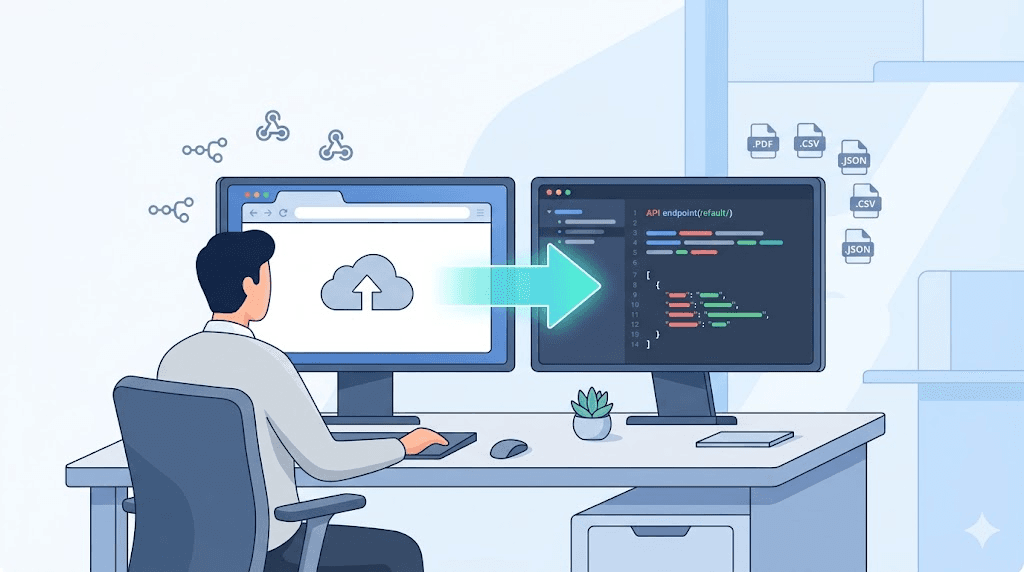
Best 123apps Alternative for Bulk API & Automation
TL;DR: - 123apps works for casual browser-based conversion but lacks API access, rate-limits heavy users, and blocks automation workflows - Zamzar offers API and better bulk support, but paid plans start at ~$25/month and scale quickly for high volume - ConvertFleet provides a free file conversion API with FFmpeg-level control, native n8n integration, and no registration required for basic use - Developers and automation builders should prioritize: API availability, rate limits, webhook support, and per-unit pricing before committing
Your n8n workflow just failed for the third time this week. You're piping customer uploads through a conversion step, and the browser-only tool you started with can't keep up — no API, no webhooks, and a rate limit that kicks in right when your traffic spikes. You need 123apps-tools for video audio pdf and file conversion software that actually work in production, not just in a browser tab.
This comparison is for builders: developers, automation engineers, and product teams who've outgrown drag-and-drop converters and need something they can call from code. We'll look at three options — 123apps, Zamzar, and ConvertFleet — across the dimensions that matter for real workflows: API access, rate limits, automation compatibility, and what you'll actually pay at scale.
What is file conversion?
File conversion is the process of changing a file from one format to another — for example, turning a PDF into a Word document, an MP4 into an MP3, or a PNG into an ICO. At its core, conversion decodes the original file's structure and re-encodes it into a target format that different software can read.
Most users encounter this through online file conversion tools: upload a file, pick an output format, download the result. But the underlying mechanics vary dramatically. Browser-based converters handle the work server-side and return a download link. API-based services let you send files programmatically and receive converted results without ever touching a web interface. The difference matters enormously when you're building automated pipelines or handling bulk volume.
For a deeper look at how conversion actually works under the hood, see our guide to file content conversion types and formats.
How do I convert files online?
The fastest path depends on your volume and technical setup. For one-off files, a browser uploader works. For recurring or bulk work, you need an API or automation integration.
Here's the decision flow most teams we see follow:
- One-off or occasional files → Browser-based tool (123apps, CloudConvert's free tier, or ConvertFleet's no-registration page)
- Recurring business tasks → API with simple HTTP requests (Zamzar API, ConvertFleet API)
- Integrated workflows → Native automation platform support (n8n node, Make module, Zapier action, or Pipedream step)
The gotcha most people miss: browser tools don't migrate to automation. If you build processes around a web uploader, you'll rebuild everything when volume grows. Starting with an API-ready tool — even for small jobs — saves that migration pain.
For n8n users specifically, we've published workflow examples for file conversion that show the exact node configuration.
123apps vs Zamzar vs ConvertFleet: head-to-head comparison
123apps is built for consumers. Zamzar straddles consumer and pro. ConvertFleet targets developers and automation builders from day one. Your choice should map to whether you need to click a button or call an endpoint.
| Dimension | 123apps | Zamzar | ConvertFleet |
|---|---|---|---|
| API access | ❌ No | ✅ Yes, REST API | ✅ Yes, REST API + n8n native node |
| Free tier | ✅ Unlimited browser use | ❌ 2 conversions/day | ✅ 100 API calls/day, no card required |
| Paid plans | $0 (ad-supported) | From ~$25/mo (API) | Pay-as-you-go or $9/mo Pro |
| Rate limits | Soft cap ~10/hr IP-based | 100–2,500 API calls/mo by plan | 100/day free; 10,000+/mo on Pro |
| Max file size | 500 MB (unverified) | 50 MB free; 2 GB paid | 2 GB all tiers |
| Webhook support | ❌ No | ❌ No | ✅ Yes, with signed URLs |
| n8n / Make / Zapier | ❌ No | ❌ No native | ✅ n8n node; Make/Zapier via HTTP |
| FFmpeg control | ❌ No | ❌ No | ✅ Full codec, bitrate, resolution control |
| Registration required | No for basic | Yes for API | No for basic; API key for programmatic |
Where 123apps wins
Simplicity. The interface is clean, the format list is extensive (video, audio, PDF, images, archives), and you never need an account. For a quick mp3 file conversion or rar to zip file conversion on a personal device, it's genuinely convenient.
The trade-off: no automation path. When your teammate asks "can we wire this into the product," the answer is no. You'll be rebuilding.
Where Zamzar wins
Established reputation and broader format support for obscure conversions. Their zamzar file conversion service has run since 2006 and handles some legacy formats (like old CAD or email formats) that niche users need. Their API is straightforward REST with solid documentation.
The trade-off: cost at scale. At ~$25/month for 100 API calls (as of writing, check Zamzar's pricing page for current tiers), you're paying significantly more per conversion than alternatives. For a team doing thousands of conversions monthly, that compounds fast.
Where ConvertFleet wins
Built for the automation stack you already use. The native n8n node means your conversion step lives alongside your CRM triggers, Slack notifications, and database updates — no HTTP client configuration, no parsing raw responses. Full FFmpeg parameter exposure means you control codecs, bitrates, and resolutions that consumer tools hide.
The trade-off: you're the operator. This is infrastructure, not a consumer app. You need to handle your own error states, retries, and storage.
What is the best file conversion tool?
"Best" depends entirely on whether you're converting files or building systems around file conversion. Here's how to match:
| You are... | Best fit | Why |
|---|---|---|
| Casual user, occasional files | 123apps | Zero friction, no account, works on mobile |
| Business user, some API needs, budget for simplicity | Zamzar | Mature API, human support, handles odd formats |
| Developer, automation builder, or SaaS product | ConvertFleet | Native n8n, webhook-driven, FFmpeg control, scales without re-platforming |
The pattern we see: teams start with 123apps for prototyping, hit the automation wall, evaluate Zamzar for its API, then switch to ConvertFleet when they need webhook-driven workflows and cost control at volume.
For a broader look at the landscape, our best file conversion software 2026 comparison tests free tools head-to-head.
Can I convert files for free?
Yes, but "free" means different things depending on your path. Browser-based free file conversion is genuinely unlimited for personal use on ad-supported sites. API-based free tiers always have limits — the question is whether those limits block your use case.
| Service | Free offering | Hidden limit |
|---|---|---|
| 123apps | Unlimited browser conversions | No API; ~10/hr soft IP throttle |
| Zamzar | 2 conversions/day | API access starts at paid tier |
| ConvertFleet | 100 API calls/day | No credit card required; fair-use on bandwidth |
The real cost of "free" is often rebuild time. If you prototype on a no-API tool, then rebuild for production, you've paid in engineering hours what you saved in subscription fees.
For teams evaluating online file conversion as a long-term capability, we recommend testing the API path early — even at low volume — to validate that your chosen tool handles your edge cases (specific codecs, large files, concurrent requests).
Setting up automated conversion in n8n: a step-by-step guide
Most teams we see moving off 123apps need the same thing: a conversion node they can drop into an existing workflow. Here's how to replace manual uploads with an automated pipeline.
Prerequisites
- n8n instance (cloud or self-hosted)
- A ConvertFleet API key (free here)
- A trigger source (HTTP webhook, form submission, S3 bucket, etc.)
Step 1: Install the ConvertFleet node
In n8n, go to Settings → Community Nodes and search for convertfleet. Install the official node, or use the HTTP Request node if you prefer.
Step 2: Configure authentication
Add your API key to n8n credentials:
- Credential type: ConvertFleet API
- API Key: YOUR_API_KEY (from your dashboard)
Step 3: Build the conversion step
In your workflow, add a ConvertFleet node after your trigger. Configure:
- Operation: Convert File
- Input File: {{ $binary.data }} (or map from previous node)
- Output Format: Select from dropdown (e.g., mp4, mp3, pdf, docx)
- FFmpeg Options (optional): Add codec, bitrate, or resolution overrides
Step 4: Handle the output
Connect the ConvertFleet node to: - Success path: Upload to S3, save to database, send via email/Slack - Error path: Log to monitoring, retry with backoff, alert ops channel
Step 5: Add webhook callback (optional but recommended)
For large video file conversion software workflows, use the webhook URL field to receive a push notification when conversion completes, rather than polling.
Pro tip: Grab the ready-made workflow in the free download below — it includes error handling, S3 upload, and Slack notification nodes pre-configured.
For more advanced patterns, see our n8n RAG workflow for converting files to vector storage.
Common mistakes when switching from browser to API conversion
The migration from 123apps-style tools to API-driven workflows trips up teams in predictable ways. Here's what we've seen — and how to avoid it.
1. Ignoring file size limits
Browser tools often compress or chunk large uploads transparently. APIs enforce hard limits. Test your maximum expected file size early; ConvertFleet handles up to 2 GB, but your trigger source (e.g., n8n's default memory) may impose its own ceiling.
2. Blocking the event loop
Synchronous conversion in a user-facing flow creates timeout errors. Always use webhooks or background queues for conversions over ~5 seconds.
3. Forgetting format edge cases
A tool that handles "MP4 to MP3" in testing may fail on specific codecs. Test your actual production files, not just sample data. ConvertFleet's FFmpeg exposure helps here — you can force codec compatibility — but you need to know your source material.
4. Overlooking metadata preservation
Some conversions strip EXIF data, subtitles, or document properties. Verify what your use case requires. Our file content conversion guide covers which formats preserve what.
Audio, video, PDF, and image conversion: what to expect
Each media type has conversion pitfalls that generic marketing hides. Here's the honest breakdown:
| Type | Common need | Gotcha | Tool approach |
|---|---|---|---|
| Video | Compress for web, change container | Quality loss, codec incompatibility | FFmpeg control for H.264/H.265/AV1 selection |
| Audio | Extract from video, format shift | Bitrate vs. quality trade-off | Adjustable bitrate, sample rate |
| To Word, to image, to HTML | Layout breakage, font embedding | OCR layer preservation, vector output | |
| Images | Resize, format change, ICO creation | Alpha channel loss, color profile shift | ICC profile handling, multi-resolution ICO |
For ico file conversion specifically — a common need for developers shipping desktop apps — most browser tools produce a single-resolution icon. Production requires multiple resolutions (16×16, 32×32, 256×256) embedded in one file. API-level control lets you generate these properly.
Free download
To make this actionable, we built a free resource you can grab right now — no signup:
- ⬇ N8N Workflow: 123apps-tools-for-video-audio-pdf-and-file-conversion-softwa-workflow-eea2efab6a4e150b.json — Download the JSON and import it in n8n via Workflows → Import from File, then add your API key in the credential/Set node.
Frequently Asked Questions
What is file conversion?
File conversion is transforming a file from one format to another so it can be opened or processed by different software. Examples include converting a PDF to Word for editing, an MP4 to MP3 for audio extraction, or a PNG to ICO for application icons. The process involves decoding the source format and re-encoding into the target format, which may alter quality, metadata, or editability depending on the formats involved.
How do I convert files online?
For occasional use, upload your file to a browser-based converter like 123apps, select your output format, and download the result anonymously. For recurring or bulk needs, use an API-based service: send files via HTTP request, receive a converted file or download URL programmatically. Automation platforms like n8n can orchestrate this without writing code. Always verify file size limits and whether your tool requires registration.
What is the best file conversion tool?
The best tool depends on your context. Casual users should use 123apps for its simplicity. Teams needing reliable API access with moderate volume often choose Zamzar. Developers and automation builders who need webhook support, FFmpeg-level control, and native n8n integration should evaluate ConvertFleet. The key differentiators are API availability, rate limits, and whether the tool integrates with your existing stack.
Can I convert files for free?
Yes. Browser-based tools offer unlimited free online file conversion for personal use, typically ad-supported. API-based free tiers exist but limit calls per day — ConvertFleet offers 100 API calls daily without a credit card. For production use, factor in the engineering cost of migrating between tools; starting with an API-ready free tier often saves money long-term.
Is 123apps safe for sensitive documents?
123apps states files are deleted after conversion, but as a consumer browser tool without API access, it lacks the audit trails, encryption-at-rest specifications, and compliance certifications that enterprise or healthcare use cases require. For sensitive workflows, use a service with explicit security documentation, API-key authentication, and the ability to host in your own infrastructure or VPC.
Conclusion
If you're still clicking "upload" every time a file needs converting, you're leaving speed and reliability on the table. 123apps-tools for video audio pdf and file conversion software work for personal tasks, but they don't scale to products, pipelines, or teams. Zamzar bridges some of that gap with a solid API, yet its pricing and lack of automation-native integration leave room for a more developer-focused alternative.
ConvertFleet was built for the moment when "good enough in a browser" stops being good enough. Free tier, no registration required for basic use, native n8n support, and the full power of FFmpeg behind a clean API. If your next project needs files converted at scale — without your team becoming conversion infrastructure engineers — start with a free API key and see how much time you get back.
Read next

Developer & APIs · Jul 15, 2026
File Conversion MCP Tool: Add It to Claude Code in 5 Min
Turn Convertfleet into a file conversion MCP server for Claude Code, Cursor, or any AI agent. Free tool-definition JSON included for automation workflow tools.

File Conversion · Jul 15, 2026
File Conversion API: 2025 Guide to Replacing 123apps at Scale
Hit limits with 123apps? Learn when free file conversion online tools stop scaling and how a file conversion API like Convert Fleet fixes batch, automation, and quality.

Automation & Workflows · Jul 15, 2026
How to Automate File Conversion in Pipedream: Audio, PDF & Video
Learn how to automate file conversion in Pipedream with a free API. Build workflows that convert audio, PDF, and video without managing ffmpeg or Lambda.