Developer & APIs – Jul 14, 2026 – 5 min read
Best File Conversion API 2026: MCP, n8n & AI Agent Guide
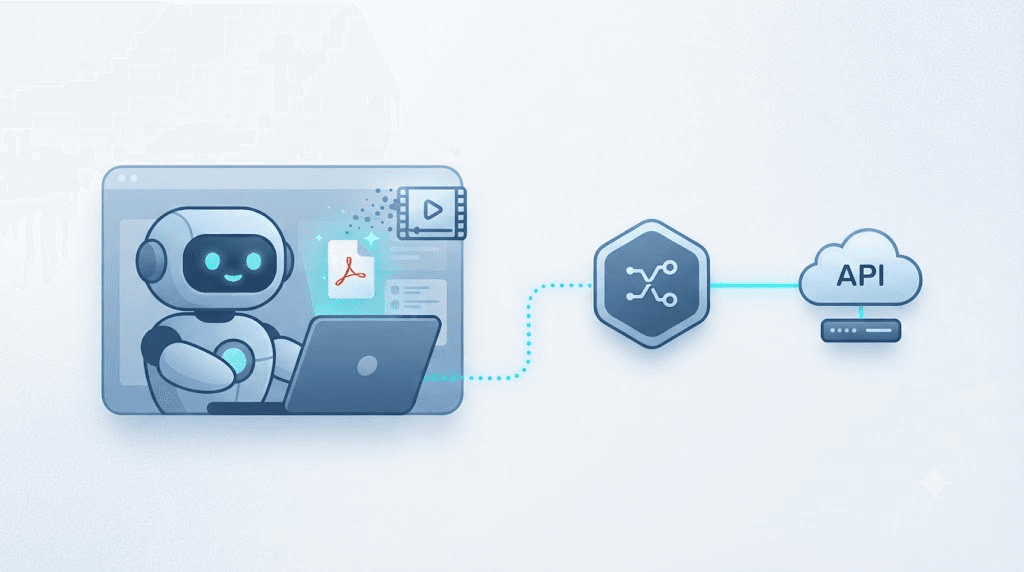
Best File Conversion API 2026: MCP, n8n & AI Agent Guide
TL;DR: - A developer file conversion tool exposed over MCP lets Claude Code, Cursor, and other agents convert a user's PDF, image, or video mid-task instead of shelling out to ffmpeg or LibreOffice. - Wrapping a REST file conversion API in an MCP server means one tool definition works across every MCP-aware agent, not one integration per client. - n8n, Zapier, and Make can all call the same API over plain HTTP nodes, so your conversion logic doesn't fork between "the agent version" and "the automation version." - Free and low-cost APIs exist, but format coverage, rate limits, and file-privacy handling vary enough to break a workflow at the worst possible moment.
Your agent just finished drafting a report, and the user wants it as a PDF. Or it scraped a product photo that needs to be a WebP before it hits your CDN. Or someone dropped a .mov into the chat and your pipeline only eats .mp4. None of that is the interesting part of what you built — and yet it's the part that breaks first.
That's the gap a developer file conversion tool is supposed to close: a single API your agent, your n8n workflow, or your Claude Code session can call whenever a file shows up in the wrong shape. This piece walks through what that looks like in practice — as a raw API, as an n8n node, and as an MCP server your AI agent calls without you writing a parser by hand.
You're not the only one hitting this. Teams shipping agents in 2026 keep running into the same wall: the model is smart enough to decide a file needs converting, but dumb (or sandboxed) enough that it can't just run ffmpeg -i input.mov output.mp4 on your server. Something has to bridge that gap. Usually it's an API. Increasingly, it's an API wrapped in MCP.
What Is an MCP Server, and Why Does File Conversion Need One?

MCP (Model Context Protocol) is an open standard, introduced by Anthropic in November 2024, that lets an AI model call external tools through a consistent interface instead of a custom integration per client. Anthropic open-sourced it, and by 2025 both OpenAI and Google had added MCP support to their own agent tooling, according to each vendor's developer documentation — which is unusually fast standardization for anything in AI tooling.
File conversion is a near-perfect fit for this. Think about what an agent actually needs when a file shows up: it needs to know the tool exists, what formats it accepts, and how to get the result back. That's exactly what an MCP tool definition describes. Once you've built a file conversion MCP tool once, Claude Code, Cursor, and any other MCP-compliant client can call it — no separate plugin architecture for each one.
Here's the part most integration guides skip: without MCP, "adding file conversion to your agent" usually means writing a custom function-calling wrapper for Claude's tool-use format, then a different wrapper for OpenAI's function schema, then another for whatever Cursor expects internally. MCP collapses that into one server. Our own walkthrough on setting up a file conversion MCP tool for Claude Code covers the exact config file most people get wrong on the first try.
Why Your AI Agent Shouldn't Shell Out to FFmpeg Directly

Running ffmpeg or LibreOffice as a subprocess from inside an agent works — until it doesn't. Binary dependencies, version drift, and sandboxing rules make direct shell execution one of the most fragile parts of an otherwise clean agent architecture, especially once you deploy outside your own laptop.
Three things go wrong, in order of how often we've seen them bite:
- The runtime doesn't have the binary. Serverless functions, locked-down containers, and most managed agent-hosting platforms don't ship ffmpeg by default. You either bake a multi-hundred-megabyte image or you don't get video support.
- Version drift breaks flags silently. An ffmpeg command tuned against 6.0 can throw unexpected errors on 7.x, and nobody notices until a specific codec fails in production.
- Shell execution is a security surface. Any agent that constructs and runs shell commands from model output is one bad escape sequence away from command injection. Ffmpeg itself is not the risk — the string-building around it is.
A hosted file conversion API sidesteps all three. The agent sends a file and a target format over HTTPS; it gets a converted file back. No binary to install, no shell to escape, no version to pin. FFmpeg is still doing the work underneath — it's the engine behind most conversion APIs, including Convert Fleet's — but your agent never touches it directly. If you want the mechanics of what ffmpeg actually does under the hood, our ffmpeg primer breaks down the codec and container layer without assuming you're already a media engineer.
What Is the Best File Conversion API for n8n?
The best file conversion API for n8n is whichever one accepts a plain HTTP POST with binary or base64 file data and returns a direct download link — because n8n's HTTP Request node doesn't need a native app to work. You're not limited to conversion tools with an official n8n integration; anything REST-based slots in.
That said, "works with n8n" and "works well with n8n" are different bars. Here's what actually separates a smooth setup from a flaky one:
| Approach | Setup time | Format coverage | Works over plain HTTP | Typical cost |
|---|---|---|---|---|
| Self-hosted ffmpeg/LibreOffice container | 2-4 hours | High, but you maintain it | N/A (local exec) | Server cost only |
| Generic hosted conversion API | 15-30 min | Varies by vendor, often narrow | Yes | $0-49/mo entry tiers, credit-metered |
| MCP-wrapped conversion API (agent-facing) | 15-30 min | Same as underlying API | Yes, plus MCP tool schema | Same as the API it wraps |
| Convert Fleet API | ~10 min | 178+ formats | Yes, no registration to start | Free tier, paid API access for scale |
Pricing on hosted conversion APIs is rarely one clean number — it's usually a free tier plus metered credits above it, so confirm the current tiers on each vendor's own pricing page before you build a workflow around a cost assumption. What you can plan around is the shape of the integration: an HTTP node, a file input, a target_format parameter, and a response you either save or pass downstream. That pattern doesn't change much between vendors.
n8n file conversion breaks most often at the file-encoding step, not the API call itself — binary data has to move through n8n's internal binary property correctly, or the API receives a corrupted payload that fails silently. More on that in the how-to below.
How Do I Convert Files in an n8n Workflow?
Convert files in n8n by adding an HTTP Request node after your file source, pointing it at the conversion API's endpoint, and passing the file as binary data with the target format as a parameter. The output node then saves, emails, or forwards the converted file. Here's the full sequence:
- Get an API key. Most conversion APIs, including Convert Fleet, let you start without registration for testing, then issue a key for production volume.
- Add your file trigger. This is usually a Google Drive, webhook, or form-upload node that produces a binary file property.
- Insert an HTTP Request node. Set the method to POST and the URL to the conversion endpoint.
- Set the body type to binary or form-data. Attach the incoming file property directly — don't convert it to base64 first unless the API specifically requires it.
- Add the target format as a parameter. Most APIs accept this as a query param or JSON field alongside the file (e.g.
target=pdf). - Handle the response. A well-built API returns either the converted file directly or a short-lived download URL — branch your workflow on which one you get.
- Add a retry or error branch. Conversion APIs occasionally time out on large video files; a retry node with backoff saves you from a workflow that silently drops files.
That's the entire shape of it — grab the ready-made workflow in the free download below so you're not rebuilding these seven steps from scratch. If you're routing files through Google Drive specifically, our Google Drive + n8n conversion walkthrough covers the trigger-node quirks that trip people up before they even reach the conversion step.
Zapier file converter and make.com file conversion setups follow the same shape — a webhook or HTTP module instead of n8n's HTTP Request node, same binary-vs-base64 decision, same target-format parameter. If your team is split across automation tools, that consistency is the real win: one API, three automation platforms, zero forked logic.
Is There a Free File Conversion API?
Yes — several file conversion APIs offer a free tier or a no-registration path for smaller volumes, though "free" almost always caps out on file size, monthly volume, or format count. Convert Fleet's own free tier requires no registration and covers 178+ formats, which is enough for most prototyping and low-volume production use.
The catch with free tiers, industry-wide, isn't the price — it's the ceiling. Watch for these three limits specifically:
- Per-file size caps. A free tier that handles a 2MB PDF fine may reject a 200MB video export outright.
- Rate limits that throttle agents, not humans. An AI agent calling the API in a loop hits rate limits far faster than a person clicking a button, so check the requests-per-minute ceiling, not just the monthly quota.
- Retention windows on generated download links. Some free tiers delete converted files within an hour — fine for a synchronous agent call, risky if your workflow queues work for later.
If your volume is genuinely low — a side project, an internal tool, a handful of conversions a day — a free file converter API with no registration is the right call. Read the rate limits before you wire it into anything that runs unattended. For a wider view of where hosted converters land on price and limits, this pricing and rate-limit comparison is a useful gut-check before you commit to one vendor.
Can I Convert Video Files Using an API?
Yes — video conversion APIs handle format changes (MOV to MP4, codec transcoding, resolution scaling) the same way document APIs handle PDFs, but video jobs take longer and cost more compute, so expect async responses instead of instant ones. A well-built API queues the job and gives you a status endpoint or webhook instead of making your agent wait.
This is where most homegrown ffmpeg wrappers fall over. Video transcoding is CPU-heavy, and an agent that blocks on a synchronous call while a 10-minute video re-encodes is an agent that times out. A conversion API built for this pattern will:
- Accept the upload and return a job ID immediately.
- Let you poll a status endpoint or register a webhook for completion.
- Return a signed download URL once the transcode finishes.
For an AI agent, that means the tool call itself should be non-blocking — the agent kicks off the job, moves on to other work, and checks back (or gets notified) when the file's ready. If you're building this into an MCP server yourself rather than using a hosted one, our guide to building a file conversion MCP server walks through exactly how to model an async job as an MCP tool without the agent stalling on it.
Giving Claude Code and Cursor Agents File Conversion via MCP
To give a Claude Code or Cursor agent file conversion, register an MCP server that exposes a convert_file tool with a clear input schema (file reference, target format) and a defined output (URL or binary result). The agent decides when to call it; your server handles the actual API request to the conversion backend.
The practical setup is short. You point your MCP client config at a server — locally run or hosted — that implements the tool. The server itself is thin: it receives the tool call, forwards the file and target format to a conversion API like Convert Fleet, waits for (or polls) the result, and hands the converted file reference back to the agent. The agent never sees ffmpeg, never sees a shell, never sees an SDK for a specific conversion vendor. It sees one tool: convert this file to that format.
AI agent file conversion built this way scales cleanly because the tool definition doesn't change when you swap the backend API. Your agent's prompt and tool schema stay stable; only the server's internal HTTP call changes if you ever migrate providers. That's the actual argument for MCP over a bespoke integration — not novelty, just fewer things to rewrite later. Our Claude Code and Cursor MCP file converter setup guide has the tool-schema JSON you can copy directly instead of writing one from scratch.
One thing worth naming plainly: MCP doesn't make the conversion itself faster or more capable. It's a calling convention, not a compression algorithm. The actual document conversion api or image conversion api underneath still determines format coverage, speed, and reliability — MCP just standardizes how your agent asks for it.
Secure File Conversion for Automation: What Happens to the Files?
A secure file conversion API should process files in memory or in short-lived storage, never retain them past a defined window, and never require account registration just to run a single conversion. For agent workflows especially — where files often contain user-uploaded content — that privacy posture matters more than raw speed.
Ask three questions before wiring any conversion API into an agent that handles real user files:
- Where does the file live during processing? Ephemeral compute is the safer default; permanent storage without a stated deletion policy is a red flag.
- Is there a stated retention window on the output? A converted file sitting on a public URL for 30 days is a very different risk than one that expires in 15 minutes.
- Does the vendor require registration and payment info for a single test conversion? If not, that's a decent proxy for a vendor that isn't building a data business on the side.
This is also where cheapest file conversion API searches lead people astray — the lowest sticker price sometimes correlates with the loosest data-handling policy, because storage and compliance cost money somewhere. Read the privacy page, not just the pricing page, before you route anything sensitive through an automated pipeline.
Common Mistakes When Adding File Conversion to an AI Agent
Most of these show up in the first week of running an agent-driven conversion pipeline in production, not in testing:
- Treating video jobs as synchronous. The agent stalls waiting on a transcode that should have been fired-and-forgotten with a webhook callback.
- Hardcoding a format list the agent can't check. If the API adds or drops format support, an agent with a stale hardcoded list will confidently request something the API no longer accepts.
- Skipping the retry logic. Large files and network hiccups happen. A workflow with zero retry handling drops files it should have recovered.
- Forgetting file size limits until production. Testing with a 500KB sample file hides a rate or size limit that only surfaces once a real user uploads something 40x bigger.
- Sending files through the agent's context window instead of by reference. Passing raw base64 file data through an LLM prompt burns tokens fast and risks truncation — pass a URL or storage reference instead, and let the conversion tool fetch it directly.
- Not checking rate limits under agent load. A human clicking a button once a minute never hits a rate limit that an agent looping through 50 files in a batch will hit immediately.
- Assuming "free" means "unlimited." Free tiers exist for a reason — build your workflow assuming a ceiling exists, then confirm what it actually is.
None of these are exotic failures. They're the boring, predictable ones — which is exactly why they're worth checking before you ship, not after a user reports a broken export at 2am.
Free download
To make this actionable, we built a free resource you can grab right now — no signup:
- ⬇ N8N Workflow: developer-file-conversion-tool-workflow-5fb799c37c5d7d29.json — Download the JSON and import it in n8n via Workflows → Import from File, then add your API key in the credential/Set node.
Frequently Asked Questions
What is the best file conversion API for n8n? Any API that accepts a standard HTTP POST with binary or form-data file input works with n8n's HTTP Request node — there's no requirement for a native n8n integration. Prioritize one with clear format coverage, a documented rate limit, and a straightforward response format (direct file or short-lived URL) over one with a flashier native app.
How do I convert files in an n8n workflow? Add an HTTP Request node after your file source, set it to POST the file as binary data to the conversion API's endpoint, include the target format as a parameter, and handle the response in a downstream node. The full seven-step sequence, including retry handling, is covered above.
Is there a free file conversion API? Yes, several exist, including Convert Fleet's no-registration free tier covering 178+ formats. Free tiers typically cap file size, monthly volume, or link retention time, so check those limits before building an unattended workflow around one.
Can I convert video files using an API? Yes. Video conversion APIs handle transcodes like MOV to MP4 or resolution changes, but because video jobs are CPU-heavy, expect an asynchronous response (a job ID and status check or webhook) rather than an instant result.
Do I need a separate integration for Claude Code versus Cursor versus my own agent? No, not if the file conversion tool is exposed over MCP. Since MCP is a shared standard both clients support, one MCP server implementation works across any MCP-compliant agent, instead of writing a custom tool-calling wrapper for each one.
Conclusion
File conversion is rarely the hard part of an agent build — until the day it's the only part that's broken. Wrapping a real file conversion api in an MCP server, instead of shelling out to ffmpeg from inside your agent, buys you format coverage, async video handling, and one tool definition that works across Claude Code, Cursor, and whatever MCP-compliant client shows up next. The same API also drops straight into n8n, Zapier, or Make with an HTTP node, so you're not maintaining two conversion paths for one workflow. If you're wiring this into your own stack, Convert Fleet's developer API covers 178+ formats with no registration required to start testing — a reasonable place to point your agent's first convert_file call.
Read next

Developer & APIs · Jul 15, 2026
File Conversion MCP Tool: Add It to Claude Code in 5 Min
Turn Convertfleet into a file conversion MCP server for Claude Code, Cursor, or any AI agent. Free tool-definition JSON included for automation workflow tools.

File Conversion · Jul 15, 2026
File Conversion API: 2025 Guide to Replacing 123apps at Scale
Hit limits with 123apps? Learn when free file conversion online tools stop scaling and how a file conversion API like Convert Fleet fixes batch, automation, and quality.

Automation & Workflows · Jul 15, 2026
How to Automate File Conversion in Pipedream: Audio, PDF & Video
Learn how to automate file conversion in Pipedream with a free API. Build workflows that convert audio, PDF, and video without managing ffmpeg or Lambda.