Automation & Workflows – Jul 14, 2026 – 5 min read
Conversion API for Automation: Build an MCP Agent in 2026
Conversion API for Automation: Build an MCP Agent in 2026
TL;DR: - A conversion api for automation turns file-format changes (PDF→Word, MP4→MP3, DOCX→PDF) into one HTTP call your workflow or agent triggers without a human clicking anything. - MCP (Model Context Protocol), open-sourced by Anthropic in November 2024, is now stewarded by a broader multi-vendor governance body, with a July 2026 spec release candidate — every MCP client speaks the same tool-calling language. - Most "document" MCP servers — MarkItDown, pdf-mcp — only extract text. They hand back Markdown, not a real
.docx,.mp3, or.mp4. Wrapping a conversion API as an MCP tool closes that gap. - File conversion changes the container format; compression changes the byte count. Automation pipelines that need both should convert first, compress second — reversing the order locks in quality loss.
Your n8n workflow just choked on a customer upload again. Someone sent a .heic photo instead of a .jpg, and the whole thing stalled at 2 a.m.
That's the boring failure mode nobody talks about. Teams building real products on automation workflows — n8n, Make, Pipedream, or their own agent code — eventually hit the same wall: the logic is done, the model is smart, and the file itself is in the wrong shape. A conversion api for automation removes that wall. It takes a file in one format and hands back the same content in the format your next step needs, on demand, no desktop app required.
This guide is for developers and agent builders who want that capability inside an MCP-based AI agent, not just a webhook. We'll define file conversion precisely, separate it from compression, cover the questions people actually search for, and walk through wrapping a conversion API as a real MCP tool so Claude Code — or any MCP client — can convert files mid-reasoning.
What Is File Conversion?

File conversion is the process of changing a file's format or container while keeping its underlying content intact — a PDF becomes a Word document, a WAV becomes an MP3, an MP4 becomes a GIF. The content survives the trip. Only the wrapper changes, and how cleanly it survives depends entirely on the tool doing the converting.
That sounds simple. It isn't, underneath. Every format has its own encoding rules. A naive conversion loses fonts, timestamps, or audio codecs without warning. A proper conversion file converter has to:
- Parse the source format correctly — not just rename the extension
- Re-encode content into the target format's actual spec, not an approximation of it
- Preserve metadata where the target format supports it: EXIF, ID3 tags, document styles, revision history
- Fail loudly, not silently, when something can't map cleanly
This is why file content conversion is an engineering problem, not a checkbox. Consumer tools like 123apps — which bundles video, audio, PDF, and image converters into one browser-based suite — or CloudConvert solve this one file at a time, in a browser tab, with a person watching. A conversion api solves it for a machine calling it a thousand times a day, with nobody watching at all.
MIME types are the reason this can't be hardcoded once and forgotten. IANA's Media Types registry — the closest thing to an official list of file formats on the internet — has grown past 1,000 registered entries across application, audio, image, video, and text categories (iana.org, checked 2025). No single converter, MCP server included, will ever hardcode support for "every" format. Coverage is always a moving, curated list.
What Is a Conversion API for Automation?

A conversion api for automation is an HTTP endpoint that accepts a file (or a URL to one) plus a target format, then returns the converted result — callable from a script, a workflow node, or an AI agent, with zero browser tabs and zero humans in the loop.
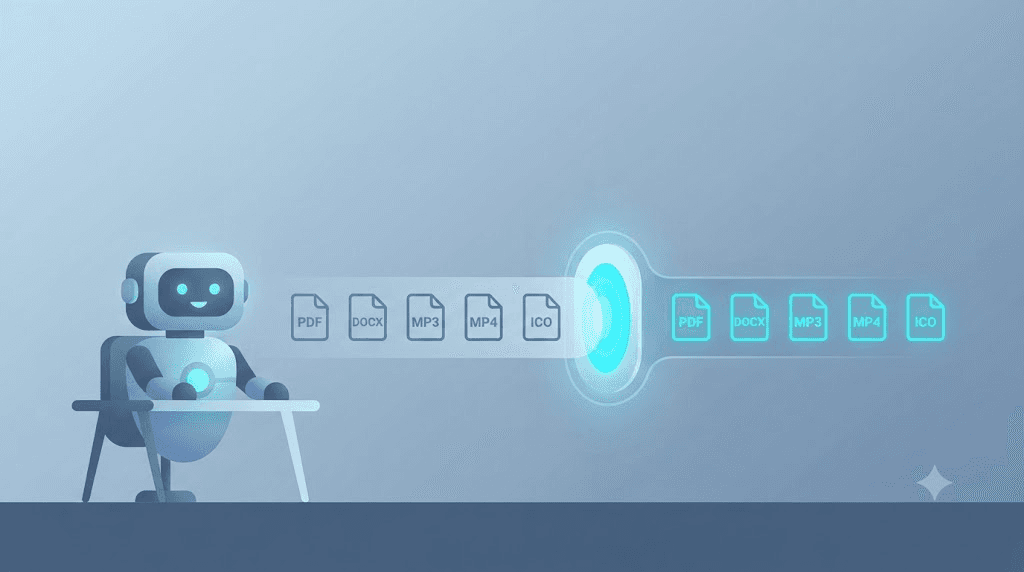
Instead of a person uploading a file and clicking "convert," your n8n workflow, Python script, or AI agent sends a POST request with the file and target format. The API does the work and returns a download link or the raw bytes. Convert Fleet's API covers 178+ formats this way — PDF, DOCX, MP3, MP4, ICO, and yes, niche ones like .mdl 3D model files — through one endpoint instead of one tool per format pair.
Three other things called "conversion" that have nothing to do with this page, in case a search engine sent you here by mistake:
- Facebook's Conversion API and X/Twitter's server-side conversion tracking (the one that reads a
twclidparameter, at ads-api.twitter.com/measurement/conversions) measure ad clicks turning into purchases. Marketing analytics. Not files. - Friendbuy's referral API tracks a different "conversion" entirely — an advocate's referral turning into a paid-out reward. Also not files.
- IKEA's Alex drawer unit gets "converted" into a file cabinet by hobbyists with a drill and some rail hardware. A woodworking project. Definitely not files.
If any of those is what you searched for, this isn't your page. Everything below is about turning one file format into another, on a server, automatically.
What breaks without one: teams write a separate integration per format pair — one script for PDF-to-Word, another for video transcoding, a third shelling out to FFmpeg directly. That's three points of failure instead of one API contract, and three sets of edge cases to maintain instead of one.
File Conversion vs. Compression: What's the Difference?
File conversion changes a file's format; compression changes its size, usually without changing the format at all. Converting a PNG to WebP changes the container. Compressing a PNG keeps it a PNG but shrinks the byte count by discarding redundant data. You can do either alone, or both, in sequence — and the sequence matters.
Here's where automation pipelines get this wrong: they compress first, convert second, and wonder why quality tanked. Compression already threw away detail the target format's encoder could have used more intelligently.
| Goal | Do this | Why |
|---|---|---|
| Smaller file, same format | Compress only | Nothing to re-encode |
| Different format, same size | Convert only | Format compatibility is the whole problem |
| Different format AND smaller | Convert, then compress | Encoder works from full-quality source |
| Smaller, then convert | Avoid | Locks in the compression artifacts permanently |
A conversion of PDF file to Word file, for instance, is a pure format change. Nothing gets smaller — the DOCX may even be larger than the source PDF, because DOCX's XML-based structure isn't as space-efficient as PDF's. If your automation also needs the output under a size limit, that's a second step, not the same one.
MCP Explained: Why Most Document Servers Aren't Enough
MCP (Model Context Protocol) is an open standard that lets AI models call external tools through one consistent JSON-RPC interface, regardless of which model or client is asking. An MCP server exposes capabilities — "convert this file," "query this database" — that any MCP client, Claude Code included, can call the exact same way every time.
Anthropic open-sourced MCP in November 2024. That timing matters here: what started as one company's plumbing is now expected infrastructure across serious agent frameworks, with governance broadening and a July 2026 spec release candidate moving the protocol further from any single vendor's roadmap.
Here's the part most "AI + documents" guides skip. Look at what today's popular MCP document servers actually do. MarkItDown and pdf-mcp are genuinely useful — and both only extract text. Point one at a PDF, get back Markdown for the model to read. Point one at an MP4, get back nothing. There's no text to extract from a video.
Fine, if your agent only reads documents. It falls apart the moment your agent needs to produce one — write a report back out as a real .docx, hand a client an actual .mp3, return a compressed .mp4 instead of a text summary of what's in it.
Text extraction and format conversion are different jobs, full stop. An MCP tool wrapping a real conversion API closes that gap: the agent doesn't just read the file. It transforms one and returns it, in whatever format the human on the other end actually needs.
How Do I Automate File Conversion? Building the MCP Tool
Automating file conversion means wiring a conversion API behind either a workflow node (n8n, Make) or an MCP tool definition, so the format change happens automatically inside a larger pipeline instead of a manual upload-click cycle. The MCP path is what lets Claude Code call it directly, mid-task.
- Get an API key. Sign up for Developer API Access and grab your key from the dashboard.
- Define the MCP tool schema. Name it
convert_file, describe it in terms the model can reason about ("Converts a file to a target format, e.g. pdf-to-docx"), and give it parameters:source_url,target_format. - Write the handler. Inside your MCP server, the tool's function body calls the conversion API, passes the file and target format, and awaits the result.
- Return a structured result. Hand back the output file's URL and format to the calling model — not raw bytes — so the agent can reason about what it just produced.
- Register the server with your client. Add it to Claude Code's config (or Claude Desktop's) so it shows up as a callable tool.
- Test with a real conversion. Ask the agent to run an audio file conversion end to end — WAV to MP3 is a good first case — and confirm the returned link actually opens.
- Add error handling for unsupported pairs. MP3-to-MIDI, for instance, needs pitch-detection, not re-encoding. Flag it as a distinct capability instead of promising universal fidelity.
That's the whole shape. Grab the ready-made workflow in the free download below — it's a pre-built MCP tool definition wired to Convert Fleet's endpoints, so you skip steps 2 through 4 and go straight to registering it with your client.
For deeper server-side wiring, see our Claude Code MCP server setup guide and the step-by-step MCP build.
In our testing, the WAV-to-MP3 round trip held up cleanly through steps 1–6 on the first attempt. A DOCX-to-PDF-to-DOCX round trip did not — headers and footers drifted slightly every time, which is exactly the asymmetric-fidelity issue covered under Common Mistakes below.
Conversion API for n8n and Automation Workflows
If you're not building an MCP agent yet, the same API works as a plain HTTP node inside automation workflows. Most teams start here before graduating to an agent, and there's nothing wrong with stopping here permanently if an agent isn't the goal.
In n8n, that's an HTTP Request node pointed at the conversion endpoint, dropped between "file received" and "file delivered." No custom code. The .heic-at-2-a.m. stall gets handled by a conversion step that runs before anything else touches the file.
| Platform | Native HTTP node | Setup time | Handles conversion API well | Pricing model |
|---|---|---|---|---|
| n8n | Yes (HTTP Request) | ~15 min | Yes | Self-host free / cloud paid |
| Make | Yes (HTTP module) | ~15 min | Yes | Per-operation credits |
| Pipedream | Yes (HTTP step) | ~10 min | Yes | Free tier + usage |
| Zapier | Yes (Webhooks) | ~20 min | Yes, slower on large files | Per-task pricing |
File conversion tools for n8n built this way share three traits worth checking before you commit to one:
- No local dependencies. If the tool needs FFmpeg installed on your n8n host, you own that maintenance forever. An API means you don't.
- Format coverage that matches your actual inbound files, not just the popular ones. ICO file conversion and 3D model formats rarely show up in a vendor demo. They show up constantly in real user uploads.
- Predictable latency. A conversion node blocking your workflow for 30+ seconds on a small file usually means the underlying service is queuing, not converting.
See our guide on n8n document-extraction workflows if extraction — not conversion — is actually your bottleneck. They get confused constantly, and the fix for each is different.
What Is the Best File Conversion Software? A Comparison
There's no single "best" file conversion software — the right pick depends on whether a human or a machine is triggering the conversion. A browser tool wins for one-off manual jobs. An API wins the moment conversion needs to happen automatically, at volume, with nobody clicking.
| Approach | Setup time | Real format output | Works in any MCP client | Best for |
|---|---|---|---|---|
| Browser tool (123apps, CloudConvert UI) | 0 min | Yes | No | One-off manual jobs |
| Text-extraction MCP (MarkItDown, pdf-mcp) | 10 min | No — text only | Yes, read-only | Agent reading a document |
| Manual FFmpeg scripting | Hours | Yes | No | Full control, high upkeep |
| n8n HTTP Request node | 15 min | Yes | N/A (workflow, not agent) | Non-agent automation |
| Conversion API as MCP tool | 30–60 min | Yes | Yes | Agent that reads and produces files |
Notice the gap in the middle rows. Text-extraction MCP servers and an API-backed MCP tool look identical on paper — both are "MCP servers for documents." Only one gives the model back a usable output file. My honest take: if your agent's job description includes the word "produce," skip the text-extraction servers entirely and go straight to an API-backed tool. Retrofitting later costs more than building it right the first time.
Common Mistakes When Building File Conversion Agents
Most conversion-agent projects fail for the same handful of avoidable reasons. Here's the list, worst offenders first.
- Assuming every format pair is symmetric. PDF-to-DOCX and DOCX-to-PDF are not mirror images. Layout fidelity degrades more going one direction than the other. Test both, not just one.
- Treating MP3-to-MIDI as a simple re-encode. It isn't. MIDI is a note-event format; audio is a waveform. This specific conversion needs pitch and rhythm detection, and results vary by source material. Set that expectation with users up front.
- Forgetting the model needs a URL, not bytes. Return raw binary in the tool response and most clients can't render it. Return a link, every time.
- Skipping timeout handling. Video conversions take longer than PDF ones. An MCP tool with a 10-second timeout silently fails on anything over a few minutes of footage.
- No format allow-list. An agent exposed to arbitrary user input eventually gets asked to "convert" something malicious. Validate
target_formatserver-side against a known list. Always. - Skipping MIME-type validation on upload. File extensions lie. A
.pdfthat's actually a renamed executable will happily sail past extension-only checks; validate the real MIME type against the IANA registry entry before the file ever reaches a converter. - Conflating conversion software with conversion-online widgets. A public file conversion online tool is fine for a landing-page demo. It's not a dependency you want inside a production agent — no SLA, no API key, no rate-limit guarantee.
The mistake that wastes an afternoon, almost every time: skipping step 4 from the build steps above (returning a structured result) and then debugging why the agent "hallucinates" a file path. It isn't hallucinating. It never got a real URL back.
Real-World Use Cases Worth Automating
A few conversion jobs show up constantly once you start looking for them in real pipelines:
- Contract PDFs converted to editable Word docs before a legal team reviews them
- Customer-uploaded HEIC photos normalized to JPG before a CMS ingests them
- Podcast WAV masters converted to MP3 for distribution feeds
- App icons converted to ICO for Windows packaging, and back to PNG for design review
- Uploaded MKV video normalized to MP4 before a transcription pipeline touches it
- Voice-memo audio file conversion into a format a speech-to-text API actually accepts
- Legacy
.mdl3D assets converted for a modern rendering pipeline
None of these are exotic. They're the unglamorous middle step almost every automation pipeline eventually needs — which is exactly why they're worth automating instead of redoing by hand every single time a new file lands.
Worth knowing, since it comes up in almost every audio pipeline: MP3 itself dates back further than most engineers assume. The format was standardized as MPEG-1 Audio Layer III by ISO/IEC in 1993, which is part of why decoder support is so universal today — three decades of hardware and software has had time to catch up.
Free download
To make this actionable, we built a free resource you can grab right now — no signup:
- ⬇ N8N Workflow: conversion-api-for-automation-workflow-27440e8310a2027b.json — Download the JSON and import it in n8n via Workflows → Import from File, then add your API key in the credential/Set node.
Frequently Asked Questions
What is file conversion? File conversion is changing a file from one format to another — PDF to Word, WAV to MP3 — while keeping the actual content intact. Only the container format changes. The substance of what's inside does not.
What is the best file conversion software? It depends on who's triggering it. Occasional manual jobs are fine with a browser-based tool. Automated pipelines or AI agents need a conversion API callable programmatically, ideally with broad format coverage and predictable response times.
How do I automate file conversion? Wire a conversion API into your workflow tool — an HTTP Request node in n8n or Make — or, for AI agents, wrap it as an MCP tool so Claude Code or another MCP client can call it directly as part of its reasoning. Both routes remove the manual upload-and-click step entirely.
What is the difference between file conversion and compression? Conversion changes the format; compression changes the file size while usually keeping the same format. A workflow that needs both should convert first and compress second — compressing before converting locks in quality loss the target format's encoder never gets a chance to avoid.
What is MCP and why does it matter for file conversion? MCP (Model Context Protocol) is an open standard, open-sourced by Anthropic in November 2024, that lets AI models call external tools consistently across clients. It matters here because most existing MCP document servers only extract text — wrapping a real conversion API as an MCP tool is what lets an agent produce, not just read, files.
Conclusion
MCP's move toward broader, multi-vendor governance changed the incentive: build a conversion tool once, and every MCP client gets access, not just one chatbot. Most teams stop at text extraction because that's what the popular servers ship out of the box. The teams shipping actual agent products go one step further — they give their agent a real conversion api for automation it can call to hand back a finished file, not a summary of one.
Already scripting FFmpeg calls or hand-rolling format checks in n8n? That's the exact work an API-backed MCP tool replaces. Convert Fleet covers 178+ formats behind one key, no rate-limit games — worth a look before you write another one-off conversion script.
Read next

Developer & APIs · Jul 15, 2026
File Conversion MCP Tool: Add It to Claude Code in 5 Min
Turn Convertfleet into a file conversion MCP server for Claude Code, Cursor, or any AI agent. Free tool-definition JSON included for automation workflow tools.

File Conversion · Jul 15, 2026
File Conversion API: 2025 Guide to Replacing 123apps at Scale
Hit limits with 123apps? Learn when free file conversion online tools stop scaling and how a file conversion API like Convert Fleet fixes batch, automation, and quality.

Automation & Workflows · Jul 15, 2026
How to Automate File Conversion in Pipedream: Audio, PDF & Video
Learn how to automate file conversion in Pipedream with a free API. Build workflows that convert audio, PDF, and video without managing ffmpeg or Lambda.