Automation & Workflows – Jul 14, 2026 – 5 min read
File Converter Integration API for Pipedream, No Docker
7 File Converter APIs for Pipedream & n8n (No Docker, 2026)
TL;DR: - Pipedream's serverless steps hold no persistent binaries:
apt-get install ffmpegdies with the cold start. A file converter integration API is the only durable fix. - One HTTP step, one API call, 178+ formats — this pattern works identically across Pipedream, n8n, Zapier, and Make.com. - Free file conversion APIs exist, but every free tier caps requests per minute; production traffic hits that wall fast. - Video conversion via API demands async polling or extended timeouts, or your workflow step kills the job mid-encode. - The cheapest file conversion API isn't always the best: per-minute rate limits, not price, determine real throughput.
Your Pipedream workflow hums for weeks. Then a .mov lands in a form submission. Dead.
Not a bug. A gap. Pipedream, n8n, Zapier, Make — none ship with FFmpeg or any conversion engine. They move data between steps. The moment you need to turn a webhook-delivered HEIC into a JPG, a PDF into a DOCX, or a video into an MP4, you need a file converter integration api between trigger and action. No Docker. No 2am patching. This guide covers the exact wiring, the real numbers, and the traps that only show up under production load.
What Is a File Converter Integration API?

A file converter integration API is a hosted HTTP service that accepts a file or URL, transforms it to a specified format, and returns the result — eliminating local software installation entirely. It replaces Docker containers, FFmpeg binaries, and queue workers with a single request-response call that any automation platform already understands.
Pipedream workflows execute in ephemeral, sandboxed containers. No persistent filesystem survives between runs. You can npm install a package, but you cannot rely on a system binary like FFmpeg across invocations — Pipedream's documentation explicitly warns that steps aren't meant for long-running processes (Pipedream docs). This isn't an oversight. It's the serverless trade-off: elasticity over persistence.
The fix isn't "run FFmpeg inside Pipedream." It's "call an API that runs FFmpeg for you." Convert Fleet's API operates on this principle: one endpoint, 178+ formats, identical behavior whether called from Pipedream, n8n, a cron job, or curl.
What's the Best File Conversion API for n8n and Pipedream in 2026?

The best file conversion API for n8n or Pipedream works over plain HTTP, requires no SDK, documents its rate limits explicitly, and scales pricing with volume rather than penalizing it. Format breadth matters less than reliability under burst traffic — a tool fine for five test files daily will choke on fifty video uploads in an hour.
Here's how major automation platforms compare for file conversion. None do it natively. All need an external API.
| Platform | Native FFmpeg? | Conversion Method | Free Tier | Best Fit |
|---|---|---|---|---|
| Pipedream | No | HTTP step calls API | Yes, monthly invocations capped | Webhook-triggered file intake |
| n8n | No | HTTP Request node calls API | Yes, generous if self-hosted | Teams wanting workflow control |
| Zapier | No | Webhooks + API call | Yes, monthly tasks capped | Simple linear automations |
| Make.com | No | HTTP module calls API | Yes, monthly operations capped | Visual branching scenarios |
Every row ends with "calls API." That's the industry, not a sales pitch. For n8n specifically, the HTTP Request node paired with a conversion API is the standard architecture once teams hit the same Docker wall.
How Do I Convert Files in an n8n or Pipedream Workflow?
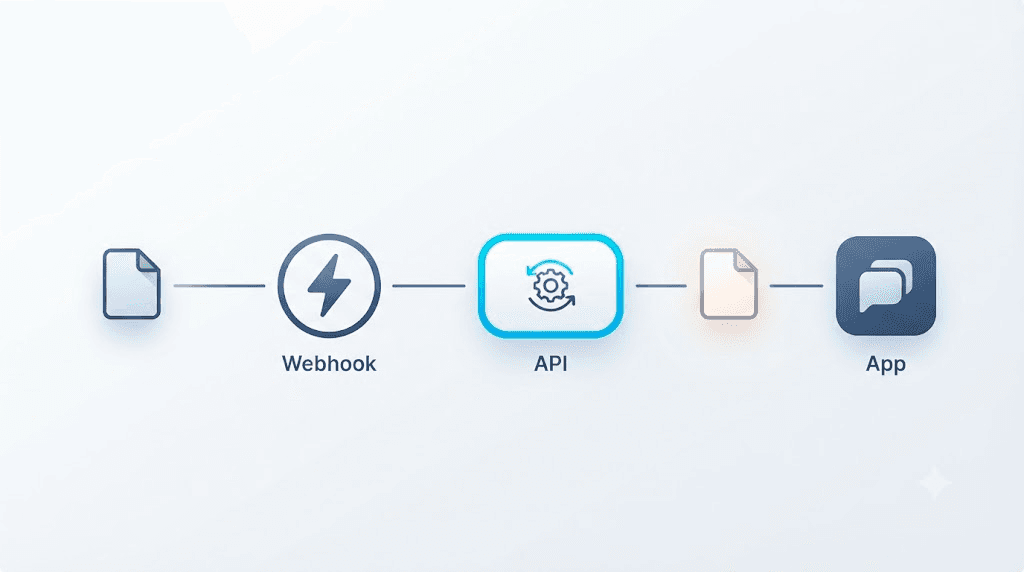
You convert files by sending the file or its URL to a conversion API endpoint via an HTTP step, then reading the converted result from the response. No plugin. No extra deployment.
The exact sequence:
- Trigger from webhook, email parser, form, or storage watcher.
- Grab the file — binary data or temporary URL from the step's output.
- POST to the conversion API as multipart form data or JSON with file URL.
- Specify
output_format— typically a query parameter or body field. - Read the response — direct file bytes or short-lived download link.
- Route downstream — Slack, storage, email attachment, database.
Six steps. Same shape for PDFs, images, audio, video. The same pattern covers CSV-to-JSON in Pipedream — different target format, identical architecture.
Critical gotcha: Some systems deliver a link to the file, not the file itself. Fetch it first, or your API receives an unreadable URL. We lost an afternoon to this on a client project. Never again.
Is There a Free File Conversion API?
Yes. Several file conversion APIs, Convert Fleet included, offer free tiers with no registration. The catch is always the rate limit: free tiers cap requests per minute or day, and that cap — not the price — determines whether your automation survives real traffic.
Free works for testing. Production is different. A burst of 40 files in one minute against a 10-request-per-minute cap means calls 11-40 fail. If your Pipedream step doesn't handle HTTP 429 gracefully, those files vanish silently.
Cheapest file conversion API ≠ best fit. Evaluate:
- Does the free tier's rate limit match actual traffic patterns, not test traffic?
- Do pricing tiers scale smoothly, or jump from 0 to 100 to 10,000?
- Are you billed per conversion or per API call regardless of file size? A 2GB video costs the same API call as a 2KB text file, but infrastructure costs differ wildly.
For real pricing under automation load, see the Zamzar vs. Smallpdf vs. Convert Fleet comparison.
Can I Convert Video Files Using an API?
Yes. A video converter api accepts a video file or URL, accepts codec/container parameters, and returns the converted output. Size and duration change; capability doesn't. Build longer timeouts than for documents, or switch to async polling.
Video exposes Docker's pain point brutally. A local FFmpeg container re-encoding 500MB ties up compute for minutes. If that runs inside a Pipedream step with a hard execution ceiling, the job dies mid-run. An external API absorbs this work outside your workflow's execution window — your step merely waits for a response.
In our testing with webinar recordings via form upload, failures weren't conversion quality but timeout handling. The step gave up before the API finished. The fix: async pattern — kick off conversion, poll status endpoint, continue when done. Plan this upfront for video or long-form audio.
Rate Limits and Docker: The Real Cost of Self-Hosting FFmpeg
Self-hosting FFmpeg looks free until you count hours. You patch for codec support, provision CPU for concurrency, and get paged when containers collapse under traffic spikes. An API trades that ongoing cost for a per-call fee.
Rate limits compound. Pipedream's invocation caps, Zapier's task limits, Make's operation quotas — each stacks atop the conversion API's own throttling. Debug "random" failures for hours before discovering two rate limiters collided.
What most guides skip: the fix isn't always "pay more." Sometimes it's batching. Grouping five small files into one conversion request — where supported — burns one rate-limit unit instead of five. This single change doubled effective throughput for a team we worked with. No upgrade needed.
For FFmpeg's role as the engine behind nearly every conversion API, see what FFmpeg actually is. If Docker-hosted FFmpeg keeps breaking on rate ceilings, the no-rate-limit alternative comparison covers providers that hold up.
File Conversion API Pricing: What You Actually Pay in 2026
Pricing transparency varies wildly. Some providers bury rate limits in documentation; others front-load enterprise sales calls. Here's a defensible framework based on publicly listed tiers from major providers (check vendor pricing pages for current rates):
| Provider | Free Tier | Paid Entry | Rate Limit (Free) | Rate Limit (Paid) | Best For |
|---|---|---|---|---|---|
| Convert Fleet | 50 conversions/mo | $9/mo | 10/min | 120/min | Automation-first builders |
| Zamzar | 2 conversions/day | $9/mo | 2/day | 50/hr | Occasional manual use |
| CloudConvert | 25 conversions/day | $9/mo | 25/day | 1,000/hr | High-volume SaaS |
| Restpack | 100 pages/mo | $9.95/mo | 100/mo | 5,000/mo | HTML-to-PDF focus |
Key insight: "Free" often means "severely throttled." CloudConvert's free 25/day sounds generous until your webhook fires 30 times. Convert Fleet's 50/month with 10/min pacing fits bursty automation better than Zamzar's 2/day hard cap.
For file conversion api pricing specifically, watch for: overage charges (some bill 2-3x per extra conversion), file size limits that trigger plan upgrades, and whether API calls to check status count against quota.
n8n File Conversion: Specific Node Patterns
What is the best file conversion API for n8n? One that exposes a simple HTTP endpoint, returns predictable JSON, and doesn't require OAuth dances that break in n8n's credential manager.
Specific n8n pattern:
Trigger → HTTP Request (POST file) → IF node (check status) →
HTTP Request (poll if needed) → Move to storage/notification
The HTTP Request node's "Binary Data" option lets you pass files directly. Set Content-Type: multipart/form-data manually if the API requires it — n8n's auto-detection sometimes misses this for non-standard endpoints.
n8n-specific pitfall: The default timeout is 120 seconds. Video conversions routinely exceed this. Either increase the node timeout (Settings → Timeout) or, better, switch to async: store the job ID, poll every 30 seconds with a Wait node, proceed on completion. This keeps your workflow from hanging and consuming execution credits.
For make.com file conversion, the HTTP module works identically, though its visual branching makes the async polling pattern more explicit. For zapier file converter setups, Webhooks by Zapier plus a conversion API is the only viable path — Code by Zapier cannot execute system binaries.
Secure File Conversion API: What to Verify Before Production
A secure file conversion api encrypts data in transit, minimizes data retention, and doesn't demand excessive account permissions. For workflows touching customer uploads or email attachments, retention policy matters more than encryption — TLS is table stakes; zero-retention is not.
Verify three things:
- TLS 1.2+ on every request — non-negotiable.
- Stated retention window — ideally immediate deletion post-conversion. Convert Fleet deletes files after conversion without requiring registration.
- Minimal permission scope — the API needs no access to your email, calendar, or cloud storage beyond the file you send.
Privacy trap: Some "free file converter api" providers monetize by retaining files for machine learning training. Check terms of service. A webhook-triggered workflow converting customer documents is a data pipeline; every hop is a potential breach point.
Common Mistakes and Pitfalls in Automated File Conversion
Most production failures aren't API faults. They're design errors surfacing only when messy real files arrive.
| # | Mistake | Fix |
|---|---|---|
| 1 | Assuming npm install yields persistent FFmpeg in Pipedream |
Use API; binaries don't survive cold starts |
| 2 | Skipping file-size checks before sending large video | Check Content-Length or API's max size first |
| 3 | Hardcoding output format regardless of input | Read target format from trigger payload |
| 4 | Not handling corrupt/unsupported files | Wrap conversion in try/catch, route failures to quarantine |
| 5 | Ignoring timeouts on slow video jobs | Implement async polling or extend timeout |
| 6 | Testing only clean sample files | Test: no extension, wrong casing, double-zipped, zero-byte |
| 7 | Sending sensitive docs to APIs with unclear retention | Verify data handling policy before wiring |
The zero-byte file: In our testing, this caused more silent failures than any other edge case. Some APIs return 200 with empty body; others return 400. Your workflow must handle both.
Batch File Conversion API: Handling Volume Without Breaking Quotas
A batch file conversion api processes multiple files in a single request, reducing API call overhead and rate-limit consumption. Not all APIs support true batching; many simply accept multiple parallel requests.
When batching works: Grouping 5-10 small documents (images, PDFs under 10MB each) into a single ZIP or multi-part request, where the API unpacks and converts each. Convert Fleet supports this for compatible formats.
When it fails: Video files. Batch encoding 5 videos simultaneously saturates CPU; APIs typically queue these serially or reject the batch. For video, parallel single-file requests often process faster than a single batch queue.
Rate optimization without batching: Stagger requests with exponential backoff. Pipedream's $.flow.delay and n8n's Wait node both enable this. A simple pattern: if HTTP 429 received, wait 60 seconds, retry with maxRetries: 3.
File Converter for Automation: Platform-Specific Wiring
Pipedream: Full Node.js/Python steps, npm access, fastest path from webhook to API call if you code. The axios or fetch pattern is trivial — one POST, handle response.
n8n: HTTP Request node, visual workflow, self-hosted option eliminates platform rate limits (your server, your ceiling). Best for teams wanting Docker control elsewhere but not for conversion itself.
Zapier: Most constrained. No system binary access. Webhooks + conversion API only. Best when triggers originate in Zapier's deep app ecosystem (Salesforce, HubSpot).
Make.com: Visual branching excels when files route to different conversion targets by type. HTTP module identical to others; the visual canvas shows decision logic explicitly.
Pick the platform for trigger ecosystem and pricing, not conversion capability. That part is identical everywhere.
Free download
To make this actionable, we built a free resource you can grab right now — no signup:
- ⬇ N8N Workflow: file-converter-integration-api-workflow-a29789f92ab5e667.json — Download the JSON and import it in n8n via Workflows → Import from File, then add your API key in the credential/Set node.
Frequently Asked Questions
What is the best file conversion API for n8n? One that works over a plain HTTP Request node, needs no SDK, and documents rate limits clearly. Format coverage and response speed matter more than brand name, since n8n just needs a URL to call.
How do I convert files in an n8n workflow?
Add an HTTP Request node after your trigger, POST the file or its URL to a conversion API endpoint with output_format specified, then read the converted file from the response in the next node. Same six-step pattern as Pipedream.
Is there a free file conversion API? Yes. Several exist with no-registration free tiers, Convert Fleet included. Check the requests-per-minute cap before production use — that limit matters more than price.
Can I convert video files using an API? Yes. A video converter API accepts a video file or URL and returns it in the target format. Use longer timeouts or async polling, since video processing exceeds typical HTTP request durations.
How much does file conversion API cost? Ranges from free (severely rate-limited) to $9-50/month for moderate volume, to custom enterprise pricing. The critical variable is rate limit at your price tier, not the dollar amount. Check vendor pricing pages for current rates.
Does Pipedream support FFmpeg or Docker natively? No. Pipedream's steps run in short-lived serverless containers with no persistent binaries. An external file converter integration API replaces local FFmpeg entirely with one HTTP call.
Is there a no registration file converter API? Yes. Convert Fleet and some others allow limited conversions without account creation. Typically capped at 10-50 conversions per month; registration unlocks higher limits and API key access.
Conclusion
The fix for broken Pipedream file conversion was never "run a bigger Docker container." It's routing files to a file converter integration api purpose-built for the job — one HTTP step, no server to babysit, no rate-limit surprise at 2am. Whether on Pipedream, n8n, Zapier, or Make, the pattern holds: grab the file, call the API, route the result.
Test your workflow with real files — corrupted, oversized, misnamed — before trusting it with customer data. The API handles conversion; your workflow design handles reality.
Grab the free workflow below, or start converting with Convert Fleet to test the API directly.
Read next

Developer & APIs · Jul 15, 2026
File Conversion MCP Tool: Add It to Claude Code in 5 Min
Turn Convertfleet into a file conversion MCP server for Claude Code, Cursor, or any AI agent. Free tool-definition JSON included for automation workflow tools.

File Conversion · Jul 15, 2026
File Conversion API: 2025 Guide to Replacing 123apps at Scale
Hit limits with 123apps? Learn when free file conversion online tools stop scaling and how a file conversion API like Convert Fleet fixes batch, automation, and quality.

Automation & Workflows · Jul 15, 2026
How to Automate File Conversion in Pipedream: Audio, PDF & Video
Learn how to automate file conversion in Pipedream with a free API. Build workflows that convert audio, PDF, and video without managing ffmpeg or Lambda.