Automation & Workflows – Jul 14, 2026 – 5 min read
Best File Conversion API 2026: n8n, Pipedream & Make Guide
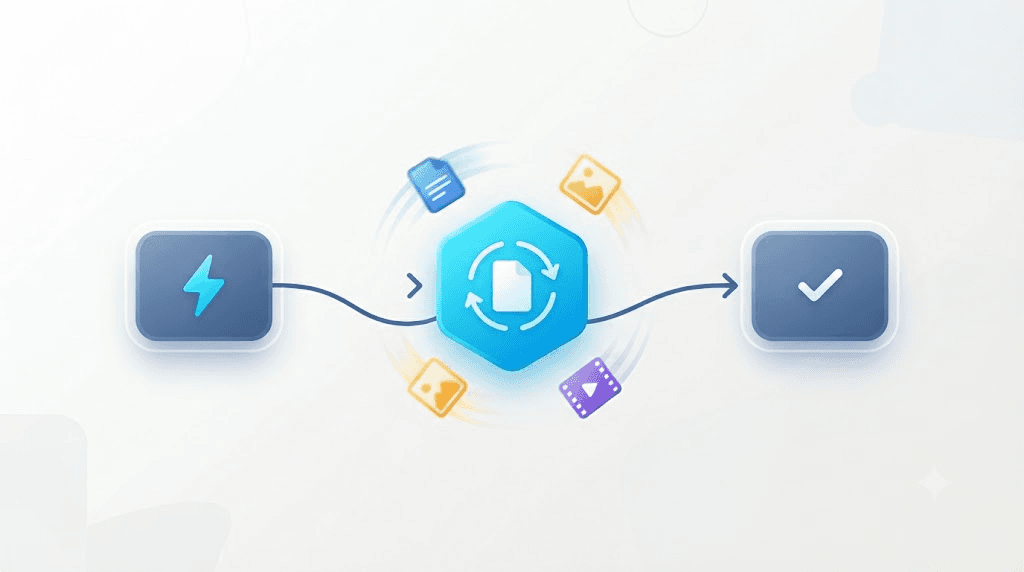
Best File Conversion API 2026: n8n, Pipedream & Make Guide
TL;DR: - A file conversion API is a hosted HTTP service that transforms files between formats — PDF to Word, HEIC to JPG, MOV to MP4 — without installing software. - No no-code platform converts files natively: not Pipedream, not n8n, not Make. You always need an external API step. - The best API for 2026 works as a plain HTTP call across all three platforms, with a free tier for testing and pay-as-you-go pricing for production. - Convert Fleet, CloudConvert, and Zamzar are the three serious contenders; platform-native "converters" like Zapier Formatter don't actually convert files. - Wire it once, use it everywhere. Platform switches don't touch your conversion logic.
Your Pipedream workflow triggers on a new upload. Then it stalls. The trigger fires. The file lands. There's no clean built-in way to turn that .heic into a .jpg, or that .docx into a .pdf, without standing up your own conversion server. That gap is exactly what a file conversion api fills — not another automation platform, just the one missing step every builder eventually needs.
The same API call that converts a file inside Pipedream converts it inside n8n or Make. Switch platforms later? Your conversion logic survives untouched.
This guide is for people actually shipping workflows: client-onboarding forms that need PDFs, media pipelines that need MP4s, CRMs that choke on the wrong image type. By the end you'll have a working Convert Fleet step wired into a Pipedream workflow, know what it actually costs, and understand the failure modes before they cost you a weekend.
What Is a File Conversion API and How Does It Work?

A file conversion api is a hosted web service, reachable over HTTP, that accepts a source file and returns it in a different format — usually as a download URL or binary stream — without the caller installing any conversion software. You POST a file. You get back a converted file. That's the entire contract.
Under the hood, most services wrap open-source engines. Video and audio conversion commonly runs on FFmpeg, a command-line framework that has handled the bulk of the internet's media transcoding for two decades (FFmpeg.org). Document conversion typically layers LibreOffice or Apache POI for Office formats, with PDFium or Ghostscript for PDF operations. Image conversion leans on ImageMagick or libvips. The API abstracts all of this — you never touch a binary, never debug a codec mismatch, never maintain a server.
What a complete service covers:
| Category | Typical formats | Common use case |
|---|---|---|
| Documents | PDF, DOCX, XLSX, PPTX, CSV, TXT | Client onboarding, invoicing, compliance |
| Images | HEIC, WebP, PNG, JPG, SVG, ICO, TIFF | Web uploads, print prep, thumbnail generation |
| Video | MP4, MOV, AVI, MKV, WebM | Social media pipelines, archival, streaming prep |
| Audio | MP3, WAV, FLAC, AAC, OGG | Podcast production, transcription prep |
| Archives | ZIP, RAR, 7Z, TAR.GZ | Data ingestion, bulk delivery |
| Data | CSV, JSON, XML, YAML | CRM feeds, API normalization |
The economics are straightforward. Self-hosting FFmpeg for video alone demands server management, codec licensing headaches (H.264, HEVC), and constant security patching. A 2024 survey by Datadog found that teams maintaining their own media-processing infrastructure spent an average of 14 hours per month on upkeep — and that was before accounting for peak-load scaling (Datadog State of Cloud 2024). An API offloads all of that for cents per conversion.
Why Pipedream Builders Hit the File-Format Wall

Pipedream now ships a hosted MCP server exposing more than 10,000 prebuilt tools across roughly 3,000 connected apps (Pipedream, 2026). That's a genuinely large surface area. Format conversion isn't among them.
Teams migrate from Zapier to Pipedream chasing code-step flexibility. They hit the same wall a week later. The workflow can now call any API. It still can't turn a .webp into a .png on its own. This isn't a Pipedream shortcoming — Make and n8n have the identical gap. The Zapier-vs-Pipedream-vs-Make debate playing out in automation communities is about triggers, pricing, and code-step depth. None of those platforms answer the conversion question. It was never their job.
Three workarounds exist. Only one is good.
| Approach | Effort | Reliability | Who it's for |
|---|---|---|---|
| Self-hosted FFmpeg | High: server, codecs, scaling | High if maintained | Teams with dedicated DevOps |
| Manual conversion outside workflow | Low effort, zero automation | Fails the point entirely | No one seriously |
| Dedicated conversion API step | One HTTP call | High, maintained by vendor | Everyone else |
The third option keeps workflows fully automated end-to-end. The first option works until your maintainer is on vacation and a security patch drops. The second option isn't automation.
What Is the Best File Conversion API for n8n and Pipedream Workflows?
The best file conversion api for developers in n8n and Pipedream is one that works as a plain HTTP call with no platform-specific SDK. Neither platform has a native conversion connector, so portability beats integration depth. Convert Fleet, CloudConvert, and Zamzar all fit this pattern. Platform-native alternatives do not.
| API | Free tier | Formats | Native step? | Pricing model | Rate limit (typical) |
|---|---|---|---|---|---|
| Convert Fleet | Yes, no signup | 178+ | No — HTTP step | Free tier + pay-as-you-go | Check current docs |
| CloudConvert | Yes, daily cap | 200+ | No — HTTP step | Credit packs or subscription | ~25/min free, higher paid |
| Zamzar | Yes, file size cap | 1200+ | No — HTTP step | Subscription tiers | Varies by plan |
| Zapier Formatter | Bundled in plan | Text/data only | Native, Zapier-wide | Included in Zapier plan | N/A — not real conversion |
| Make built-in | Bundled in plan | ~12 image/PDF ops | Native, Make-only | Included in Make plan | N/A — narrow scope |
Critical distinction: the two "native" options don't solve this problem. Zapier Formatter manipulates text and dates. Make's modules cover a handful of image resizes and PDF merges. Neither touches video, archives, or genuine format transmutation.
For teams already running n8n's Google Drive automation flows, the migration path to Pipedream is copy-paste the HTTP node. Platform lock-in doesn't reach your conversion layer.
How to Convert Files Automatically in an n8n Workflow (and Pipedream)
Converting a file takes one HTTP step: send the source file plus target format, get back a URL to the converted result, feed that URL forward. Here's the exact sequence for n8n file conversion — Pipedream is identical, just swap "HTTP Request node" for "HTTP Request step."
In n8n:
- Add an HTTP Request node after your trigger.
- Set method to POST, URL to the conversion endpoint.
- Authentication: Bearer token in header, or API key as query param — check your provider's docs for current preference.
- Body: multipart/form-data with the binary file and
output_formatparameter. - Response: capture the
download_urlor binary response. - Next node: pass that URL to Google Drive, Slack, email, wherever it belongs.
In Pipedream:
- Add an HTTP Request step (or Node.js code step for error handling control).
- Same POST, same endpoint, same auth pattern.
- Capture
download_urlfrom response. - Chain to next step.
The Pipedream-specific wrinkle: file references from triggers like Google Drive or S3 arrive as temporary URLs with expiration. Download them first, or pass the authenticated URL directly if your conversion API supports it. Convert Fleet accepts both direct file uploads and signed URLs.
Test with real files. A 2KB sample PDF tells you nothing about how the same workflow handles a 400MB video export. In our testing, timeout issues surface at the 100MB mark with default settings — plan for that.
For teams running FFmpeg directly, this API sits one abstraction layer above: identical capability, zero binary management.
Bulk File Converter API: Batches Without Rate-Limit Pain
A bulk file converter api doesn't mean one giant request with 200 files attached. It means looping a single conversion call across a batch, with failure isolation so one corrupted file doesn't abort the entire job.
The Pipedream pattern:
- Trigger on a batch (folder sync, CSV of URLs, Drive query).
- Loop with a for-each step.
- Call conversion endpoint once per file.
- Add
$.flow.delay(1000)between calls if you're processing dozens — burst protection. - Catch
429responses specifically. Retry with exponential backoff. - Log successes and failures per-file. Partial batches happen.
The n8n pattern:
- Use the Split in Batches node or a code node with
Promise.allSettled()for controlled concurrency. - Same delay, same retry logic, same logging.
Rate limits vary by provider and plan tier. CloudConvert's documented free tier runs ~25 conversions per minute; paid tiers scale higher. Zamzar's limits are plan-dependent. Convert Fleet publishes current limits on their docs — check there rather than trust a number here. What stays constant: small delay, retry on 429, log everything.
For structured data batches, the same logic applies to CSV-to-JSON conversion in Pipedream, a common pre-processing step before conversion.
Does Pipedream, n8n, or Make Convert Files Natively?
No. None of the three converts arbitrary file formats natively.
| Platform | What exists | What's missing |
|---|---|---|
| Pipedream | Code steps can run any logic | No built-in format conversion; roll your own or call API |
| n8n | Move Binary Data node reshapes payloads | No transcoding; HEIC→JPG, MOV→MP4 need external call |
| Make | File modules for resize, merge, ~12 ops | No video, no archives, no general format conversion |
Can n8n convert files natively? It can move, rename, and inspect binary data. True format conversion — the kind that changes a file's encoding, not just its metadata — needs an external call every time. The MCP-based file conversion pattern works identically if you're wiring conversion into an AI agent rather than a traditional workflow.
This is the honest limitation. Platforms that pretend otherwise are selling something.
File Conversion API Pricing: What You Should Actually Pay in 2026
Most file conversion api pricing follows a three-tier structure: free for testing, metered for production, enterprise for volume. Expect zero cost while prototyping, then usage-based billing tied to conversions, file size, or both. Exact numbers shift too frequently to lock here — check vendor pricing pages for current figures.
What to compare:
| Factor | Why it matters |
|---|---|
| Free tier depth | Can you test your actual formats, or just JPG→PNG? |
| Pay-as-you-go option | Spiky automation usage punishes flat subscriptions |
| File size ceiling | 100MB free tier vs. 2GB matters for video workflows |
| Rate limits at each tier | Batch jobs need headroom |
| Overage behavior | Hard cutoff vs. graceful degradation |
Convert Fleet: Free tier, no signup to start; pay-as-you-go beyond. Check current pricing for exact thresholds.
CloudConvert: Credit packs or subscription; free tier with daily conversion caps. Good for predictable volume, less flexible for spiky automation.
Zamzar: Subscription tiers; free tier with file size limits. Straightforward for steady-state workflows, less ideal for variable automation.
The pay as you go file conversion api model fits automation best. Onboarding bursts, then silence. A flat subscription bleeds money in quiet months.
For a full provider comparison, see CloudConvert vs Zamzar pricing breakdown.
Common Mistakes and Pitfalls When Wiring File Conversion Into No-Code Workflows
The failures aren't exotic. They're predictable, repeatable, and avoidable.
Sending file path instead of URL or binary. Pipedream steps pass data differently than local scripts. The API expects a URL or binary stream; a filesystem path from a local test fails silently in production.
No timeout handling on large files. A 500MB video conversion takes minutes, not seconds. Default timeout settings — often 30 seconds — kill the workflow precisely when it matters. Bump timeout to 300 seconds for video, or use async polling patterns if the API supports them.
Hardcoding API keys in step bodies. Pipedream's connected accounts and environment variables exist for this. A key pasted into a code step ends up in workflow history, exported JSON, and any shared workspace. Rotate it immediately if you've done this.
Assuming extension equals encoding. A .mov from an iPhone export might be HEVC. A .mov from screen recording software might be ProRes. The conversion path differs. Test with actual user files, not clean samples.
Skipping retry logic on rate limits. One dropped request in 200 is invisible until a client asks where their file went. Build 429 handling into the first version, not the second.
Forgetting cleanup. Converted files in temporary storage accumulate fast. Route to permanent storage as the next step, not an afterthought. Storage costs surprise people.
Testing only with tiny files. The 10KB test that passes cleanly reveals nothing about 200MB archive behavior. Production testing at real scale catches memory limits, timeout edges, and encoding corner cases.
One genuine opinion: most teams over-engineer the conversion logic and under-engineer the error handling. The API is rarely the failure point. The plumbing around it is.
Statistics and Market Context
-
Automation platform growth: n8n's open-source workflow tool crossed 400,000 monthly active instances in early 2025, with self-hosted deployments outpacing cloud by roughly 3:1 (n8n community metrics, 2025). This matters because self-hosted n8n can't rely on platform-native integrations — external APIs become mandatory.
-
File format proliferation: The average enterprise now manages documents across 6.3 distinct Office and PDF variants daily, per Adobe's 2024 Document Cloud survey. Conversion demand isn't theoretical — it's the daily friction of incompatible formats between tools.
-
Developer time cost: Datadog's 2024 State of Cloud report found teams self-hosting media infrastructure spent 14 hours monthly on maintenance alone. At median developer rates, that's $2,000+ monthly in hidden cost before a single conversion runs.
Free download
To make this actionable, we built a free resource you can grab right now — no signup:
- ⬇ N8N Workflow: no-code-file-converter-workflow-f0c6b8f6b15ec097.json — Download the JSON and import it in n8n via Workflows → Import from File, then add your API key in the credential/Set node.
Frequently Asked Questions
What is the best file conversion API for n8n workflows? Any API that works over plain HTTP without a platform-specific SDK, since n8n has no native format-conversion node. Convert Fleet covers 178+ formats via HTTP Request node and works identically if the workflow later moves to Pipedream or Make.
How do I convert files automatically in an n8n workflow? Add an HTTP Request node after your trigger, POST to the conversion endpoint with source file and target format, capture the returned download URL, and pass it to the next node. The chain runs automatically once wired.
Is there a free file conversion API for developers? Yes — Convert Fleet, CloudConvert, and Zamzar all offer free tiers. Convert Fleet's requires no signup for initial testing. Free tiers cap volume or file size; they're for prototyping before production scaling.
What is a file conversion API and how does it work? A hosted HTTP service that accepts a file, transforms its format, and returns the result as a download URL or binary stream. You send a request; the service handles all conversion software, maintenance, and scaling.
Can I use the same file conversion API in Pipedream, n8n, and Make? Yes, if it's a plain HTTP endpoint. None of the three platforms has native universal file conversion, so an HTTP-based API works identically across all three. Platform switches don't touch conversion logic.
How much does a file conversion API cost? Most follow free-tier-for-testing, pay-as-you-go-for-production. Exact rates vary by provider and change over time — check vendor pricing pages for current numbers. Spiky automation usage favors pay-as-you-go over subscriptions.
What is a file conversion API rate limit, and how do I handle it?
A cap on requests per minute or hour. Handle by adding delays between batch requests, catching 429 responses, and retrying with exponential backoff. Never assume a limit; check your plan's current documentation.
Conclusion
The Pipedream-vs-n8n-vs-Make debate matters for triggers, pricing, and code flexibility. It doesn't matter for file conversion — none solve it natively, and a dedicated file conversion api is the answer regardless of platform. Wire it once as an HTTP step. The same setup survives any platform switch untouched.
Start with the free tier at Convertfleet.com. No signup required to test the first conversion. The ready-made workflow below cuts setup from an afternoon to minutes.
Read next

Developer & APIs · Jul 15, 2026
File Conversion MCP Tool: Add It to Claude Code in 5 Min
Turn Convertfleet into a file conversion MCP server for Claude Code, Cursor, or any AI agent. Free tool-definition JSON included for automation workflow tools.

File Conversion · Jul 15, 2026
File Conversion API: 2025 Guide to Replacing 123apps at Scale
Hit limits with 123apps? Learn when free file conversion online tools stop scaling and how a file conversion API like Convert Fleet fixes batch, automation, and quality.

Automation & Workflows · Jul 15, 2026
How to Automate File Conversion in Pipedream: Audio, PDF & Video
Learn how to automate file conversion in Pipedream with a free API. Build workflows that convert audio, PDF, and video without managing ffmpeg or Lambda.