Automation & Workflows – Jul 14, 2026 – 5 min read
FFmpeg API for Claude Code: Build an MCP File Converter
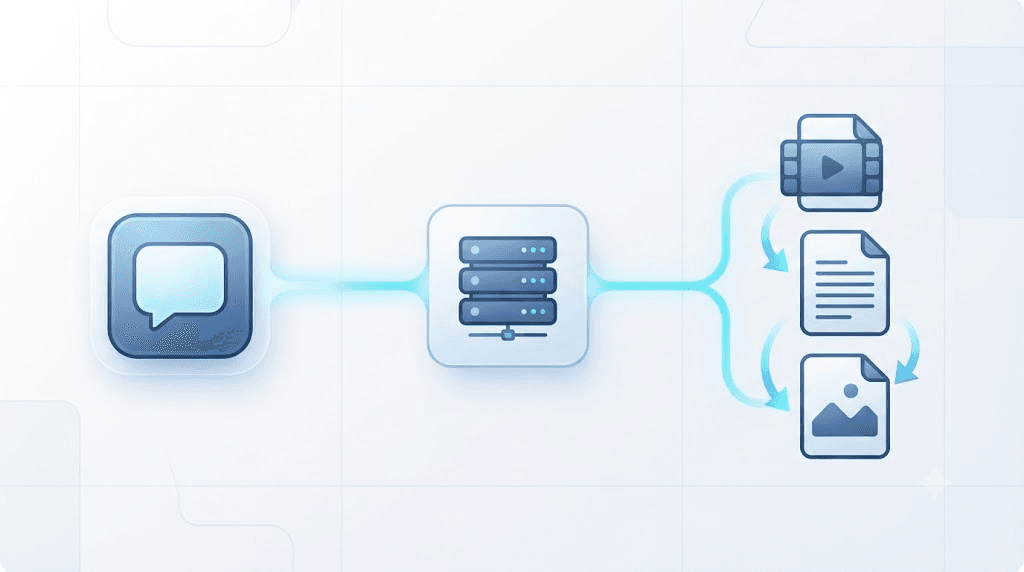
Add File Conversion to Claude Code Using an FFmpeg API MCP Server
TL;DR: - FFmpeg has no built-in network API — it's a CLI and a set of C libraries, so "the ffmpeg api" almost always means a third-party wrapper, not something FFmpeg ships itself. - The Model Context Protocol (MCP) is moving toward a stateless core with
ttlMs-based caching ahead of its next spec revision, and that shift changes how you should build a file-conversion tool for Claude Code. - A stateless MCP server needs exactly two tools to cover most conversion work:convert_file(submit the job) andget_status(poll or fetch the result). - Self-hosting FFmpeg for an agent means babysitting crashes, memory limits, and codec builds — a managed conversion API removes that layer entirely.
Ask an AI agent to "convert this PDF to Word and compress the video" and watch it stall. Most agents can read files. Almost none can transform them. That gap is the whole reason MCP file-conversion servers are suddenly everywhere.
If you're building or maintaining tools for Claude Code, you've probably hit this wall already: FFmpeg does the actual conversion work, but FFmpeg has no API of its own, and stuffing a full ffmpeg binary into your agent's runtime is a mess of memory limits, missing codecs, and 2 a.m. crash logs. The ffmpeg api question — does one exist, and how do you use it from an AI agent — comes up constantly in developer forums for exactly this reason.
This guide shows you how to wrap file conversion in a stateless MCP server with two tools, convert_file and get_status, so Claude Code (or Claude Desktop, or any MCP-compliant host) can convert a PDF, a DOCX, or a video mid-task without ever touching an ffmpeg binary directly. We'll build it against the upcoming stateless MCP spec, not the session-heavy pattern most existing guides still teach.
Does FFmpeg Have an API?

No — not in the way most people mean it. FFmpeg ships as a command-line tool plus a set of C libraries (libavcodec, libavformat, libavfilter) that developers link directly into their own programs. There's no hosted endpoint, no POST /convert, no official SDK. When someone says "the FFmpeg API," they almost always mean a third-party service or wrapper built on top of the FFmpeg binary.
That distinction matters for an AI agent. Claude Code can shell out to a CLI, technically, but that requires a container with FFmpeg installed, enough memory to avoid an OOM kill mid-transcode, and error handling for the dozen ways a codec mismatch can blow up a job. Most teams don't want to own that. They want a rest api they can call and forget.
This is where the ecosystem has actually solved the problem three different ways:
- Language bindings —
ffmpeg python apiwrappers likeffmpeg-pythonorpython-ffmpeg, affmpeg java apibinding like FFmpeg-CLI-Wrapper, or affmpeg php apishim like PHP-FFMpeg. All of them still assume you're running the binary yourself. - Hosted conversion APIs — services (including Convert Fleet's FFmpeg API) that expose conversion over HTTPS so you never install FFmpeg at all.
- Composition-focused APIs — products like fal.ai's
ffmpeg-api, which layers track composition, keyframe edits, image overlays, and watermarking on top of FFmpeg for programmatic video assembly rather than simple format swaps.
The MCP layer sits on top of option two or three. It doesn't replace the API — it gives an AI agent a structured way to call it.
Why Wire FFmpeg Into Claude Code Through MCP (Not a Direct API Call)

MCP standardizes how an agent discovers and calls tools, so the same conversion server works in Claude Code, Claude Desktop, and any other compliant host without custom glue code per integration. A direct API call only works where you wrote the integration. An MCP tool works everywhere MCP is spoken.
The Model Context Protocol (MCP) is an open standard, released by Anthropic in November 2024, that lets AI assistants call external tools through a shared interface. It matters because a server written once can serve every MCP host, not just the one you built it for.
Here's the part most "add an MCP server" tutorials from last year skip: the protocol itself is mid-rewrite. Ahead of its next spec revision — targeted for July 28, 2026 — the MCP working group is pushing the core toward two changes that directly affect a file-conversion tool:
- A stateless core. Tool calls shouldn't require a pinned, long-lived session on a specific server instance. That's good news for conversion — a video transcode can take 90 seconds, and you don't want your MCP server holding a socket open the whole time.
ttlMs-based caching. Tool results (and resources) carry a time-to-live in milliseconds, so a host can cache a conversion result instead of re-running the job if the same file and target format come through twice.
If you build your conversion tool assuming a stateful session — the pattern most 2024-era MCP tutorials use — you'll need to rebuild it once hosts adopt the new core. Build it stateless now and you skip that rework entirely.
Practical implication: design convert_file to return a job reference immediately, not to block until the file is done. Design get_status to be safely callable a hundred times without side effects. That's the shape a stateless core rewards.
How to Build a convert_file / get_status MCP Server
Here's the step-by-step. This assumes you're using the official MCP SDK and calling a hosted conversion API (like Convert Fleet's) instead of running FFmpeg locally — which is the whole point of doing this at the MCP layer instead of shelling out.
- Scaffold the server. Start from the Model Context Protocol SDK in TypeScript or Python. Give your server a name and version — hosts display this to the user.
- Define
convert_file's input schema. At minimum: a source (URL or base64 payload), a target format, and optional parameters (resolution, bitrate, page range). - Have
convert_filereturn a job ID, not a finished file. This is the stateless part — the tool call returns in milliseconds, not minutes. - Define
get_status. Input is the job ID; output ispending,processing,done(with a result URL), orfailed(with a reason). - Set a
ttlMson cached results. If the same source + target format comes in again inside that window, return the cached result instead of re-converting. - Point both tools at your conversion API, not a local binary — no FFmpeg install, no codec libraries, no server to patch.
- Register the server in Claude Code's MCP config (
claude_desktop_config.jsonor the equivalent Claude Code settings) with the command to launch it. - Test with a real file mid-task — ask Claude Code to convert an actual PDF or MP4 as part of a multi-step task, not in isolation, so you catch how it handles a job that's still
processingwhen the agent checks back.
A minimal convert_file handler looks like this:
server.tool(
  "convert_file",
  {
    sourceUrl: z.string().url(),
    targetFormat: z.string(), // e.g. "mp4", "docx", "webp"
    options: z.record(z.any()).optional(),
  },
  async ({ sourceUrl, targetFormat, options }) => {
    const res = await fetch("https://api.convertfleet.com/v1/convert", {
      method: "POST",
      headers: {
        Authorization: `Bearer ${process.env.CONVERTFLEET_API_KEY}`,
        "Content-Type": "application/json",
      },
      body: JSON.stringify({ sourceUrl, targetFormat, options }),
    });
    const { jobId } = await res.json();
    return { content: [{ type: "text", text: JSON.stringify({ jobId }) }] };
  }
);
get_status mirrors this with a GET /v1/jobs/{jobId} call. That's genuinely the whole shape — two tools, a job ID, a poll loop. If you'd rather not hand-write the scaffolding, grab the ready-made workflow in the free download below — it wires up both tools against a real endpoint so you can adapt it instead of starting blank.
Self-Hosted FFmpeg vs. a Managed Conversion API
Self-hosting FFmpeg gives you full control over codecs and version pinning, but it means you own every crash, memory spike, and security patch. A managed API trades some of that control for zero infrastructure — which matters a lot when the thing calling it is an autonomous agent that won't notice a silent failure.
| Dimension | Self-hosted FFmpeg | Managed API (MCP-ready) |
|---|---|---|
| Setup time | Hours to days (build flags, codec libs) | Minutes (API key) |
| Crash/OOM risk on large files | High — 4K transcodes are a common culprit | Handled by the provider's infra |
| Commercial licensing | You track LGPL vs. GPL builds yourself | Provider's problem, not yours |
| Server maintenance | Ongoing — patches, disk space, zombie processes | None |
| Cost model | Server cost + your engineering time | Per-conversion or free tier |
| Format coverage | Whatever you compiled in | 178+ formats out of the box (Convert Fleet) |
| Fits a stateless MCP tool | Requires you to build async job handling yourself | Job-ID pattern usually built in |
The self-hosted column isn't wrong for every use case — if you're running one dedicated transcoding pipeline at scale, owning the binary can be cheaper long-term. But for an agent tool that needs to handle a PDF one minute and a video the next, without you standing by to restart a crashed worker, the managed column is the one that survives contact with production.
Why Does FFmpeg Keep Crashing? (And What That Means for Your Agent)
FFmpeg crashes mid-conversion most often from running out of memory on large or high-resolution files, hitting a codec it wasn't compiled with, or getting killed by a process timeout that's too short for the job size. For a human running it manually, that's an annoying retry. For an autonomous agent, a silent crash looks identical to a hung task.
Teams we've talked to who self-host FFmpeg for automation report the same short list of failure modes:
- Out-of-memory kills on 4K or long-duration video transcodes.
- Missing codec libraries in a stripped-down Docker image.
- Orphaned processes that never exit, slowly eating available RAM.
- Timeout logic set for a 30-second clip that fails on a 30-minute file.
None of these are FFmpeg bugs exactly. They're the cost of running infrastructure your agent depends on but can't see. This is the gotcha that wastes an afternoon if you skip it: your MCP get_status tool needs an explicit failed state with a reason string, or your agent will report "done" on a job that silently died.
What Formats Does FFmpeg — and a Conversion API — Actually Support?
FFmpeg itself supports an enormous range of audio, video, and image codecs and containers, from decades-old formats to current ones, per its own project documentation. A hosted wrapper narrows or extends that list depending on what the provider maintains. Convert Fleet, for example, covers 178+ formats and 30+ conversion tools behind a single endpoint, at under 3 seconds average per job by the provider's own numbers.
For an AI agent, the practical question isn't "does FFmpeg support X" — it almost certainly does somewhere in its codec list. It's "does the API I'm calling expose X cleanly," because your MCP tool's input schema is only as good as the formats it validates against. If you're converting PDFs to Word documents alongside video, you're not even in FFmpeg's territory anymore — that's a LibreOffice-class conversion, which is exactly why a general-purpose conversion API (rather than FFmpeg alone) tends to be the better MCP backend.
FFmpeg REST API vs. Language Bindings: Which Should You Use in an Agent?
A REST API is almost always the right choice for an AI agent tool, because the agent's runtime shouldn't need a compiled FFmpeg binary or a language-specific SDK just to convert a file. Bindings make sense when you're writing a dedicated application in one language; they make less sense inside a portable MCP server.
ffmpeg c api— directlibavcodec/libavformatlinking. Fast, but ties your MCP server to a specific build and platform.ffmpeg python apiwrappers — convenient for scripting, still require FFmpeg installed on the host.ffmpeg java apiandffmpeg php apishims — same tradeoff, different language.ffmpeg online api/ffmpeg rest api— no local binary, no build flags, callable from any MCP tool handler in any language. This is the one that keeps your server stateless and portable.
If you're evaluating MCP servers for file conversion more broadly, the REST-first pattern is what lets the same server run in a Claude Code sandbox, a CI pipeline, or a serverless function without changes.
Common Mistakes When Adding File Conversion to an AI Agent
Watch for these. Every one of them shows up repeatedly in early MCP conversion servers:
- Blocking the tool call until conversion finishes. A 90-second transcode inside a synchronous tool call times out the host connection. Return a job ID instead.
- No
failedstate. Silent crashes get reported as success or hang forever. - Assuming FFmpeg licensing is simple. More on this below — GPL components change your obligations.
- Skipping file-size limits in the schema. An agent will happily try to hand you a 4 GB video if nothing stops it.
- No
ttlMsor cache key. The agent re-requests the same conversion three times in one task because nothing told it the result was already available. - Hardcoding one format pair. A tool that only does MP4-to-WebM isn't a conversion tool, it's a converter for one format — build the schema to accept the target format as a parameter.
Is FFmpeg Free to Use for Commercial Projects?
Yes, FFmpeg itself is free for commercial use under LGPL 2.1+ — but the moment your build links GPL-licensed components like x264 or x265, the resulting binary becomes GPL, which carries source-disclosure obligations if you distribute it. This trips up more teams than any other part of self-hosting.
For most SaaS use — running FFmpeg on your own servers and never distributing the binary — GPL's distribution clause doesn't apply, so it's a non-issue in practice. It matters the moment you ship a compiled FFmpeg binary inside a distributed app or device. Check FFmpeg's own legal page before you assume either way; this is exactly the kind of detail worth confirming at the source rather than trusting a blog post's word for it.
A managed API sidesteps the question entirely — you're calling a service, not distributing a binary, so licensing becomes the provider's responsibility rather than yours.
Where MCP Fits Alongside Your Existing n8n Workflows
MCP and n8n solve the same underlying problem — giving a workflow access to file conversion — for two different runners: n8n orchestrates scheduled or triggered automations, while MCP gives an AI agent that capability on demand, mid-conversation. You don't have to pick one.
If you already have FFmpeg wired into n8n for scheduled conversions — say, a nightly batch that compresses uploaded videos — an MCP server doesn't replace that pipeline. It adds a second entry point: Claude Code (or an agent embedded in your product) can now trigger the same underlying conversion API directly, without needing to fire an n8n webhook first. The free download below includes both patterns — an importable n8n workflow and the matching MCP tool definitions — so you can wire in whichever runner fits the moment.
For teams comparing FFmpeg APIs against full MCP agent setups, the honest answer is: use n8n for anything on a schedule, and MCP for anything a conversation needs to trigger live.
Free download
To make this actionable, we built a free resource you can grab right now — no signup:
- ⬇ N8N Workflow: ffmpeg-api-workflow-fdad045fadd9da17.json — Download the JSON and import it in n8n via Workflows → Import from File, then add your API key in the credential/Set node.
Frequently Asked Questions
Can I use FFmpeg without setting up my own server? Yes. FFmpeg itself requires a server or local machine to run its binary, but hosted conversion APIs — including Convert Fleet's — let you call conversion over HTTPS with no FFmpeg installation, no server, and no codec libraries to maintain.
Do I need to self-host FFmpeg for video conversion? No, not anymore. Self-hosting gives you more low-level control over encoding parameters, but a managed API handles the same conversions without the crash risk, memory management, or licensing tracking that self-hosting requires.
Is FFmpeg free to use for commercial projects? FFmpeg's core is free for commercial use under LGPL 2.1+. It becomes GPL-licensed, with source-disclosure obligations on distribution, only if your build includes GPL components like x264 — check FFmpeg's legal documentation if you're distributing a compiled binary.
How do I use an FFmpeg API inside an MCP server?
Define an MCP tool (commonly named convert_file) whose handler calls the API's REST endpoint instead of shelling out to a local binary, then add a second tool (get_status) to poll or retrieve the finished result by job ID.
What's the difference between an MCP tool and a plain REST API call? A plain API call only works wherever you wrote the integration code. An MCP tool is discoverable and callable by any MCP-compliant host — Claude Code, Claude Desktop, or others — using the same server, with no per-host glue code.
Conclusion
FFmpeg was never going to ship its own API — it's a codec engine, not a service. The real work is the wrapper: two stateless tools, a job ID, and a cache window, sitting between an AI agent and whatever conversion backend actually does the work. Build it that way now, ahead of MCP's stateless-core spec revision, and you won't be rewriting it in six months.
If you'd rather skip the API-hosting part entirely, Convert Fleet's FFmpeg API already handles the 178+ formats, the crash recovery, and the licensing headache — sign up free and point your MCP server's convert_file handler at it instead of a binary you have to babysit yourself.
Read next

Developer & APIs · Jul 15, 2026
File Conversion MCP Tool: Add It to Claude Code in 5 Min
Turn Convertfleet into a file conversion MCP server for Claude Code, Cursor, or any AI agent. Free tool-definition JSON included for automation workflow tools.

File Conversion · Jul 15, 2026
File Conversion API: 2025 Guide to Replacing 123apps at Scale
Hit limits with 123apps? Learn when free file conversion online tools stop scaling and how a file conversion API like Convert Fleet fixes batch, automation, and quality.

Automation & Workflows · Jul 15, 2026
How to Automate File Conversion in Pipedream: Audio, PDF & Video
Learn how to automate file conversion in Pipedream with a free API. Build workflows that convert audio, PDF, and video without managing ffmpeg or Lambda.