Comparisons & Reviews – Jul 14, 2026 – 5 min read
Zamzar vs CloudConvert vs Convert Fleet (2026)
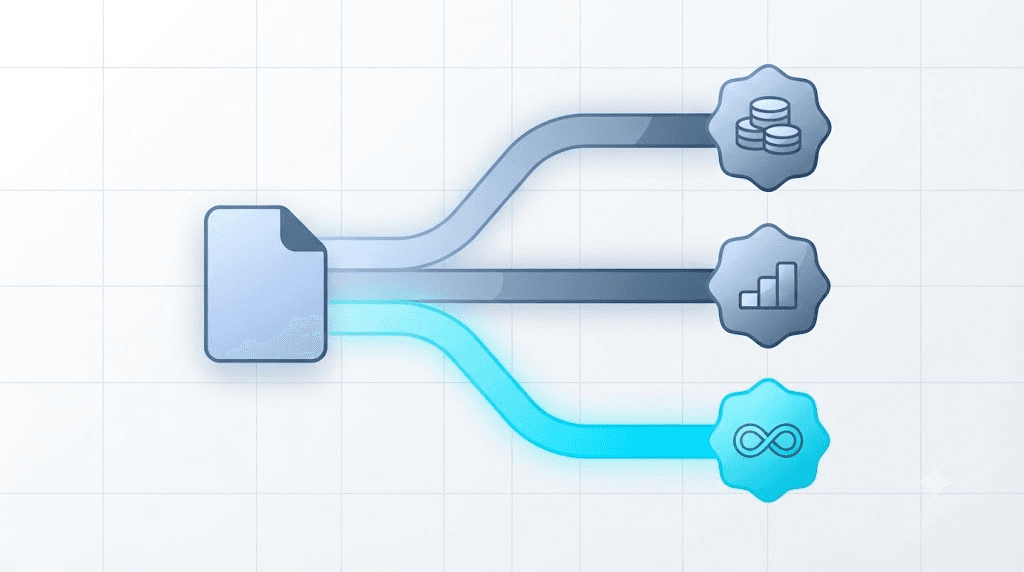
Zamzar vs CloudConvert vs Convert Fleet: Which File Conversion API Wins in 2026?
TL;DR: - CloudConvert runs on a credit-based system — a small free daily allowance, then paid credit packs or a monthly subscription once you scale. - Zamzar started as a free web tool in 2006 and now sells its API through tiered monthly plans sized by conversion volume, not by usage spikes. - ConvertAPI sits closer to pure pay-as-you-go: buy conversion credits, spend them when you need them, no forced monthly floor. - Convert Fleet is the pay-as-you-go option built for automation stacks — 178+ formats, no subscription lock-in, and no surprise rate-limit wall mid-workflow.
Picking between Zamzar and CloudConvert used to be simple: one was the free tool you used twice a year, the other was the API you paid for at scale. That line is gone now. Both sell API access. Both meter usage in ways that punish you for guessing wrong. And if you're building on n8n, Make, or your own backend, a bad pricing guess doesn't just cost money — it breaks a workflow at 2 a.m. when a batch job hits a wall nobody warned you about.
This comparison is for the people who actually have to make that call: developers and ops teams doing vendor due diligence before they commit a workflow to one API. We'll walk through what CloudConvert costs per month, how Zamzar's file conversion API differs from it, where ConvertAPI fits as a third option, and why a growing number of teams are testing pay-as-you-go alternatives like Convert Fleet before they sign anything.
No affiliate spin here. Just the tradeoffs, in plain numbers.
How Much Does CloudConvert Cost Per Month?
CloudConvert prices around a credit system, not a flat monthly fee — you get a small daily free allowance, then either buy one-time credit packs or subscribe to a monthly plan that refills credits automatically. As of writing, the free tier gives roughly 25 conversion minutes per day, which is fine for occasional use but tight for any real automation.
Once you outgrow the free tier, costs scale two ways:
- Pay-per-credit packs — you buy a batch of credits and spend them down, no recurring charge.
- Monthly subscriptions — a fixed fee refills your credit pool every 30 days, and unused credits typically don't roll over indefinitely.
Here's the part most comparison posts skip: credits aren't 1:1 with "one file." A large video transcode or a batch of PDF-to-Word jobs can burn through a day's allowance in minutes. Check CloudConvert's live pricing page before budgeting — published rates shift, and a number quoted in an old blog post is often stale by the time you read it.
For teams running unpredictable batch jobs, that credit-burn pattern is the actual risk, not the sticker price.
Zamzar vs CloudConvert: Pricing, Formats, and Rate Limits Side by Side
Zamzar and CloudConvert solve the same problem — turning one file format into another — but they price and gate usage differently enough that the choice changes based on your traffic pattern, not just your budget. The table below puts the concrete numbers next to each other so you can decide without opening five tabs.
| Criterion | Zamzar | CloudConvert | Convert Fleet |
|---|---|---|---|
| Pricing model | Tiered monthly plans by volume | Credit packs or monthly subscription | Pay-as-you-go, no forced subscription |
| Free tier | Limited free web conversions (file-size capped) | ~25 credits/day free | Free tier + pay-as-you-go scaling |
| Format count | 1,200+ format conversions listed | 200+ formats | 178+ formats |
| Rate limits | Volume-gated by plan tier | Credit-gated, refills monthly | No hard rate-limit wall on paid usage |
| Best for | Occasional bulk conversions | Format-heavy pipelines already budgeting credits | Automation stacks (n8n, Make, custom API) |
Founded in 2006, Zamzar was one of the first browser-based file converters and still leans on that brand recognition — but its API pricing is now built around monthly plan tiers rather than true metered usage, according to Zamzar's own site. That matters if your traffic is bursty: a quiet month still costs the same as a busy one.
CloudConvert, by contrast, punishes bursts differently — you simply run out of credits faster. Neither model is "wrong." They're built for different traffic shapes, which is exactly why a side-by-side check like this one matters before you wire either into production.
Is CloudConvert Worth It? Where It Shines and Where It Doesn't
CloudConvert is worth it if your team runs a steady, predictable volume of conversions across a wide format range and you're comfortable managing a credit balance like a budget line item. It's a mature, well-documented API with broad format coverage — genuinely one of the more reliable options on the market.
Where it gets shaky: spiky, automation-driven workloads. If you're triggering conversions from an n8n workflow or a Make scenario in response to user uploads, your volume isn't steady — it's whatever your users decide to do that day. A viral spike in uploads can drain a monthly credit pool in hours, and the fallback (buying emergency credit packs or upgrading mid-cycle) is friction you don't want during an incident.
Who it's not for: teams that need file conversion as a background utility inside a larger automation pipeline, where unpredictable volume is the norm, not the exception. For that pattern, a metered pay-as-you-go API — without a credit pool to babysit — tends to be a calmer fit. Our Zamzar alternative guide walks through what "no rate limits" actually means in practice, since the phrase gets used loosely.
What Is the Best Alternative to CloudConvert?
There isn't one universal "best" CloudConvert alternative — the right pick depends on whether you value flat pay-as-you-go pricing, broad format coverage, or native automation-tool support. ConvertAPI and Convert Fleet are the two most common answers developers land on when they outgrow CloudConvert's credit model.
A few honest distinctions:
- ConvertAPI — closest in spirit to CloudConvert, but with a purer per-conversion credit model and less pressure to commit to a monthly tier.
- Convert Fleet — built specifically around n8n, Make, and API-first workflows, with 178+ formats and no forced subscription.
- Zamzar API — worth considering if you're already using Zamzar's web tool and want plan continuity, though its pricing tiers are volume-based rather than pure pay-per-use.
We go deeper on this exact question in our CloudConvert vs Zamzar pricing breakdown, including the API winner call for teams weighing both head-to-head.
The pattern worth noticing: every serious "cloudconvert alternative" search converges on the same tension — credit babysitting vs. flat-rate simplicity. Pick your poison before you build, not after.
ConvertAPI vs CloudConvert: The Pay-As-You-Go Middle Ground
ConvertAPI positions itself as a pure pay-as-you-go conversion API — you buy credits, spend them per conversion, and there's no forced monthly subscription floor the way some CloudConvert tiers require. That structural difference is the whole story here.
For teams comparing convertapi vs cloudconvert specifically, the practical difference shows up in three places:
- Commitment. ConvertAPI's credit packs don't expire the way some subscription-tier credits do, based on its published plans — good for irregular usage.
- Format breadth. CloudConvert generally edges out ConvertAPI on raw format count, which matters if you're converting niche or legacy formats.
- Documentation maturity. CloudConvert's docs and SDKs are more extensively battle-tested across languages, a real advantage for teams that want less glue code.
Neither is "the loser" here. ConvertAPI wins on billing flexibility. CloudConvert wins on format depth and ecosystem maturity. If you're choosing on pricing model alone, ConvertAPI's structure is closer to what most automation-first teams actually want.
Zamzar File Conversion API: What Developers Actually Get
Zamzar's file conversion API gives developers programmatic access to the same conversion engine behind its consumer web tool — REST endpoints, webhook callbacks on job completion, and support for well over 1,000 format pairs by Zamzar's own count. It's a solid pick if you want a name with two decades of uptime behind it.
The catch: Zamzar's API plans are priced by monthly conversion volume tier, not by raw usage, which means estimating your traffic wrong in either direction costs you — too low and you hit a wall mid-month, too high and you're paying for headroom you never use.
For developers wiring conversion into agent-based tooling — think MCP servers built for Claude or Cursor — that volume-tier model adds a planning step you don't need with a metered API. Agents don't run on predictable schedules. They run when a user asks them to.
How to Choose the Right File Conversion API (5 Steps)
Picking between these three isn't a coin flip — it's a five-step decision most teams can finish in under an hour if they're honest about their traffic pattern.
- Map your actual conversion volume. Pull real numbers from the last 90 days if you have them. Guessing "medium usage" is how teams end up on the wrong tier.
- Identify your traffic shape. Steady and predictable favors a subscription (CloudConvert, Zamzar). Bursty and user-triggered favors metered pay-as-you-go (ConvertAPI, Convert Fleet).
- List your required formats. Don't assume — check each vendor's format matrix against your actual pipeline, including obscure ones like ICO or legacy office formats (our ICO conversion guide covers one common gap).
- Test rate limits under load, not in docs. Documentation describes intent. A load test with concurrent jobs reveals the real ceiling.
- Run a 30-day pilot before migrating production traffic. Wire the new API into one non-critical workflow first — an n8n or Make automation is a low-risk place to start — and watch the invoice before you commit further.
Skip step 5 and you're migrating on faith. Don't.
Common Mistakes Teams Make When Picking a Conversion API
Most bad vendor picks trace back to the same handful of avoidable mistakes, not to some hidden dealbreaker in the API itself.
- Budgeting off the advertised free tier. Free tiers are marketing, not capacity planning. Size your real workload first.
- Ignoring rate limits until production. A limit that never triggers in testing will trigger the first week real users hit it.
- Assuming format support is universal. "178+ formats" and "200+ formats" aren't interchangeable — check your specific format pair exists, not just the total count.
- Skipping webhook reliability checks. Async conversion APIs rely on webhooks to signal completion; test retry behavior before you trust it in production.
- Locking into annual billing before a pilot. Annual discounts look great until the API doesn't fit your actual traffic shape.
- Not testing concurrent job handling. Sequential test calls hide the ceiling. Fire ten jobs at once and watch what actually happens.
The part that trips up experienced teams too: format count marketing. A vendor advertising more formats than a rival isn't automatically the better fit — check that your specific, sometimes obscure, format pair is actually supported before you build around the assumption that it is.
Where Convert Fleet Fits for Teams Doing Vendor Due Diligence
If you've read this far, you're probably comparing CloudConvert's credit system and Zamzar's volume tiers against something that doesn't ask you to guess your traffic shape in advance. That's the gap Convert Fleet is built to fill — a pay-as-you-go file conversion API with 178+ formats and 30+ pro tools, designed around automation platforms like n8n and Make rather than around a monthly credit budget.
The practical difference for ops teams: no subscription floor, no daily credit reset to track, and FFmpeg-backed tooling for media conversions that would otherwise need a separate vendor. For teams building MCP-based file conversion servers or wiring conversion into broader agent automation, that's one less moving part to budget around.
It's not automatically the right call for everyone — if your volume is genuinely steady and predictable, a subscription tier from CloudConvert or Zamzar can work out cheaper per conversion at scale. But for the bursty, automation-triggered workloads most modern stacks actually run, pay-as-you-go removes a failure mode entirely: you can't hit a hard wall mid-workflow if there's no credit pool to drain. You can see how the three-way math plays out in more detail in our Zamzar vs Smallpdf vs Convert Fleet comparison.
Frequently Asked Questions
Is Zamzar or CloudConvert cheaper for API access? It depends on your volume shape. Zamzar's API bills by monthly tier regardless of actual usage that month, while CloudConvert bills by credits consumed. Steady, predictable volume often favors Zamzar's tiers; irregular or bursty volume often favors CloudConvert's credit model — check both current pricing pages before deciding.
Is CloudConvert worth it for a small team? For a small team with occasional, low-volume conversion needs, CloudConvert's free daily credits can cover casual use without a paid plan. Once you're automating conversions inside a production workflow, though, you'll likely need a paid credit pack or subscription to avoid hitting the daily ceiling.
What is the best alternative to CloudConvert for automation workflows? For n8n, Make, or custom API pipelines, a pay-as-you-go API without a credit-pool ceiling — such as ConvertAPI or Convert Fleet — tends to fit better than CloudConvert's daily-credit model, since automation traffic rarely arrives at a steady, predictable pace.
How does ConvertAPI compare to CloudConvert on format support? CloudConvert generally supports a broader raw format count than ConvertAPI, according to each vendor's published format matrix. If your pipeline needs niche or legacy formats, verify the specific pair you need is supported on either platform before committing.
Does Zamzar offer a true pay-as-you-go API plan? Zamzar's API is primarily sold through monthly volume tiers rather than a pure per-conversion credit model, based on its published plans. If flat pay-as-you-go pricing matters more to you than brand familiarity, ConvertAPI or Convert Fleet are structured closer to that model.
Conclusion
The Zamzar vs CloudConvert decision isn't really about which brand is "better" — it's about whether your conversion traffic is steady enough to justify a monthly tier, or bursty enough that a credit ceiling will eventually bite you at the worst time. Zamzar leans on two decades of brand trust and broad format coverage sold through volume tiers. CloudConvert leans on a credit system that rewards steady usage and punishes spikes. ConvertAPI splits the difference with purer pay-per-use billing.
If your workflows run through n8n, Make, or your own agent stack and you'd rather not budget a credit pool in advance, it's worth testing Convert Fleet's pay-as-you-go API alongside whichever subscription plan you're currently evaluating — start converting for free and see how the math actually compares on your real traffic, not a vendor's estimate of it.
Read next

Developer & APIs · Jul 15, 2026
File Conversion MCP Tool: Add It to Claude Code in 5 Min
Turn Convertfleet into a file conversion MCP server for Claude Code, Cursor, or any AI agent. Free tool-definition JSON included for automation workflow tools.

File Conversion · Jul 15, 2026
File Conversion API: 2025 Guide to Replacing 123apps at Scale
Hit limits with 123apps? Learn when free file conversion online tools stop scaling and how a file conversion API like Convert Fleet fixes batch, automation, and quality.

Automation & Workflows · Jul 15, 2026
How to Automate File Conversion in Pipedream: Audio, PDF & Video
Learn how to automate file conversion in Pipedream with a free API. Build workflows that convert audio, PDF, and video without managing ffmpeg or Lambda.